 Onn TV Hacks Master Your Onn TV with Expert Guides, Hacks, & Apps
IPTV Smarters Pro is free and fully compatible with the Onn TV Box. It’s quick to set up, but it has no content, you’ll need an active IPTV subscription or M3U link to actually watch anything.
Before you stream anything, protect yourself with a premium VPN. Surfshark VPN is our top choice It keeps your IPTV activity private from your ISP.
📋 Table of Contents
🛡️ OUR TOP PICK FOR ONN TV
Your ISP sees every stream. Unverified apps expose your IP. Fix both in under 2 minutes.
🚫 Built-in ad blocker
💰At $2.49/month
Save 87% Get 3 Extra Months FREE with Surfshark VPN
🔒 30-day money-back guarantee • Special limited-time deal

How to Install IPTV Smarters Pro on Onn TV Using Downloader
This is the Downloader method to install IPTV Smarters Pro on Onn TV. If you haven’t jailbroken your Onn TV yet or don’t have the Downloader app installed, follow the steps below first. Otherwise, skip to step 9.
Before streaming anything on IPTV Smarters Pro, make sure to install Surfshark VPN on your Onn device.
Go to Onn TV Home and then click on the Settings icon
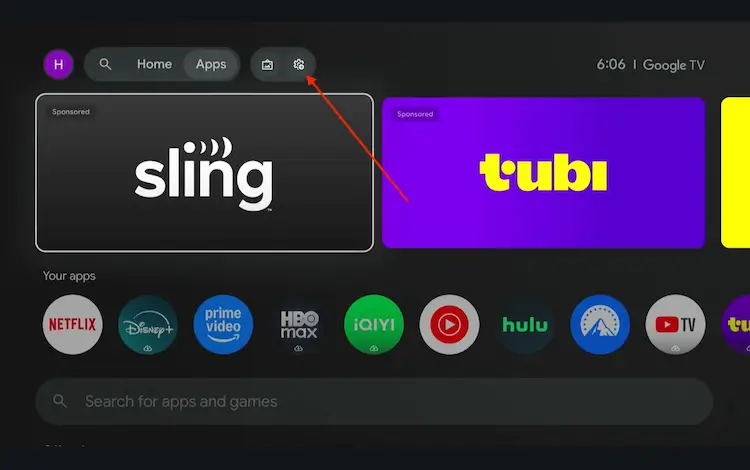
Settings icon on the Onn TV home screen
Select All Settings
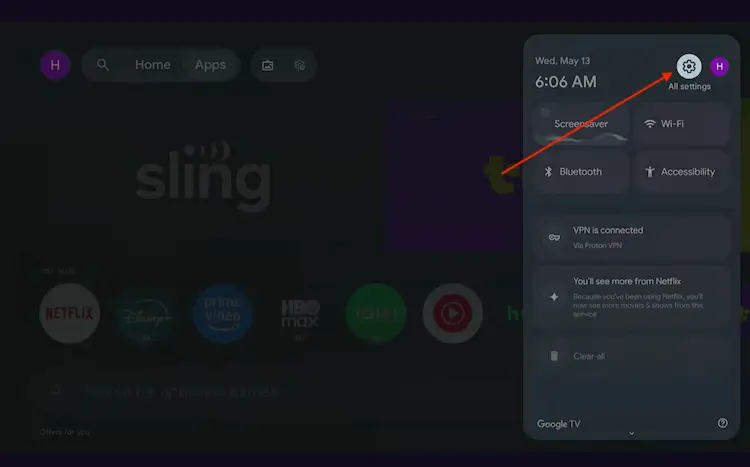
All Settings icon
Scroll down and select System, then choose About from the list.
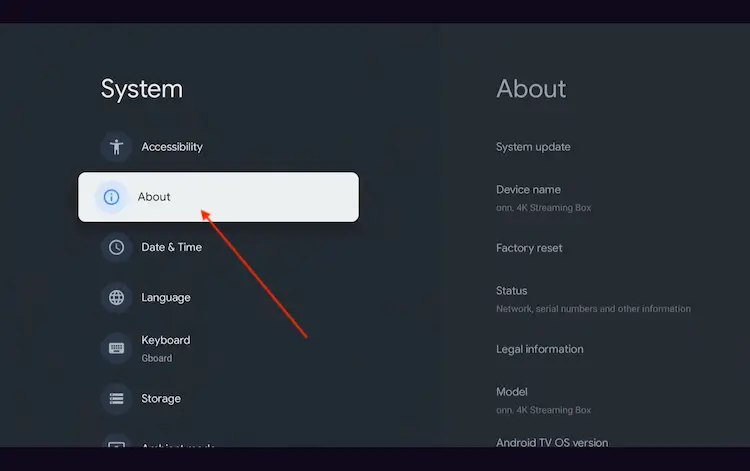
Navigate to System > About
Scroll to the bottom and click Android TV OS Build 7 times continuously until a pop-up says "You are now a developer."
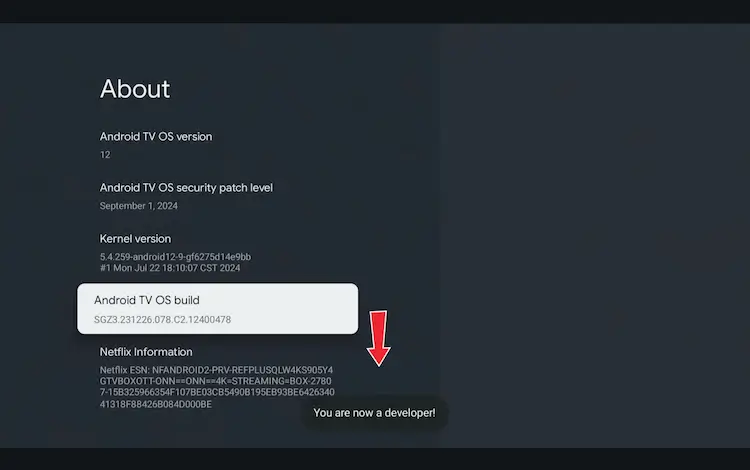
Click Android TV OS Build 7 times to unlock Developer Mode
Press the Home button on your remote, go to the top menu, and select Apps.
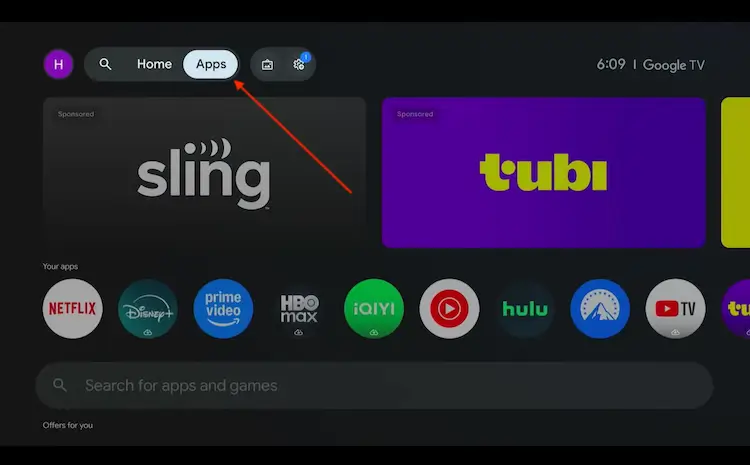
Back to the Onn TV home screen > Apps
Use the search bar and type Downloader and select the one at the top of the list
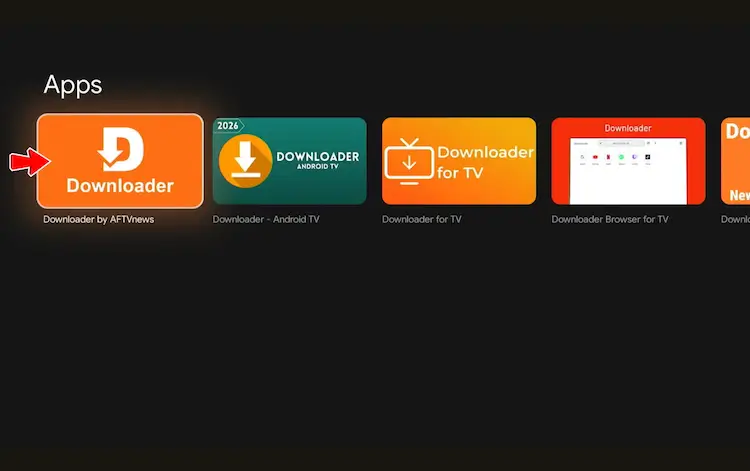
Select the Downloader app at the top of the search results
Click Install
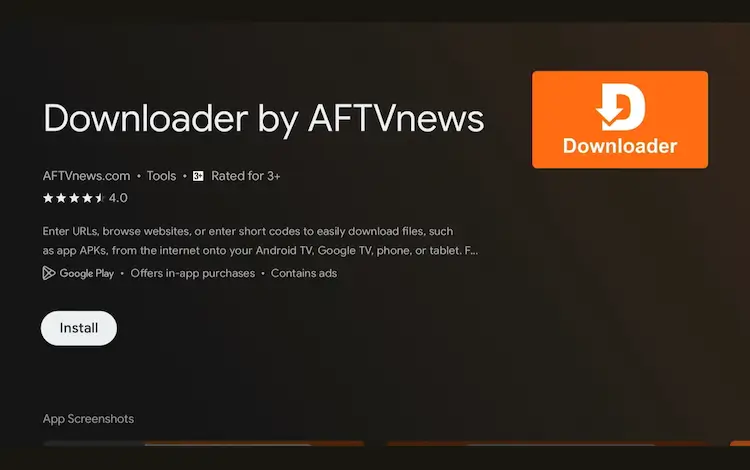
Press Install
Once installed, open the Downloader app and click on the URL/search bar.
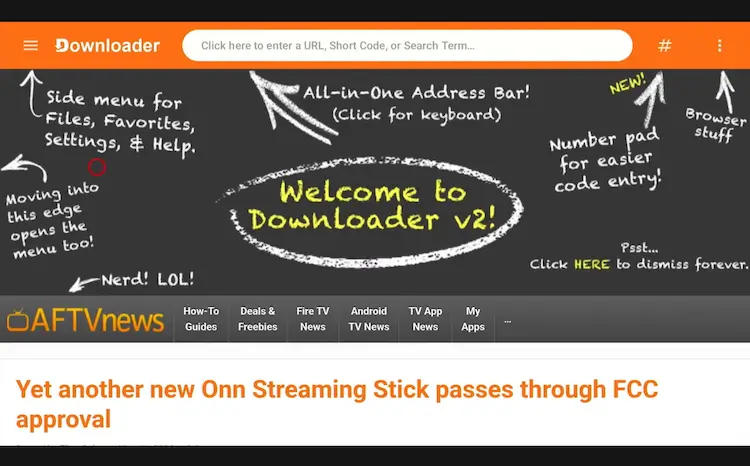
Open Downloader app > URL Search bar
Enter the exclusive Onn TV Hacks downloader code 8533602 below and press Go.
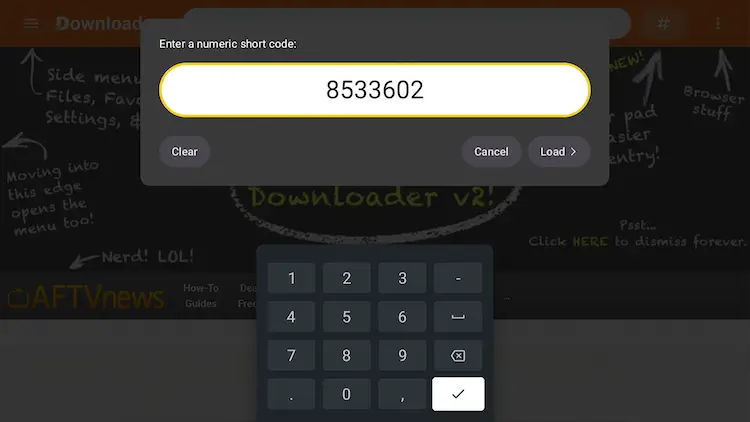
Add the popular 8533602 code
Scroll down our downloads page and click on the “IPTV Media Player” button.
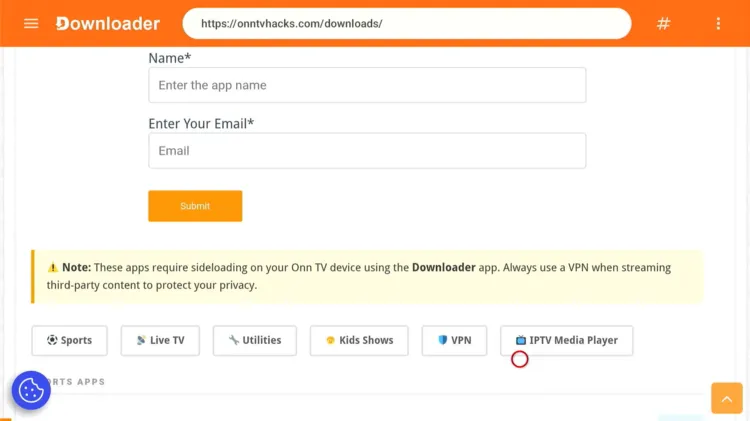
Click on the “IPTV Media Player” button
Scroll below, spot IPTV Smarters Pro, and click Download.
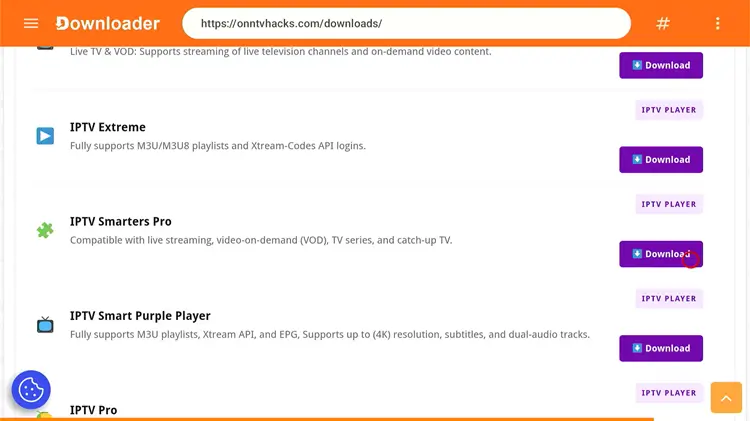
Click on “Download”
IPTV Smarters Pro APK will start downloading.
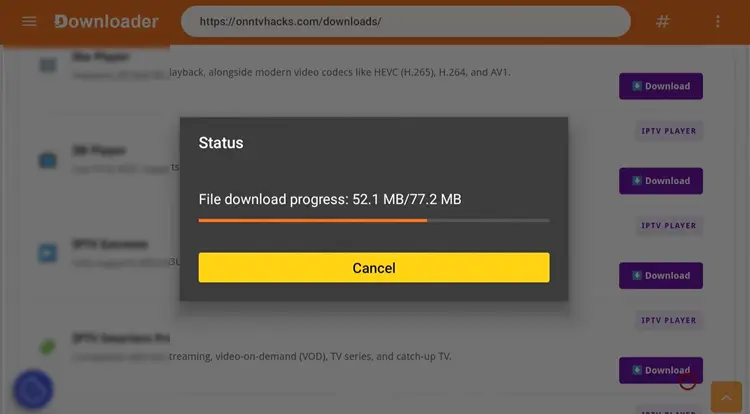
IPTV Smarters Pro is downloading
Click on Install.
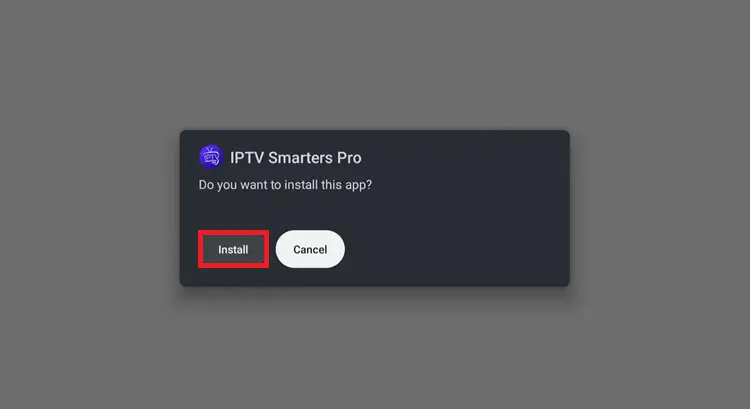
Click on “Install”
Once installed, click Done.
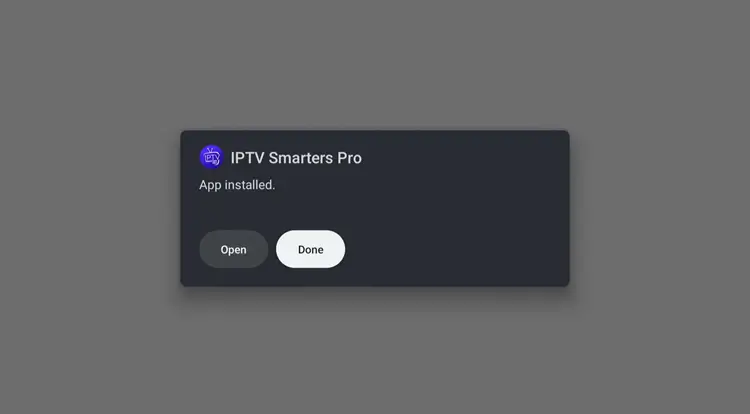
Click “Done”
Click Delete to remove the APK and free up space.
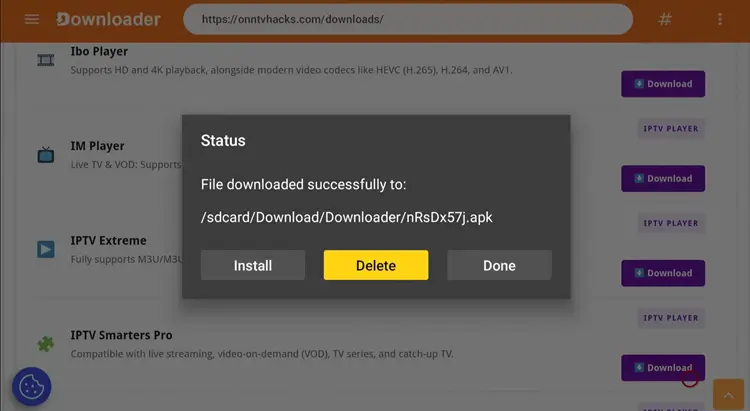
Click “Delete”
Click Delete again to confirm.
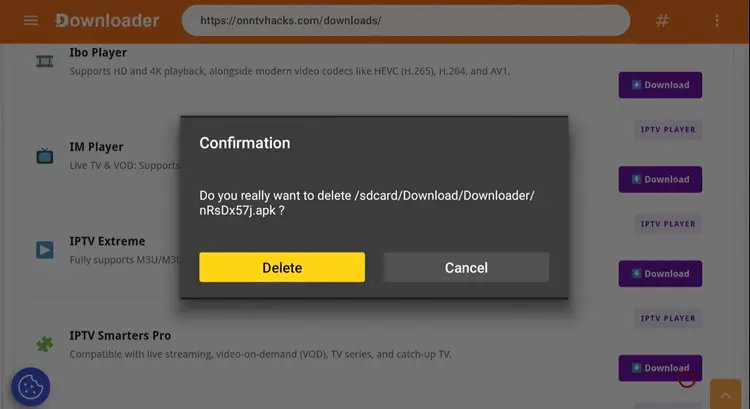
🎉 Done! IPTV Smarters Pro has been successfully installed on your Onn TV.
How to Stream IPTV on IPTV Smarters Pro
Once the installation is complete, make sure to install & connect to Surfshark VPN on your Onn TV. Protecting your privacy is essential when using unverified IPTV services to avoid potential legal issues and identity exposure.
Open Surfshark VPN and connect to any server.
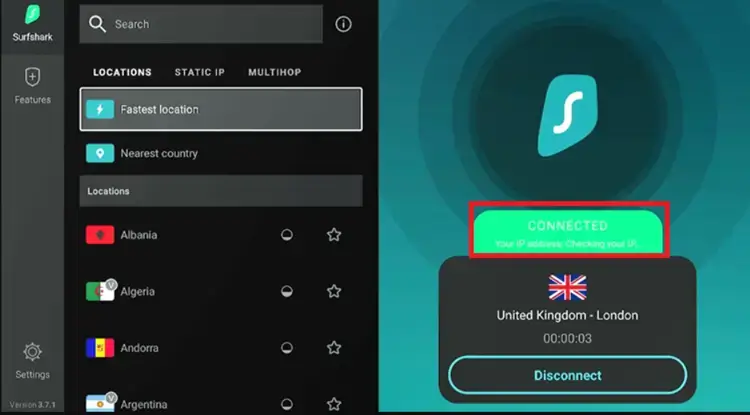
Connect to Surfshark VPN
Press Home, scroll to Your Apps, and click on IPTV Smarters Pro to launch it.
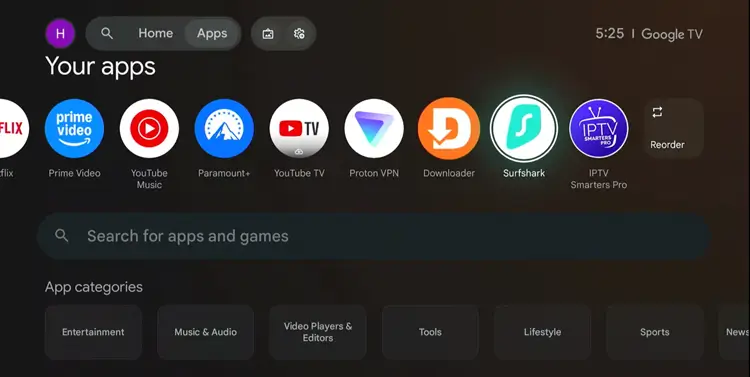
Select “IPTV Smarters Pro”
Choose TV.
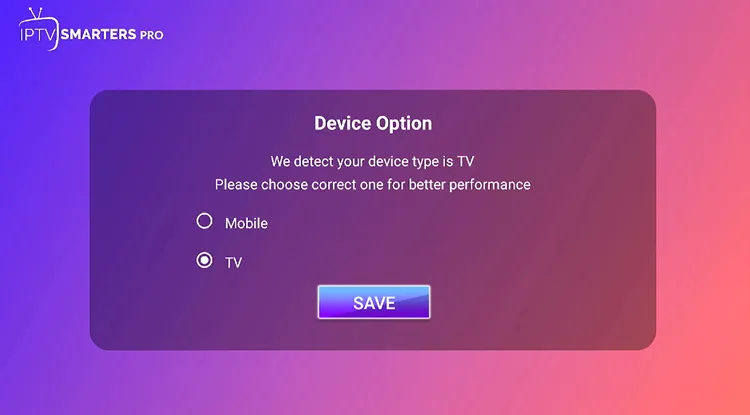
Choose “TV”
Click Allow.
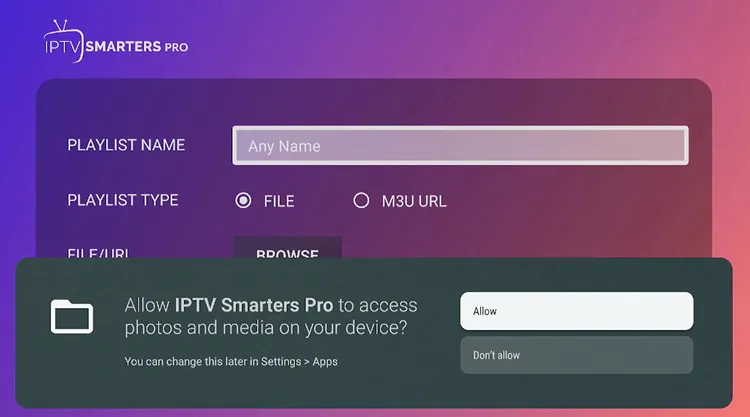
Click “Allow”
Choose either Load Your M3U Playlist File/URL or Xtream Code API.
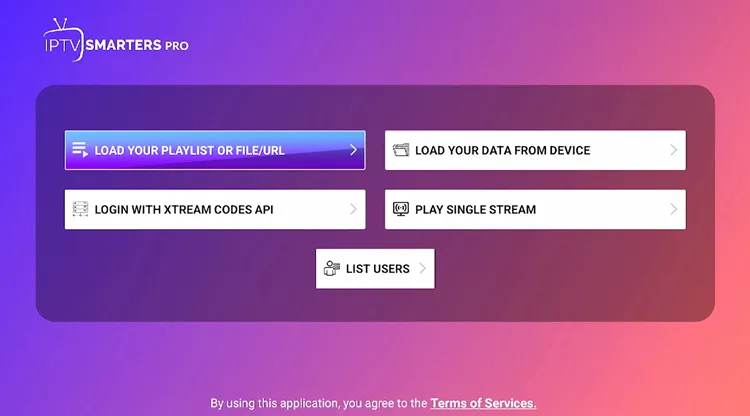
Choose M3U Link/File or Xtream Code
Enter Name, Username, Password, and the URL provided by your IPTV provider, then click Add User.
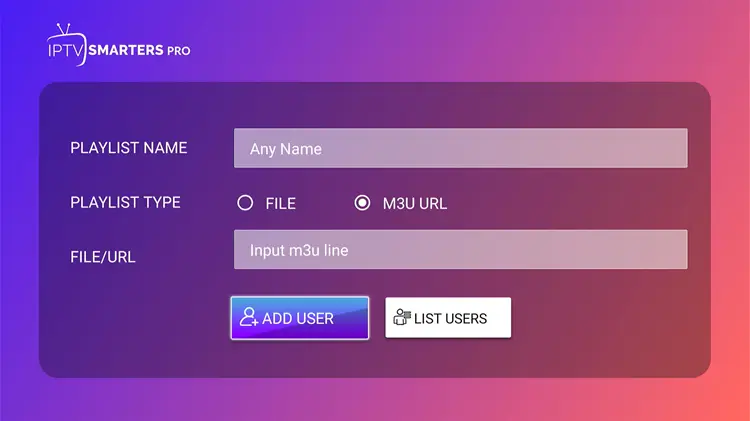
Enter the URL given by your provider
Your IPTV will be successfully set up on IPTV Smarters Pro.
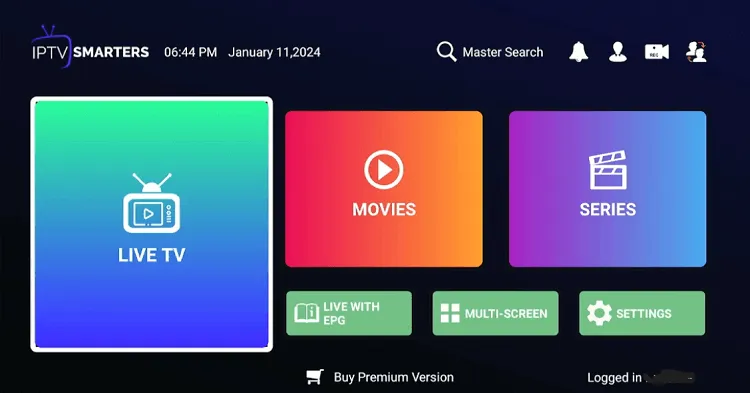
IPTV set up done
Choose anything you want to watch from the playlist.
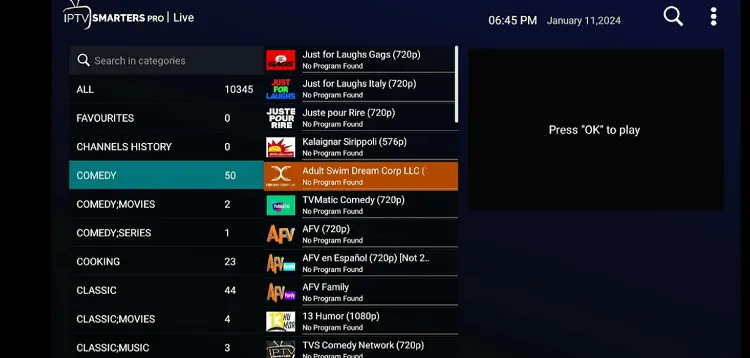
Select a channel from the playlist
Start streaming!

Get Surfshark — 86% Off Today →
IPTV Smarters Pro Features
Here’s what stands out about IPTV Smarters Pro on Onn TV:
- 100% Free
- Supports Xtream Codes & M3U URL/File
- Live TV & VOD streaming (HD, Full HD, 4K)
- Allows Electronic Program Guide (EPG) integration
- Catch-Up TV (provider dependent)
- Multi-screen viewing
- Parental controls (PIN protection)
- External player support (VLC, MX Player, etc.)
- Built-in search
- Multi-profile support
- Multi-device compatibility (Android, iOS, Smart TV, Firestick, Windows, macOS)
- Customizable, user-friendly interface
- Subtitle & multi-audio track support
Frequently Asked Questions
Is IPTV Smarters Pro compatible with Onn TV Box?
Yes. Onn Google TV devices run on Google TV, which is based on Android TV, giving full access to the Google Play Store, and IPTV Smarters Pro works smoothly on it.
Why is IPTV Smarters Pro buffering or loading slowly?
This is usually linked to internet or provider issues rather than the app itself. Make sure your internet connection is stable and your IPTV subscription is still active.
Can I sideload IPTV Smarters Pro on Onn TV?
Yes. Open the Downloader app, enter the IPTV Smarters Pro downloader code 8533602, scroll to locate the app, click download, and run the installer once it finishes.
Do I need to enable settings on Onn TV to sideload IPTV Smarters Pro?
Yes, you’ll need to enable “Unknown Sources” in Settings > Security before installing an APK manually.
Does IPTV Smarters Pro come with channels already loaded?
No. The app doesn’t sell channels or include any content by itself — it’s only a player. You need active login details from an IPTV provider, or an M3U playlist, to start watching.
What login methods does IPTV Smarters Pro support?
Most users choose the Xtream Codes API login since it’s easier to enter and typically loads live TV, EPG, movies, and series all at once. You can also load a playlist via M3U URL.
Is IPTV Smarters Pro legal to use on Onn TV?
Yes, the app itself is legal — it’s simply a media player. Legality depends entirely on the IPTV source/provider you connect to.
Conclusion
Installing IPTV Smarters Pro on your Onn TV Box takes less than 5 minutes using the recommended Downloader method.
For a safe experience, use a reliable VPN. Surfshark VPN is our recommended choice It prevents ISP throttling, keeps your activity private, and unlocks geo-restricted content.
📌 Found this guide helpful? Drop a comment below and share it with your friends. Check out our Best Apps for Onn TV guide for more top picks to install alongside IPTV Smarters Pro.