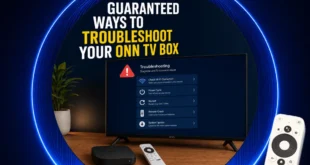
Quick answer: If your Onn TV Box or Stick misbehaves, start with a full power cycle (unplug it for 60 seconds). Then check the power adapter, HDMI cable and Wi-Fi, clear app cache and update, and re-pair the remote by holding Back and Home. Walmart’s Onn Google TV streaming boxes and sticks offer great value, but like any budget hardware, …
Read More »Black Joseph
How to Install RTÉ Player on Onn TV (Working Android APK)
Quick Answer: To install RTÉ Player on an Onn TV Box or Stick, download it with the Downloader app using the master downloader code 8533602, then install it with X-Plore File Manager. Connect to an Ireland server to watch from outside Ireland. If you’re after Irish TV without a cable box, RTÉ Player is the free, ad-supported streaming home of …
Read More »How to Install Brave Browser on Onn TV (Working APK)
Quick answer: To install Brave Browser on an Onn TV Box or Stick, download the split APKM file with the Downloader app (code 8533602), then install it using X-Plore File Manager. Brave Browser is a privacy-focused browser that blocks ads and trackers by default and avoids tracking and profiling your searches. You can also change the theme, scale text, and …
Read More »How to Install IPVanish on Onn TV: Play Store and Downloader
Quick answer: To install IPVanish on an Onn TV Box or Stick, search for IPVanish in the Google Play Store, or sideload it with Downloader using the code 8533602. IPVanish is a premium VPN with a self-owned network of 3,400+ servers in 150+ locations, and it’s one of the most capable VPNs for your Onn TV Box or Stick. Since …
Read More »How to Install RBLive77 Sports App on Onn TV Stick/Box
Quick answer: To install RBLive77 on an Onn TV Box or Stick, open Downloader, enter the code 8533602, open the Live TV tab, select RBLive77 and install it. Want one app for live cricket, tennis, motorsport and more? RBLive77 is a sports streaming app that puts live events from many sports in one simple list. It isn’t on the Google …
Read More »How to Fix Onn 4K Pro Stuck on Logo (Stop Boot Loop)
Quick answer: Do a cold boot first by unplugging everything for 3 to 5 minutes. If that fails, power the box from a wall outlet, then use Reboot system now in recovery mode. Still looping? Use Wipe data/factory reset. Your Onn 4K Pro shows the Google logo, restarts, shows the logo again, and keeps going. This is called a boot …
Read More »8 Best VPNs for Onn TV in 2026 — Tested & Ranked (Nov. 2026)
Streaming on your Onn TV is great. But here’s the problem, your Internet Service Provider can see every show you watch, every app you open, and every search you make. A VPN fixes that. It hides your activity, encrypts your connection, and lets you access streaming libraries from other countries, all in one step. But not every VPN works well …
Read More »50+ Best Downloader Codes for Onn TV [Tested, Nov. 2026]
If you’ve got a Downloader app on your Onn TV, you’re one short code away from installing any app you want. No long URLs, no hunting for APK sites, just type the code, hit Go, and it’s done. Below are the best working Downloader codes for Onn TV, covering apps for live TV, sports, IPTV players, free streaming apps, and …
Read More »Install Firefox Browser on Onn TV Device (Easy Sideload Method)
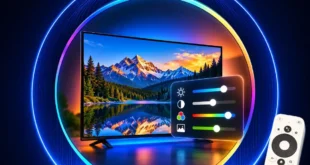
Quick answer: For the best picture on an Onn TV Box or Stick, set Resolution to Auto, turn on Match content dynamic range, set Match content frame rate to Always, set Color format to Auto, and allow the HDR format your TV supports. Your Onn TV Box or Stick can look far better than it does out of the box, …
Read More »Best Picture Settings for Onn 4K Box: Fix HDR, Colors & Motion Lag
Quick answer: For the best picture on an Onn TV Box or Stick, set Resolution to Auto, turn on Match content dynamic range, set Match content frame rate to Always, set Color format to Auto, and allow the HDR format your TV supports. Your Onn TV Box or Stick can look far better than it does out of the box, …
Read More »
Onn TV Hacks Master Your Onn TV with Expert Guides, Hacks, & Apps