 Onn TV Hacks Master Your Onn TV with Expert Guides, Hacks, & Apps
Want to jailbreak your Onn TV Box and unlock hundreds of free streaming apps that aren’t available in the Google Play Store?
In this step-by-step guide, you’ll learn exactly how to do it using the Downloader app and a special code, no technical experience needed, and it takes less than 5 minutes.
📋 Table of Contents
What Does It Mean to Jailbreak Onn TV?
Jailbreaking your Onn TV simply means adjusting a few built-in settings to allow your device to install apps from outside the Google Play Store, also known as sideloading.
It’s a completely legal process that unlocks third-party apps for live TV, movies, sports, and much more.
Unlike iPhones, Android-based devices like the Onn TV are designed to allow this. You’re simply enabling a setting that Google already built in. No hacking, no hardware modification, no voiding of warranty.
| Detail | Info |
|---|---|
| ⏱ Time Required | Under 5 minutes |
| 📺 Device | Onn Android TV / Streaming Box / 4K Stick |
| 🛠 Tool Needed | Downloader App (free) |
| 🔑 Secret Code | 8533602 |
| 📦 Apps Available | 300+ (Live TV, Movies, Sports, Kids) |
| 💰 Cost | Free |
How to Jailbreak Onn [Video]
What You Need Before You Start
Before you jailbreak your Onn TV, make sure you have the following ready:
- ✅ Your Onn TV or Onn streaming device (powered on)
- ✅ The Onn remote control
- ✅ A working Wi-Fi or internet connection
- ✅ A VPN for privacy (recommended — more on this below)
Our Top Pick for Onn TV
Surfshark VPN
One tap to protect your Onn TV. Unlimited devices. Built-in ad blocker. Under $2/month.
Get Surfshark — 86% Off Today →
How to Jailbreak Onn TV Box & Stick (Step-by-Step)
Here are the steps you need to follow to Jailbreak your Onn device:
Go to Onn TV Home and then click on the Settings icon
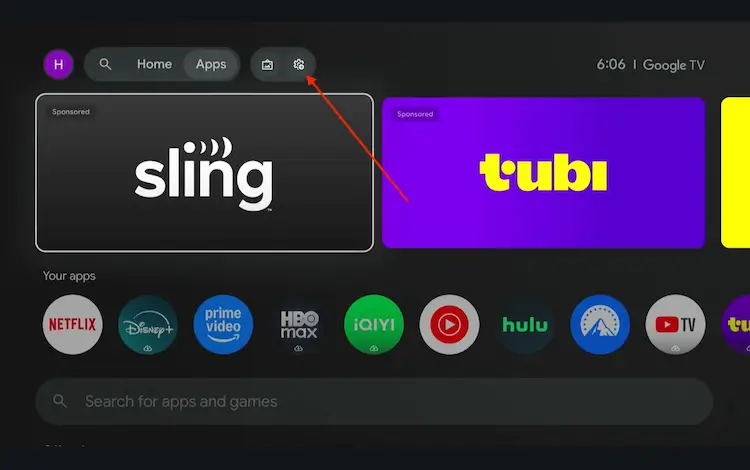
Settings icon on the Onn TV home screen
Select All Settings
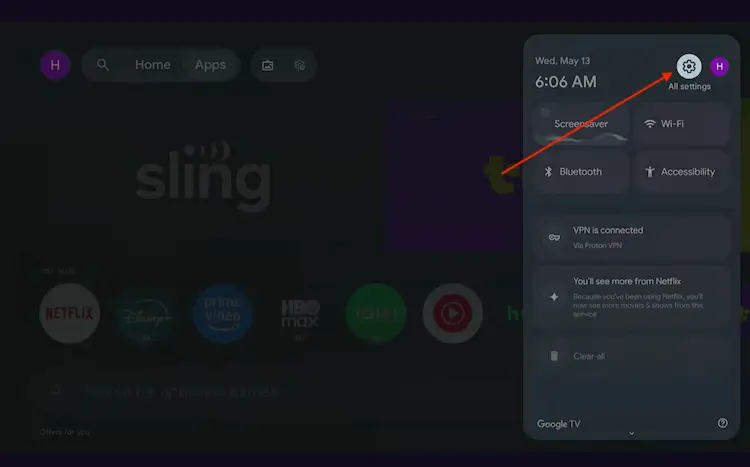
All Settings icon
Scroll down and select System, then choose About from the list.
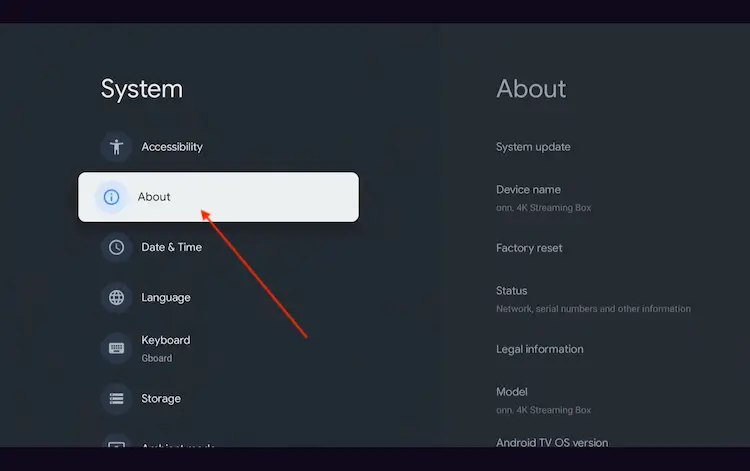
Navigate to System > About
Scroll to the bottom and click Android TV OS Build 7 times continuously until a pop-up says "You are now a developer."
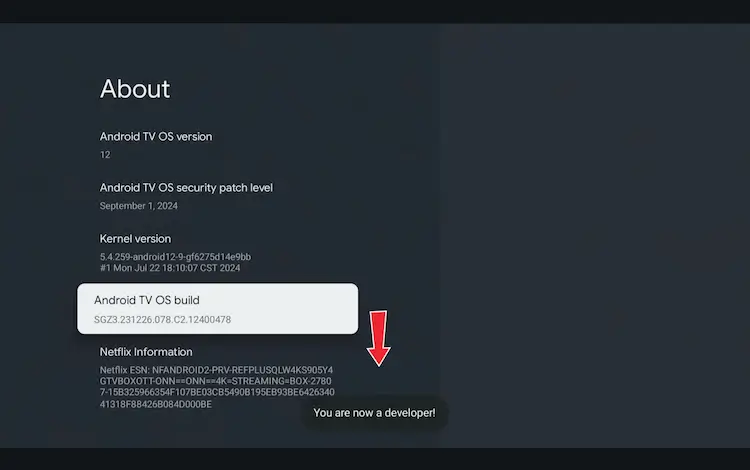
Click Android TV OS Build 7 times to unlock Developer Mode
Press the Home button on your remote, go to the top menu, and select Apps.
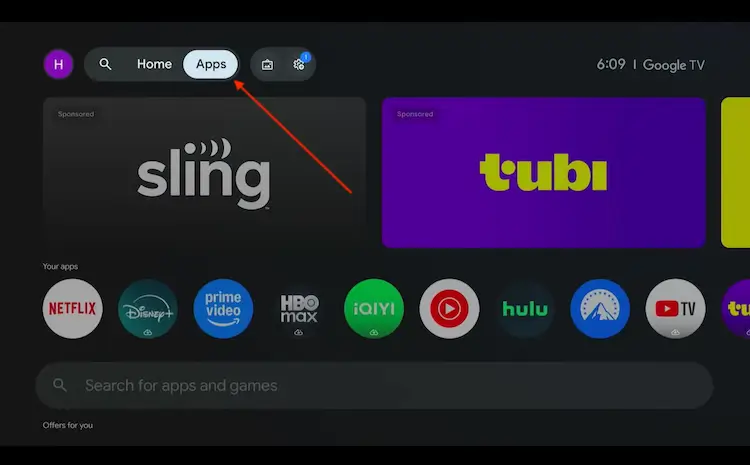
Back to the Onn TV home screen > Apps
Use the search bar and type Downloader and select the one at the top of the list
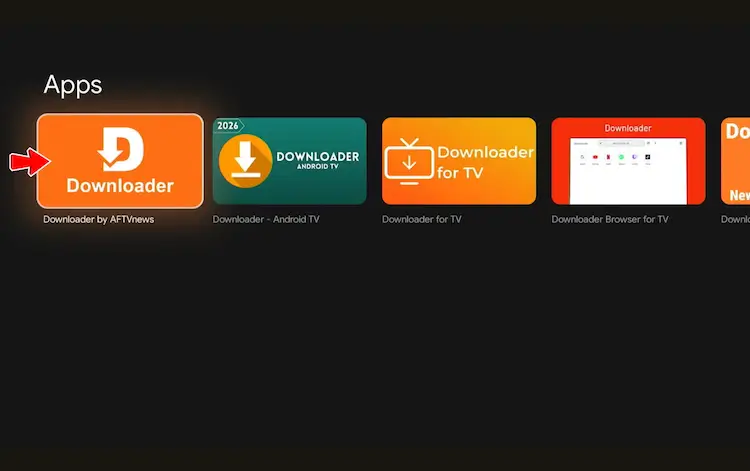
Select the Downloader app at the top of the search results
Click Install
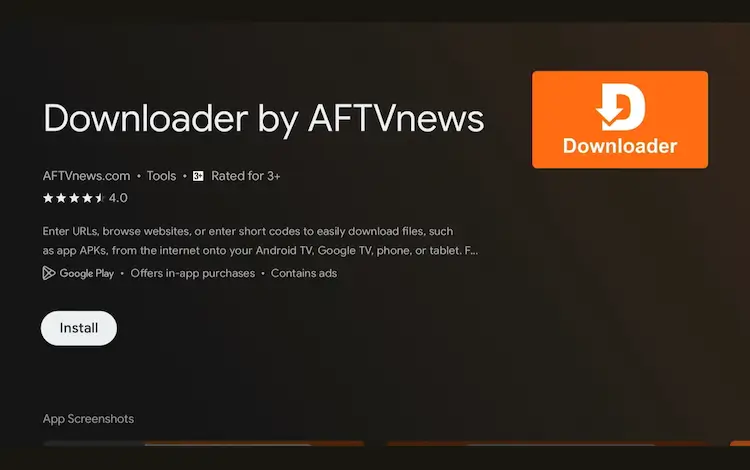
Press Install
Once installed, open the Downloader app and click on the URL/search bar.
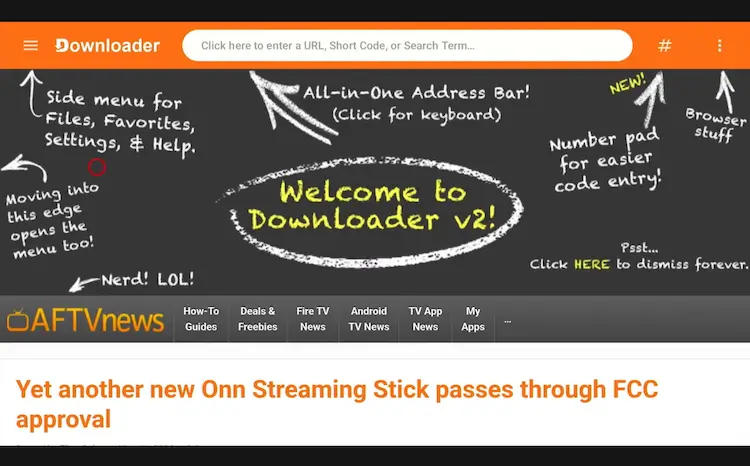
Open Downloader app > URL Search bar
Enter the exclusive Onn TV Hacks downloader code 8533602 below and press Go.
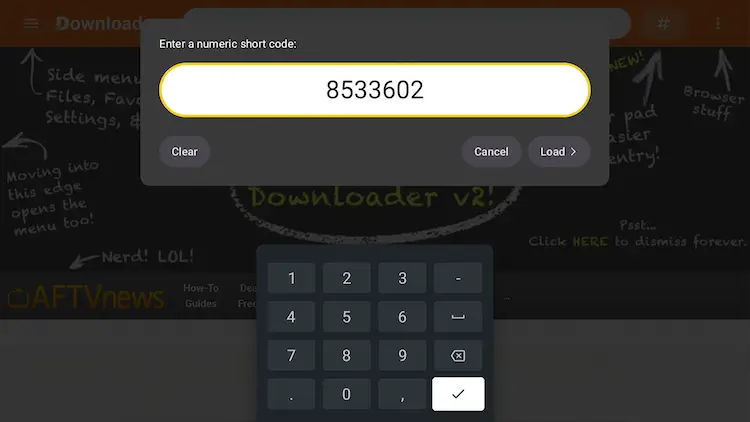
Add the popular 8533602 code
Stay Safe with a VPN (Highly Recommended)
Once you jailbreak your Onn TV and start installing third-party apps, it’s strongly recommended to use a VPN (Virtual Private Network) to keep your activity private and your data encrypted.
Follow these steps to use a VPN with Onn TV Stick:
On the Downloader app enter the code 8533602 and scroll down to select VPN
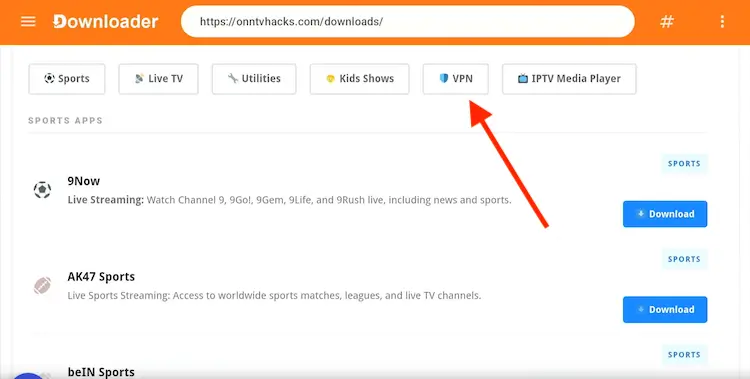
Go the VPNs tab
When you see Surfshark VPN, click Download
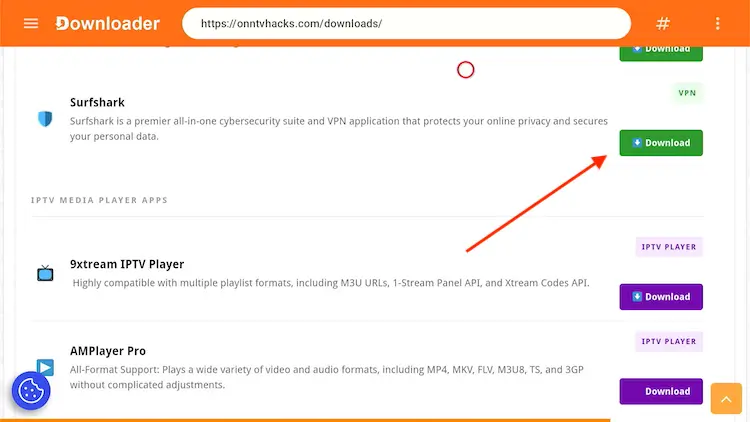
Click Download
Select Install
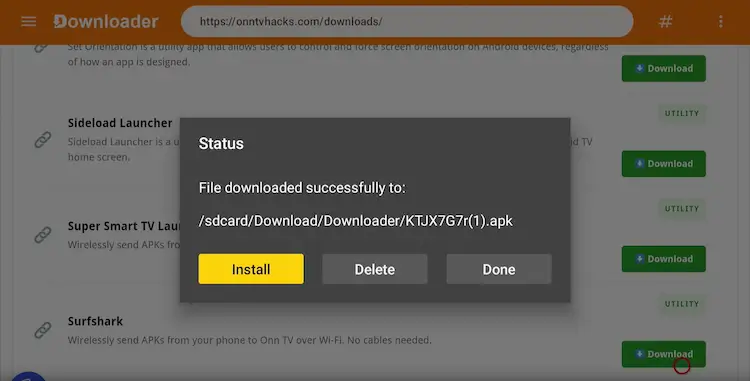
Select Install
Click Install
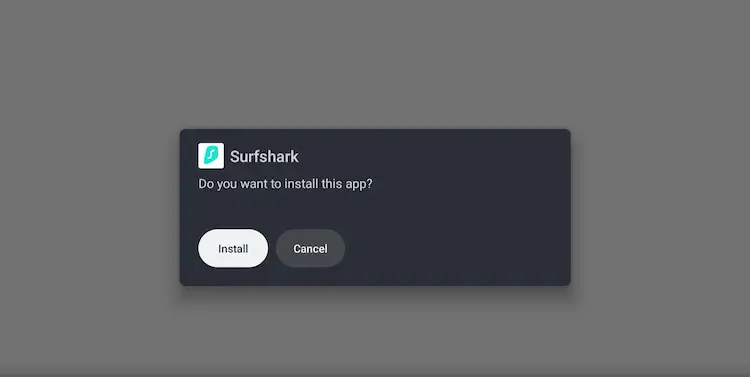
Select Install once again
Wait for the installation to complete
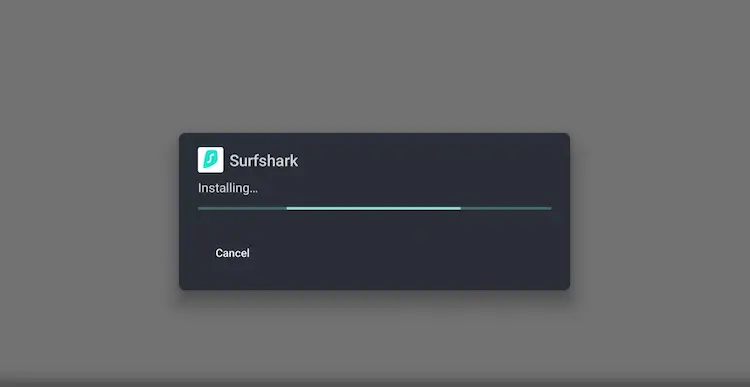
Wait a few seconds to install
Select Done
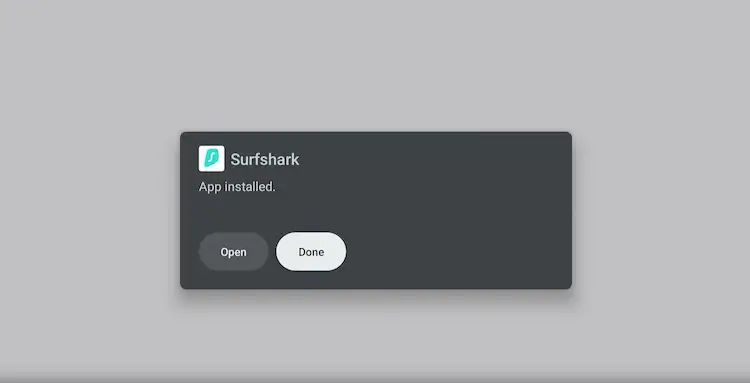
Click Done
Press Delete option
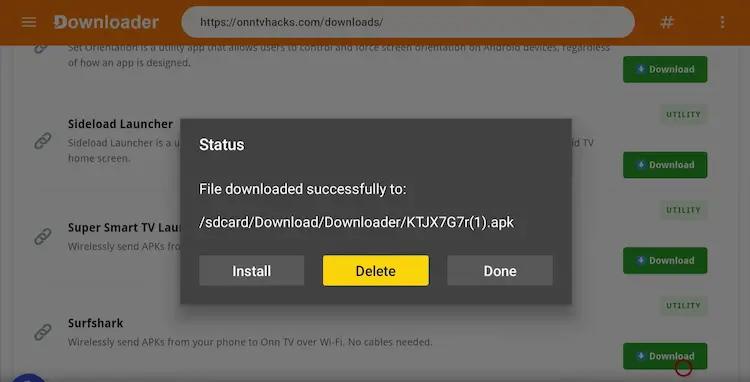
Select Delete
Click Delete once again to remove the APK (it takes a lot of space)
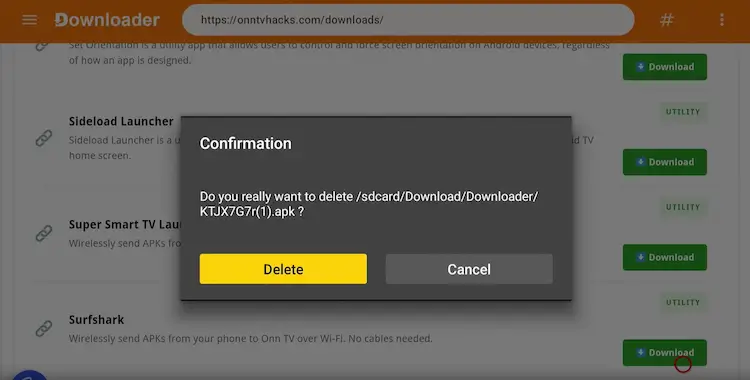
Select Delete once again
Go to Onn TV Home and click Apps > Surfshark
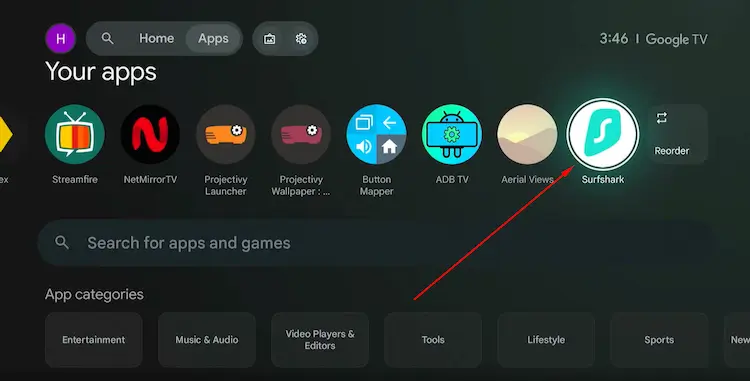
Go to Onn TV > Apps > Surfshark
Select Login
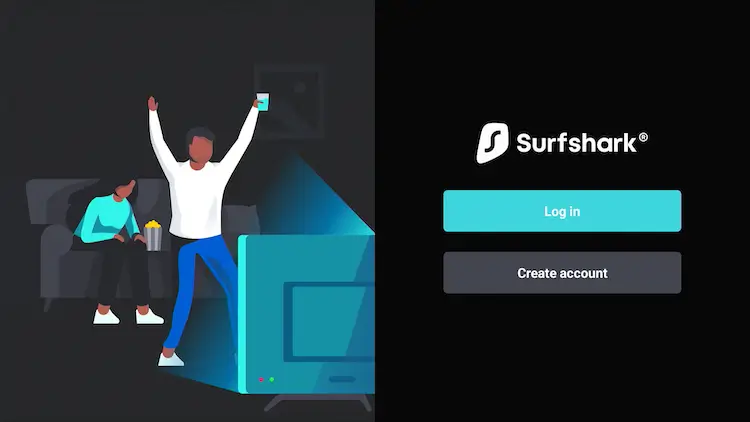
Click Login
Enter your credentials and hit Login
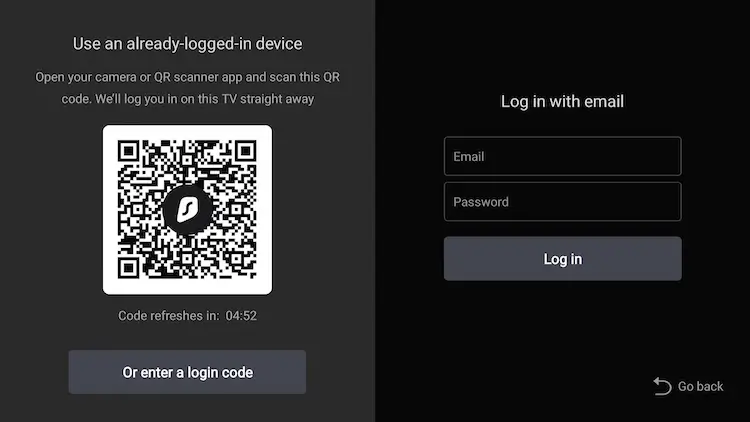
Login with Surfshark VPN
Connect to any of the country’s server and click Connect
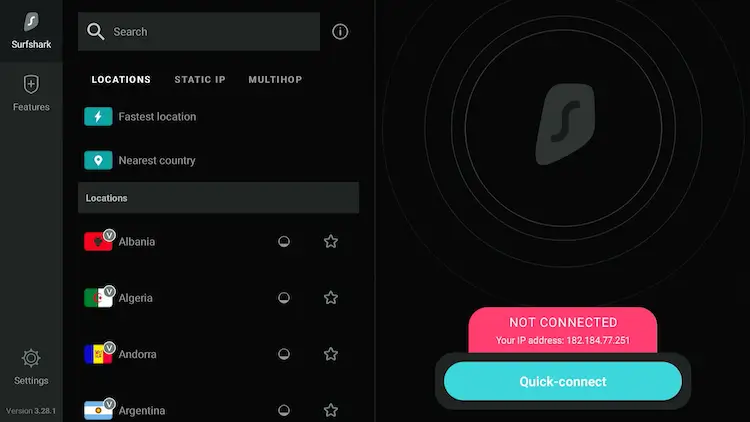
Connect to any Surfshark’s server
When choosing a VPN for your Onn TV, look for these features:
- ✅ AES-256 encryption
- ✅ Strict no-logs policy
- ✅ Fast streaming servers
- ✅ A dedicated Android TV app
- ✅ Kill switch for added security
Frequently Asked Questions
Is it legal to jailbreak an Onn TV?
Yes. Jailbreaking (sideloading) is completely legal. It simply means installing apps from outside the official store. The legality of the apps you choose to install may vary by region.
Will jailbreaking Onn TV void my warranty?
Since the process only changes software settings and not hardware, it is generally reversible. You can restore your device to factory settings at any time.
What is the Downloader code for Onn TV Hacks?
The exclusive Onn TV Hacks Downloader code is 8533602. Enter this in the Downloader app’s URL bar to access 300+ free apps.
Does this work on all Onn TV models?
Yes! This method works on all Onn Android TV devices including the Onn 4K Streaming Box, Onn 4K Streaming Stick, and any Onn device running Android TV OS.
How do I uninstall an app I sideloaded?
Go to Settings → Apps, find the app, and select Uninstall. It works exactly the same as removing any standard app.
Do I need to jailbreak my Onn TV every time?
No. You only need to jailbreak once. After that, Developer Mode stays enabled and you can install apps anytime through the Downloader app without repeating the setup.
Final Thoughts
Learning how to jailbreak Onn TV takes less than 5 minutes and completely transforms what your device can do.
By enabling Developer Mode, installing the Downloader app, and entering code 8533602, you get instant access to 300+ apps for live TV, movies, sports, kids content, and more, all for free.
Just remember to use a VPN while streaming third-party content to stay safe and private. Happy streaming! 🎬
📌 Found this guide helpful? Share it with friends and drop a comment below. Visit Onn TV Hacks for more tips, tutorials, and the latest app updates.
