 Onn TV Hacks Master Your Onn TV with Expert Guides, Hacks, & Apps

Written and tested by Black Joseph
Updated November 4, 2026
When you buy through our links, we may earn a commission. See how we work with brands here.
Want one app for live cricket, tennis, motorsport and more? RBLive77 is a sports streaming app that puts live events from many sports in one simple list.
It isn’t on the Google Play Store, so you’ll sideload it on your Onn TV using the Downloader app.
The app also shows ads, so expect a few interruptions. Since you’re streaming third-party content, a VPN like Surfshark VPN is our top choice helps keep your connection private from your ISP.
📋 Table of Contents — tap to expand
🔥 BLACK FRIDAY DEAL
Our Recommended VPN - Surfshark VPN
Now only $2.49/mo
🔒 30-day money-back📱 Unlimited devices🚫 Ad blocker$0.08/day

How to Install RBLive77 on Onn TV Box/Stick
If you haven’t jailbroken your Onn Stick/Box yet or don’t have the Downloader app installed, follow the steps below first. Otherwise, skip directly to step 10.
Before streaming anything from RBLive77, make sure to install Surfshark VPN on your Onn device.
Go to Onn TV Home and then click on the Settings icon
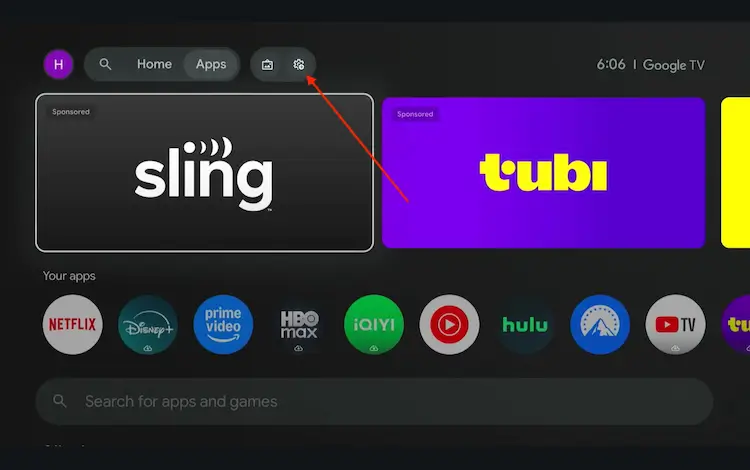
Settings icon on the Onn TV home screen
Select All Settings
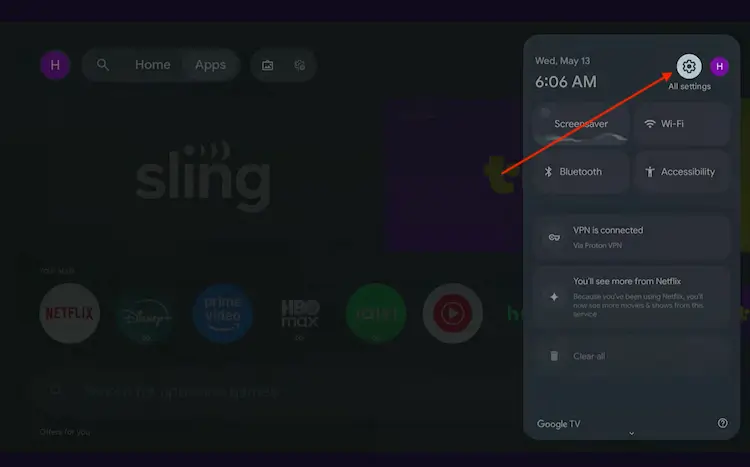
All Settings icon
Scroll down and select System, then choose About from the list.
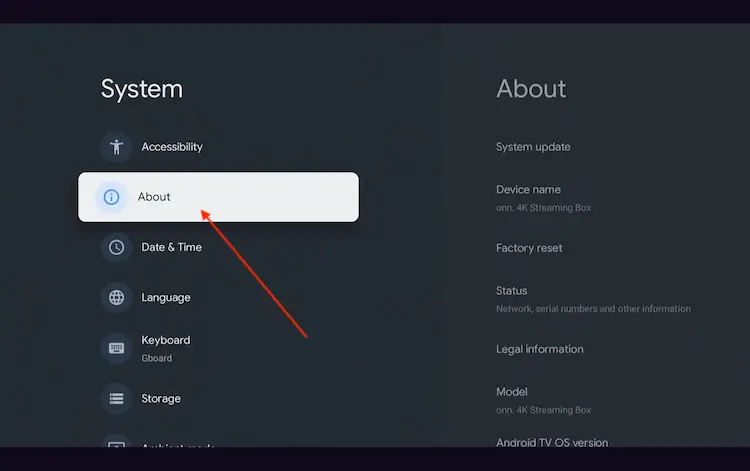
Navigate to System > About
Scroll to the bottom and click Android TV OS Build 7 times continuously until a pop-up says "You are now a developer."
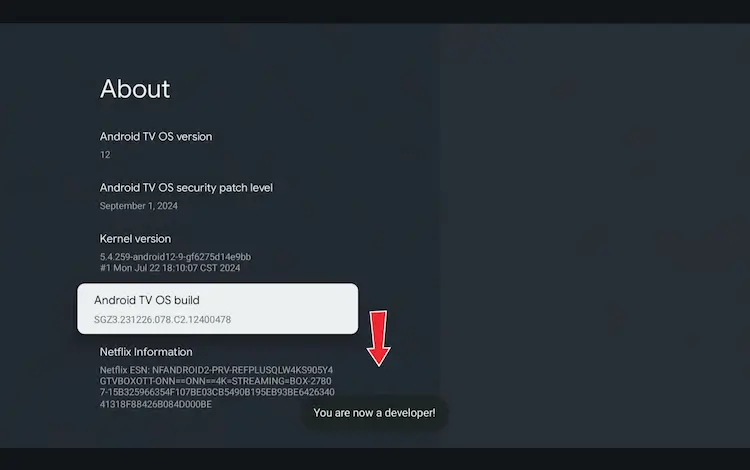
Click Android TV OS Build 7 times to unlock Developer Mode
Press the Home button on your remote, go to the top menu, and select Apps.
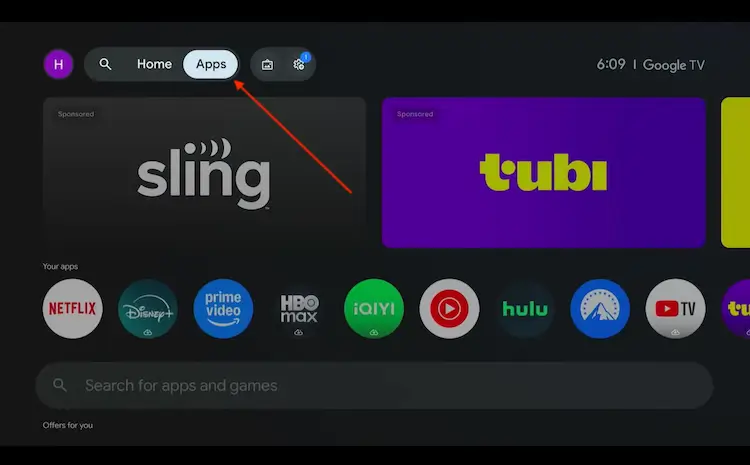
Back to the Onn TV home screen > Apps
Use the search bar and type Downloader and select the one at the top of the list
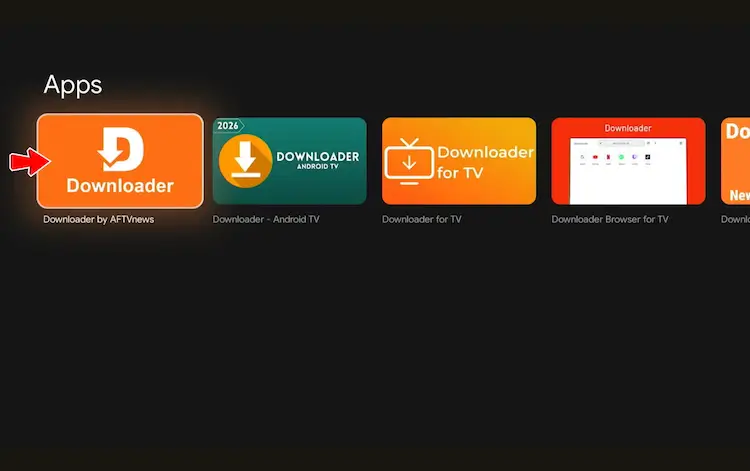
Select the Downloader app at the top of the search results
Click Install
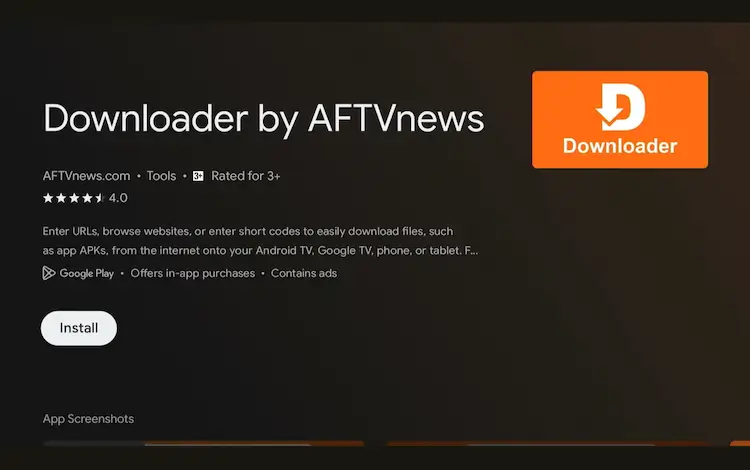
Press Install
Once installed, open the Downloader app and click on the URL/search bar.
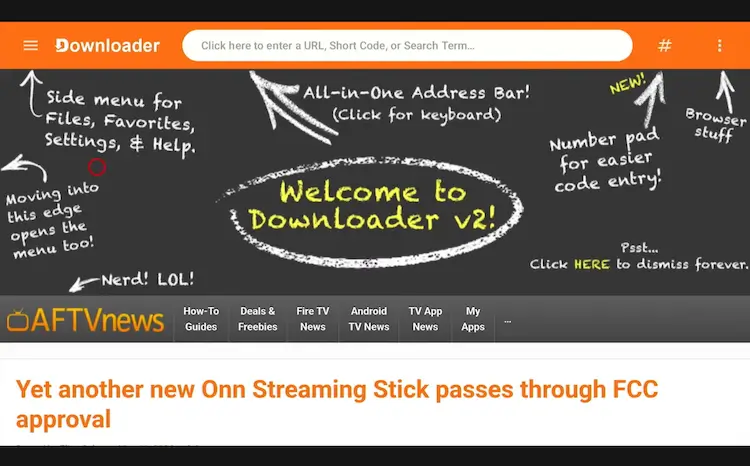
Open Downloader app > URL Search bar
Enter the exclusive Onn TV Hacks downloader code 8533602 below and press Go.
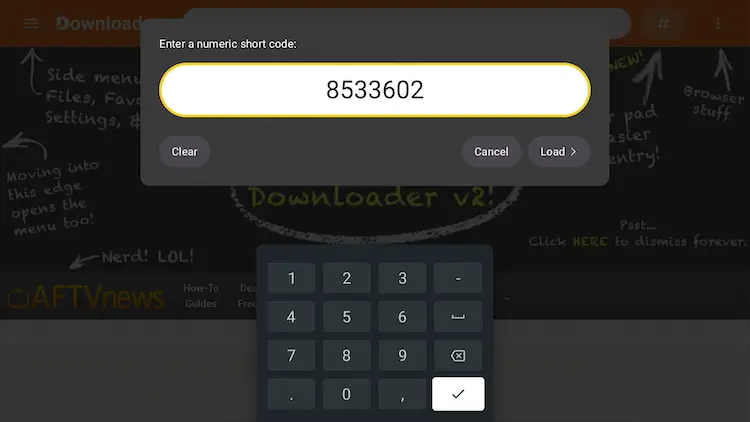
Add the popular 8533602 code
Scroll down and select the Live TV tab.
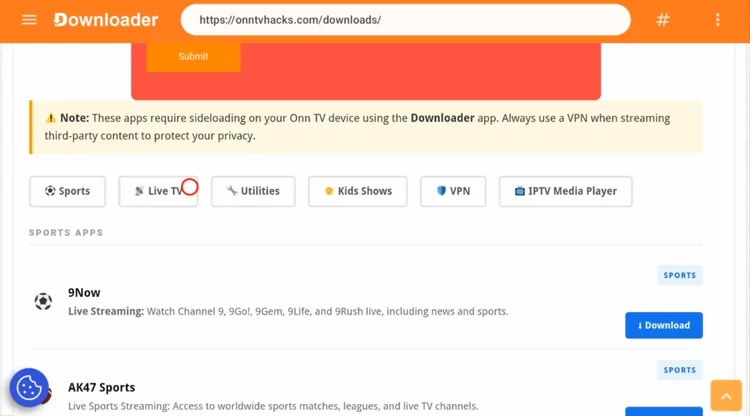
Open the “Live TV” tab
Scroll down to RBLive77 and click Download.
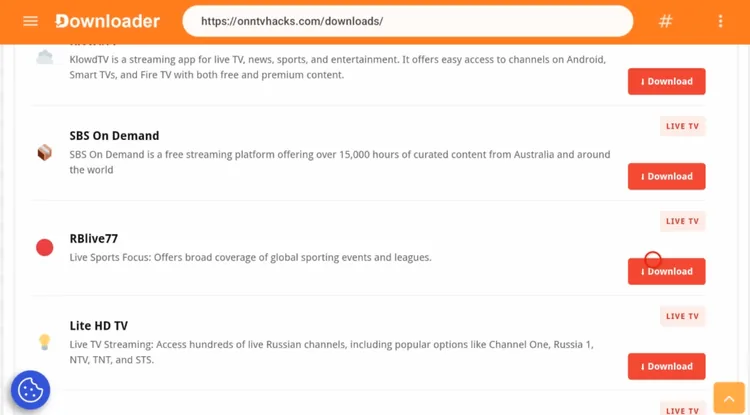
Click “Download” next to RBLive77
Click the download button to start the download.
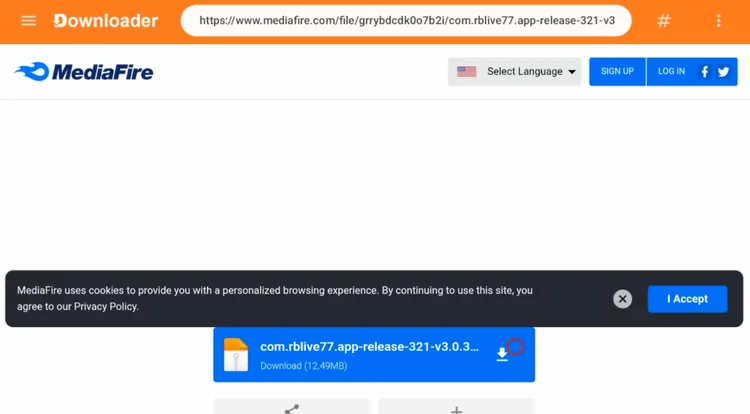
Click the download button
Wait for the file to finish downloading. It’s about 13 MB, so it won’t take long.
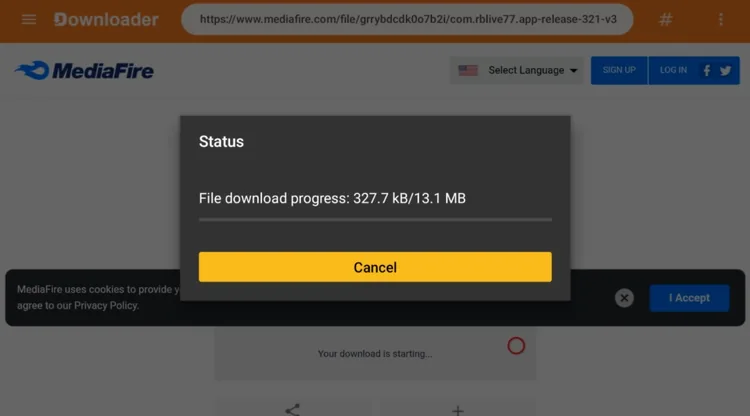
Wait for the download to finish
When the status box says the file downloaded successfully, click Install.
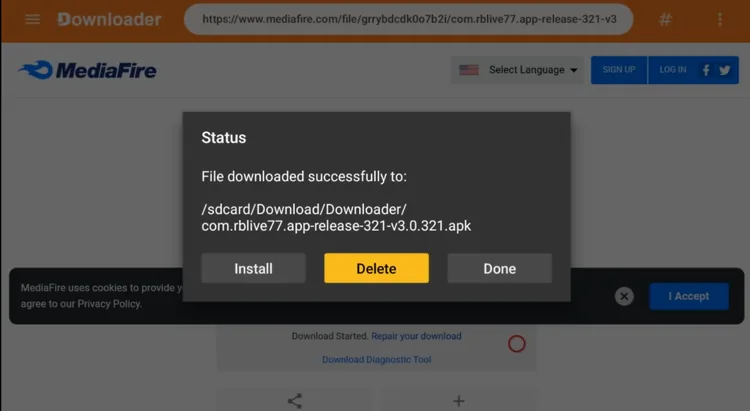
Click “Install”
On the prompt Do you want to install this app?, click Install again.
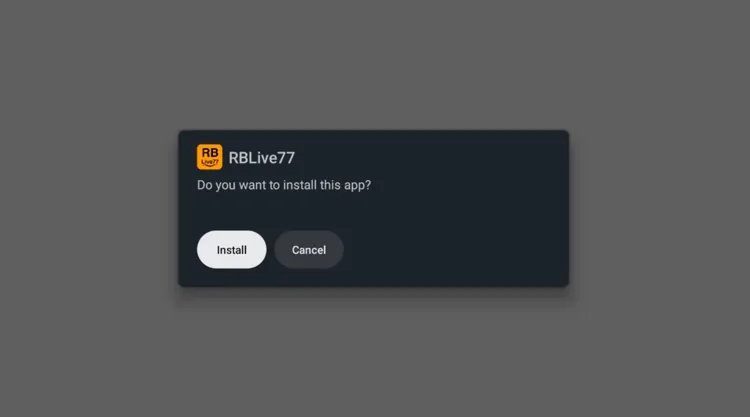
Click “Install” again
When you see App installed, click Done. You can open the app later.
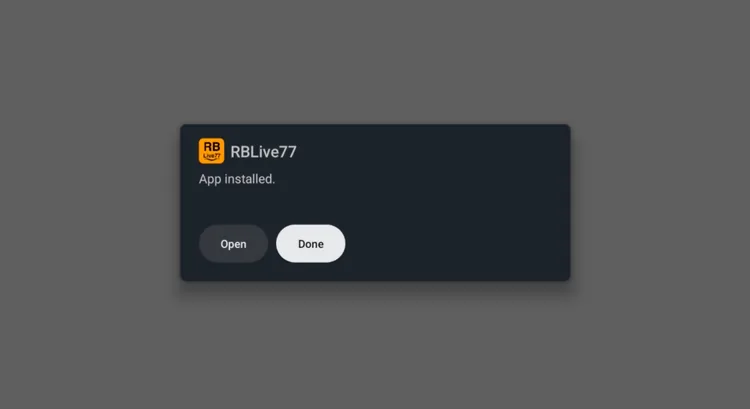
Click “Done”
Click Delete to remove the installer file and free up space.
Click Delete again to confirm.
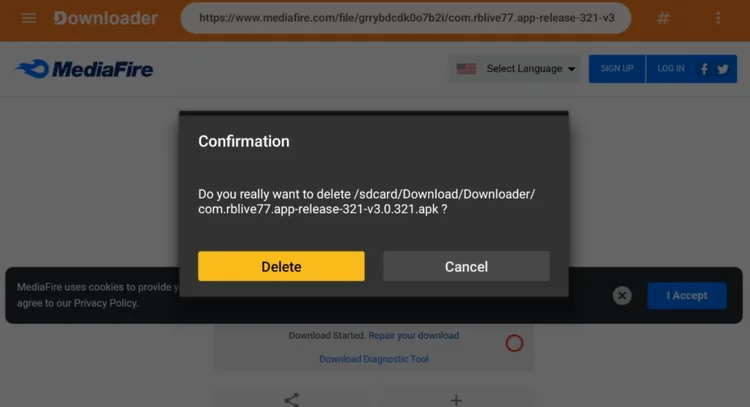
Click Delete again
How to Stream Sports on RBLive77
Before you open the app and stream anything, connect to Surfshark VPN. It adds a layer of privacy while you stream.
Open your VPN app (e.g., Surfshark) and connect to a server.
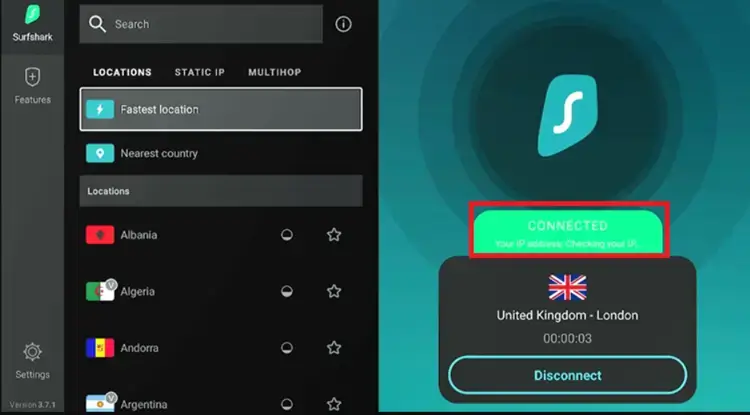
Connect to a Surfshark server before streaming
Then open RBLive77 from Your apps on the home screen.
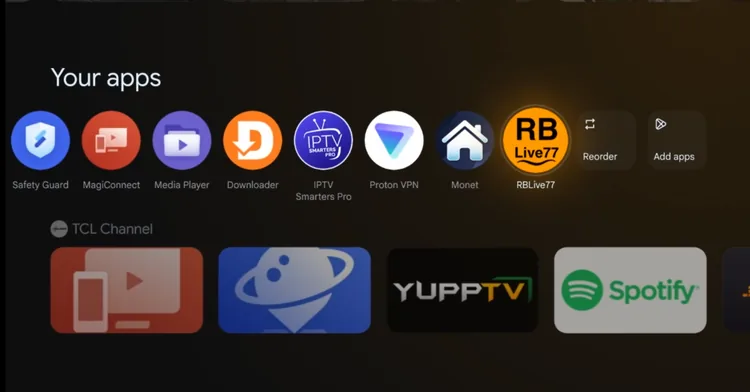
Open RBLive77
Use the sports icons on the left to pick a sport, then browse the list of live and upcoming events. The star lets you save favorites.
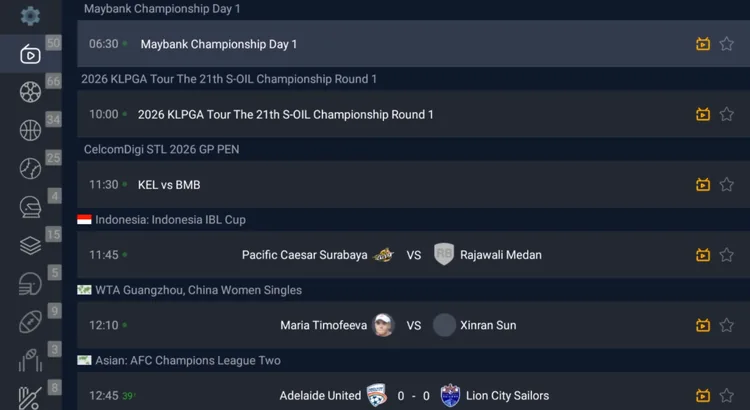
Pick a sport and an event
Select an event to start the stream. Expect some ads along the way.

Enjoy the live sports!
What Sports Does RBLive77 Cover?
RBLive77 is built around sports. Coverage depends on what’s live at the moment, but here’s what you can expect to find:
Australian Rules Football
Live games
Cricket
Live matches
Swimming
Major events
Tennis
Live matches
Motorsport
Race coverage
Golf
Live tournaments
Football
Live matches
Basketball
Live games
Is RBLive77 Safe & Legal to Use?
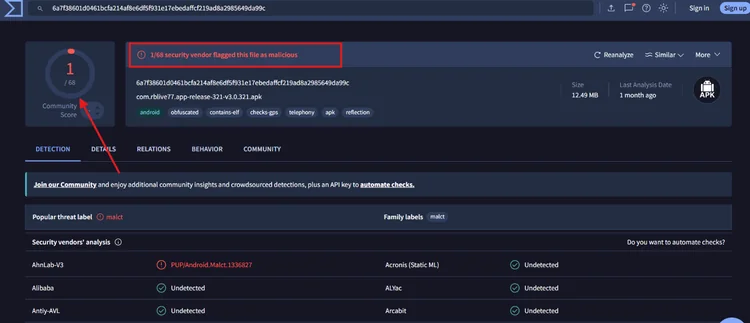
We scanned the RBLive77 APK (v3.0.321) on VirusTotal: 1 of 68 security vendors flagged it, and the rest showed it as undetected.
A single detection isn’t proof of malware, but it isn’t proof of safety either, so scan the APK yourself before you install it.
RBLive77 isn’t officially licensed, and streaming copyrighted events may be illegal where you live. A VPN such as Surfshark keeps your ISP from seeing what you stream, but it doesn’t make the app safe or legal.
About RBLive77
RBLive77 is a live sports streaming app that lists events from many sports in one place, with start times and a favorites option.
| Detail | Info |
|---|---|
| Content Type | Live sports |
| Price | Free to install (with ads) |
| Ads | Yes |
| File Size | About 13 MB |
| Version | 3.0.321 (as shown during install) |
| Safe to Use? | 1/68 vendors flagged it on VirusTotal. Scan before installing. |
📌 Related Onn TV Guides
- Best Live TV Apps for Onn TV — more live TV apps worth installing.
- New Android Sideloading Rule for Onn TV — what to know before you sideload.
- Enable Developer Options on Onn TV — turn on the setting sideloading needs.
Frequently Asked Questions
What is the Downloader code for RBLive77 on Onn TV?
The Downloader code is 8533602. Enter it in Downloader, open the Live TV tab, select RBLive77 and click Download.
Is RBLive77 free?
RBLive77 is free to install through Downloader, but the app shows ads.
What sports does RBLive77 have?
RBLive77 is sports-focused and covers Australian rules football, cricket, swimming, tennis, motorsport, golf, football and basketball, depending on what’s live.
Does RBLive77 work on both the Onn TV Box and the Stick?
Yes, the install steps in this guide are the same on the Onn TV Box and the Onn TV Stick.
Do I need to jailbreak my Onn TV to install RBLive77?
Yes, RBLive77 isn’t on the Play Store, so you need to enable sideloading first. The jailbreak steps above cover it.
What if RBLive77 keeps buffering?
Check that your Wi-Fi signal is strong. A VPN such as Surfshark may help if your ISP slows streaming traffic.
Conclusion
RBLive77 is a handy app if you want live sports from many sports in one list. It shows ads, but it’s quick to install with Downloader on your Onn TV Box or Stick and easy to use.
Remember to scan the APK and stream through a VPN like Surfshark VPN is our recommended choice to keep your connection private from your ISP.
📌 Found this guide useful? Share it with a fellow sports fan and drop a comment below. Check out our Best Apps for Onn TV guide for more.