 Onn TV Hacks Master Your Onn TV with Expert Guides, Hacks, & Apps

Written and tested by Black Joseph
Updated November 5, 2026
When you buy through our links, we may earn a commission. See how we work with brands here.
Quick Answer: To install FalconCast on an Onn TV Box or Stick, sideload it through the Downloader app using the master code 8533602.
FalconCast packs cricket, football, combat sports, wrestling, and motorsport into one free sports app, plus live TV channels from the US, UK, Germany, and India.
It also has a Playlist section meant for your own IPTV service, similar to what MaxLiv offers, but it wasn’t loading playlists when we tested (see the IPTV section below).
FalconCast pulls its streams from unverified sources, so keep a VPN connected before you tune in to anything. Surfshark VPN is our top choice
📋 Table of Contents — tap to expand
🔥 BLACK FRIDAY DEAL
Our Recommended VPN - Surfshark VPN
Now only $2.49/mo
🔒 30-day money-back📱 Unlimited devices🚫 Ad blocker$0.08/day

Protect Your Privacy
Surfshark VPN
Keep your ISP from seeing what you stream, with unlimited device connections.
Get Surfshark — 87% Off Today →
Disclaimer: OnnTVHacks does not host, operate, or verify the licensing status of any third-party apps, websites, or streaming services mentioned on this site. We do not own or resell any media content.
How to Install FalconCast on Onn TV Box/Stick Using the Downloader App
FalconCast won’t show up in your Onn app store, so you’ll need to sideload it through the Downloader app using the Downloader code.
If you haven’t jailbroken your Onn TV yet or don’t have Downloader installed, sort that out first. Otherwise, jump to step 10.
Before streaming anything from FalconCast, make sure to install Surfshark VPN on your Onn device.
Go to Onn TV Home and then click on the Settings icon
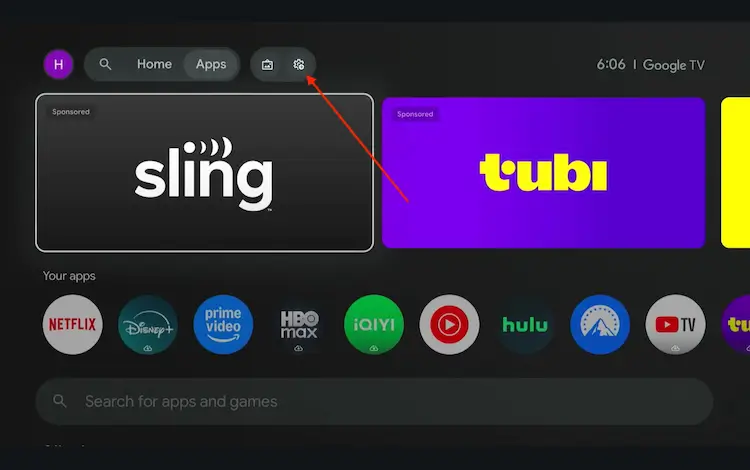
Settings icon on the Onn TV home screen
Select All Settings
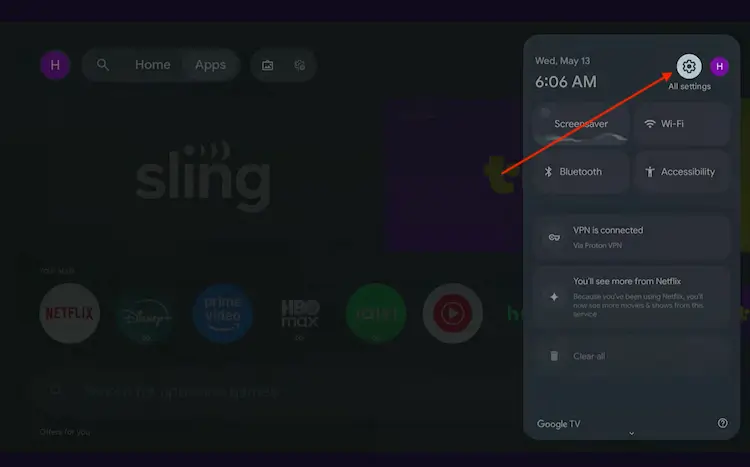
All Settings icon
Scroll down and select System, then choose About from the list.
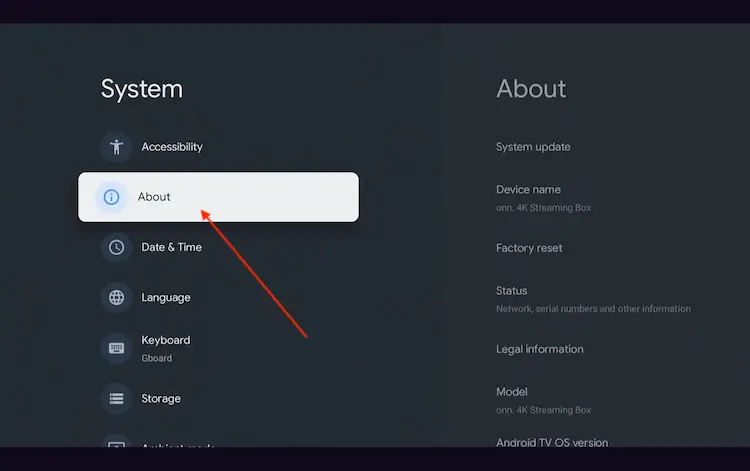
Navigate to System > About
Scroll to the bottom and click Android TV OS Build 7 times continuously until a pop-up says "You are now a developer."
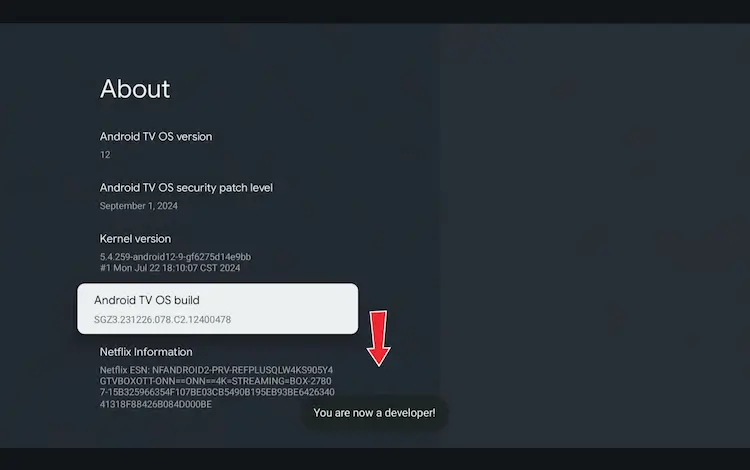
Click Android TV OS Build 7 times to unlock Developer Mode
Press the Home button on your remote, go to the top menu, and select Apps.
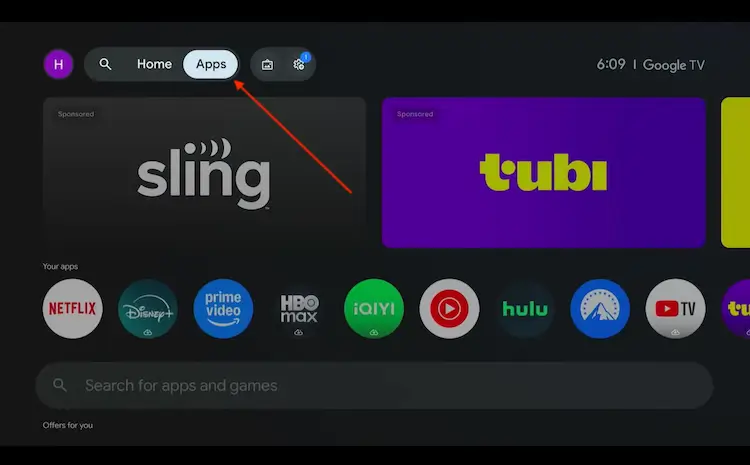
Back to the Onn TV home screen > Apps
Use the search bar and type Downloader and select the one at the top of the list
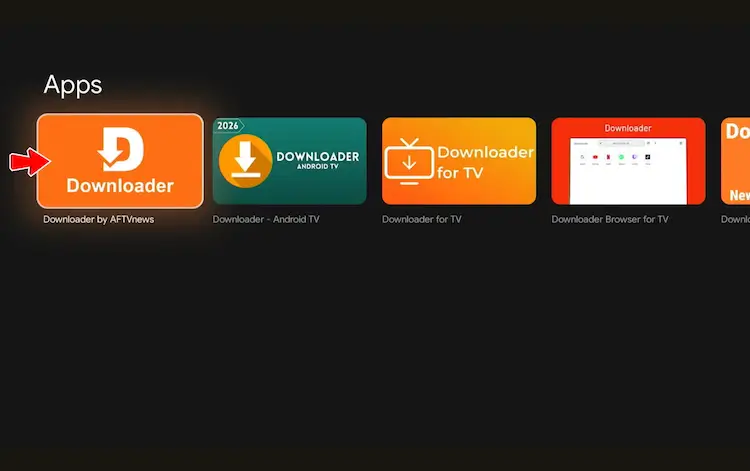
Select the Downloader app at the top of the search results
Click Install
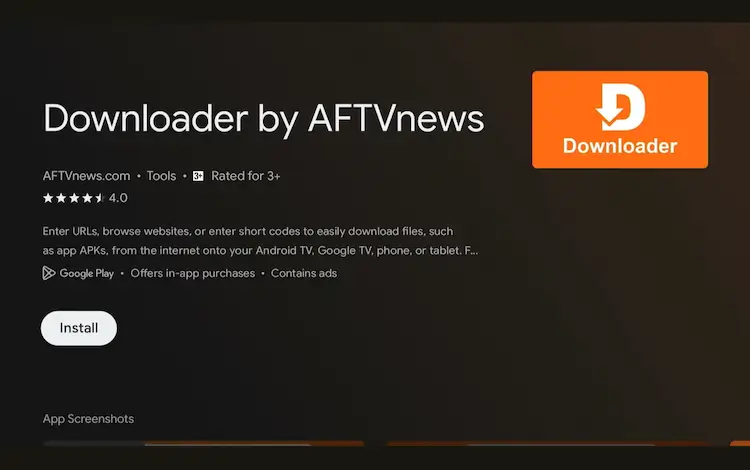
Press Install
Once installed, open the Downloader app and click on the URL/search bar.
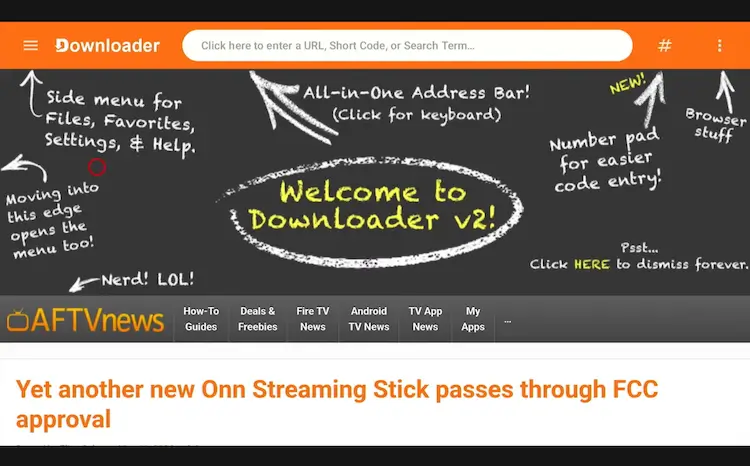
Open Downloader app > URL Search bar
Enter the exclusive Onn TV Hacks downloader code 8533602 below and press Go.
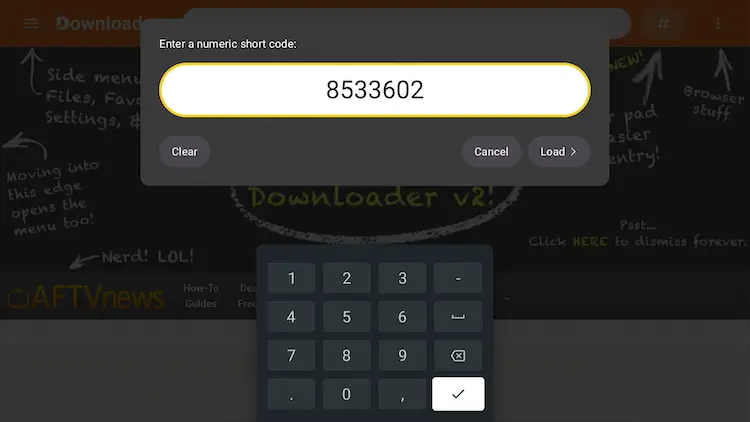
Add the popular 8533602 code
Inside Downloader, scroll down and select Sports.
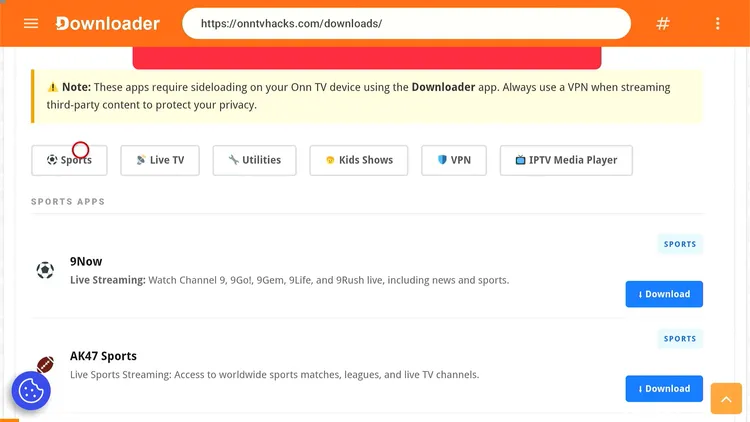
Select “Sports”
Search for FalconCast and click Download.
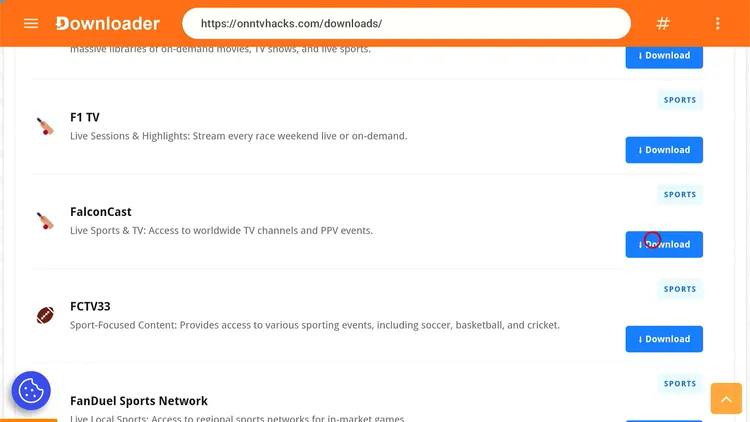
Search “FalconCast” and select “Download”
Click the Download icon.
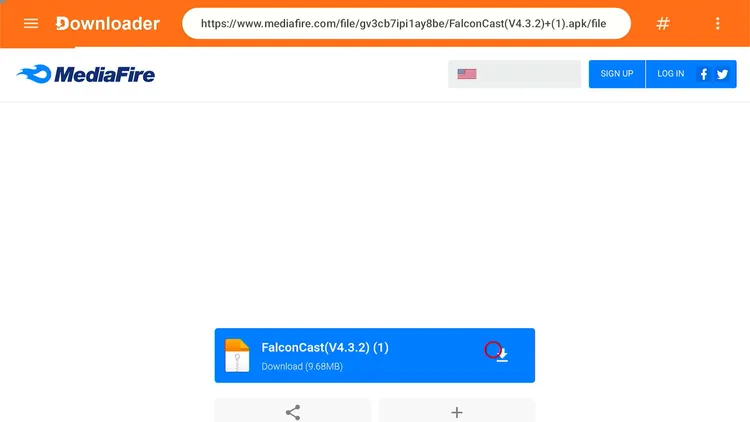
Click the “Download” icon
FalconCast will start downloading.
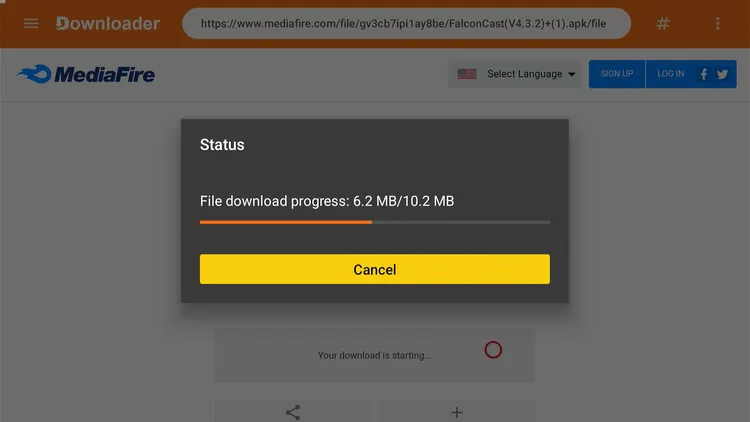
FalconCast is downloading
Select Install.
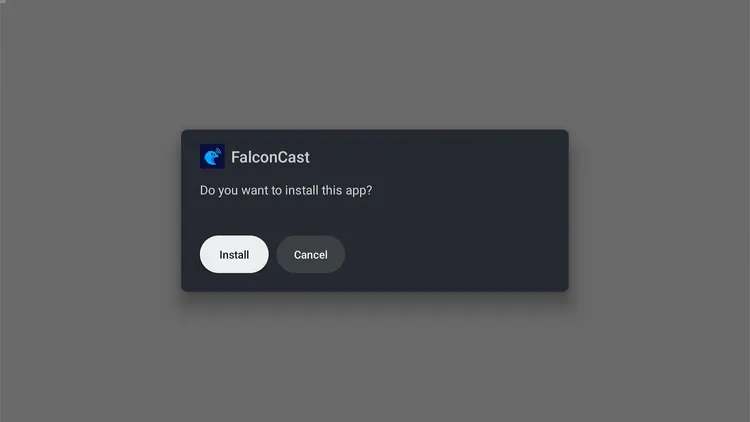
Select “Install”
Select Done once it’s installed.
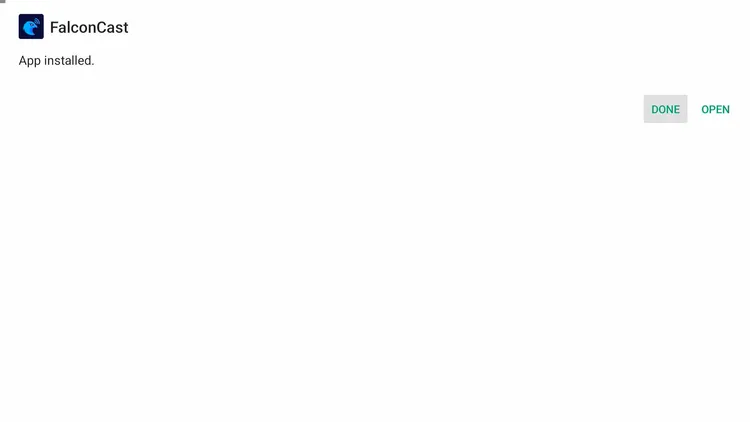
Select “Done”
Select Delete to clear out the leftover APK file and free up storage space.
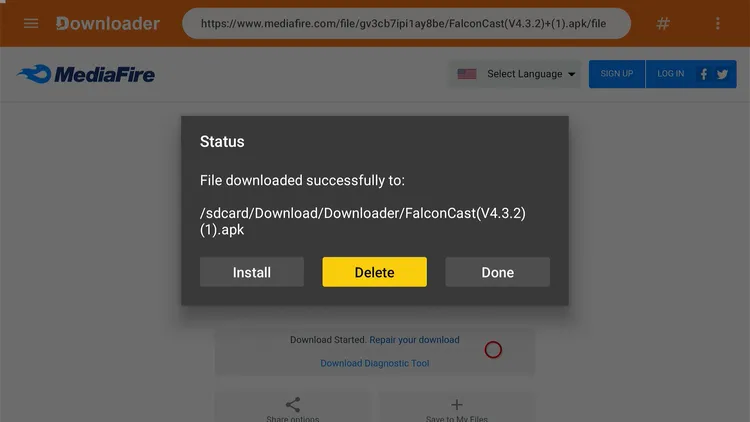
Select “Delete”
Confirm by selecting Delete one more time.
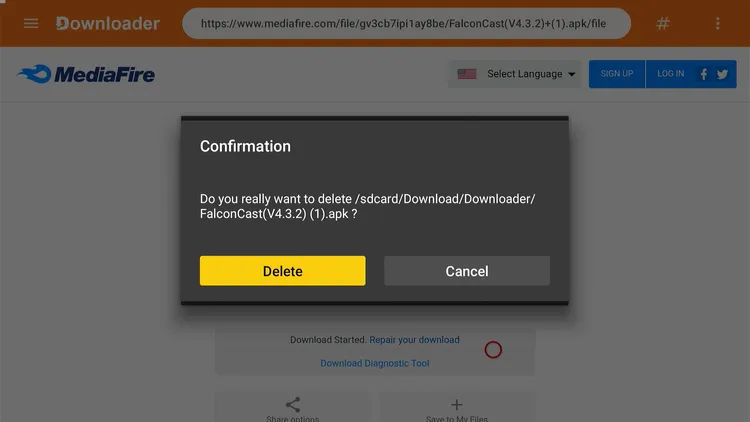
Confirm “Delete”
How to Watch Free Live Sports & Highlights on FalconCast
FalconCast is installed, so now let’s get you watching. FalconCast streams from unverified sources, so leave your Surfshark VPN connection running the entire time.
Open Surfshark and connect to a server before doing anything else.
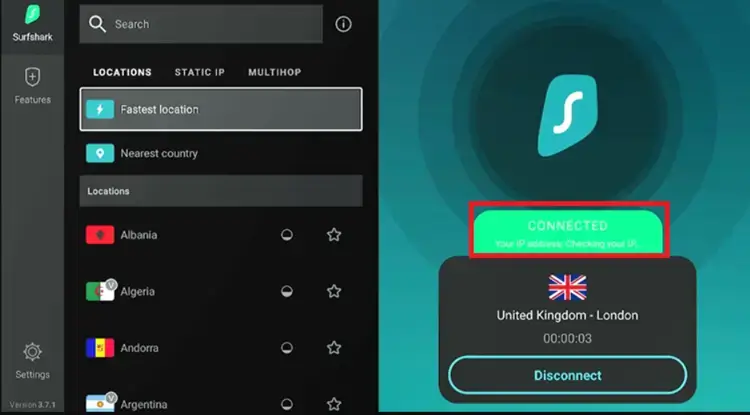
Connect to Surfshark VPN
Go back to the Onn TV Home screen and launch FalconCast.
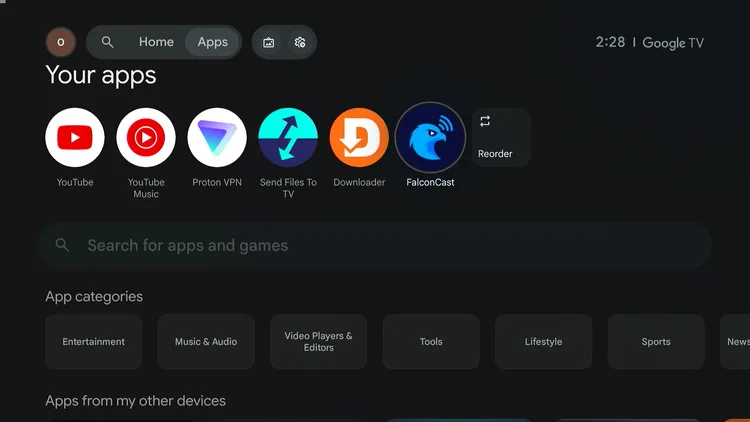
Home > FalconCast
Select the match you’re here for.
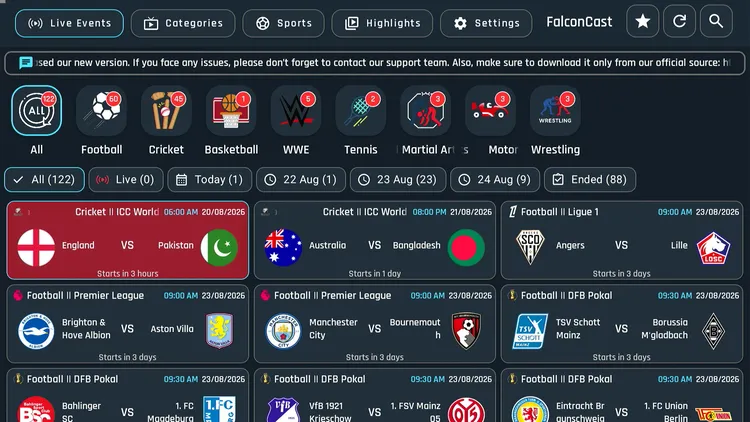
Choose a match
Pick a channel to stream.
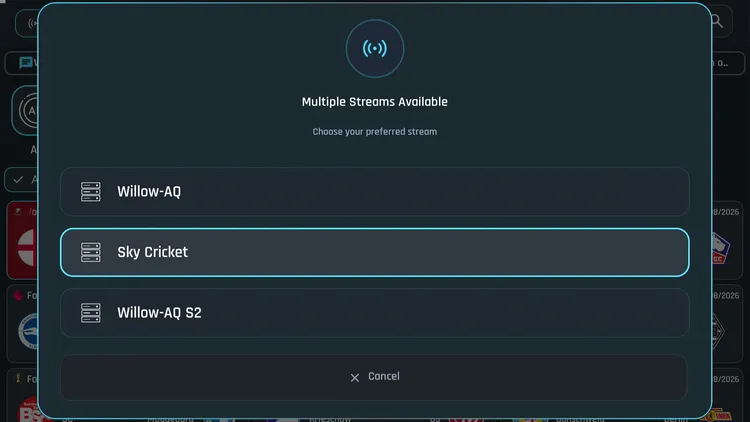
Select a channel
Kick back and watch.
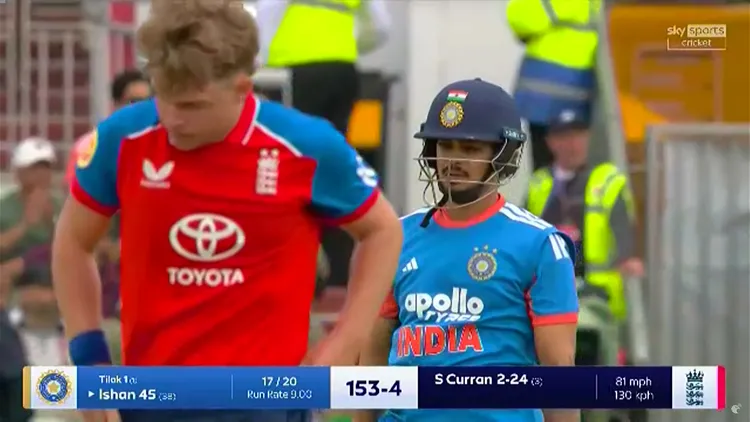
Enjoy your stream
Select Sports at the top to browse live sports channels from other countries.
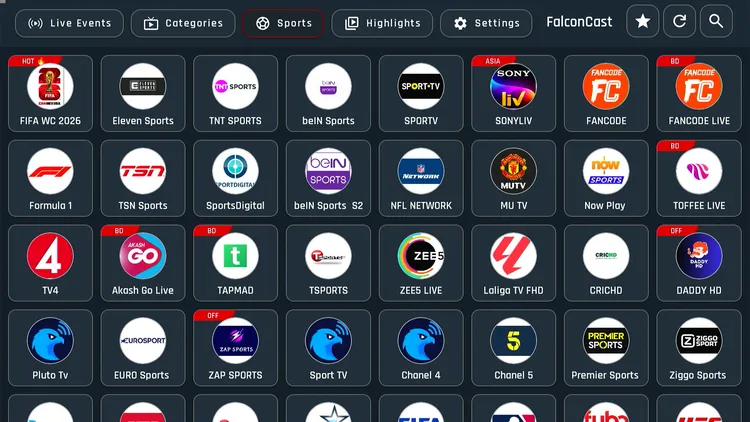
Select “Sports”
Select Highlights for match recaps.
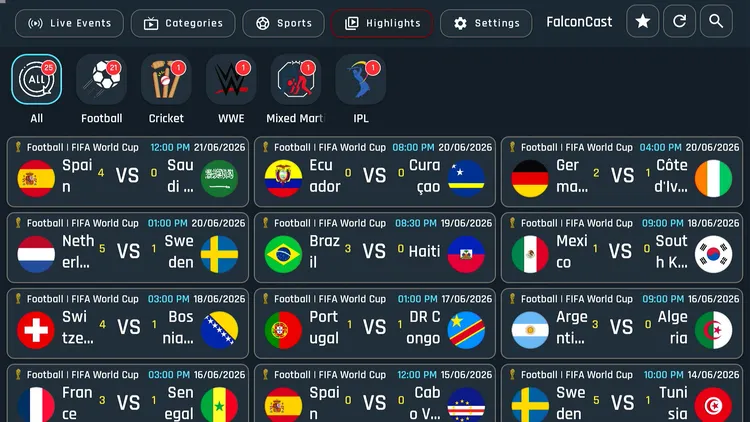
Select “Highlights”
If you have your own IPTV subscription, go to Playlist in settings and enter your M3U URL or Xtream Codes. This was not working when we tested (see the IPTV section below).
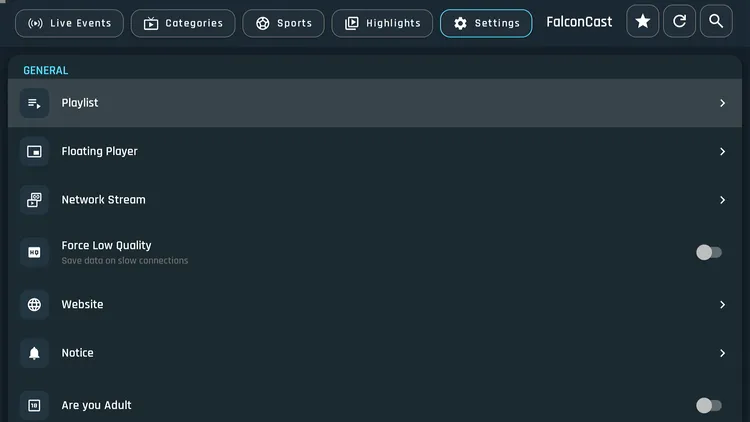
Select “Playlist”
Turn on Force Low Quality to drop the resolution and reduce buffering.
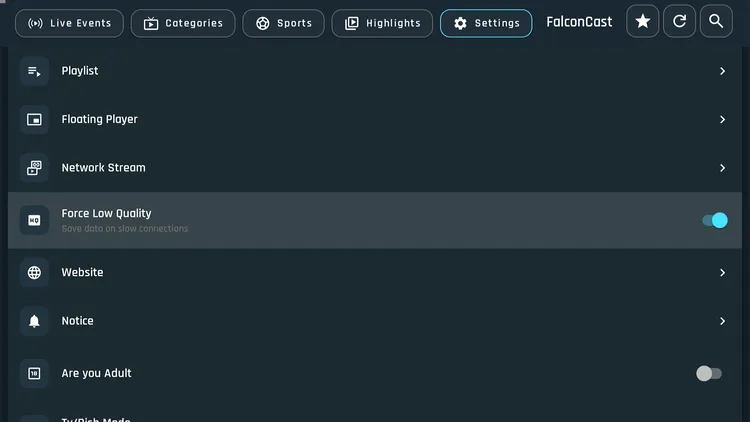
Adjust video quality
FalconCast as an IPTV Player
Got your own IPTV service? FalconCast’s Playlist section is meant to load your M3U URL or Xtream Codes and turn the app into an IPTV player.
During testing, FalconCast’s Playlist feature failed to load M3U URLs or Xtream Codes. A pop-up said the developers are working on a fix, and we’ll update this section once it’s resolved.
Note: If it starts working and you want to stream IPTV, use a VPN such as Surfshark to keep your ISP from seeing what you stream, because many IPTV streams come from unverified sources.
What You Can Watch on FalconCast
This isn’t the full list, but it covers why FalconCast earns a spot on your Onn TV in 2026:
- Live cricket, football, combat sports, wrestling, and motorsport
- Match Highlights for games you missed
- Live TV channels from the US, UK, Germany, and India & more
- Custom playlists via M3U URL & Xtream Codes (currently under a known bug, see the note above)
- Zero ads
- Adjustable video quality (1080p/720p/480p)
Sports streaming on FalconCast is solid: matches loaded quickly and played smoothly across our testing. The IPTV/Playlist feature is not working right now, and it looks like an unresolved bug on the developer’s end.
FalconCast Features & Settings
Here’s what stands out about running FalconCast on your Onn TV Box or Stick:
Free
No subscription needed
Ad-Free
Nothing breaking up your stream
All-in-One Sports Hub
Games, highlights & live TV together
Live TV Channels
Coverage across multiple countries
Playlist Support
M3U & Xtream Codes (currently not working)
No Sign-Up
Open it and go
Lightweight
~20 MB, barely touches your storage
Built-In Media Player
Nothing extra to install
Is FalconCast Safe & Legal to Use?
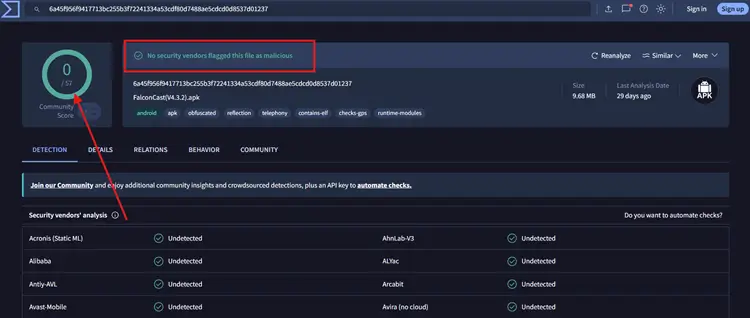
We ran the latest FalconCast APK through VirusTotal and no engine flagged it (screenshot above). A clean scan isn’t a guarantee of safety, so scan the file yourself too.
FalconCast isn’t officially licensed and pulls from unverified third-party sources, so some of its content may not be properly licensed for redistribution. Check the rules where you live.
To keep your streaming activity private from your ISP, run Surfshark the whole time. A VPN doesn’t make the app safe or legal.
About FalconCast
Here’s a quick snapshot of the FalconCast app:
| Detail | Info |
|---|---|
| Content Type | Live Sports, Highlights & Live TV |
| Price | Free |
| File Size | ~20 MB |
| Version | 4.2.3 |
| Source | Sideloaded (scan before installing) |
| Developer | FalconCast |
| External Player | No |
📌 Other Onn TV Apps We’ve Covered
Frequently Asked Questions
What is the Downloader code for FalconCast on Onn TV?
The master Downloader code is 8533602. Enter it in Downloader, open the Sports category, select FalconCast and click Download.
What is FalconCast?
FalconCast is a free sports app that puts live games, highlights, and international live TV channels in one place.
Does FalconCast work on both the Onn TV Box and the Stick?
The install steps in this guide are the same on the Onn TV Box and the Onn TV Stick. We haven’t tested every model.
Does FalconCast have ads?
No, FalconCast is ad-free.
Do I need to sign up to use FalconCast?
No account is needed. Install it and start streaming.
Does the IPTV Playlist feature work?
Not when we tested. FalconCast’s Playlist section failed to load M3U URLs and Xtream Codes, and a pop-up said the developers are working on a fix.
Is FalconCast legal and safe?
FalconCast isn’t officially licensed and pulls from unverified sources, so check the rules where you live. Scan the APK before installing, since a VPN doesn’t make an app safe.
Conclusion
FalconCast takes only a few minutes to set up through Downloader on your Onn TV Box or Stick, and once it’s on, you get free live sports, highlights, and international TV in one lightweight, ad-free app.
One rule: keep a VPN running in the background whenever you stream on it. Surfshark VPN is our recommended choice
📌 Found this guide useful? Check out our full roundup of the Best Apps for Onn TV for more streaming options.