 Onn TV Hacks Master Your Onn TV with Expert Guides, Hacks, & Apps

Written and tested by Black Joseph
Updated October 22, 2026
When you buy through our links, we may earn a commission. See how we work with brands here.
Quick answer: Install TFlix on your Onn TV through the Downloader app, enter code 8533602, select Sports, choose TFlix, and install the APK on your Onn TV.
TFlix is a free live sports streaming app that isn’t on the Google Play Store, but installs on your Onn TV Box or Stick in a few minutes using the Downloader app.
It covers major sports including football, cricket, basketball, and racing from major networks.
It also supports M3U playlists, so you can use it as an IPTV player alongside your regular live sports channels.
📋 Table of Contents
🛡️ OUR TOP PICK FOR ONN TV
Your ISP sees every stream. Unverified apps expose your IP. Fix both in under 2 minutes.
🚫 Built-in ad blocker
💰At $2.49/month
Save 87% Get 3 Extra Months FREE with Surfshark VPN
🔒 30-day money-back guarantee • Special limited-time deal

How to Install TFlix on Onn TV
TFlix isn’t available on the Google Play Store, so you’ll need to sideload it using the Downloader app. If you haven’t jailbroken your Onn Stick/Box yet, follow that guide first — otherwise, skip straight to step 10 below.
Before streaming anything on TFlix, make sure to install Surfshark VPN on your Onn device.
Go to Onn TV Home and then click on the Settings icon
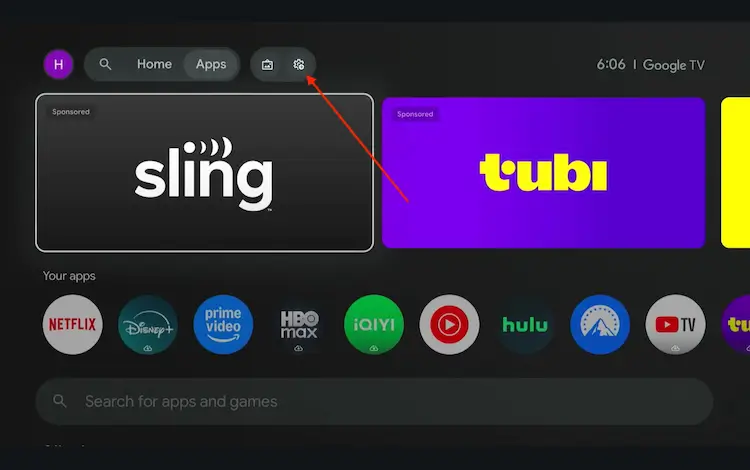
Settings icon on the Onn TV home screen
Select All Settings
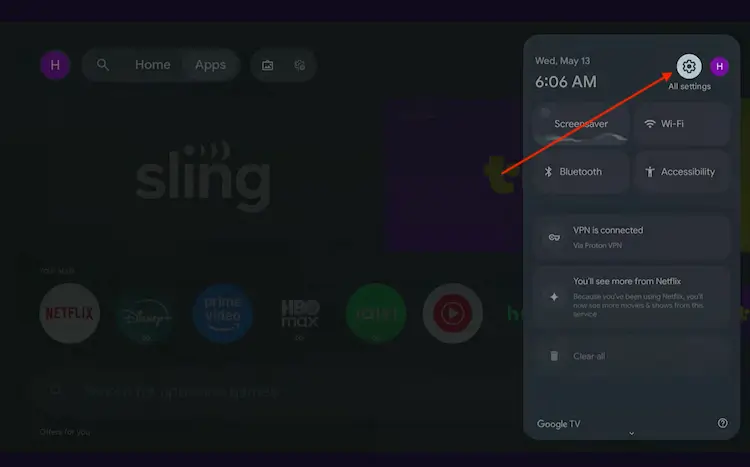
All Settings icon
Scroll down and select System, then choose About from the list.
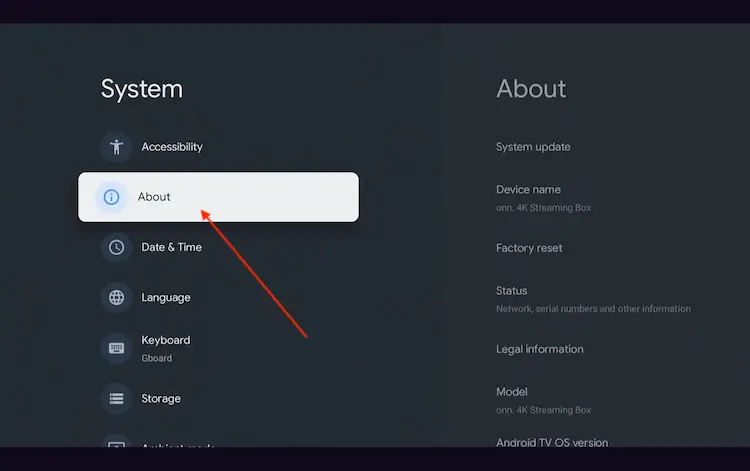
Navigate to System > About
Scroll to the bottom and click Android TV OS Build 7 times continuously until a pop-up says "You are now a developer."
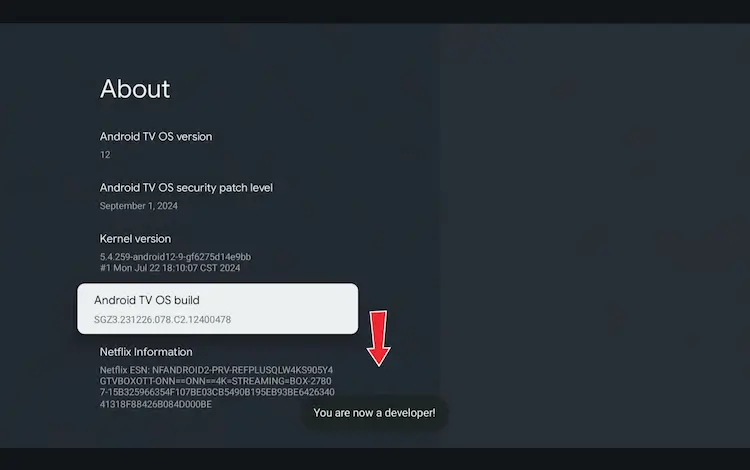
Click Android TV OS Build 7 times to unlock Developer Mode
Press the Home button on your remote, go to the top menu, and select Apps.
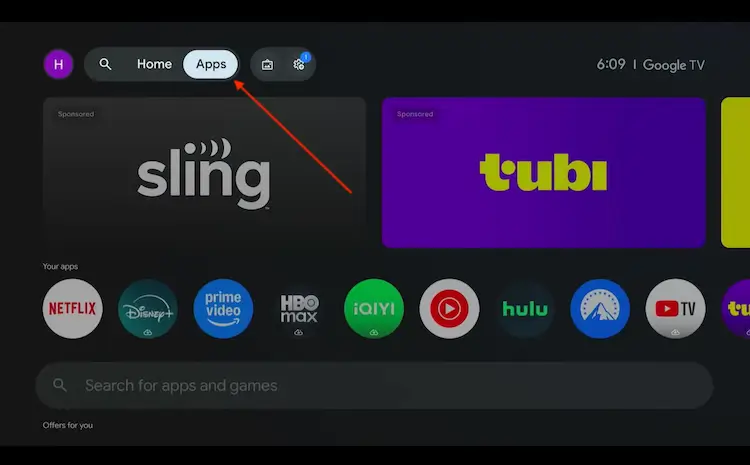
Back to the Onn TV home screen > Apps
Use the search bar and type Downloader and select the one at the top of the list
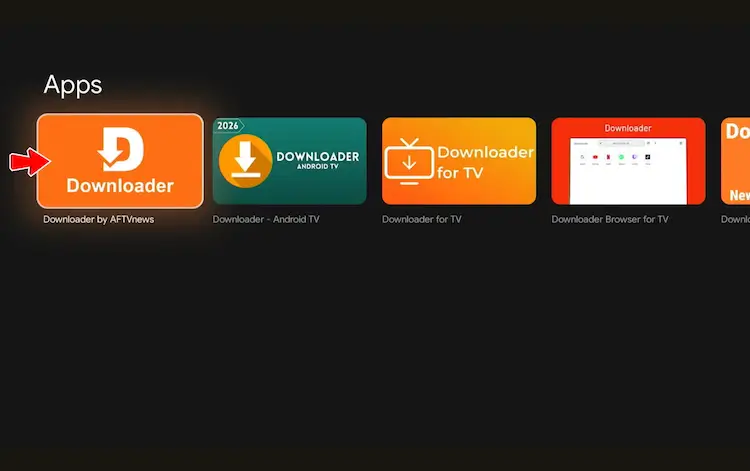
Select the Downloader app at the top of the search results
Click Install
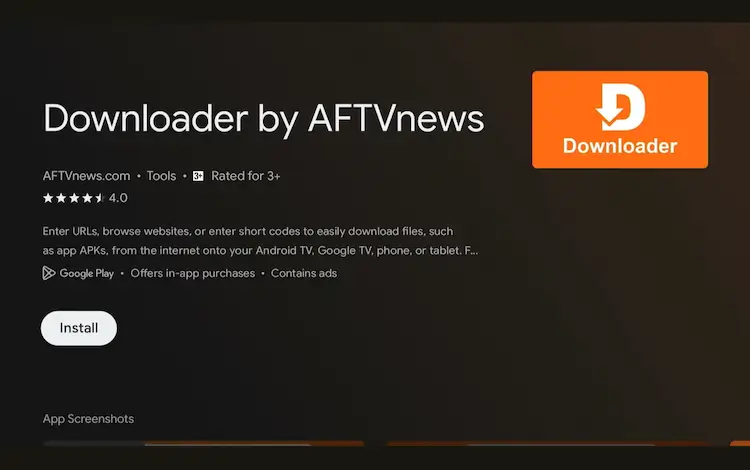
Press Install
Once installed, open the Downloader app and click on the URL/search bar.
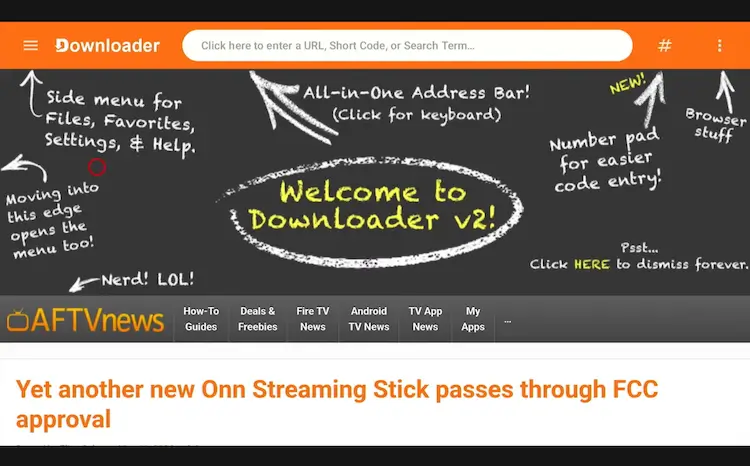
Open Downloader app > URL Search bar
Enter the exclusive Onn TV Hacks downloader code 8533602 below and press Go.
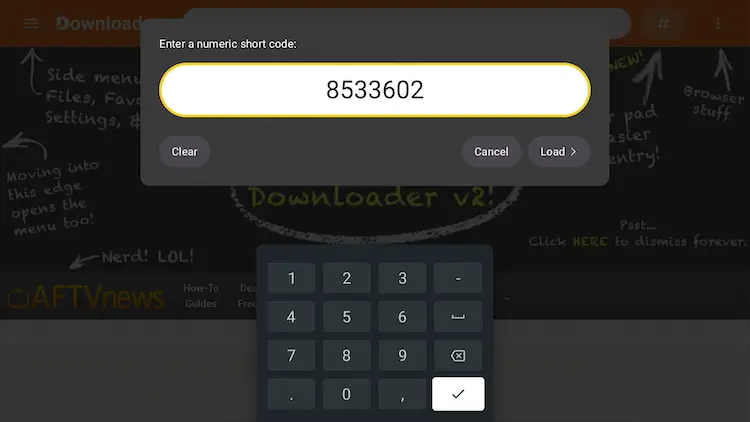
Add the popular 8533602 code
Scroll down inside the Downloader app and tap the “Sports” button.
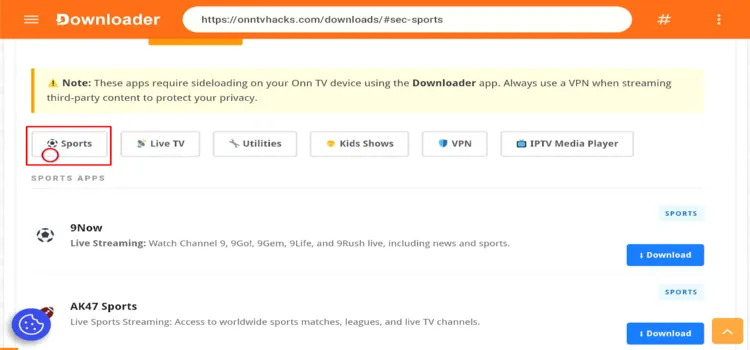
Tap the “Sports” button
Search TFlix and tap Download.
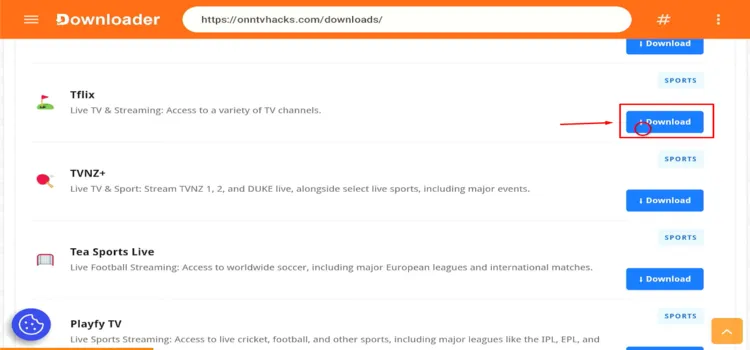
Search “TFlix” and tap “Download”
Tap the Download icon.
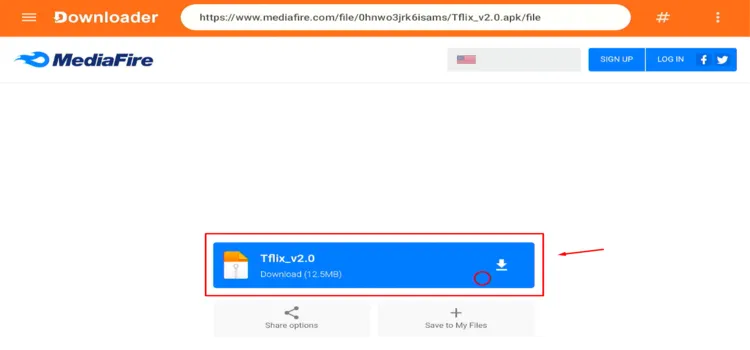
Tap the “Download” icon
TFlix will start downloading.
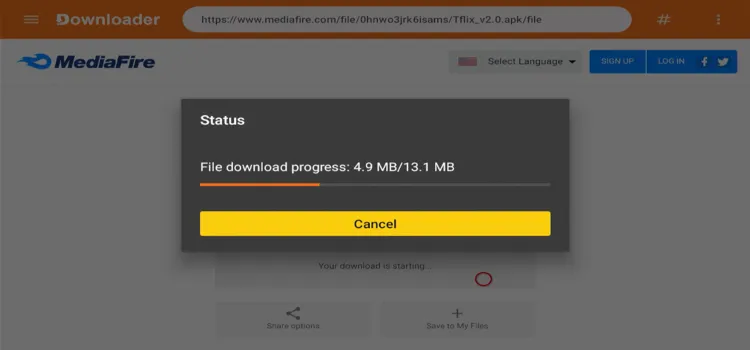
TFlix is downloading
Tap Install.
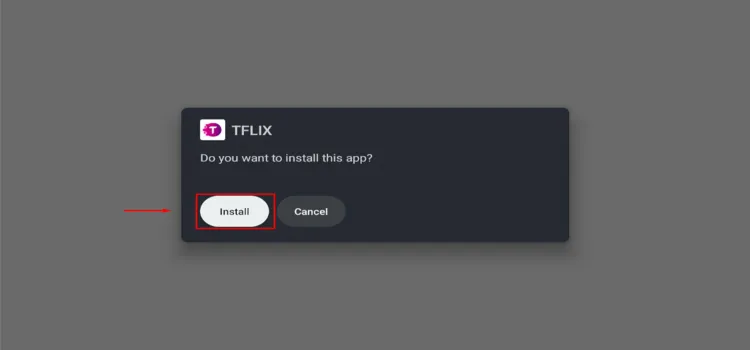
Tap “Install”
Once installed, tap Done.
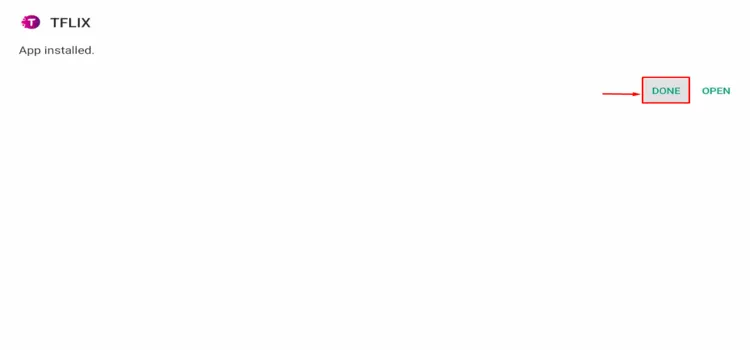
Tap “Done”
Tap Delete to remove the APK and free up storage space.
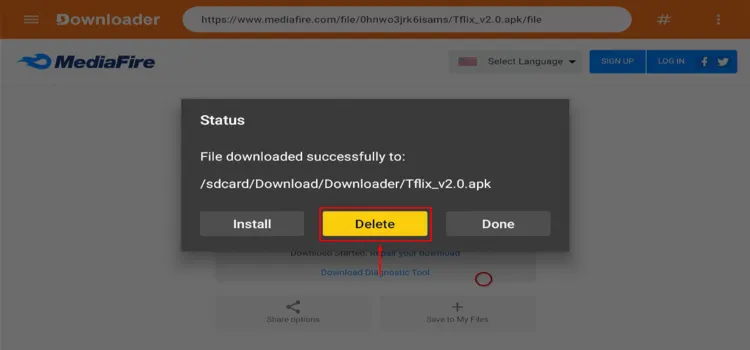
Tap “Delete”
Confirm by tapping Delete again.
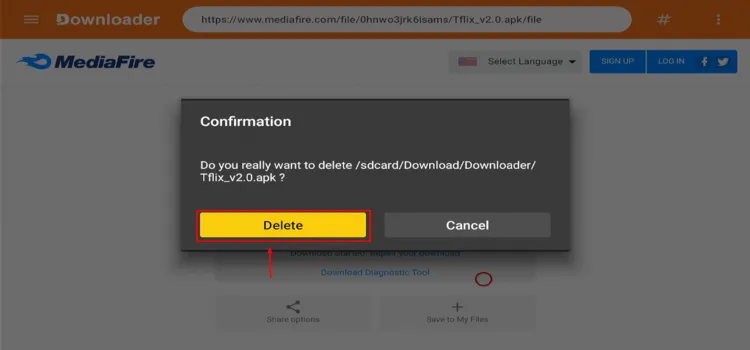
Confirm by tapping “Delete” again
How to Stream Live Sports on TFlix
After installation, complete these basic steps before selecting a sports event.
Open Surfshark and connect to a suitable server for privacy.
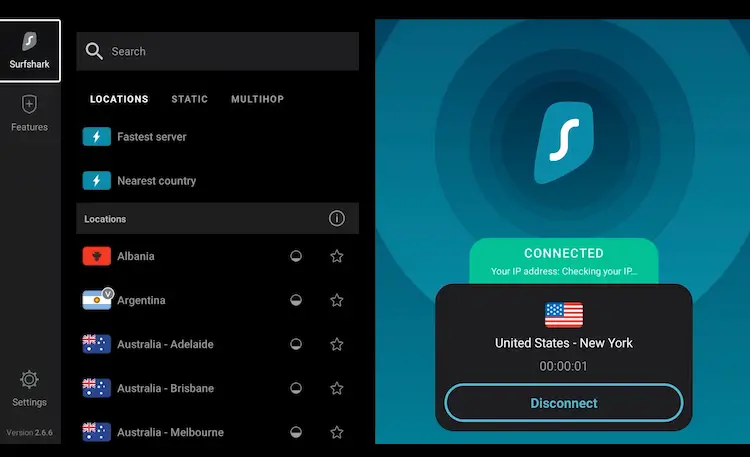
Connect Surfshark
Press the Home button, open Your Apps, and launch TFlix.
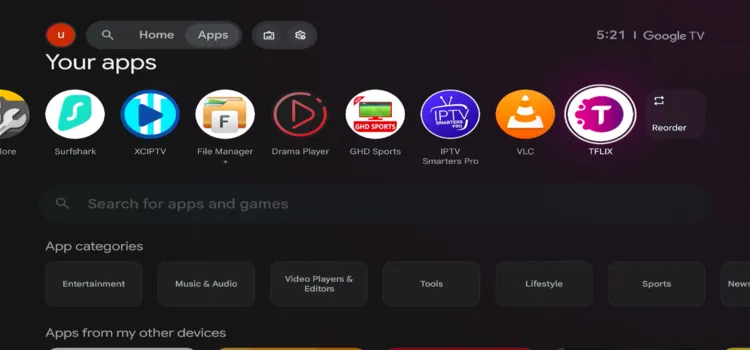
Launch TFlix
Select a sports stream of your choice.
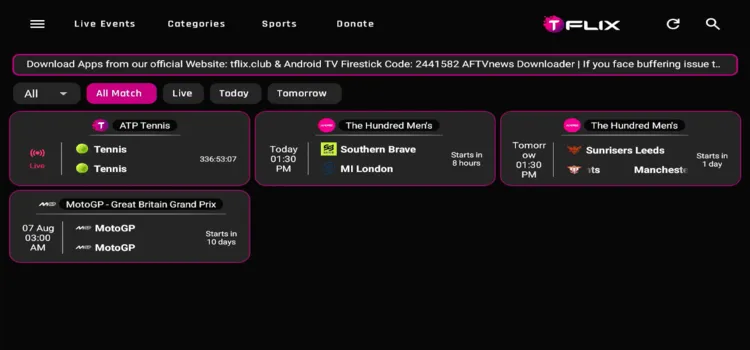
Select a stream of your choice
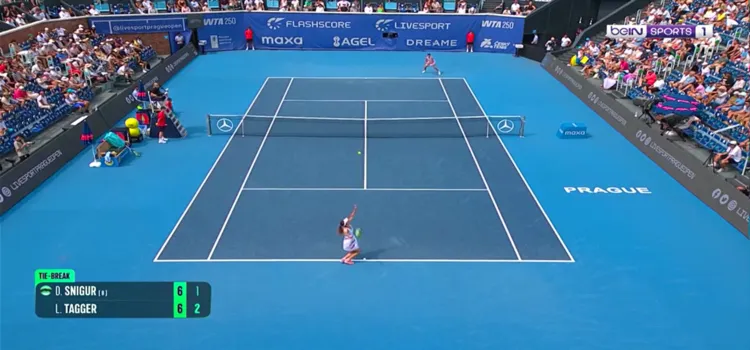
Enjoy streaming!
Get Surfshark — 87% Off Today →
Special limited-time deal · 30-day money back · No risk
Sports Coverage
Category availability changes with events, source status, regional availability, and the installed APK release.
The table below shows the major channels that TFlix covers.
| Categories | Content |
|---|---|
| ⚽ Football | League matches, cups, and fixtures |
| 🏏 Cricket | Live matches, schedules, scores, and highlights |
| 🥊 Combat Sports | Boxing, MMA, and wrestling |
| 🎾 Tennis | Live matches, schedules, scores, and highlights |
| 🏎️ Racing | Racing events and live coverage |
Key Features of TFlix
Have a look at the major features offered by TFlix:
🏆
Free Live Sports
Cricket, football, basketball & more
🚫
Ad-Free
Watch without interruptions
🎥
HD Streaming Quality
Up to 1080p on Onn TV devices
📋
M3U Playlist Support
Add your own IPTV playlists
🖥️
Multi Floating Player
Watch up to 5 streams at once
👤
No Sign-Up Needed
Open and stream instantly
Is TFlix Safe & Legal to Use?
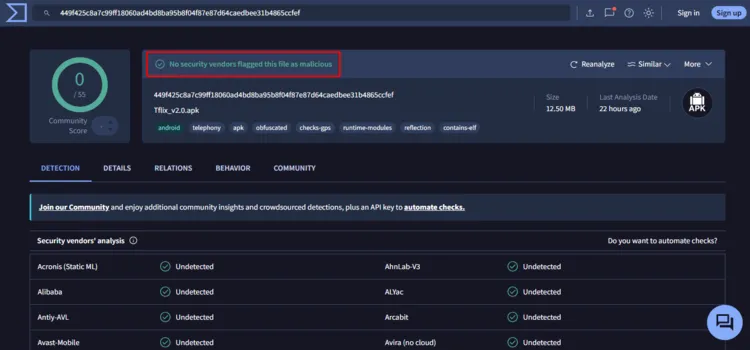
TFlix v2.0 produced a clean result during VirusTotal testing, with no malware or security threats detected. Based on the scan results, the APK appears technically safe to install.
However, TFlix may pull live sports from unverified sources. Using a verified VPN before launching TFlix can help protect your privacy, hide your streaming activity, and reduce potential exposure while watching content.
Get Surfshark — 87% Off Today →
Special limited-time deal · 30-day money back · No risk
Top TFlix Alternatives to Try
TFlix is a solid pick for free live sports, but it’s not the only option for Onn TV. Here are a few alternatives worth comparing before you commit.
✅ Cricfy
✅ AK47 Sports
✅ GHD Sports
✅ FalconCast
✅ Geesports
Related Onn TV Guides
Best Sports Apps for Onn TV — see the full roundup of free sports apps for your Onn device.
Best Apps for Onn TV Box/Stick — explore more useful streaming and utility apps for your device.
FAQ
QCan I download TFlix from the Google Play Store?
No. TFlix isn’t listed on the Play Store, so you’ll need to sideload it on your Onn TV using the Downloader app.
QIs TFlix free to use on Onn TV?
Yes, TFlix is completely free to install and use across Onn TV Box and Onn TV Stick models.
QCan I add an M3U playlist to TFlix?
Yes, TFlix supports M3U playlists. You can add a compatible playlist and use the app as an IPTV player for your own authorized channels.
QCan I install TFlix on Amazon FireStick or other Android TV devices?
Yes, TFlix is compatible with FireStick, NVIDIA Shield, Chromecast with Google TV, and most Android TV boxes through the Downloader app.
My Final Verdict
TFlix is a solid, no-cost option for streaming live sports on your Onn TV, especially if you don’t mind sideloading it through Downloader.
The M3U playlist support makes it a reliable pick even if you already use another IPTV or sports streaming app.
Just remember to pair it with a VPN before streaming — Surfshark VPN is our recommended choice keeps your streaming experience private.
📌 Found this guide useful? Share it with a fellow streamer and drop a comment below. Check out our Best Apps for Onn TV Box/Stick guide for more apps to install.