 Onn TV Hacks Master Your Onn TV with Expert Guides, Hacks, & Apps

Written and tested by Black Joseph
Updated November 5, 2026
When you buy through our links, we may earn a commission. See how we work with brands here.
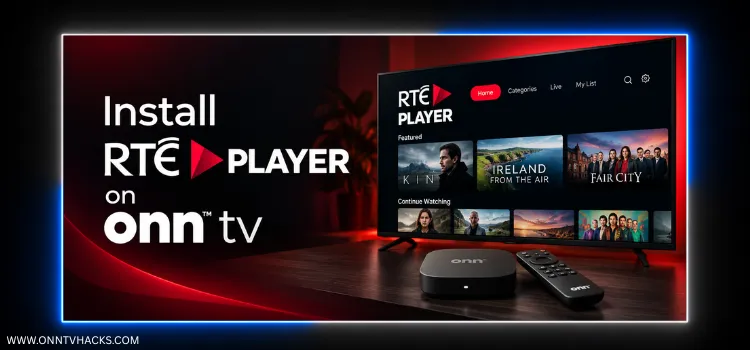
If you’re after Irish TV without a cable box, RTÉ Player is the free, ad-supported streaming home of Ireland’s national broadcaster RTÉ.
It carries live channels like RTÉ One, RTÉ2, and RTÉ News Now, alongside an on-demand library. RTÉ has been rolling out sign-in, so expect to use a free account.
There’s an RTÉ Player build made for Android TV devices, and you can sideload it on your Onn TV with Downloader and X-Plore File Manager.
One catch: live RTÉ channels and most of the catalog need an Irish IP address, so outside Ireland you’ll need to connect to an Ireland server first. Surfshark VPN is our top choice
📋 Table of Contents — tap to expand
- How to Install RTÉ Player on Onn TV Box/Stick Using the Downloader App
- How to Use RTÉ Player on Onn TV
- RTÉ Player Not Working With a VPN? Here’s the Fix
- Best Shows to Watch on RTÉ Player
- What Sports You Can Watch on RTÉ Player
- RTÉ Player Features
- About RTÉ Player
- RTÉ Player Alternatives for Onn TV
- FAQs
- Conclusion
🔥 BLACK FRIDAY DEAL
Our Recommended VPN - Surfshark VPN
Now only $2.49/mo
🔒 30-day money-back📱 Unlimited devices🚫 Ad blocker$0.08/day

How to Install RTÉ Player on Onn TV Box/Stick Using the Downloader App
RTÉ Player’s Android TV app may not show up in the Play Store on Onn TV (some Android TV models aren’t supported), so you can sideload it using the Downloader code.
If you haven’t jailbroken your Onn Stick/Box yet or don’t have the Downloader app installed, follow the steps below first. Otherwise, skip directly to step 10.
Before streaming anything from RTÉ Player, make sure to install Surfshark VPN on your Onn device.
Go to Onn TV Home and then click on the Settings icon
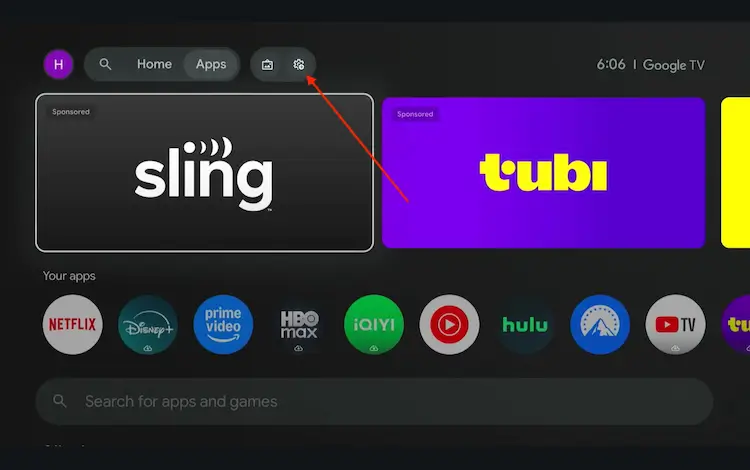
Settings icon on the Onn TV home screen
Select All Settings
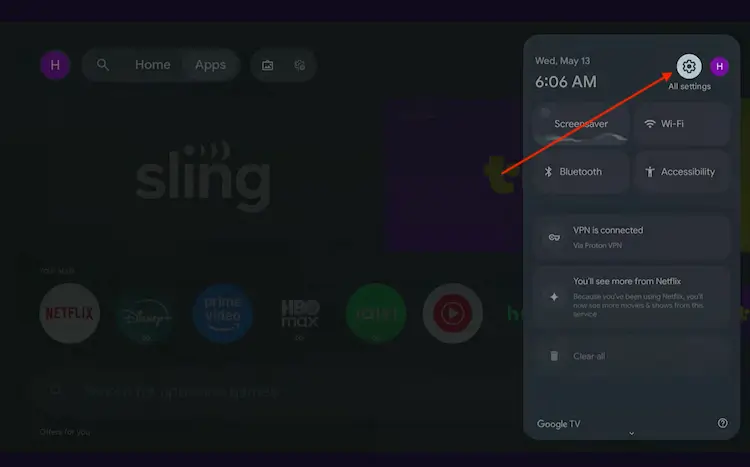
All Settings icon
Scroll down and select System, then choose About from the list.
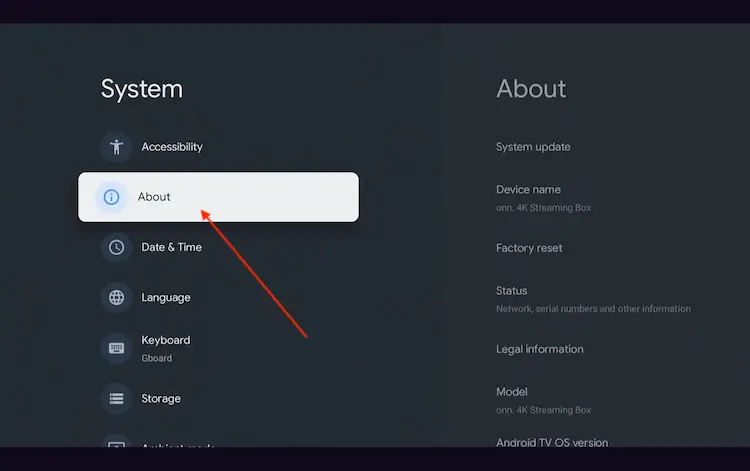
Navigate to System > About
Scroll to the bottom and click Android TV OS Build 7 times continuously until a pop-up says "You are now a developer."
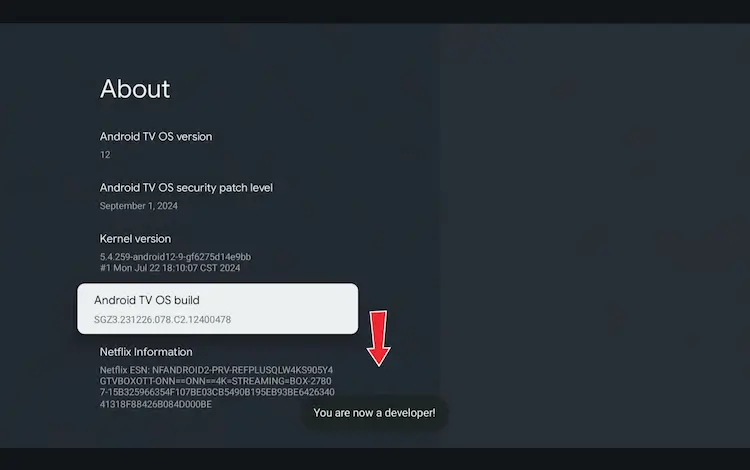
Click Android TV OS Build 7 times to unlock Developer Mode
Press the Home button on your remote, go to the top menu, and select Apps.
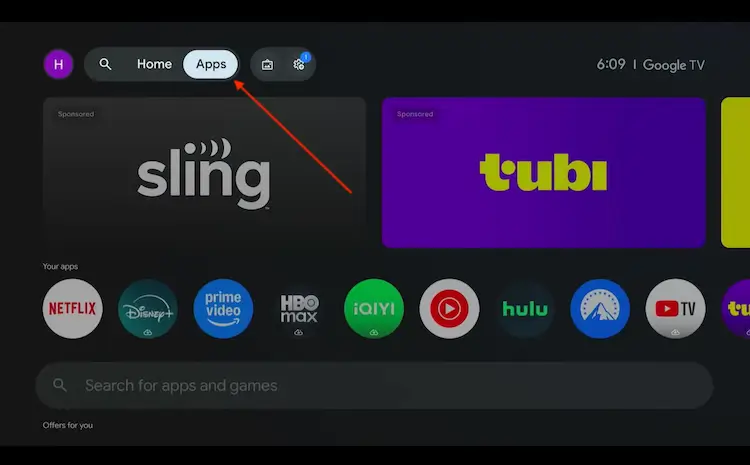
Back to the Onn TV home screen > Apps
Use the search bar and type Downloader and select the one at the top of the list
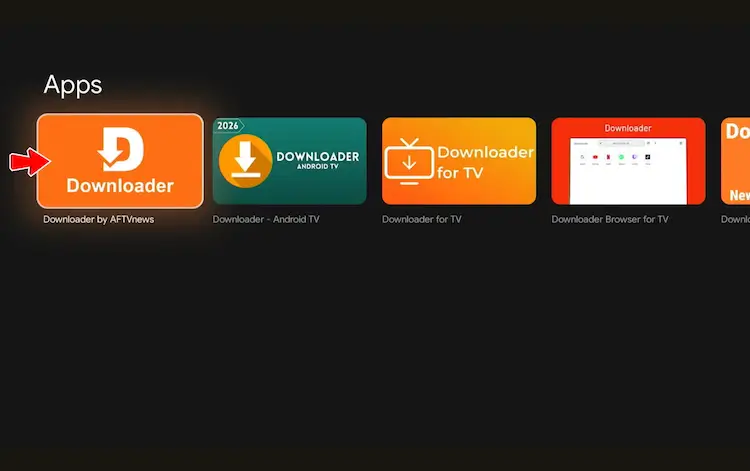
Select the Downloader app at the top of the search results
Click Install
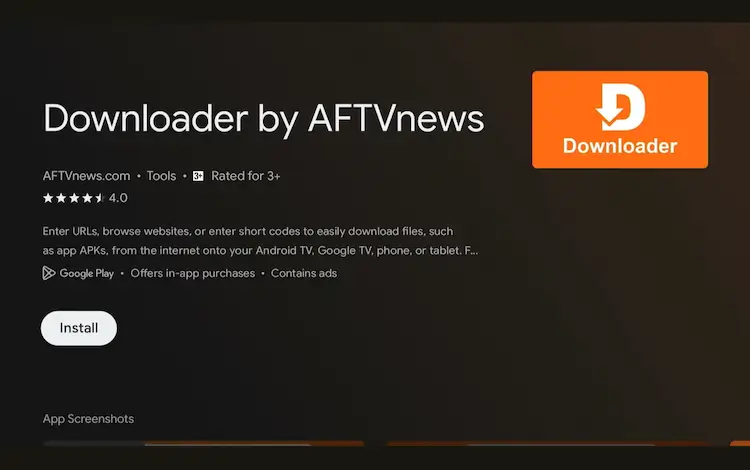
Press Install
Once installed, open the Downloader app and click on the URL/search bar.
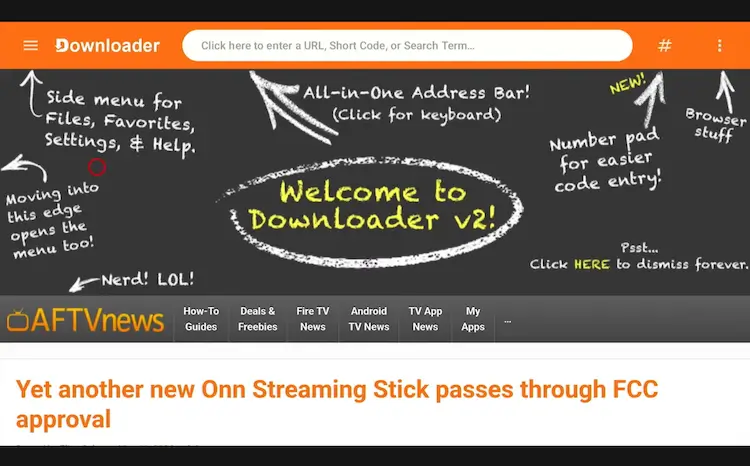
Open Downloader app > URL Search bar
Enter the exclusive Onn TV Hacks downloader code 8533602 below and press Go.
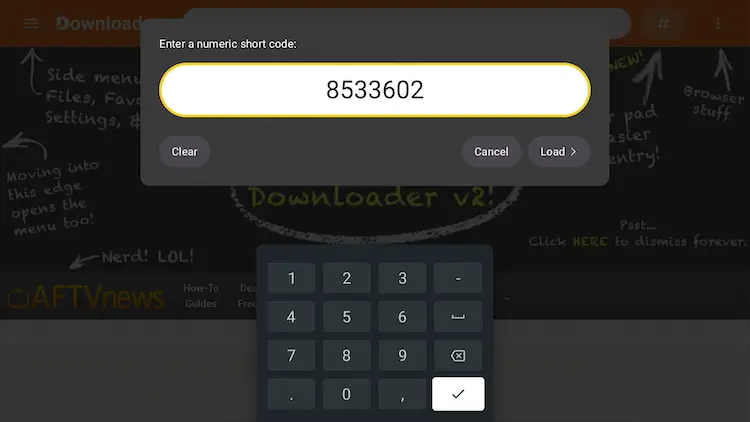
Add the popular 8533602 code
Scroll down and select the Kids Apps category.
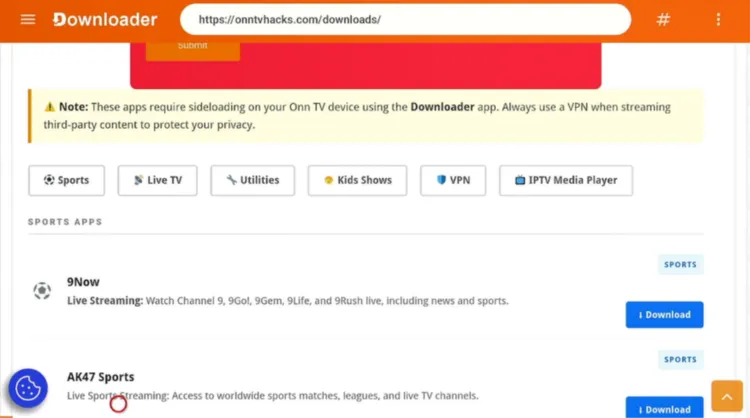
Select “Kids Apps”
Search for RTÉ Player and click Download.
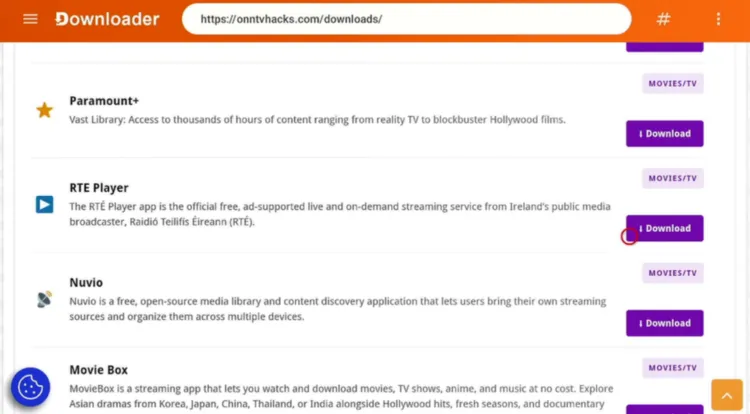
Select “RTÉ Player”
Wait for the file to finish downloading.
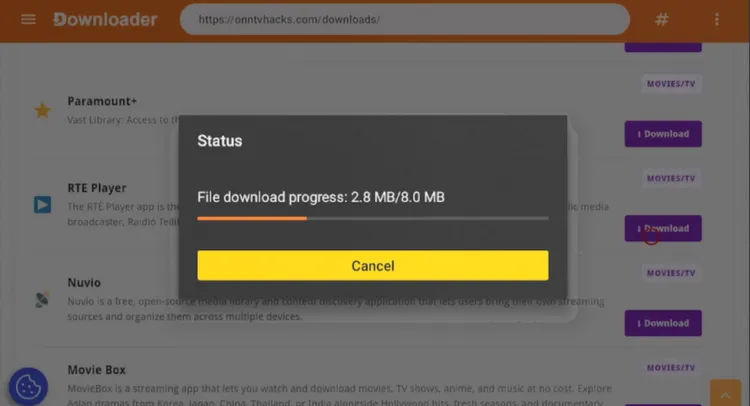
RTÉ Player is downloading
Once the download ends, select Done.
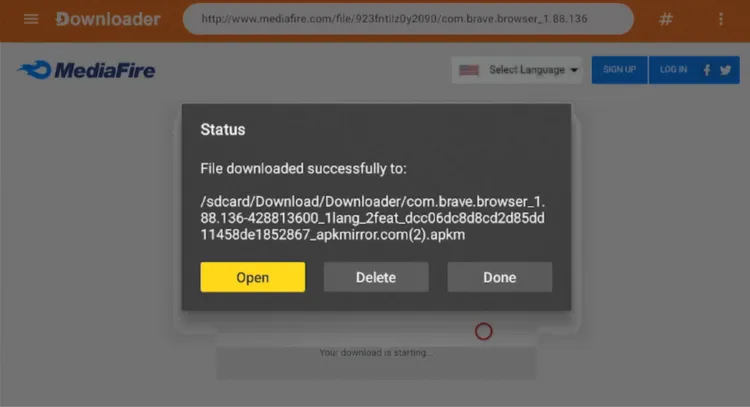
Select “Done”
Go back to the Onn TV home screen and search for Apps.
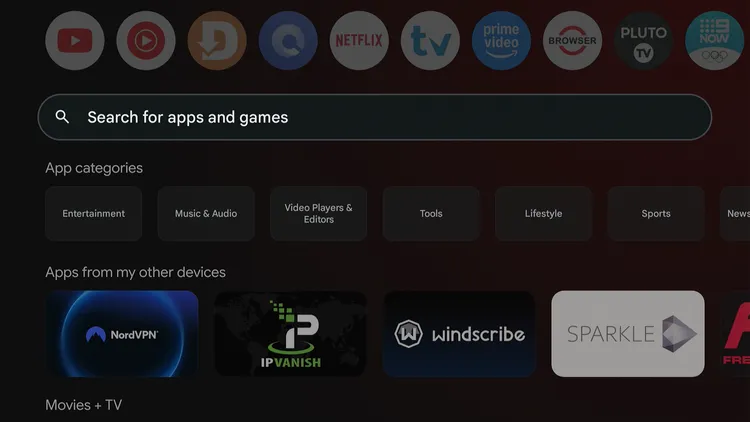
Home > Search Apps
Search for X-Plore File Manager.
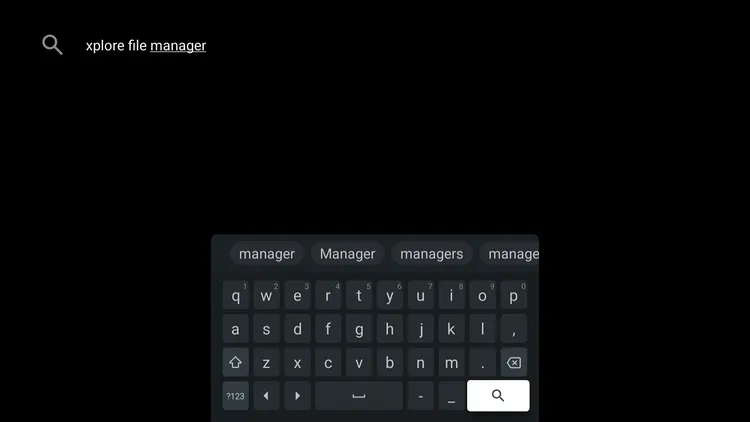
Search for X-Plore File Manager
Select the X-Plore File Manager app.
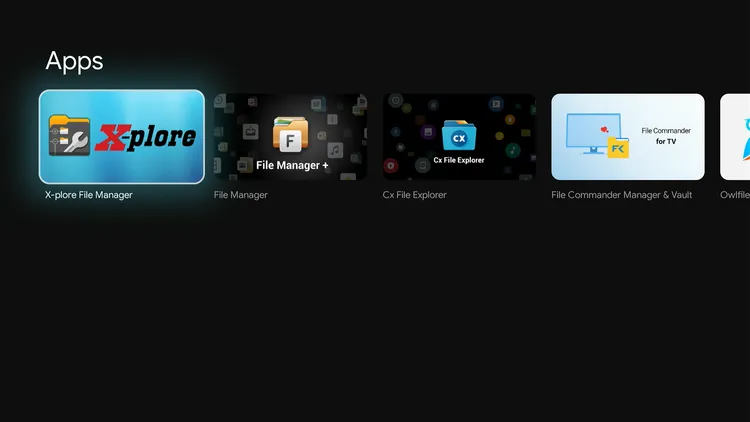
Select X-Plore File Manager
Select Install.
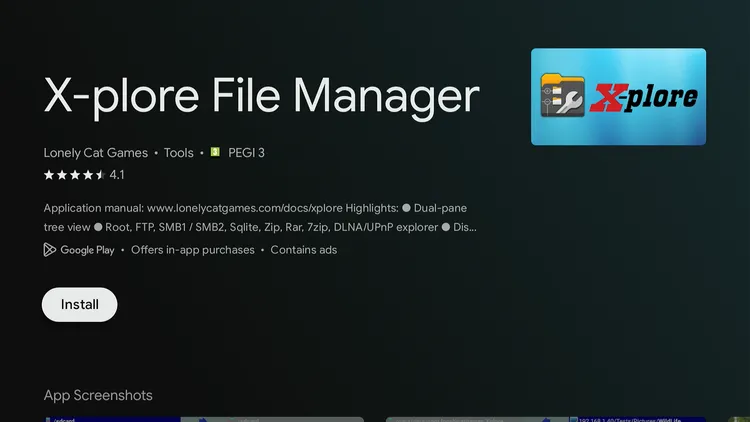
Install X-Plore File Manager
Select Open.
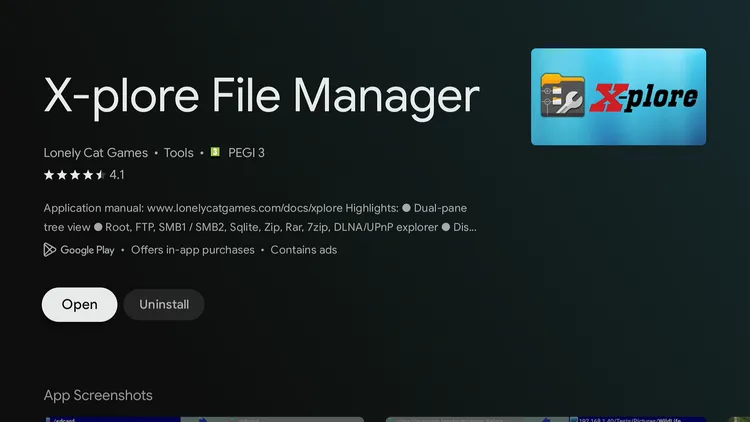
Select Open
This takes you to the settings. Now enable installs from X-Plore.
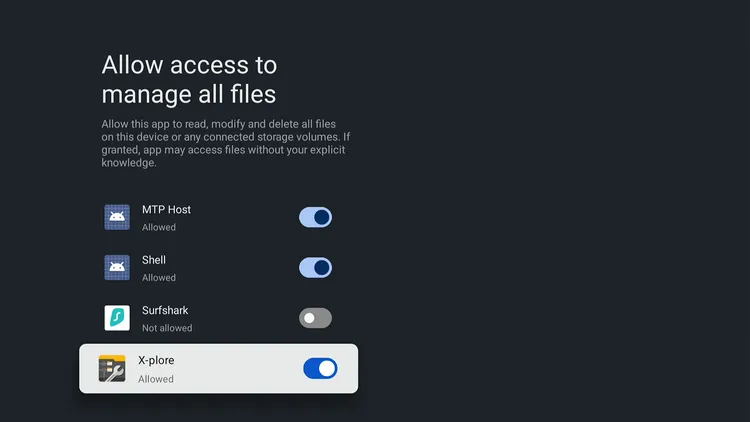
Allow access for X-Plore
Open the Internal Shared Storage folder, go to Download, then select Downloader.
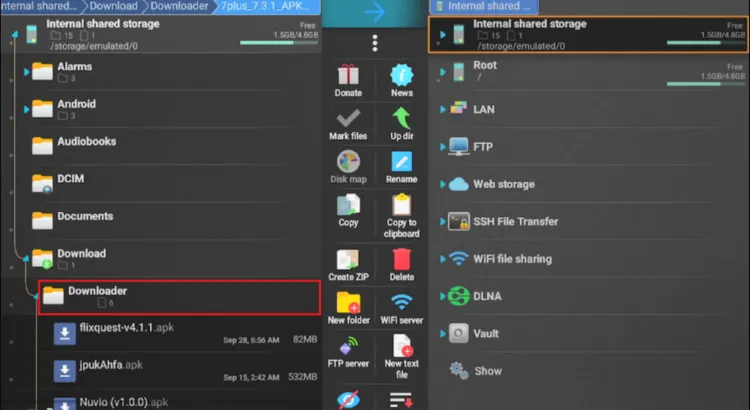
Internal Shared Storage > Download > Downloader
Choose RTÉ Player. It will expand to show multiple files.
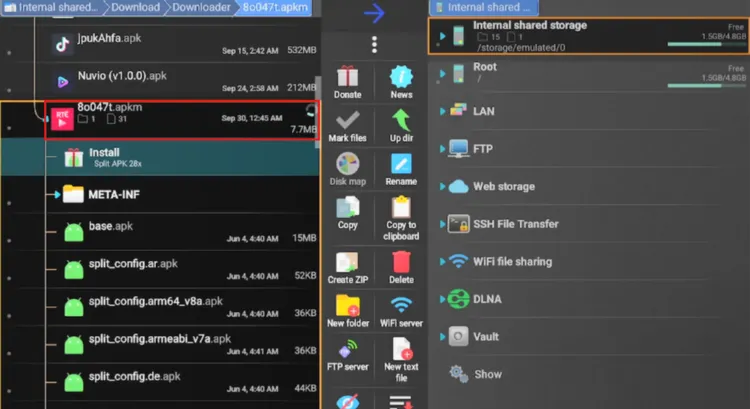
RTÉ Player file
Select Install.
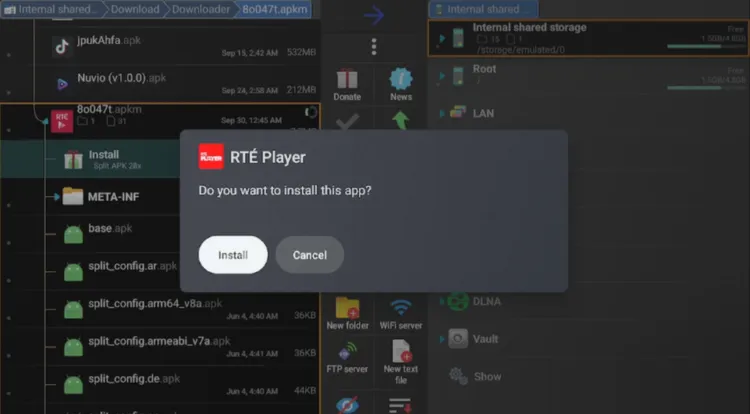
Select “Install”
Select Delete to remove the file and free up storage space.
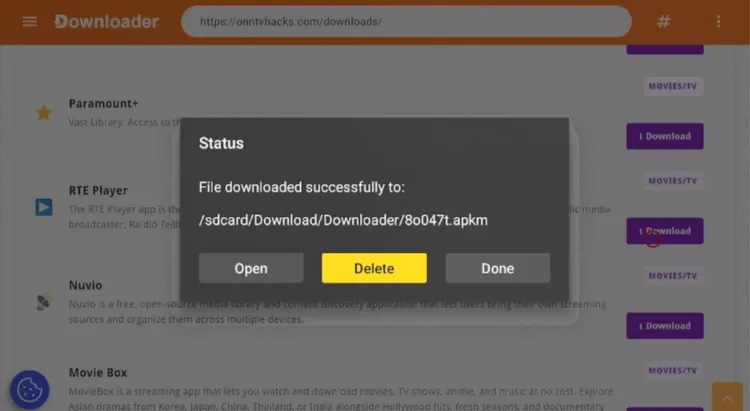
Select “Delete”
Select Delete again to confirm.
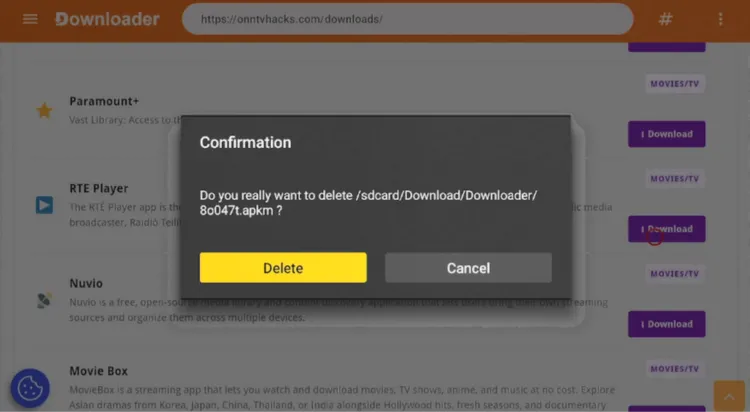
Confirm “Delete”
How to Use RTÉ Player on Onn TV
Live RTÉ channels and most of the catalog need an Irish IP address, so if you’re watching from outside Ireland, connect to an Ireland server on Surfshark before opening the app.
Open Surfshark and connect to the Ireland server.
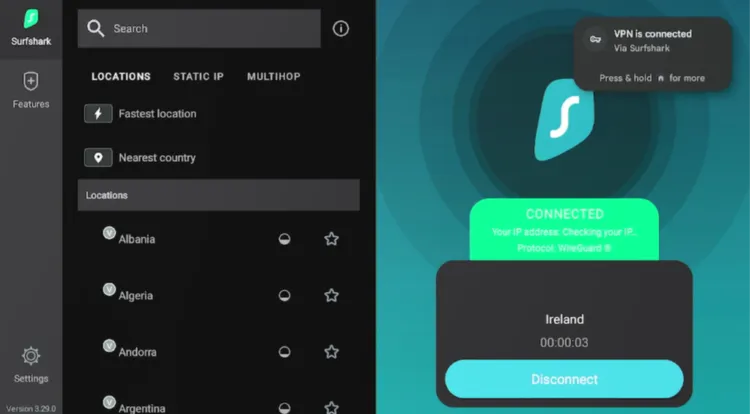
Connect to the Ireland server
From your Onn TV home screen, open the Apps library and select the RTÉ Player app.
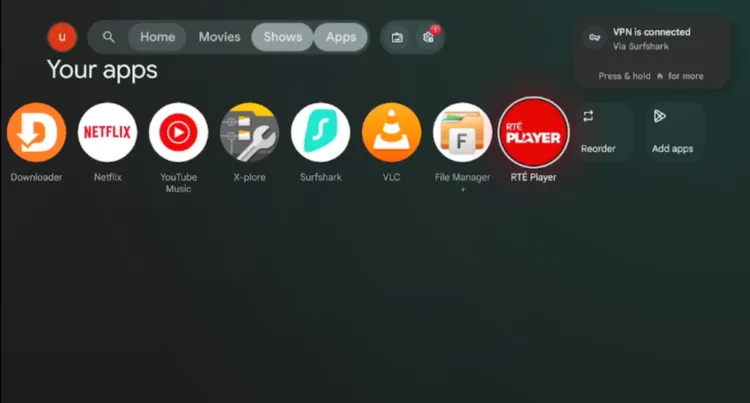
Home > Apps
Note down the code shown on screen.
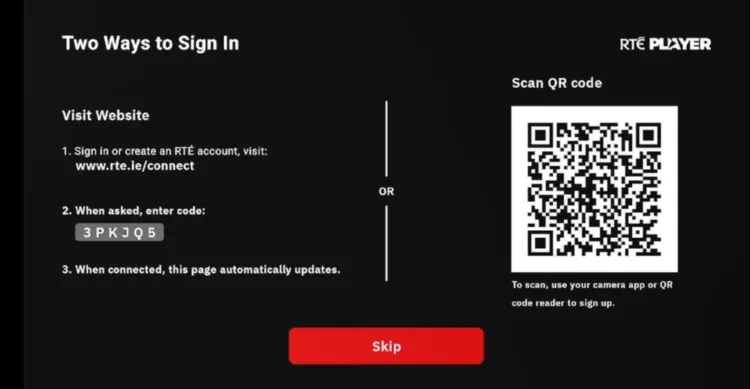
Note the code
On your phone or computer, go to www.rte.ie/connect (or the address shown on your TV) and enter the code to connect.
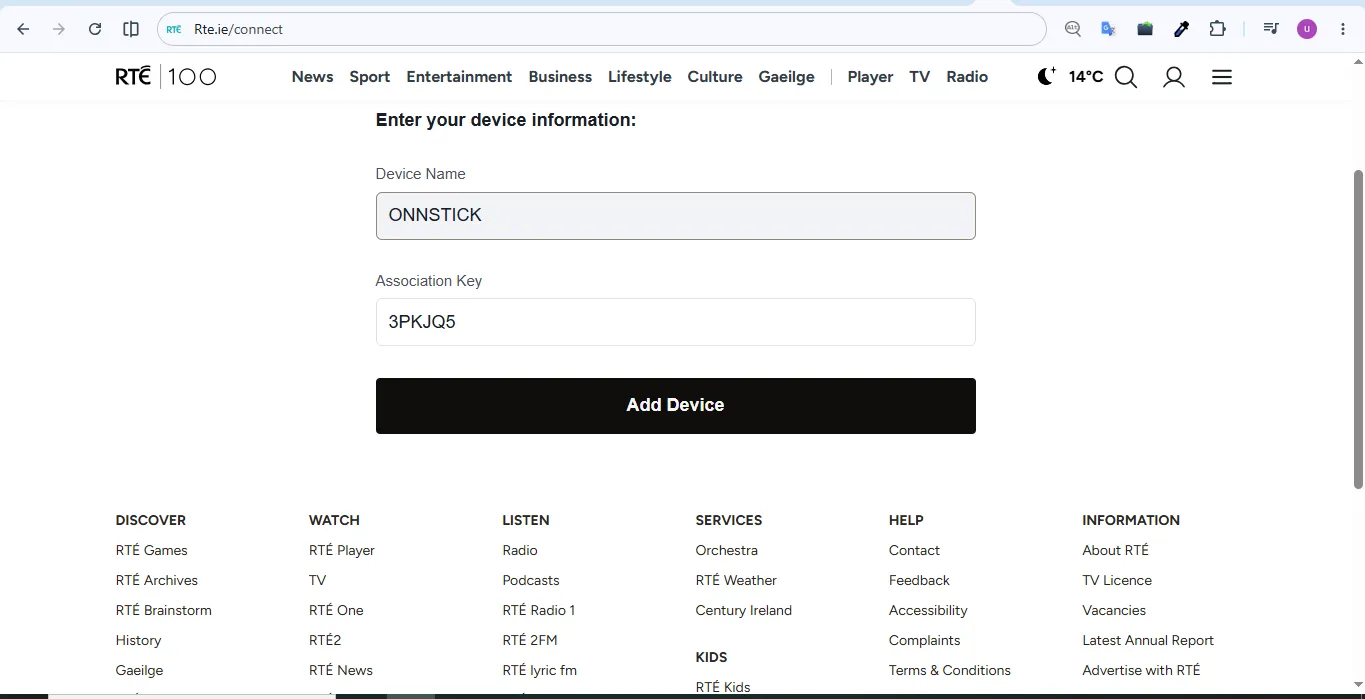
Enter the code
This is the RTÉ Player home screen. Select whatever you’d like to watch.
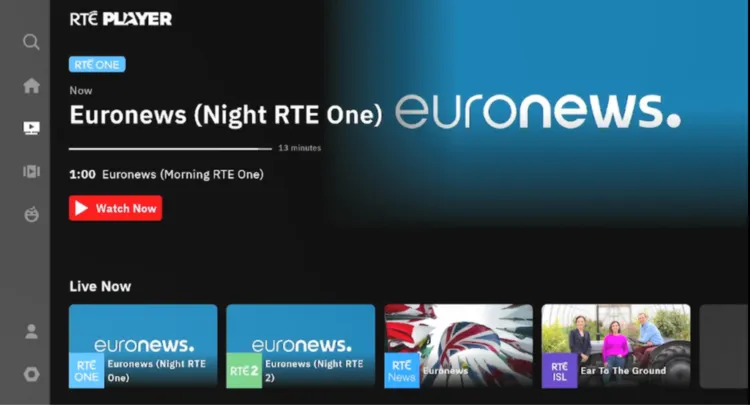
Choose a show, movie, or channel
Enjoy streaming!

Enjoy streaming
RTÉ Player Not Working With a VPN? Here’s the Fix
When you use a VPN to open RTÉ Player outside Ireland, you may see an error saying the content isn’t available in your region.
First, make sure your VPN is connected before you open the app, then disconnect and reconnect to a different Ireland server on Surfshark. Updating the VPN app can also help.
If it still doesn’t work, set your Onn TV’s time zone to Ireland (Dublin), restart the device, and reconnect the VPN to an Ireland server. This has worked in our testing.
You can also clear the RTÉ Player app’s cache from your device’s app settings and try again.
Best Shows to Watch on RTÉ Player
RTÉ Player is best known for its shows. Availability changes over time, but these are popular RTÉ titles worth checking out:
- Fair City
- The Late Late Show
- Prime Time
- Home and Away
- Reeling in the Years
- The Young Offenders
- Mrs. Brown’s Boys
- The Tommy Tiernan Show
- Kin
What Sports You Can Watch on RTÉ Player
Live sport on RTÉ Player depends on the season and on broadcast rights, so what’s available changes. RTÉ has recently shown:
- Gaelic games (GAA)
- Six Nations rugby, shared with Virgin Media
- UEFA Champions League, with first pick of Wednesday-night matches
- International football
- Horse racing
- Athletics
- Golf
- Boxing
RTÉ Player Features
Here’s what stands out about running RTÉ Player on your Onn TV Box or Stick:
RTÉ Channels
Live RTÉ One, RTÉ2 & RTÉ News Now
On-Demand Content
A library of shows and documentaries
Free to Use
Ad-supported, no subscription
Catch-Up TV
Watch shows you missed
Free Sign-In
Pick up where you left off on any device
Android TV App
Built for TV screens
About RTÉ Player
Here’s a quick snapshot of the RTÉ Player app:
| Detail | Info |
|---|---|
| Content Type | Live TV & On-Demand |
| Price | Free (ad-supported) |
| Latest Version (Android TV) | 3.160.2 |
| Developer | RTÉ |
| Install Method | Sideloaded with Downloader & X-Plore |
| Region Availability | Ireland (use an Ireland server elsewhere) |
| Account | Free RTÉ account; sign-in is being rolled out |
RTÉ Player Alternatives for Onn TV
Here are some other official, free streaming services worth trying on Onn TV:
- BBC iPlayer
- ITVX
- UKTV Play
- Xumo TV
- Pluto TV
📌 Related Onn TV Guides
- New Android Sideloading Rule for Onn TV — what to know before you sideload.
- Enable Developer Options on Onn TV — turn on the setting sideloading needs.
- Onn TV Downloads Page — sideload other working apps with a single code.
Frequently Asked Questions
What is the Downloader code for RTÉ Player on Onn TV?
The master Downloader code is 8533602. Enter it in Downloader, open the Kids Apps category, select RTÉ Player and click Download.
What is the latest RTÉ Player version for Onn TV?
The latest RTÉ Player build for Android TV we found is version 3.160.2, and RTÉ may release newer ones.
Is RTÉ Player free to use on Onn TV?
Yes, RTÉ Player is free to use and supported by ads.
Do I need an account to use RTÉ Player?
RTÉ has been rolling out sign-in, so you should expect to sign in with a free account. Some free events may be available without one.
Does RTÉ Player work on both the Onn TV Box and the Stick?
The steps in this guide are the same on the Onn TV Box and the Onn TV Stick, but RTÉ notes that some Android TV models aren’t supported, so check that the app opens on your device.
What can I watch on RTÉ Player?
RTÉ Player offers on-demand shows and documentaries, live sport that varies with rights, and live channels like RTÉ One, RTÉ2, and RTÉ News Now.
Can I watch RTÉ Player on Onn TV outside Ireland?
Live RTÉ channels and most of the catalog need an Irish IP address, so outside Ireland you can connect to an Ireland server with a VPN such as Surfshark.
Conclusion
RTÉ Player is a free way to stream Irish shows, documentaries, news, and live sport, and its Android TV build can be sideloaded on your Onn TV Box or Stick with Downloader and X-Plore.
Since live RTÉ channels and most of the catalog need an Irish IP address, you’ll need Surfshark VPN is our recommended choice connected to an Ireland server when you watch from anywhere else.
📌 Found this guide useful? Check out our full roundup of the Best Apps for Onn TV for more streaming options.