 Onn TV Hacks Master Your Onn TV with Expert Guides, Hacks, & Apps

CricFy TV is a free, ad-free live sports app covering cricket, football, tennis, golf, darts, and PPV, not on the Play Store, but easy to install on Onn TV using Downloader Code 8533602.
The latest APK (v6.8) gives you multiple stable links per match, a built-in IPTV player, M3U URL support, and a Favorites list.
Since CricFy pulls links from third-party sources, always run a VPN before streaming. Surfshark VPN is our top choice
📋 Table of Contents
Our Top Pick for Onn TV
Surfshark VPN
One tap to protect your Onn TV. Unlimited devices. Built-in ad blocker. Under $2/month.
Get Surfshark — 86% Off Today →
Disclaimer: OnnTVHacks does not host, operate, or verify the licensing status of any third-party apps, websites, or streaming services mentioned on this site. We do not own or resell any media content.
How to Install CricFy TV on Onn TV Box
The installation of CricFy TV app using the downloader app takes less than five minutes. If you haven’t set up Downloader yet, complete steps 1–8 to jailbreak your Onn TV first. Otherwise, skip straight to step 9.
Go to Onn TV Home and then click on the Settings icon
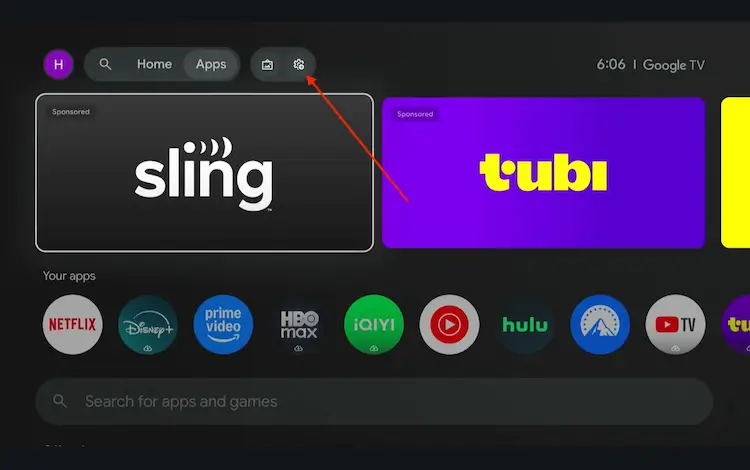
Settings icon on the Onn TV home screen
Select All Settings
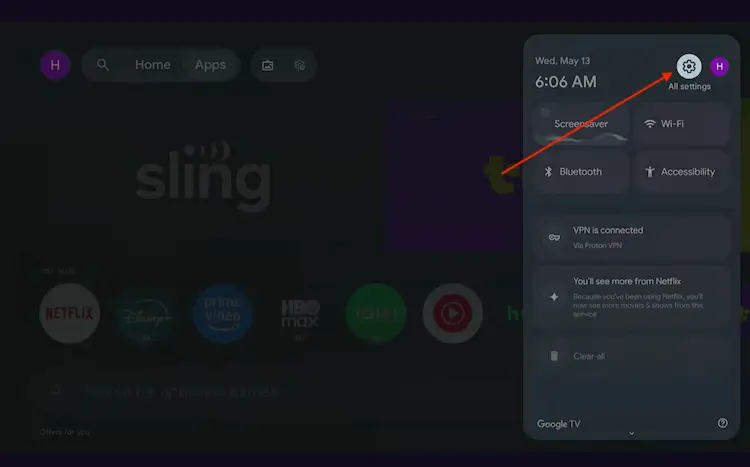
All Settings icon
Scroll down and select System, then choose About from the list.
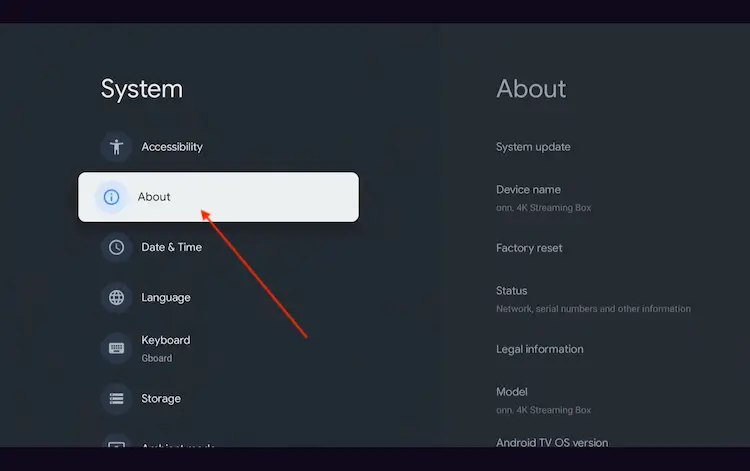
Navigate to System > About
Scroll to the bottom and click Android TV OS Build 7 times continuously until a pop-up says "You are now a developer."
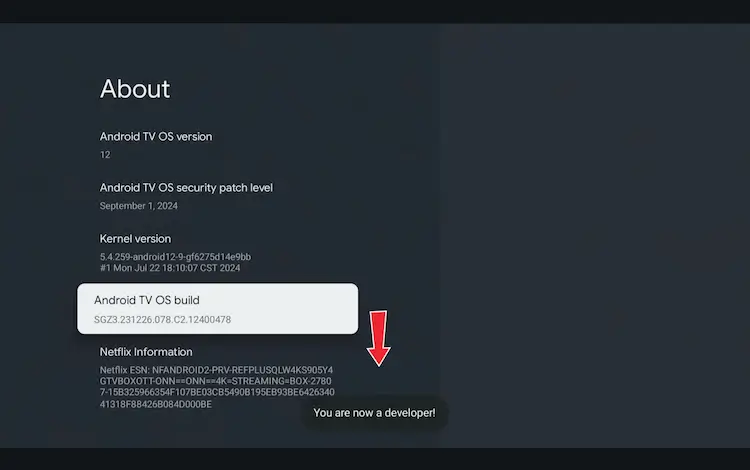
Click Android TV OS Build 7 times to unlock Developer Mode
Press the Home button on your remote, go to the top menu, and select Apps.
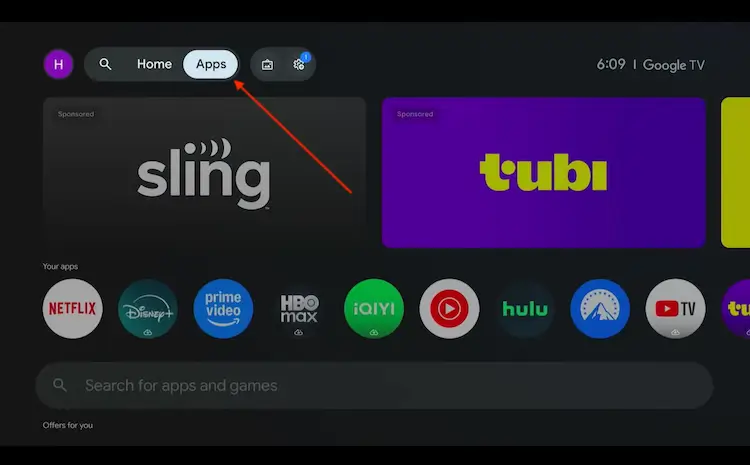
Back to the Onn TV home screen > Apps
Use the search bar and type Downloader and select the one at the top of the list
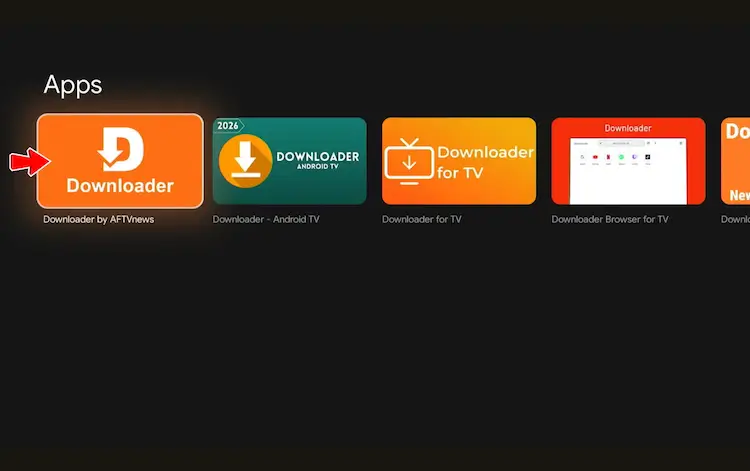
Select the Downloader app at the top of the search results
Click Install
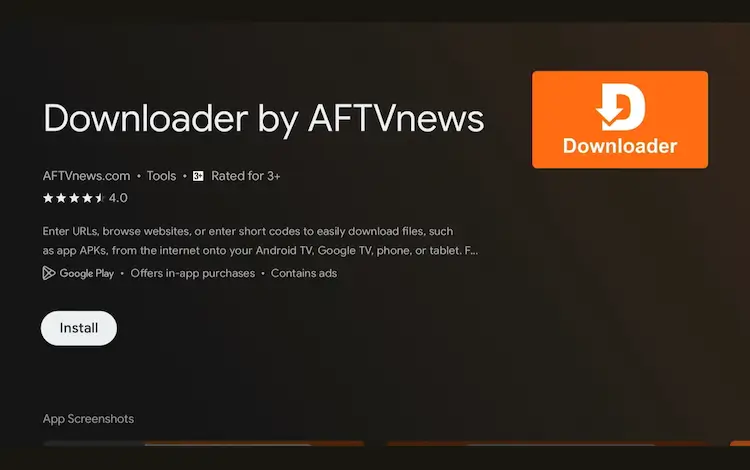
Press Install
Once installed, open the Downloader app and click on the URL/search bar.
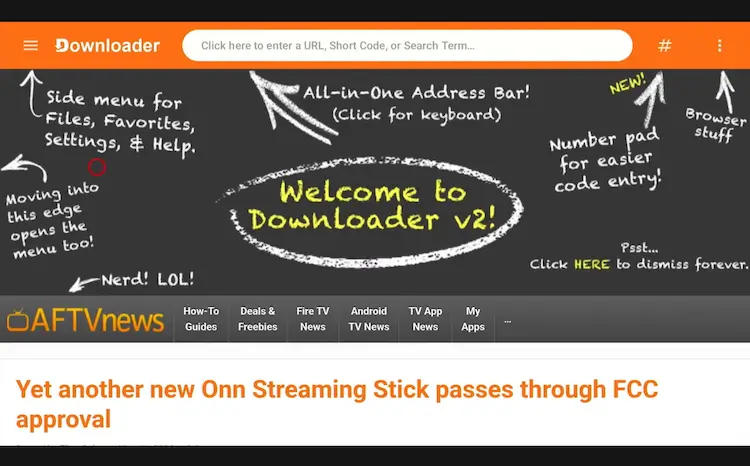
Open Downloader app > URL Search bar
Enter the exclusive Onn TV Hacks downloader code 8533602 below and press Go.
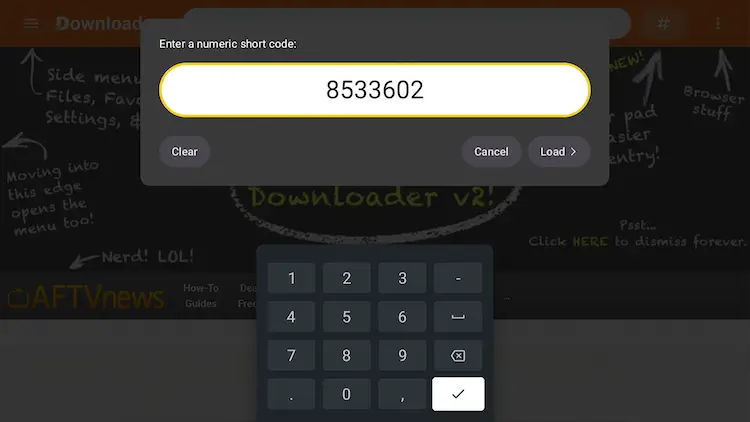
Add the popular 8533602 code
Scroll down inside the Downloader app and click on the ‘Sports App’ button.

Click on the ‘Sports App’ button
Scroll down, find CricFy TV and tap ‘Download’.
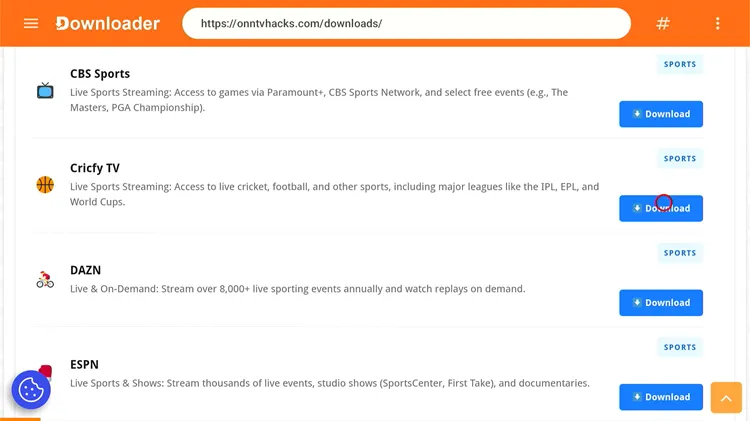
Tap ‘Download’
Click on the Download Icon.

Click on ‘Download icon’
CricFy TV will start downloading.

CricFy TV is downloading
Click ‘Install’.
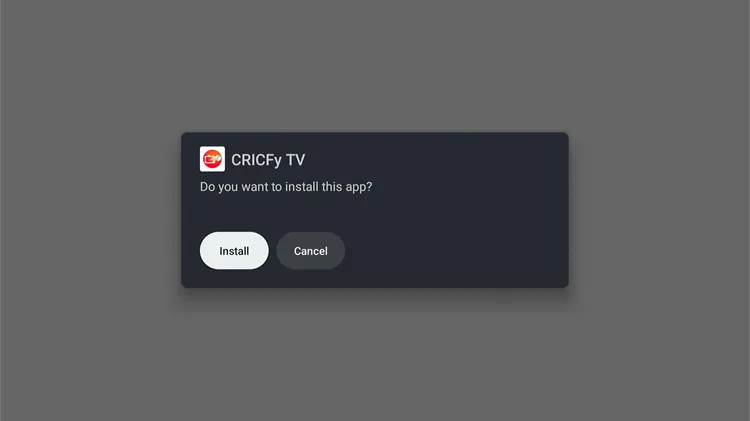
Click ‘Install’
Click Done.
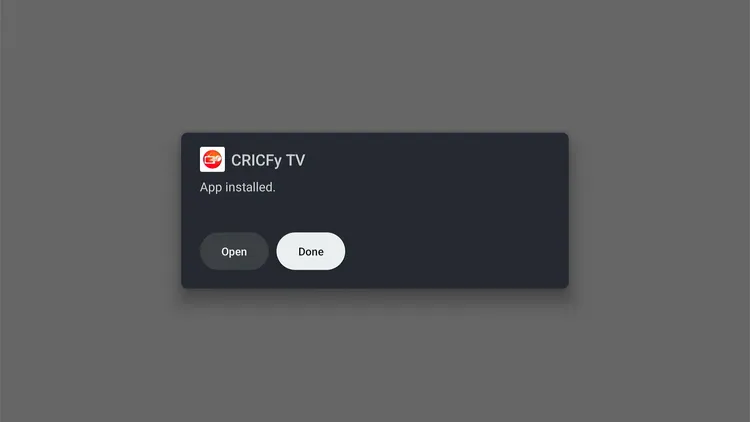
Click ‘Done’
Click Delete to remove the APK and free up storage space.
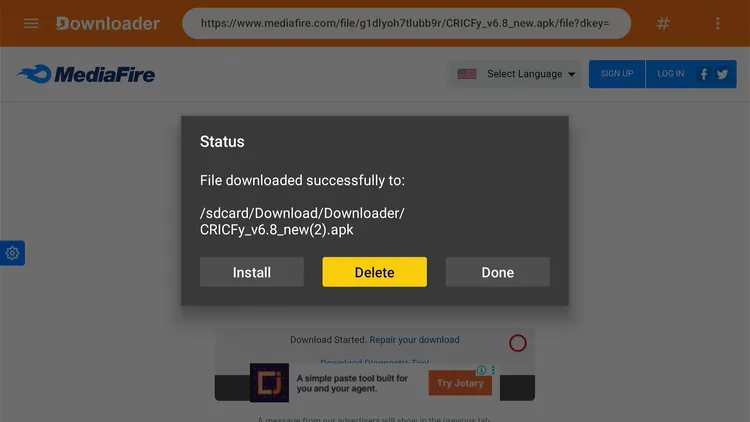
Click ‘Delete’
Confirm by clicking Delete again.
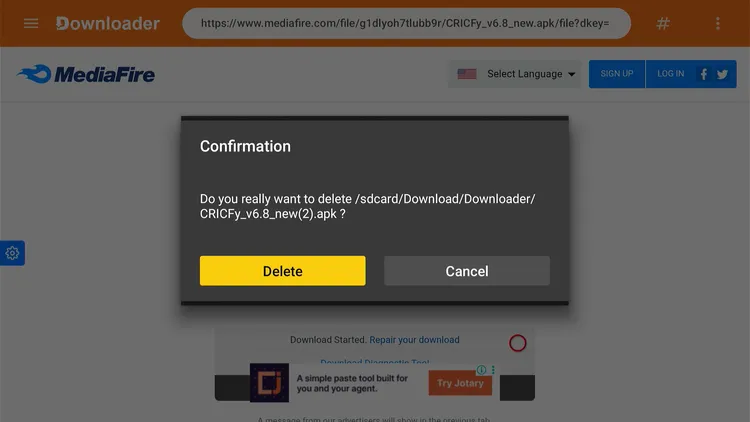
Click ‘Delete’ again
How to Stream Live Sports on CricFy TV
Once installed, you can explore CricFy TV right away to enjoy ad-free streaming of live sports from around the world. But connect to a VPN first.
Install the Surfshark VPN app and connect to any server to protect your privacy while streaming.
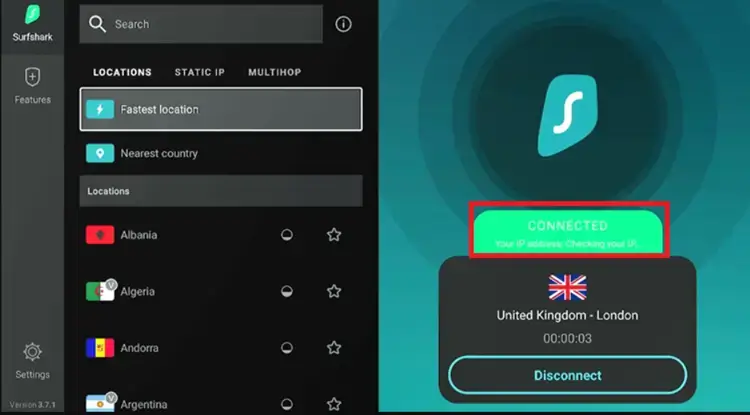
Connect to ‘Surfshark VPN’
Press the Home button on your remote, scroll to Your Apps, and click on CricFy TV to launch it.

Home > ‘CricFy TV’
You’ll see live matches on the home screen. Choose the one you want to stream.

Choose the match
Pick a streaming link. CricFy TV gives you multiple stable links per match, so if one drops, just try another.

Choose a streaming link
Enjoy Streaming!

Enjoy streaming
You can also use the ‘Floating Player’ ‘adjust streaming resolution’, or lock the screen from the in-app controls.
Get Surfshark — 86% Off Today →
How to Use M3U URLs on CricFy TV
CricFy TV also lets you build custom playlists by adding an M3U URL, and you can create as many playlists as you want. Since M3U URLs may fetch content via unknown sources, be sure to keep your VPN connected to prioritize your online security.
Tap 3 line menu bar and choose Playlists from the app menu.
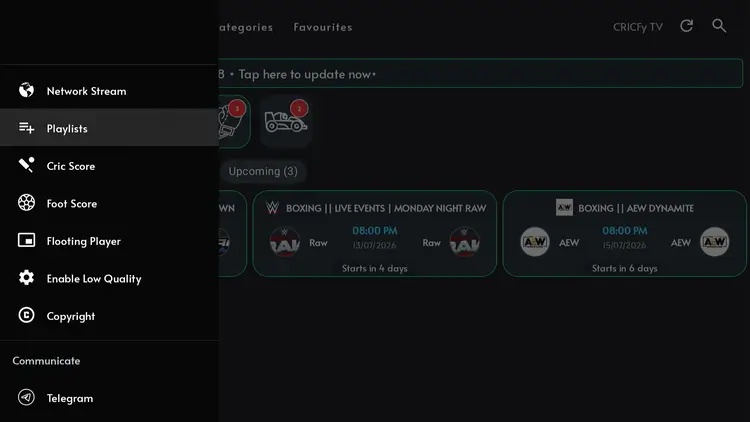
Menu Bar > Playlists
Tap the Plus icon in the bottom right corner, then click Add URL.

Tap ‘Plus’ then ‘Add URL’
Enter a name for your playlist, type in the M3U URL, and click Add.

Name your playlist and add the M3U URL
Once the playlist loads, click on it and play the channel you want.
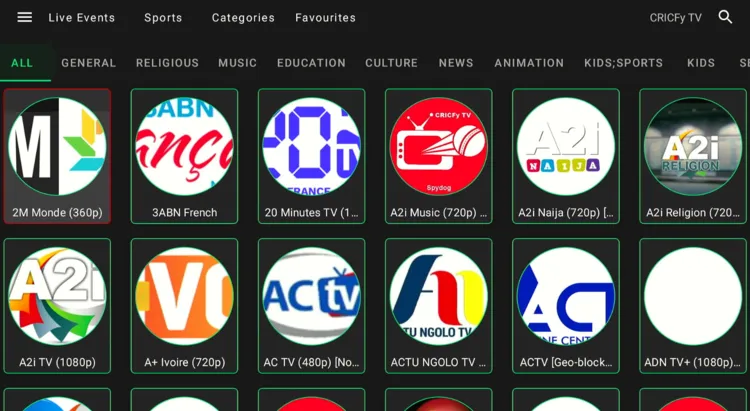
Enjoy Streaming!
Get Surfshark — 86% Off Today →
Top CricFy TV Features
Have a look at some of the features of CricFy TV app:
Free Live TV Channels
No subscription or payment needed
M3U Playlist Support
Add unlimited custom playlists
Ad-Free
No interruptions while you stream
HD Streaming
Adjustable quality to match your connection
Lightweight (20.8 MB)
Won’t strain your Onn TV’s storage
Favourites List
Save your go-to channels for quick access
Multiple Streaming Links
Backup links if one source drops
Is CricFy TV Safe & Legal to Use?
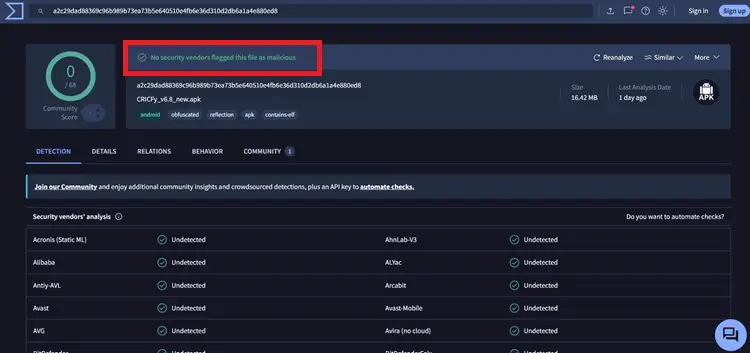
The CricFy TV APK (v6.8) has been scanned on VirusTotal and came back clean, with no malware found. From a technical standpoint, the app itself is safe to install on your Onn TV.
However, its legal status is less clear-cut. We can’t verify the streaming sources CricFy TV pulls its links from, so the safest approach is to always run a VPN before opening the app. It keeps your activity private from your ISP and protects you from potential exposure while streaming.
Get Surfshark — 86% Off Today →
About CricFy TV
Here’s a quick look at what the app offers:
| Detail | Info |
|---|---|
| 📺 Content Type | Live Sports |
| 💰 Price | Free |
| 📦 File Size | 20.8 MB |
| 🔢 Version | 6.8 |
| 🛡️ Safe to Use? | Yes, but use a VPN |
| 👤 Developer | CricFy TV |
Frequently Asked Questions
1. Can I download CricFy TV from the Google App Store?
No. CricFy TV isn’t listed on the Google App Store, so you’ll need to sideload it on your Onn TV using the Downloader app and code 8533602.
2. Does CricFy TV show ads on Onn TV?
No, the latest CricFy TV APK (v6.8) doesn’t show ads on Onn TV devices.
3. Is CricFy TV free on Onn TV?
Yes, CricFy TV is completely free to install and use across all Onn TV Box and Onn TV Stick models.
4. Which sports can I watch on CricFy TV?
CricFy TV streams several sports, including football, cricket, tennis, golf, darts, and PPV events.
5. Why does CricFy TV buffer on my Onn TV?
Buffering is usually caused by a slow internet connection or ISP throttling. Make sure you have at least 15 Mbps for live streams, and connect to Surfshark. It can significantly improve stream stability.
Conclusion
CricFy TV is one of the easiest free sports apps to get running on Onn TV, free, ad-free, lightweight, with multiple backup links and full M3U playlist support.
Just remember to connect a VPN before you stream anything on the app. Surfshark VPN is our recommended choice
📌 Found this guide useful? Share it with a fellow sports fan and drop a comment below. Check out our Best Apps for Onn TV guide for more top picks to install alongside CricFy TV.