 Onn TV Hacks Master Your Onn TV with Expert Guides, Hacks, & Apps

Written and tested by Black Joseph
Updated November 5, 2026
When you buy through our links, we may earn a commission. See how we work with brands here.
Quick answer: To install Brave Browser on an Onn TV Box or Stick, download the split APKM file with the Downloader app (code 8533602), then install it using X-Plore File Manager.
Brave Browser is a privacy-focused browser that blocks ads and trackers by default and avoids tracking and profiling your searches. You can also change the theme, scale text, and pick different languages.
Currently, there’s no single compatible Brave Browser APK for Onn TV. You need to download the split APKM file with the Downloader app and install it using X-Plore File Manager.
Since this is a third-party install, a VPN keeps your ISP from seeing what you browse. Surfshark VPN is our top choice
📋 Table of Contents — tap to expand
- How to Install Brave Browser on Onn TV Box/Stick Using Downloader & X-Plore
- How to Use Brave Browser on Onn TV
- Brave Browser Settings
- Is Brave Browser APK Safe & Legal to Use?
- Everything You Need to Know About Brave Browser APK
- Brave Browser Features
- Brave Browser Alternatives for Onn TV
- FAQs
- Conclusion
🔥 BLACK FRIDAY DEAL
Our Recommended VPN - Surfshark VPN
Now only $2.49/mo
🔒 30-day money-back📱 Unlimited devices🚫 Ad blocker$0.08/day

How to Install Brave Browser on Onn TV Box/Stick Using Downloader & X-Plore
To sideload Brave Browser, you’ll download the APKM file with the Downloader app and then install it using X-Plore File Manager.
If your Onn TV isn’t jailbroken yet or you don’t have Downloader installed, work through the steps below first. Otherwise, skip ahead to step 10.
Before browsing with Brave Browser, make sure to install Surfshark VPN on your Onn device.
Go to Onn TV Home and then click on the Settings icon
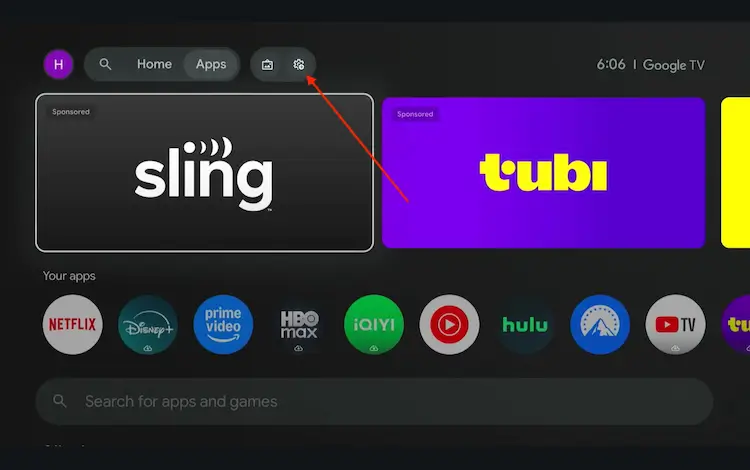
Settings icon on the Onn TV home screen
Select All Settings
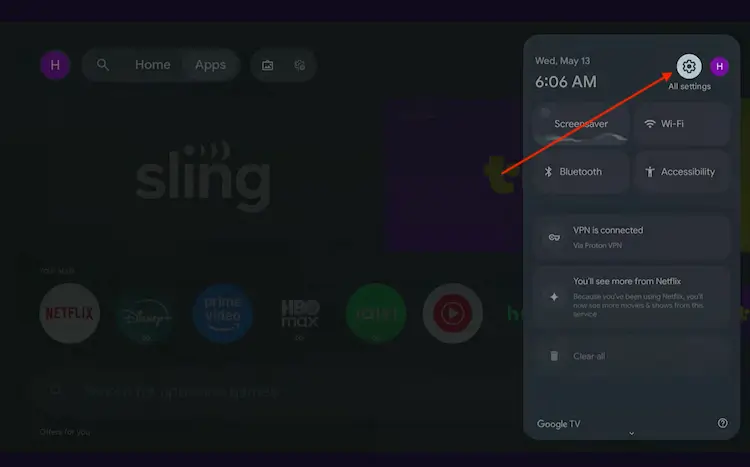
All Settings icon
Scroll down and select System, then choose About from the list.
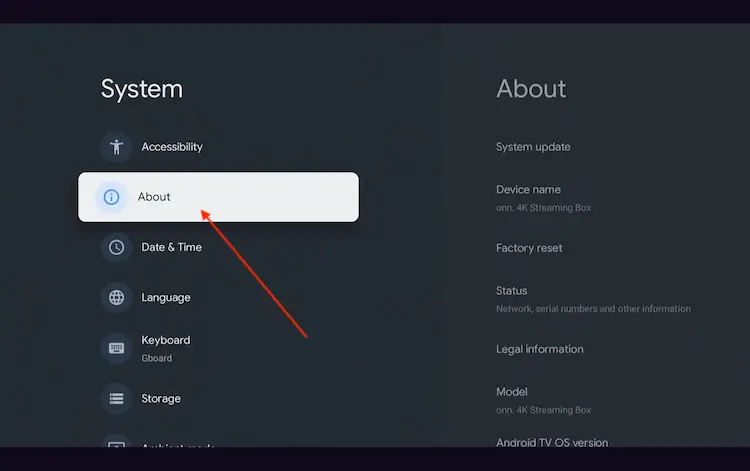
Navigate to System > About
Scroll to the bottom and click Android TV OS Build 7 times continuously until a pop-up says "You are now a developer."
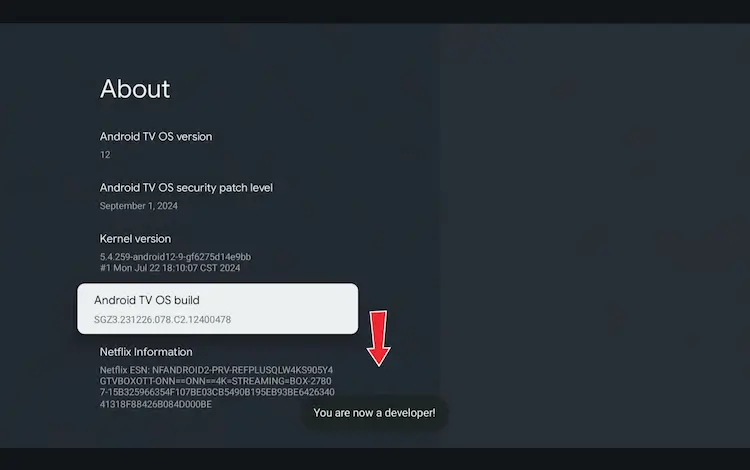
Click Android TV OS Build 7 times to unlock Developer Mode
Press the Home button on your remote, go to the top menu, and select Apps.
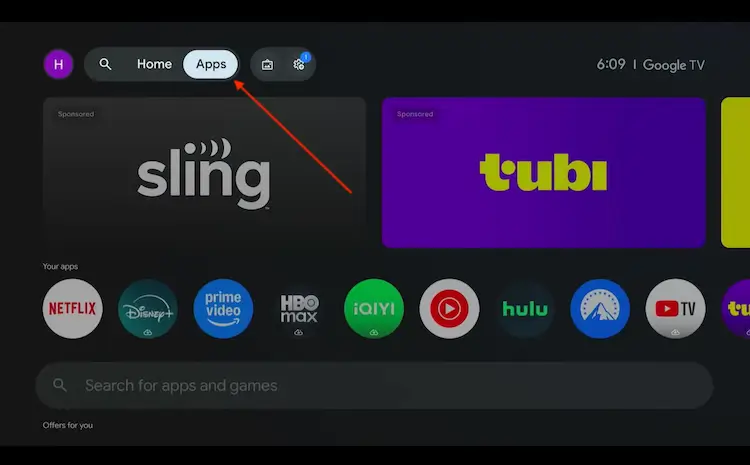
Back to the Onn TV home screen > Apps
Use the search bar and type Downloader and select the one at the top of the list
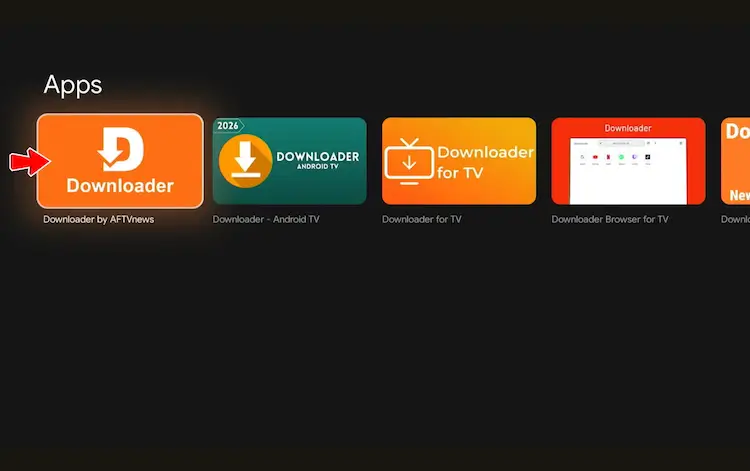
Select the Downloader app at the top of the search results
Click Install
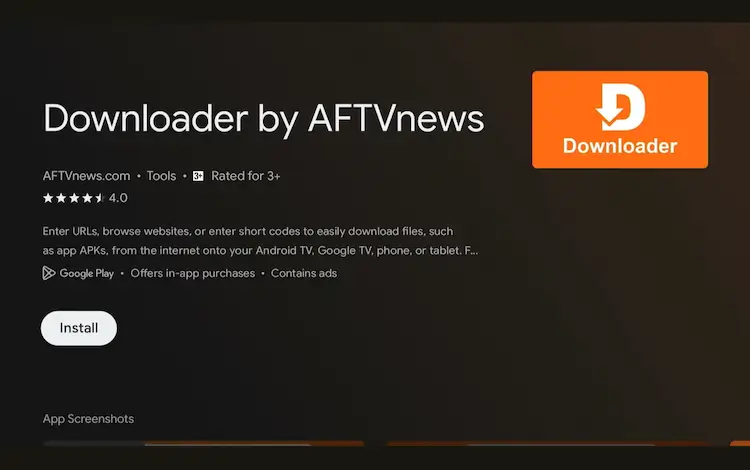
Press Install
Once installed, open the Downloader app and click on the URL/search bar.
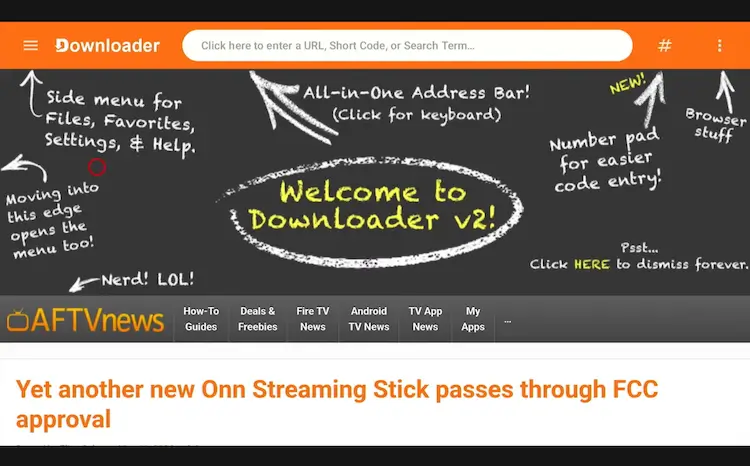
Open Downloader app > URL Search bar
Enter the exclusive Onn TV Hacks downloader code 8533602 below and press Go.
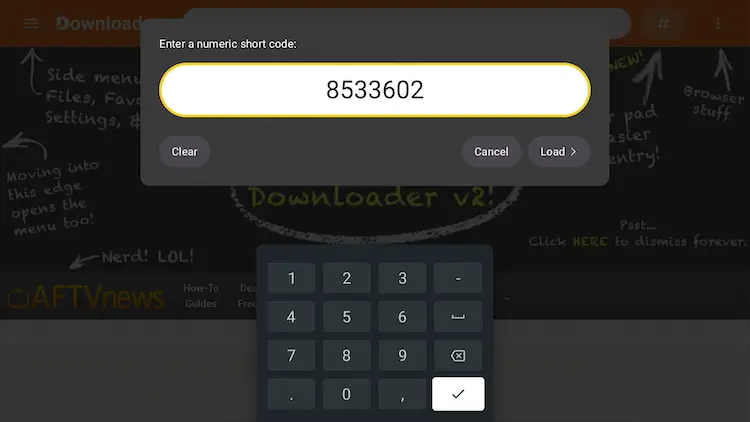
Add the popular 8533602 code
Scroll down and select the Utility Apps category.
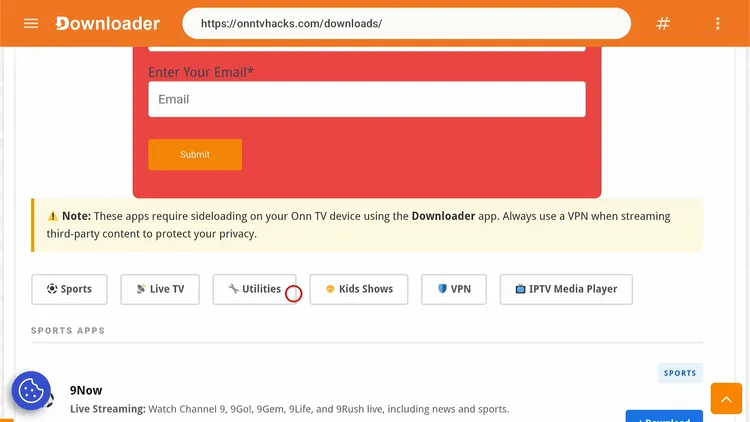
Select “Utility Apps”
Search Brave Browser and click Download.
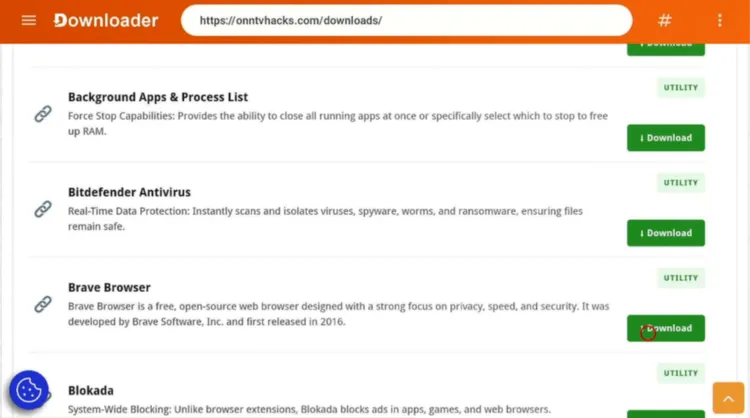
Select “Brave Browser”
Click the Download icon.
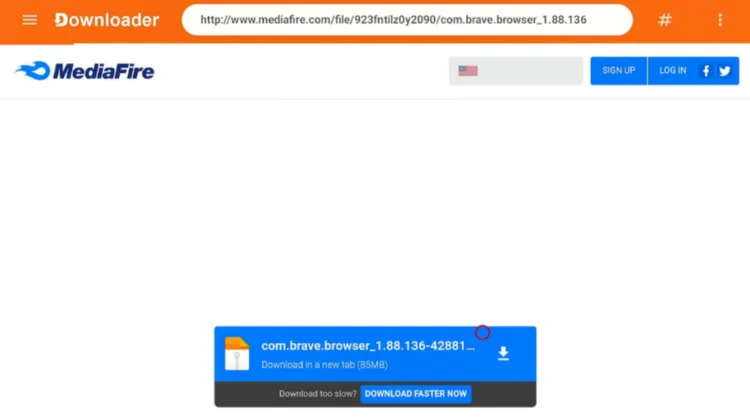
Click the “Download” icon
Wait for the APKM file to finish downloading.
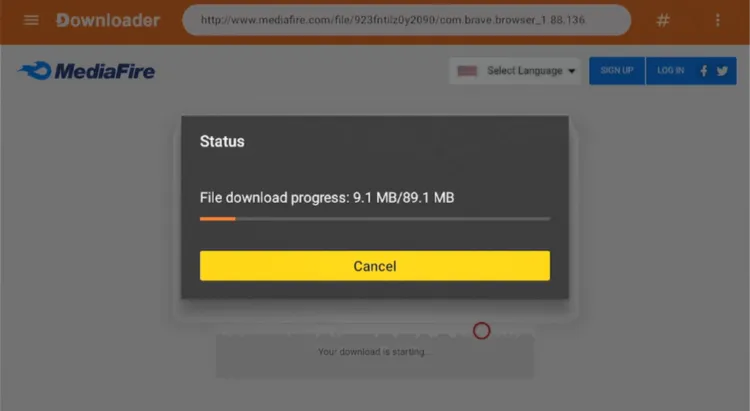
Brave Browser is downloading
Once the download ends, select Done.
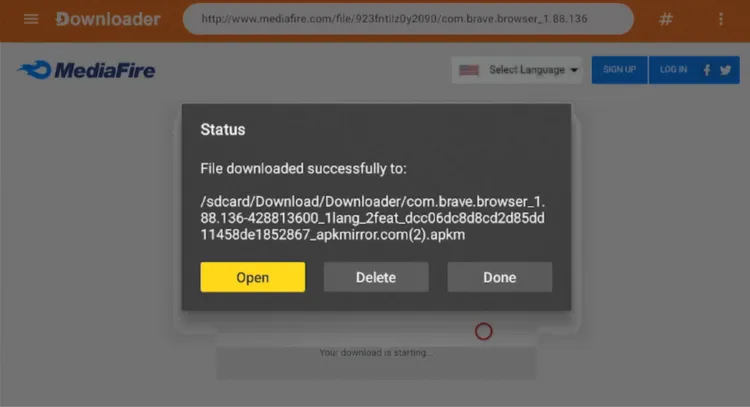
Select “Done”
Go back to the Onn TV home screen and search for Apps.
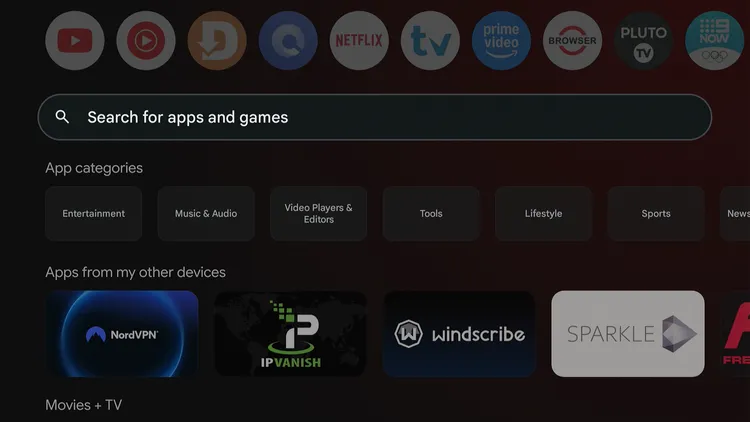
Home > Search Apps
Search for X-Plore File Manager.
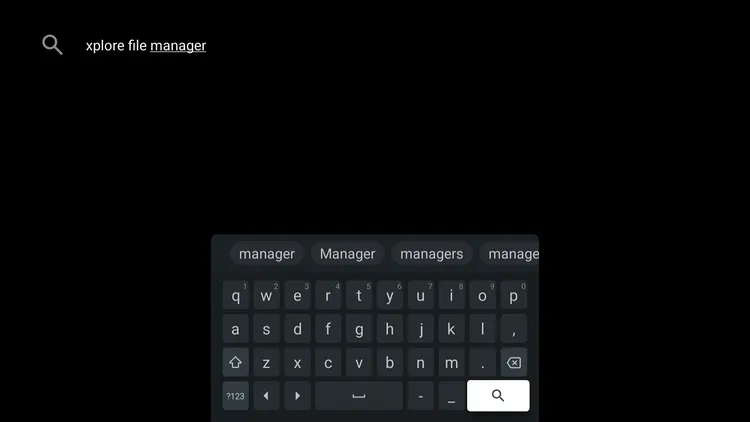
Search for X-Plore File Manager
Select the X-Plore File Manager app.
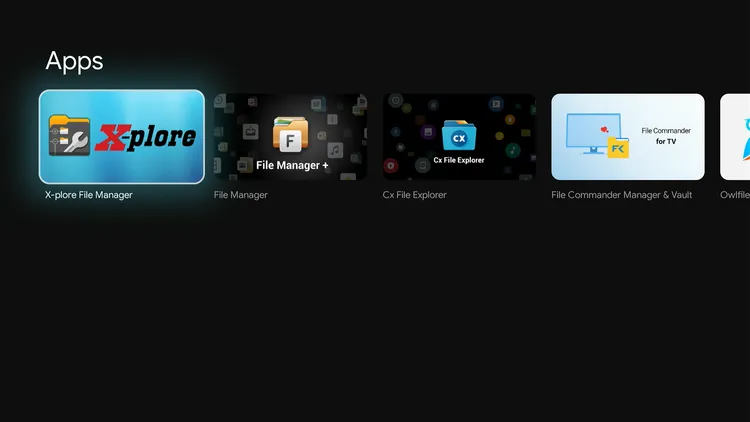
Select X-Plore File Manager
Select Install.
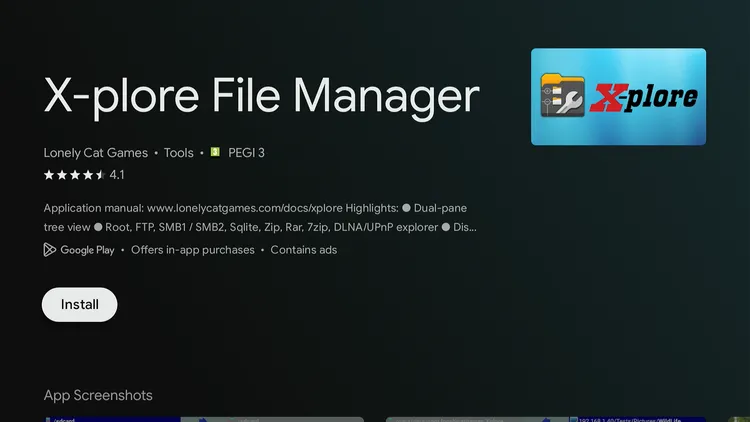
Install X-Plore File Manager
Select Open.
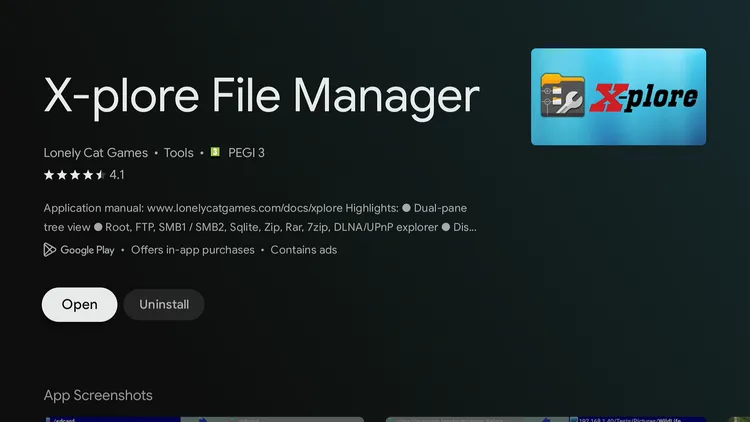
Select Open
This takes you to the settings. Now enable installs from X-Plore.
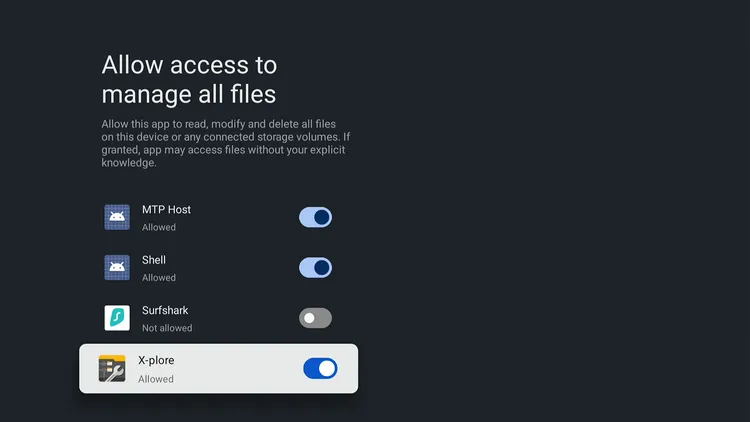
Allow access for X-Plore
Launch X-Plore File Manager and select Internal Shared Storage.
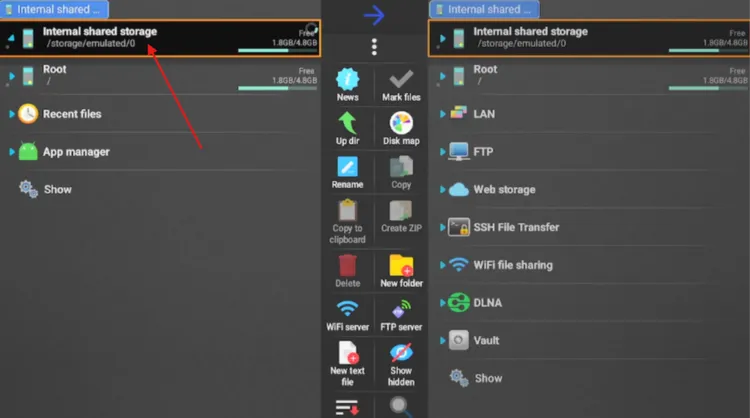
Open the Internal Shared Storage folder
Go to Download, open the Downloader folder, then select Brave Browser. It will expand to show multiple files.
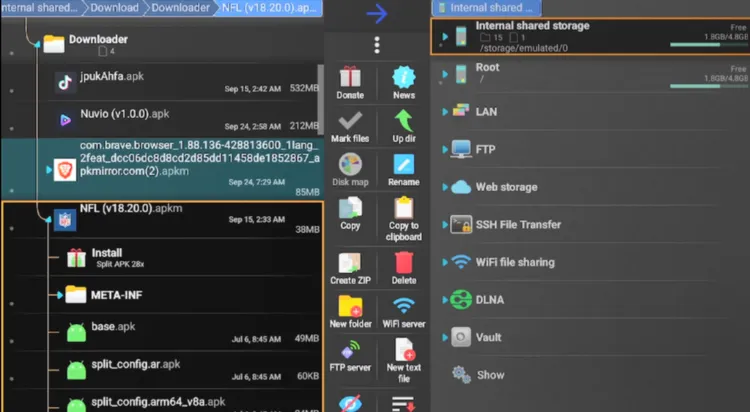
Open the Downloader folder
Select Install.
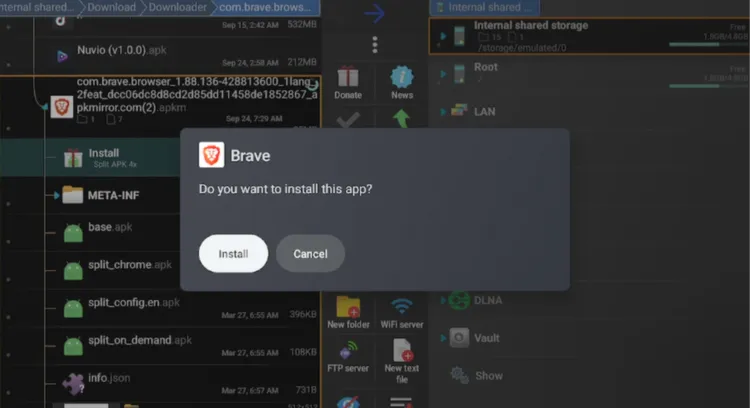
Select “Install”
Get Surfshark — 87% Off Today →
How to Use Brave Browser on Onn TV
Whether you’re browsing the web or watching YouTube, Brave blocks ads and trackers by default. Here’s how to use it.
From your Onn TV home screen, open the Apps library and select Brave Browser.
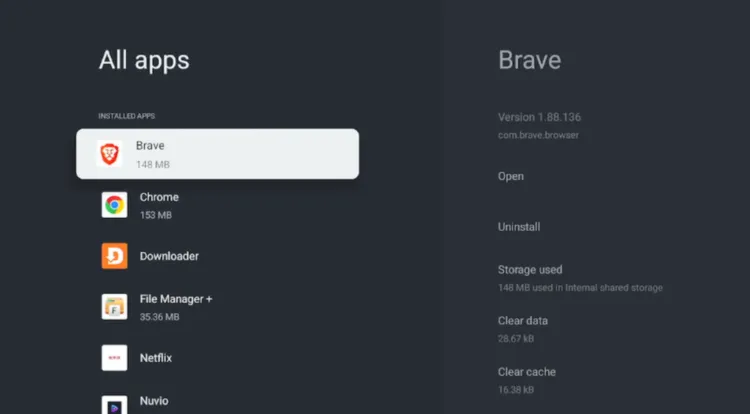
Apps > Brave Browser
Select Open.
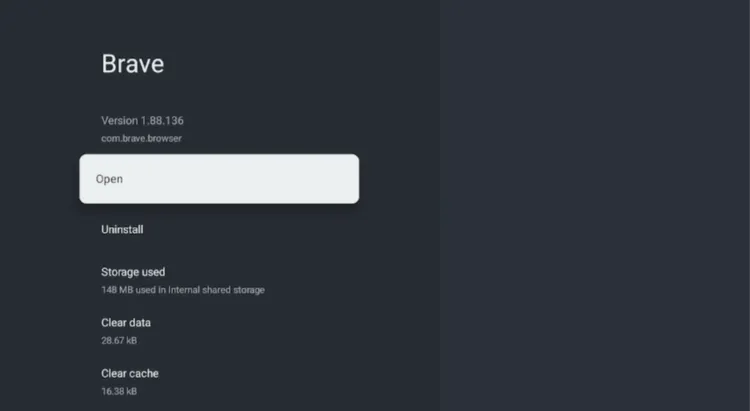
Select “Open”
If you want to set Brave as the default browser, select Set Brave as Default.
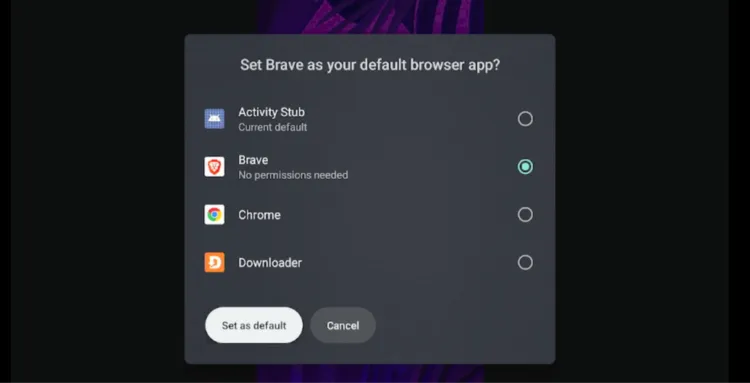
Set as default or skip
Select the Search URL bar.
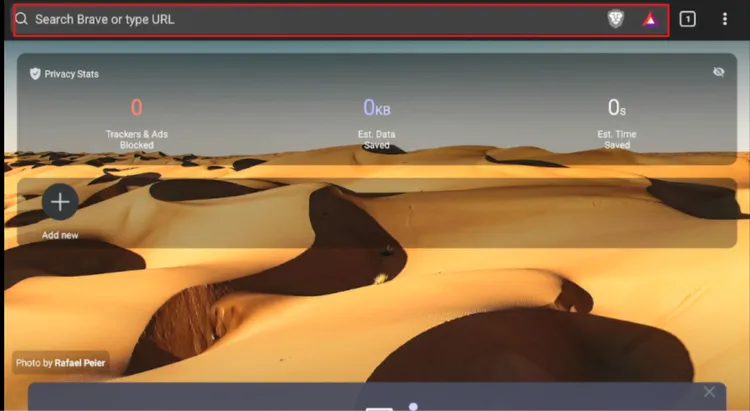
Select the “Search URL bar”
Enter a search term or web address.
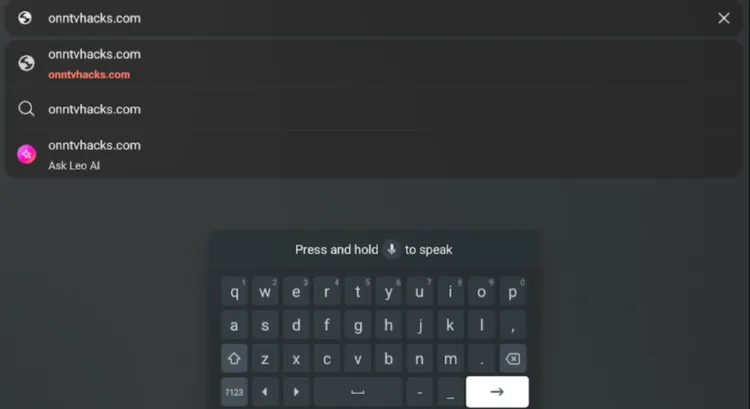
Enter a search or URL
The page will open in Brave Browser, and you can now browse the web.
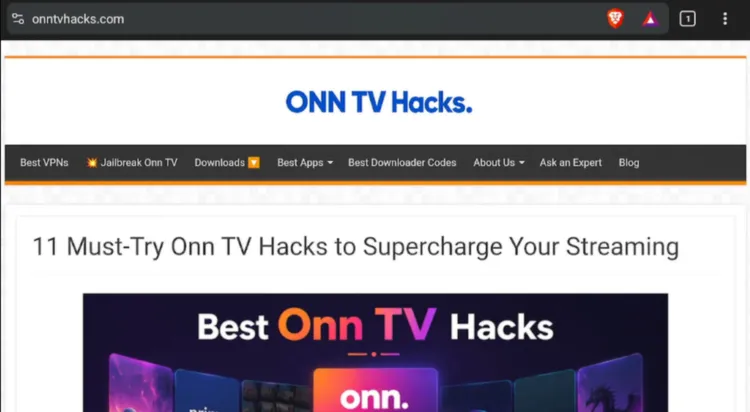
Brave Browser is ready to use
Get Surfshark — 87% Off Today →
Brave Browser Settings
Let’s take a quick look at Brave Browser’s functionality on Onn TV:
- You can set Brave Browser as the default browser. Select the three dots menu icon and choose Set as Default Browser.
- Files you download via Brave Browser are under Downloads in Menu > Settings.
- Change the theme and enable or disable Night Mode from Menu > Settings > Appearance.
- Choose your language from Menu > Settings > Languages.
- Adjust text size from Menu > Settings > Accessibility.
Is Brave Browser APK Safe & Legal to Use?
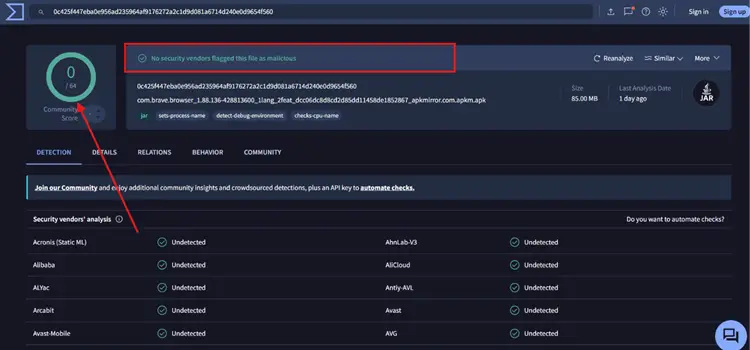
Brave Browser is a legitimate browser from Brave Software. We scanned the latest split APK files on VirusTotal and no malware was flagged.
Because this is a sideloaded build, scan the file yourself before installing, and delete the downloaded APKM file once installation is complete. A VPN such as Surfshark keeps your ISP from seeing what you browse, but it doesn’t protect you from a vulnerable browser.
Get Surfshark — 87% Off Today →
Everything You Need to Know About Brave Browser APK
Here’s a quick look at what the app offers:
| Detail | Info |
|---|---|
| 📱 App Type | Browser |
| 💰 Price | Free |
| 🔢 Version | Latest version (shown in Downloader) |
| 🛠️ Install Method | Split APKM via Downloader & X-Plore |
| 🛡️ Source | Sideloaded (scan before installing) |
| 👨💻 Developer | Brave Software |
Brave Browser Features
Here’s a quick rundown of what stands out about Brave Browser on Onn TV Box or Stick.
Free
No subscription needed
Ad & Tracker Blocking
Blocks unwanted scripts by default
Per-Site Privacy
Adjust privacy settings per site
Night Mode
Easier on the eyes at night
Adjustable Text Size
Scale text for readability
Brave Browser Alternatives for Onn TV
Apart from Brave Browser, you can also try these alternatives on Onn TV:
- Chrome Browser
- Puffin TV Browser
- Mozilla Firefox
- TV Bro
📌 Related Onn TV Guides
- Best Downloader Codes for Onn TV — codes for popular apps.
- New Android Sideloading Rule for Onn TV — what to know before you sideload.
- Enable Developer Options on Onn TV — turn on the setting sideloading needs.
Frequently Asked Questions
What is the Downloader code for Brave Browser on Onn TV?
The Downloader code is 8533602. Enter it in Downloader, open the Utility Apps category, select Brave Browser and click Download.
Is Brave Browser available on the Google Play Store for Onn TV?
No, Brave Browser isn’t listed there for Onn TV, so you need to sideload the split APKM file using Downloader and X-Plore File Manager.
Why do I need X-Plore File Manager to install Brave Browser?
Since there’s no single compatible APK for Onn TV, Brave downloads as a split APKM file, and X-Plore lets you open and install it.
Does Brave Browser work on both the Onn TV Box and the Stick?
Yes, the steps in this guide are the same on the Onn TV Box and the Onn TV Stick.
Can I use the Onn TV remote to navigate Brave Browser?
Navigation with the Onn TV remote may be limited, so a Bluetooth mouse is recommended. You can also use your phone as an Onn TV remote.
Does Brave Browser block ads on Onn TV?
Yes, Brave blocks ads and trackers by default.
Is Brave Browser free to use on Onn TV?
Yes, Brave is free to download and use.
Conclusion
With its built-in ad and tracker blocking, Brave is designed for users who value their online privacy and want a cleaner browsing experience on their Onn TV Box or Stick.
Since there’s no single compatible APK, you’ll need to sideload the split APKM file using the Downloader app and X-Plore File Manager, then set it up as covered above.
While remote compatibility is limited, use a Bluetooth mouse instead. Since you’re installing Brave Browser from a third-party source, a VPN like Surfshark VPN is our recommended choice keeps your browsing private from your ISP.
📌 Found this guide useful? Share it with a fellow streamer and drop a comment below. Check out our Best Apps for Onn TV guide for more top picks to install alongside Brave Browser.