 Onn TV Hacks Master Your Onn TV with Expert Guides, Hacks, & Apps

The FIFA World Cup 2026 runs from June 11 to July 19 across the USA, Canada, and Mexico, and you can watch all 104 matches on your Onn TV for $0.
Install SBS, BBC iPlayer, ITVX, Servus TV and more using Downloader Code 8533602, no cable, no subscription needed.
Most of these broadcaster apps won’t show up in your local Google Play Store, that’s something a VPN alone can’t fix.
📋 Table of Contents
Our Top Pick for Onn TV
Surfshark VPN
Required to unlock SBS, BBC iPlayer & ITVX outside their home regions. Unlimited devices. Under $2/month.
Get Surfshark — 86% Off Today →
Special limited-time deal · 30-day money back · No risk
Where to Watch the FIFA World Cup 2026
Have a look at the apps on which you can watch the FIFA World Cup 2026:
| Service | Region | Matches | Cost | VPN Needed? |
|---|---|---|---|---|
| SBS On Demand | Australia | All 104 | FREE | Yes (AU server) |
| BBC iPlayer (4K) | UK | 54 | FREE | Yes (UK server) |
| ITVX | UK | 51 | FREE | Yes (UK server) |
| CAZE TV (YouTube) | Brazil | All 104 | FREE | Yes (Brazil server) |
| RTE Player | Ireland | All 104 | FREE | Yes (IE server) |
| RTVE Play | Spain | Selected | FREE | Yes (ES server) |
| Servus TV | Austria | 52 | FREE | Yes (AT server) |
| TVNZ+ | New Zealand | 22 | FREE | Yes (NZ server) |
Watch FIFA World Cup on Onn TV using the Downloader App
Their official apps of the free broadcasters for the FIFA World Cup 2026 may be unavailable on your local Google Play Store, something a VPN can’t fix.
The solution is to sideload their APKs using the master Downloader code: 8533602.
Once installed, simply install Surfshark on your Onn device and connect to the corresponding country servers.
We’ll use Servus TV (52 matches) as example, you can install/pair it up with any other APK with the same downloader code to get full coverage.
Note: If you haven’t jailbroken your Onn TV yet or don’t have the Downloader app installed, follow the steps below first (else, just directly skip to step 9):
Go to Onn TV Home and then click on the Settings icon
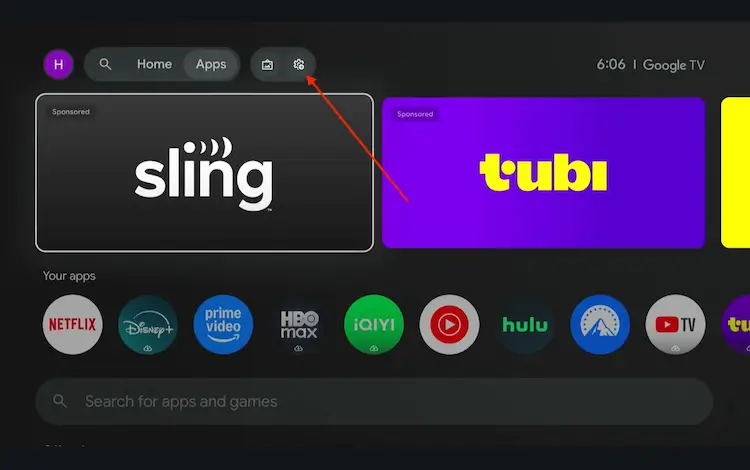
Settings icon on the Onn TV home screen
Select All Settings
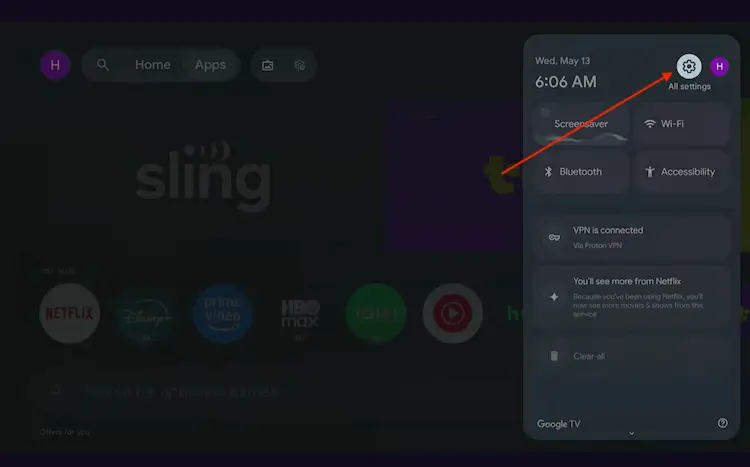
All Settings icon
Scroll down and select System, then choose About from the list.
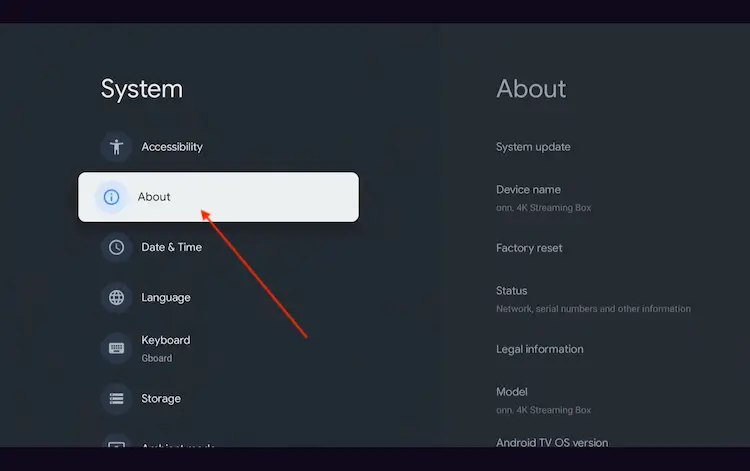
Navigate to System > About
Scroll to the bottom and click Android TV OS Build 7 times continuously until a pop-up says "You are now a developer."
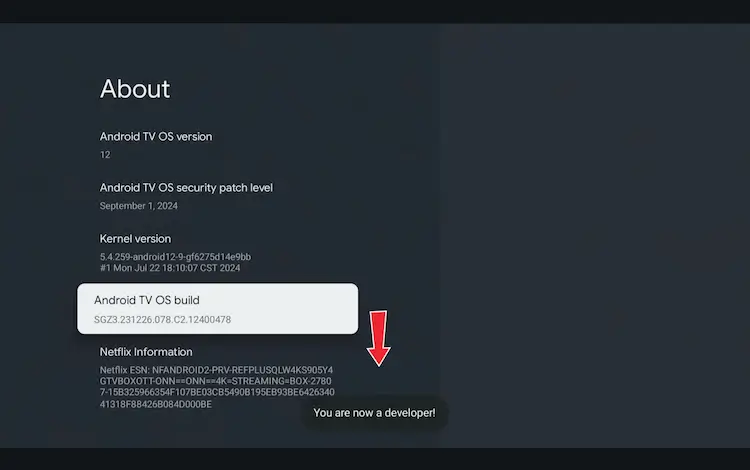
Click Android TV OS Build 7 times to unlock Developer Mode
Press the Home button on your remote, go to the top menu, and select Apps.
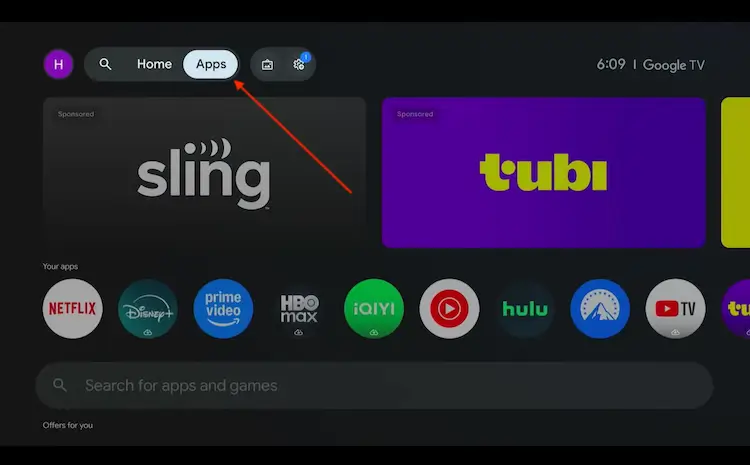
Back to the Onn TV home screen > Apps
Use the search bar and type Downloader and select the one at the top of the list
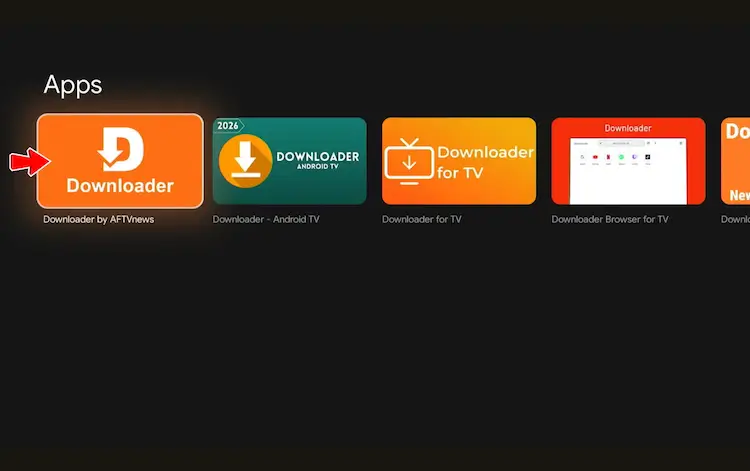
Select the Downloader app at the top of the search results
Click Install
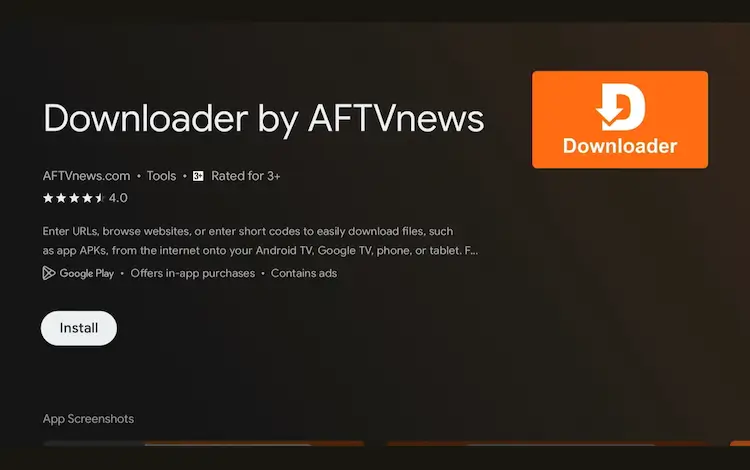
Press Install
Once installed, open the Downloader app and click on the URL/search bar.
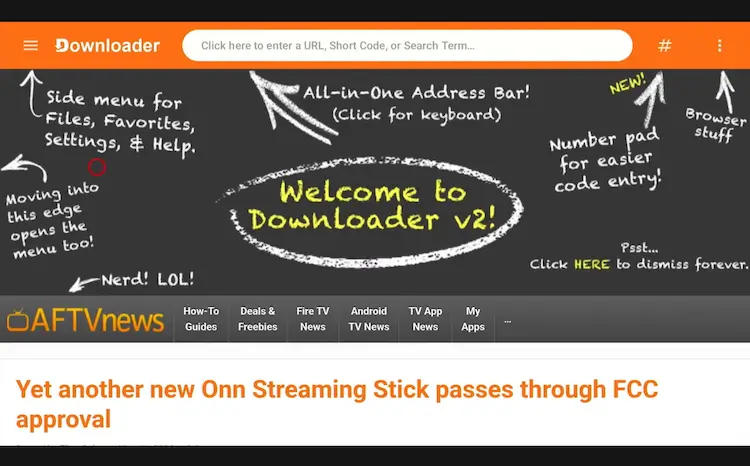
Open Downloader app > URL Search bar
Enter the exclusive Onn TV Hacks downloader code 8533602 below and press Go.
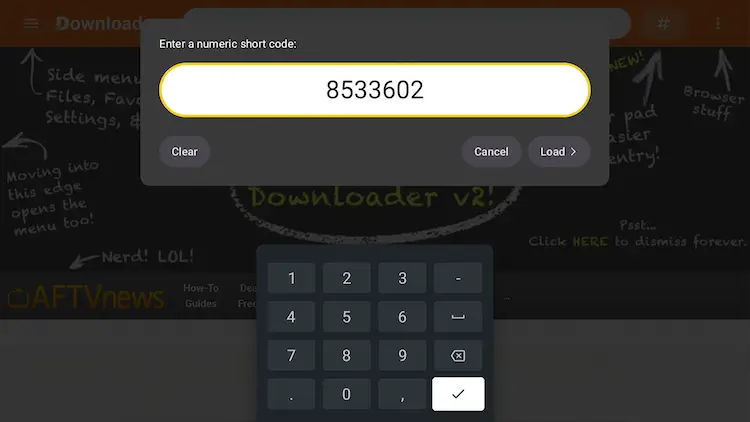
Add the popular 8533602 code
Scroll down inside the Downloader app and click on the ‘Sports’ button.

Click on the ‘Live TV’ button
Search Servus TV and click Download.

Click on ‘Download’
Click on the Download Icon.
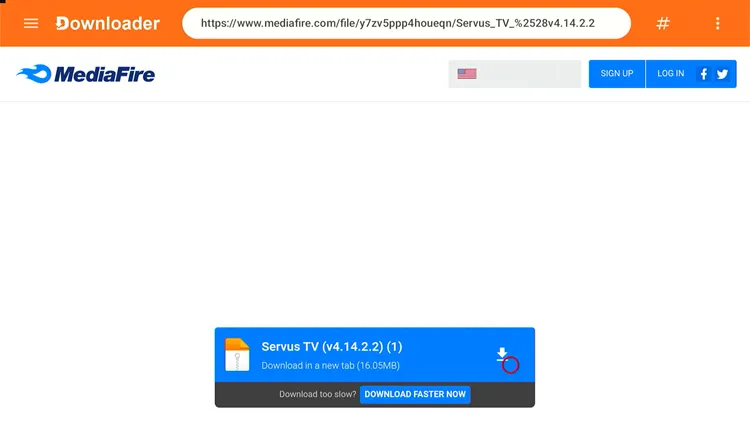
Click on ‘Download icon’
Servus TV apk will start downloading.
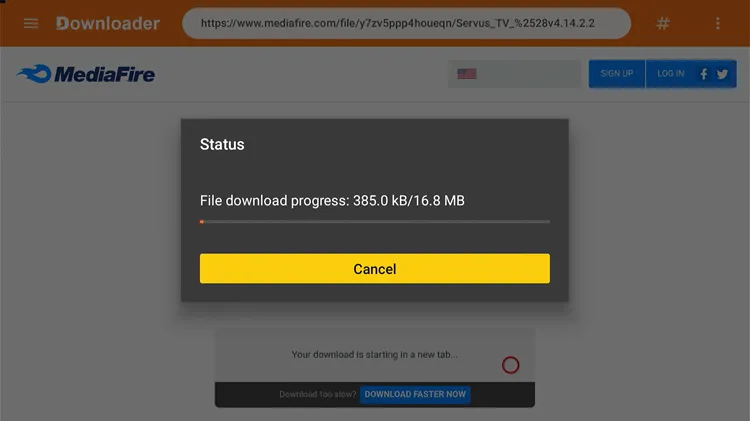
Servus TV will start downloading
Click on Install.

A ‘Status’ window will open, click on ‘Install’
Once installed, click Done.

Click on ‘Done’
Click Delete to remove the APK and free up storage space.
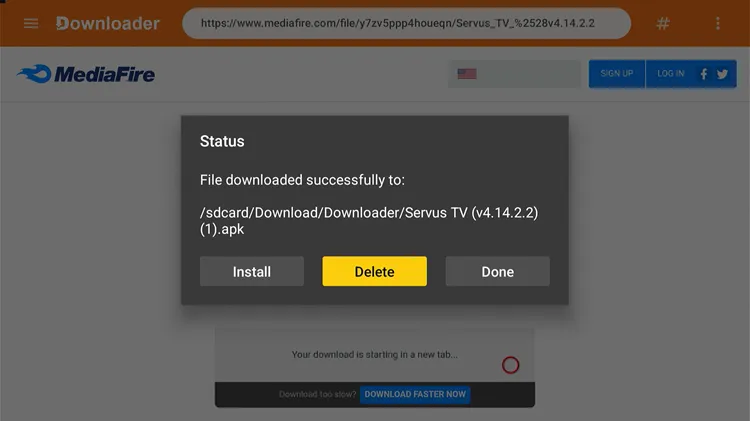
Click on ‘Delete’
Confirm by clicking Delete again.
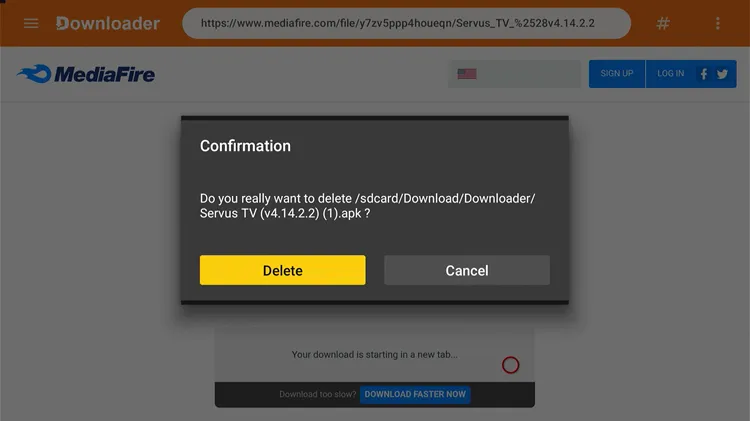
Click ‘Delete’ again
Before you stream FIFA games on Servus TV, make sure you install the Surfshark VPN and connect to Austrian server to access its content.
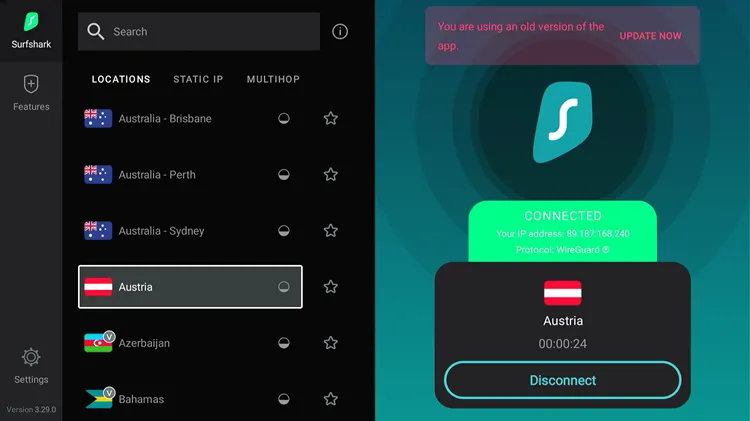
Connect to ‘Surfshark VPN’
Now, press the Home button on your remote, scroll to Your Apps, and click on ServusTV On to open it.
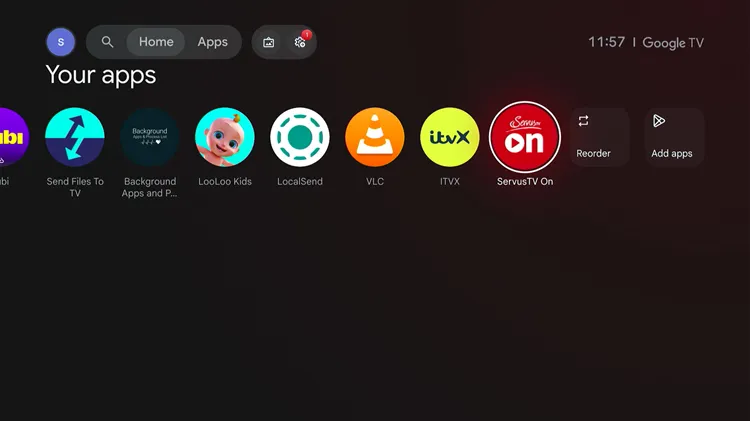
Home > ‘ServusTV On’
Click ‘May Be Later’.
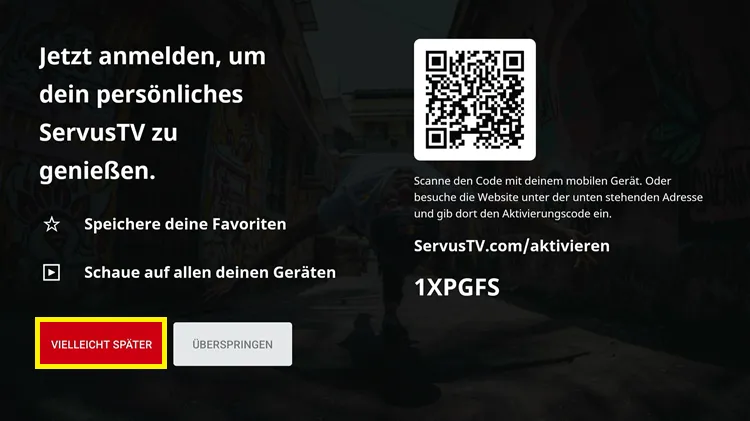
Click ‘Maybe Later’
Choose ‘LIVE’ from the top menu bar & choose the game you want to stream.
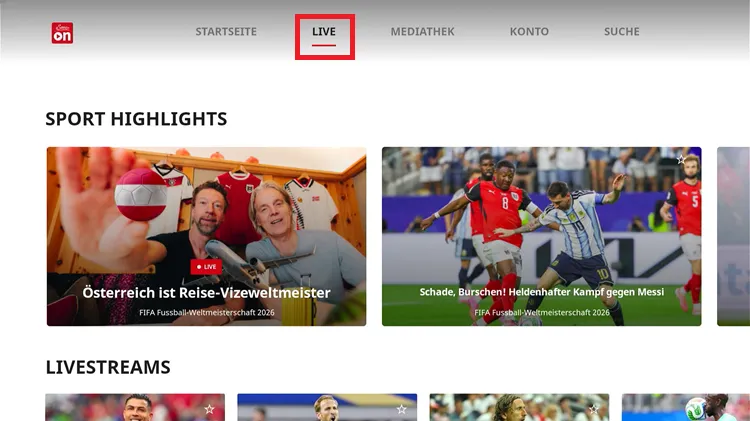
LIVE > Select Game
Start Watching FIFA World Cup 2026 Live!
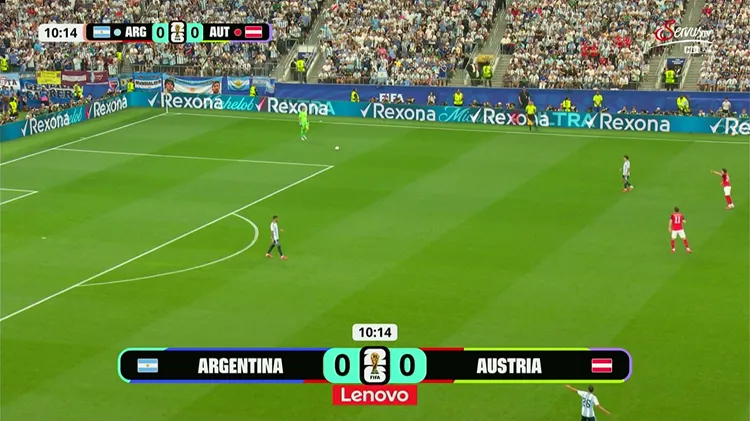
Enjoy ‘FIFA World Cup 2026’
Get Surfshark — 86% Off Today →
FIFA World Cup 2026 Key Dates
| Stage | Date (ET) |
|---|---|
| Group Stage Begins | June 11, 2026 |
| Group Stage Ends | June 27, 2026 |
| Round of 32 Begins | June 28, 2026 |
| Round of 16 Begins | July 4, 2026 |
| Quarterfinals Begin | July 9, 2026 |
| Semifinals | July 14–15, 2026 |
| Third-Place Match | July 18, 2026 |
| 🏆 FIFA World Cup Final | July 19, 2026 |
Troubleshooting Streaming Issues on Onn TV
If you run into buffering or playback issues while watching the World Cup, try one of these quick fixes:
| Issue | How to Fix It |
|---|---|
| 🔍 App Not Found on Google Play Store | Open Downloader app →Use the Master Downloader code: 8533602 → install APK directly. |
| 🔄 Buffering / Freezing |
|
| 🌐 Content Not Available |
|
| 📺 App Won’t Install |
|
| 📶 Weak Wi-Fi |
|
Frequently Asked Questions
Can I watch the FIFA World Cup for free on my Onn TV Box?
Yes, SBS On Demand (Australia) streams all 104 matches completely free. Outside Australia, you’ll need a VPN connected to an Australian server. BBC iPlayer and ITVX are also free for UK viewers and cover all 104 matches between them.
When does the FIFA World Cup 2026 start and end?
The tournament kicked off on June 11, 2026, and runs through to the Final on July 19, 2026. A total of 104 matches will be played across the USA, Canada, and Mexico.
Do I need a VPN to watch the World Cup on Onn TV?
A VPN is essential for accessing geo-restricted services like SBS On Demand, BBC iPlayer, and ITVX outside their home countries.
Who is the defending FIFA World Cup champion?
Argentina enters the 2026 FIFA World Cup as the defending champion, having won the tournament in Qatar in 2022.
How many teams are in the FIFA World Cup 2026?
A record 48 teams are competing in 2026, up from 32 in previous tournaments. They’re split into 12 groups of 4, with the top teams advancing to a new Round of 32 knockout stage.
Conclusion
To watch the FIFA World Cup 2026 for free on your Onn TV Box, you don’t need any cable subscription. BBC iPlayer, ITVX, SBS On Demand, Servus TV, YouTube, and more are streaming the tournament entirely for free with the with a simple account signup.
You just have to install these APKs with the Downloader Code: ‘8533602′ and use Surfshark VPN to It bypasses geo-blocks & prevents ISP throttling.
📌 Found this guide helpful? Drop a comment below and share it with your friends. Check out our Best Apps for Onn TV guide for more top streaming picks to install on your device.
