 Onn TV Hacks Master Your Onn TV with Expert Guides, Hacks, & Apps

RBTV33 is a free live sports streaming app that is the successor to the former sports app, RBTV77. It covers soccer, basketball, cricket, tennis, premium PPV events, and more.
The app works great across all Onn TV devices, though you’ll encounter a few ads while streaming.
RBTV33’s streaming sources are also unverified, so it’s recommended to use a VPN before you start streaming Surfshark VPN is our top choice. It keeps your connection private and protects you while streaming live sports and PPV events.
📋 Table of Contents
🛡️ OUR TOP PICK FOR ONN TV
Your ISP sees every stream. Unverified apps expose your IP. Fix both in under 2 minutes.
🚫 Built-in ad blocker
💰At $2.49/month
Save 87% Get 3 Extra Months FREE with Surfshark VPN
🔒 30-day money-back guarantee • Special limited-time deal

How to Install RBTV33 on Onn TV Box
With the Downloader app, you can sideload the RBTV33 APK on your Onn TV Box/Stick. If you haven’t jailbroken your Onn Stick/Box yet or don’t have the Downloader app installed, follow the steps below first (otherwise, skip to step 9):
Before streaming anything from RBTV33, make sure to install Surfshark VPN on your Onn device.
Go to Onn TV Home and then click on the Settings icon
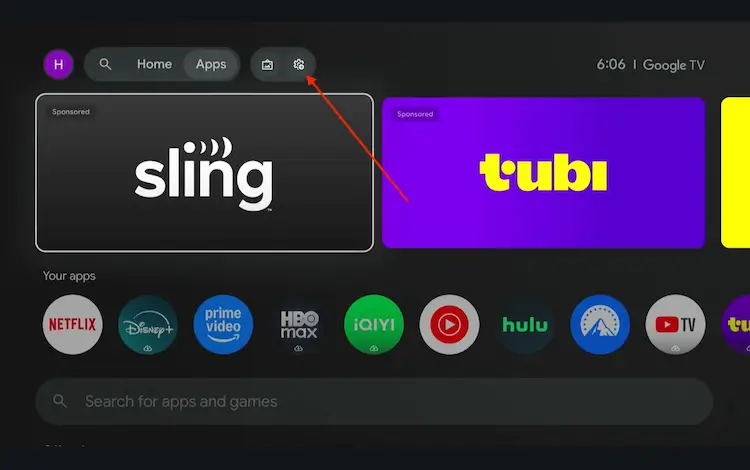
Settings icon on the Onn TV home screen
Select All Settings
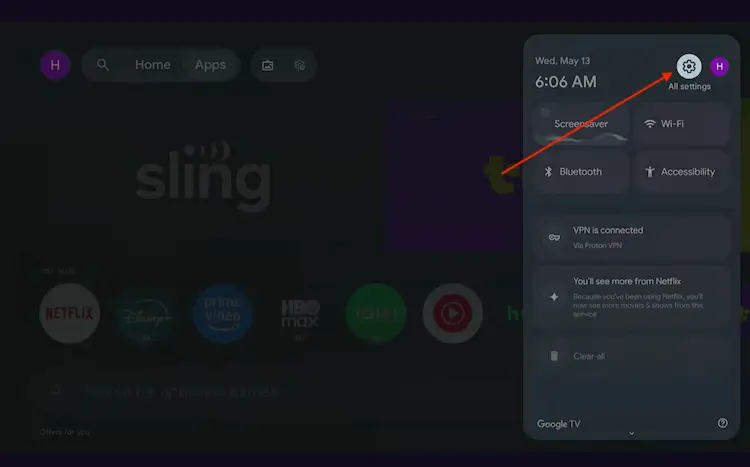
All Settings icon
Scroll down and select System, then choose About from the list.
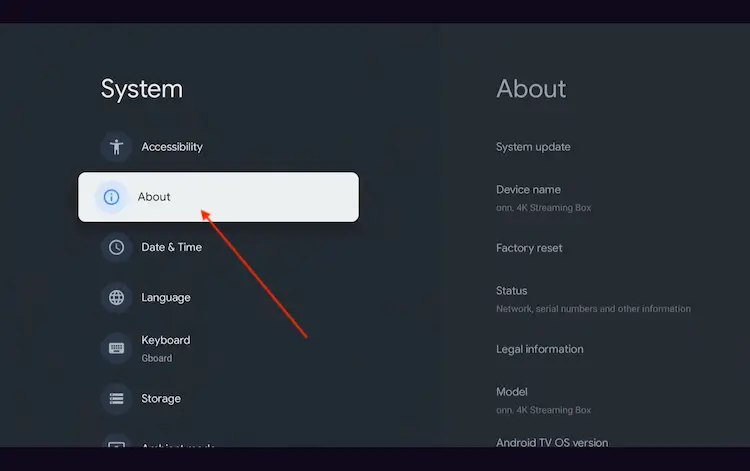
Navigate to System > About
Scroll to the bottom and click Android TV OS Build 7 times continuously until a pop-up says "You are now a developer."
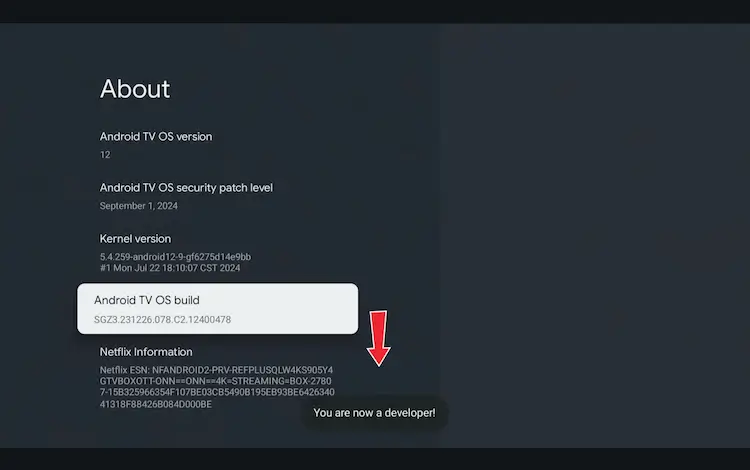
Click Android TV OS Build 7 times to unlock Developer Mode
Press the Home button on your remote, go to the top menu, and select Apps.
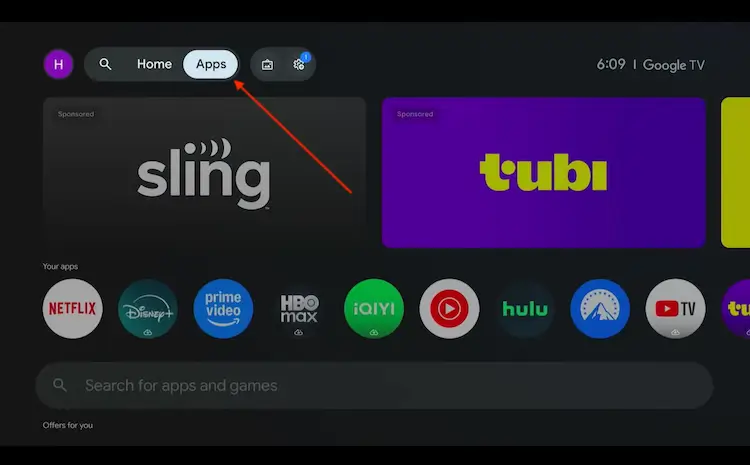
Back to the Onn TV home screen > Apps
Use the search bar and type Downloader and select the one at the top of the list
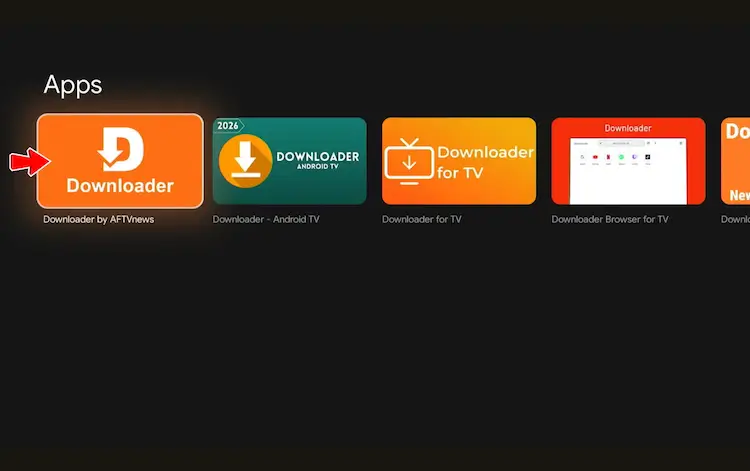
Select the Downloader app at the top of the search results
Click Install
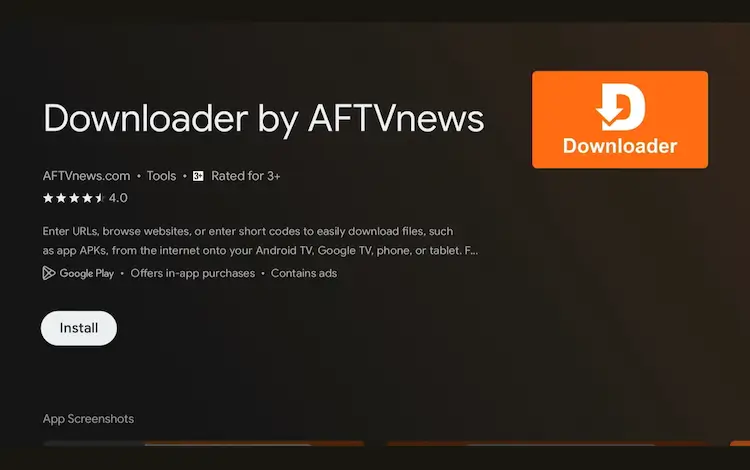
Press Install
Once installed, open the Downloader app and click on the URL/search bar.
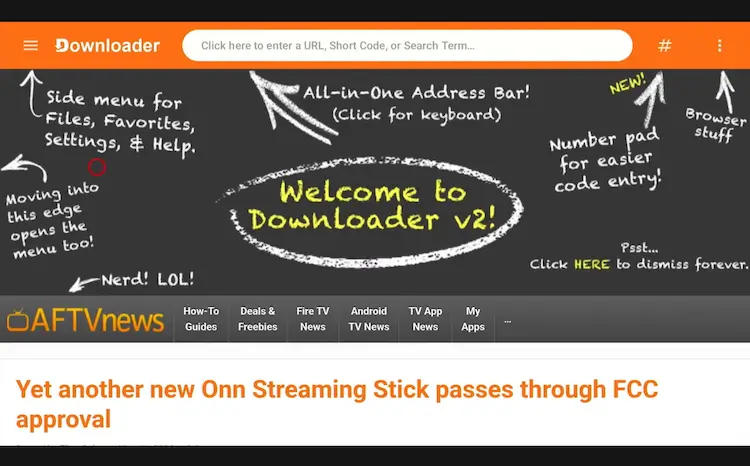
Open Downloader app > URL Search bar
Enter the exclusive Onn TV Hacks downloader code 8533602 below and press Go.
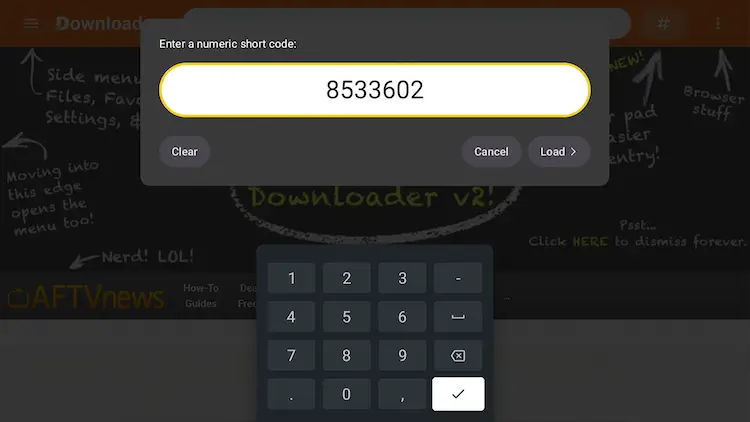
Add the popular 8533602 code
Scroll down inside the Downloader app and tap the “Sports” button.

Tap the “Sports” button
Search RBTV33 and tap Download.

Tap “Download”
Tap the Download icon.

Tap the “Download” icon
RBTV33 will start downloading.

RBTV33 is downloading
Tap Install.

A status window will open — tap “Install”
Tap Install again to confirm.

Tap “Install” to confirm
Once installed, tap Done.

Tap “Done”
Tap Delete to remove the APK and free up storage space.

Tap “Delete”
Confirm by tapping Delete again.

Confirm by tapping “Delete” again
Get Surfshark — 86% Off Today →
How to Stream Live Sports on RBTV33
Before you stream anything on RBTV33, make sure you install Surfshark and connect to any server to protect your privacy while streaming.
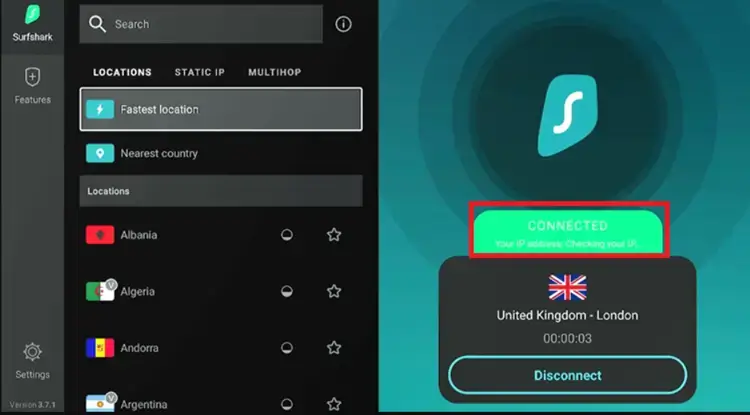
Connect to Surfshark VPN
Press the Home button on your remote, scroll to Your Apps, and select RBTV33 to launch it.

Home > RBTV33
Select any of the live events you want to stream.

Select an event in the RBTV33 player
Enjoy streaming!

Get Surfshark — 86% Off Today →
Which Sports Does RBTV33 Cover?
RBTV33 covers far more than what’s listed below, but these are the highlights that make it a must-have free app for Onn TV Box users in 2026.
- Cricket (International Cricket, Ashes Series, Women’s World Cup)
- Soccer (FIFA World Cup 2026, global leagues & tournaments)
- Baseball (MLB regular season, Playoffs, World Series)
- Combat Sports (UFC Fight Nights, major boxing bouts)
- Basketball (NBA regular season, Playoffs, NBA Finals)
- Tennis (Grand Slams like the US Open, Uber Cup, ATP, WTA)
- NFL (American Football)
- NHL (Ice Hockey)
- Motorsports
- Golf
- Rugby
RBTV33 Features
Here’s a quick rundown of what stands out for RBTV33.
Completely Free
No subscription or payment needed
Multi-Sport Coverage
Soccer, basketball, cricket, PPV & more
Has Ads
Some ads may appear during streams
Simple Interface
Easy remote navigation on your TV
Minimal Buffering
Smooth playback on a reliable connection
No Sign-Up
Open and stream instantly
Lightweight (20 MB)
Won’t strain your Onn TV’s storage
Is RBTV33 Safe & Legal to Use?

We ran the RBTV33 APK (v3.0.305) through a full malware scanner, VirusTotal and it came back with only 1 low-level detection out of over 60 security engines. That single flag is usually false positive common with third-party streaming APKs.
However, it’s always better to be safe: keep your connection secured with a VPN. Also, because RBTV33 relies on unverified live sports streams, running a reliable VPN before launching the app ensures your streaming activity remains completely private.
Get Surfshark — 86% Off Today →
What does RBTV33 App Offers?
Here’s a quick look at what the app offers:
| Detail | Info |
|---|---|
| 📺 Content Type | Live Sports |
| 💰 Price | Free |
| 📦 File Size | 20 MB |
| 🔢 Version | 3.0.305 |
| 🛡️ Safe to Use? | Yes, but use a VPN |
| 👤 Developer | RBTV33 |
| 🎮 External Player | Not Required |
📌 Related Onn TV Guides
- How to Jailbreak Onn TV — unlock even more from your Onn device.
- Best IPTV Services for Onn TV — more live sports and TV options beyond RBTV33.
- How to Close Background Apps on Onn TV — stop buffering caused by apps running in the background.
❓ Frequently Asked Questions
What happened to RBTV77?
RBTV77 suffered from ongoing connection errors, streaming bugs, and pop-up misdirects that made it unreliable. RBTV33 is the official replacement and mirrors RBTV77 in layout, categories, and stream quality.
Can I install RBTV33 on any Onn TV Box model?
Yes. RBTV33 works on all current Onn TV Box models, including the Onn 4K and Onn Full HD variants. As long as you can sideload apps via Downloader, the installation process is identical across models.
Do I need to create an account to use RBTV33?
No registration is required. Simply install the app and start streaming live sports immediately — no email, no password, no subscription.
Why does RBTV33 buffer on my Onn TV Box?
Buffering is usually caused by a slow internet connection or ISP throttling. Make sure you have at least 15 Mbps for live streams, and connect to Surfshark — it can bypass ISP throttling and significantly improve stream stability.
Conclusion
Installing RBTV33 on your Onn TV Box takes no time using the Downloader app. It’s free, lightweight, and delivers live sports with minimal buffering, a solid upgrade from the now-retired RBTV77.
Just remember to always connect to a VPN before you start streaming anything on the app. Surfshark VPN is our recommended choice
📌 Found this guide useful? Share it with a fellow sports fan and drop a comment below. Check out our Best Apps for Onn TV guide for more top picks to install alongside RBTV33.