 Onn TV Hacks Master Your Onn TV with Expert Guides, Hacks, & Apps

Written and tested by Black Joseph
Updated October 22, 2026
When you buy through our links, we may earn a commission. See how we work with brands here.
Quick Answer
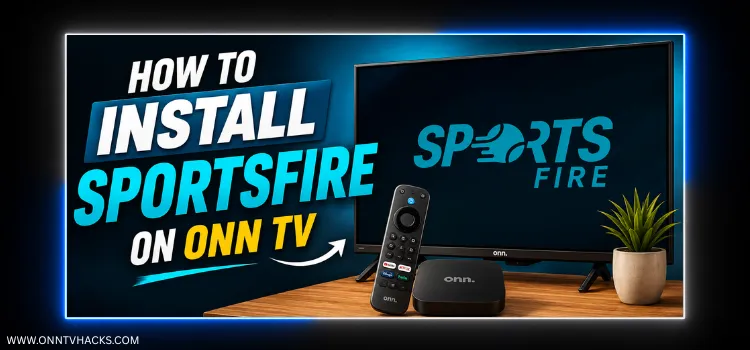
To install SportsFire on Onn TV: sideload the Downloader app, enter code 8533602 to get Norofire, grant it install permissions, then select SportsFire from inside Norofire to install it. The full process takes under 10 minutes.
SportsFire is a free live sports streaming app covering the NBA, NFL, NHL, Formula 1, and top sports leagues from around the world.
However, you can’t directly sideload it anymore on your Onn TV device. The fix is simple: install Norofire first.
It’s a dedicated launcher that always points to the latest working APK for SportsFire (and its sister app, StreamFire).
Since SportsFire pulls its channels from unverified sources, run a VPN any time you’re streaming on it. Surfshark VPN is our top choice
A VPN keeps your Onn TV’s connection private and helps prevent buffering during live matches.
📋 Table of Contents
🛡️ OUR TOP PICK FOR ONN TV
Your ISP sees every stream. Unverified apps expose your IP. Fix both in under 2 minutes.
🚫 Built-in ad blocker
💰At $2.49/month
Save 87% Get 3 Extra Months FREE with Surfshark VPN
🔒 30-day money-back guarantee • Special limited-time deal

How to Install SportsFire on Onn TV Box/Stick
SportsFire installs in two parts: first Norofire, a launcher that always points to the latest working APK, then SportsFire itself from inside Norofire.
If your Onn TV isn’t jailbroken yet or you don’t have Downloader installed, work through the steps below. Otherwise, skip ahead to step 10.
Before streaming anything on SportsFire, make sure to install Surfshark VPN on your Onn device.
Go to Onn TV Home and then click on the Settings icon
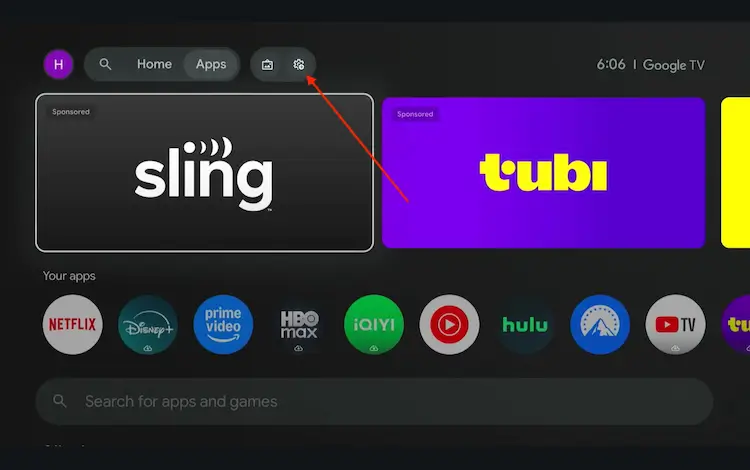
Settings icon on the Onn TV home screen
Select All Settings
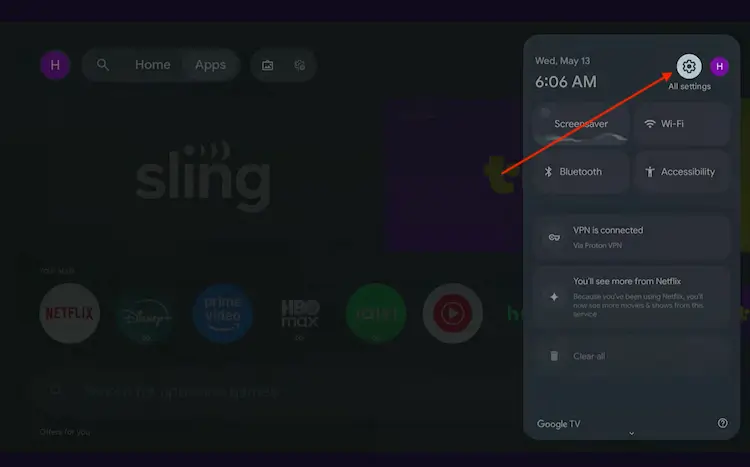
All Settings icon
Scroll down and select System, then choose About from the list.
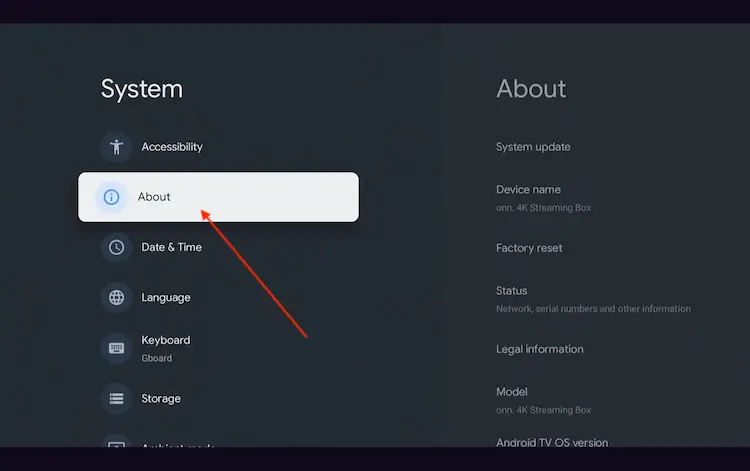
Navigate to System > About
Scroll to the bottom and click Android TV OS Build 7 times continuously until a pop-up says "You are now a developer."
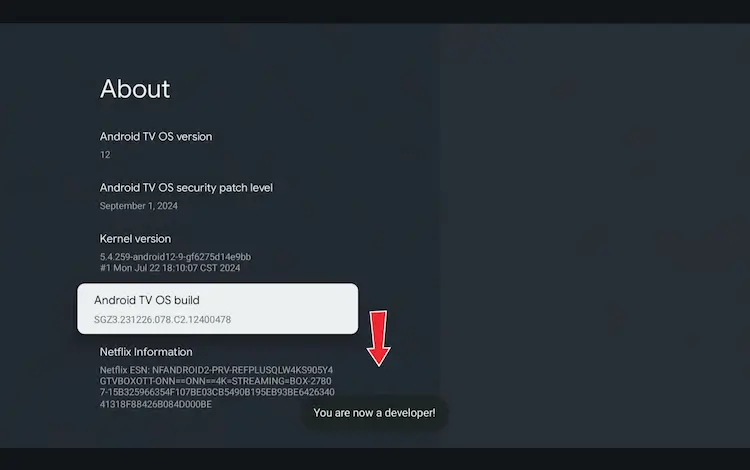
Click Android TV OS Build 7 times to unlock Developer Mode
Press the Home button on your remote, go to the top menu, and select Apps.
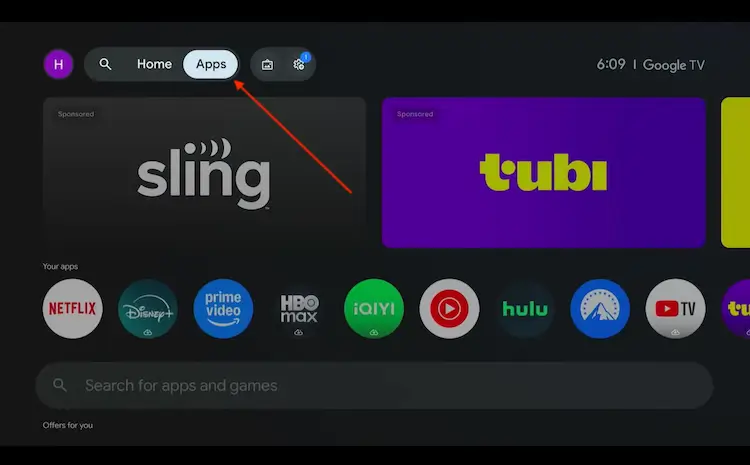
Back to the Onn TV home screen > Apps
Use the search bar and type Downloader and select the one at the top of the list
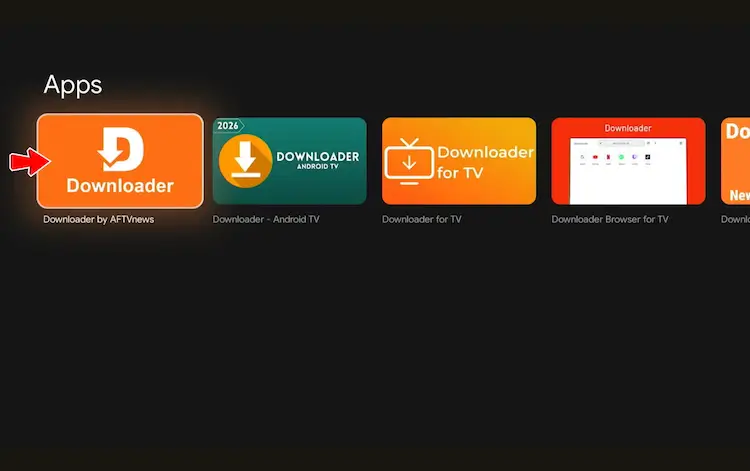
Select the Downloader app at the top of the search results
Click Install
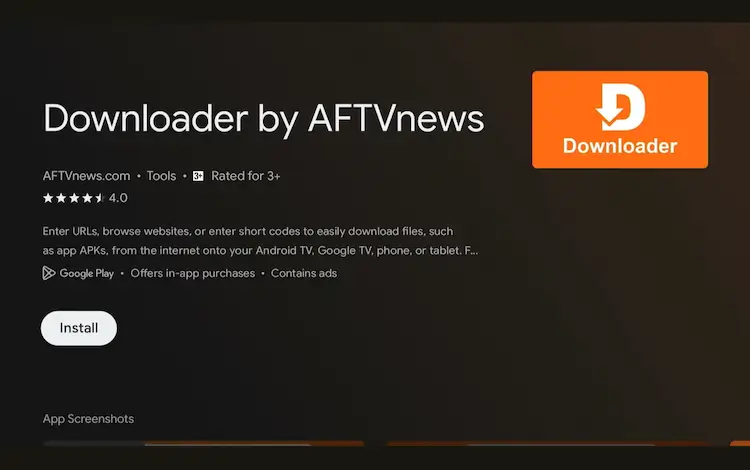
Press Install
Once installed, open the Downloader app and click on the URL/search bar.
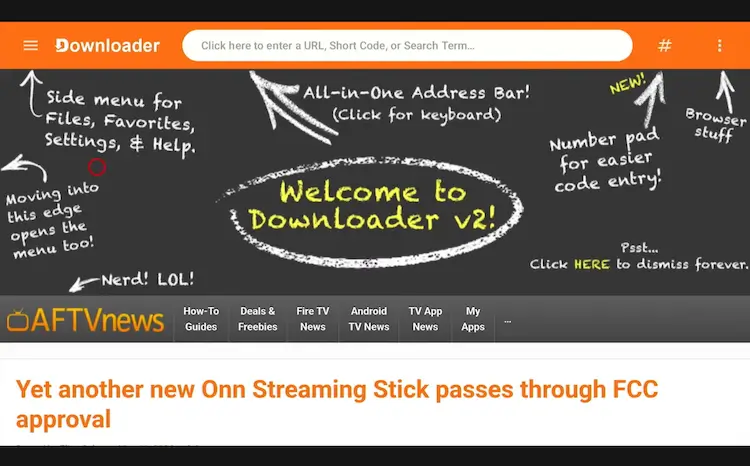
Open Downloader app > URL Search bar
Enter the exclusive Onn TV Hacks downloader code 8533602 below and press Go.
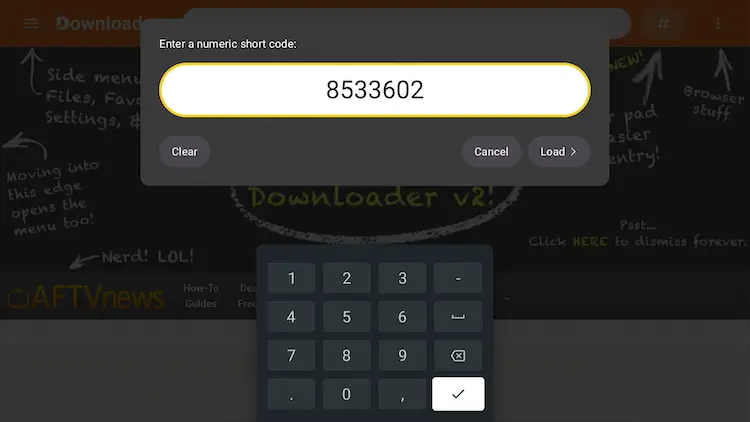
Add the popular 8533602 code
Part 1: Install Norofire
Scroll down inside the Downloader app and tap the “Utility App” button.
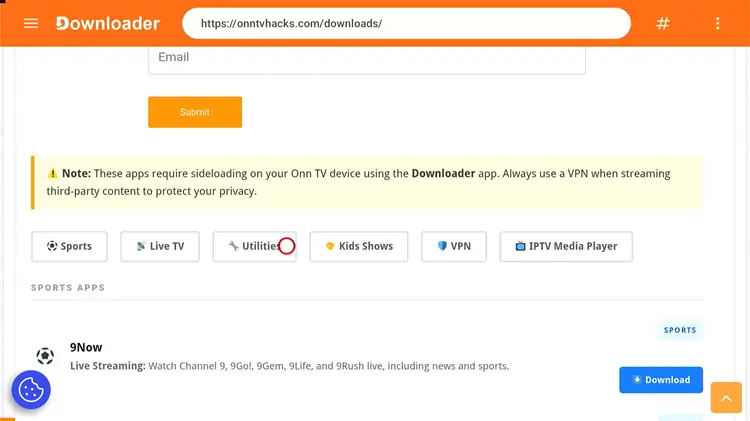
Tap the “Utilities” button
Search Norofire and tap Download.
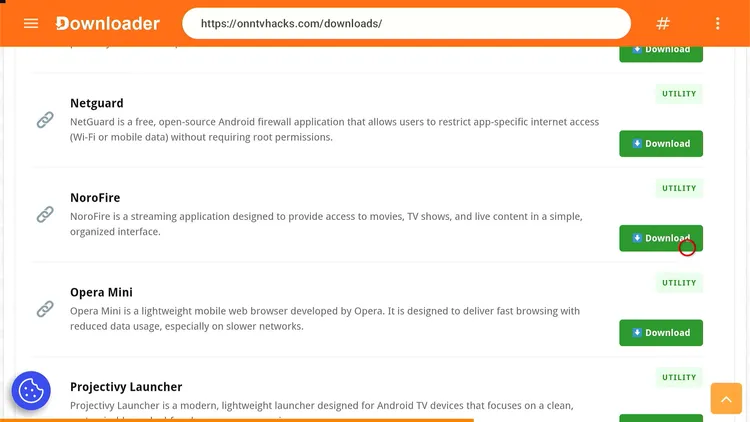
Tap “Download”
Tap the Download icon.
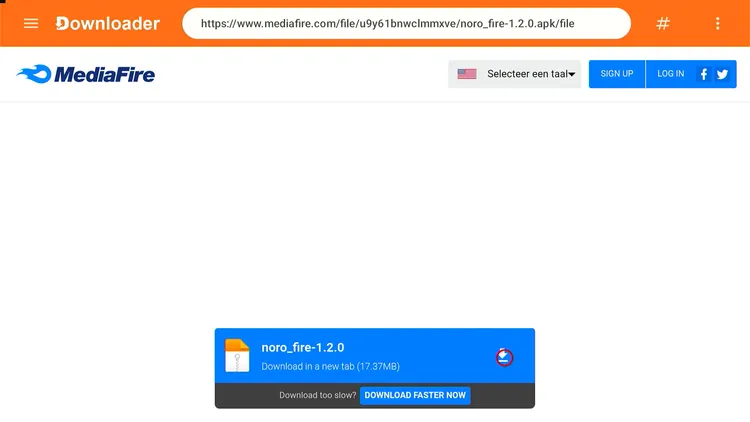
Tap the “Download” icon
Norofire will start downloading.
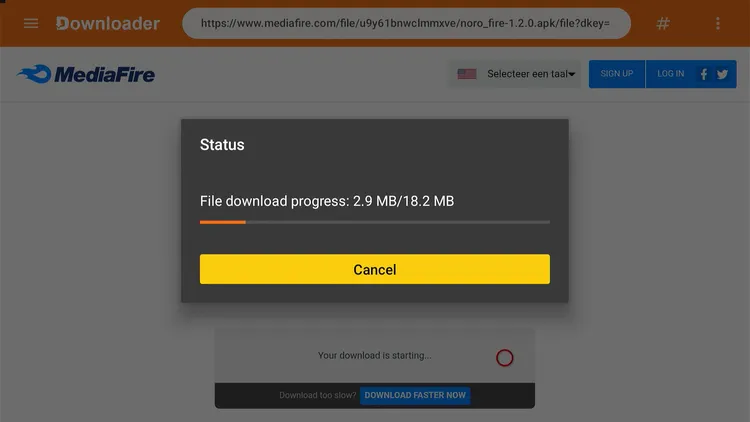
Norofire is downloading
Tap Install.
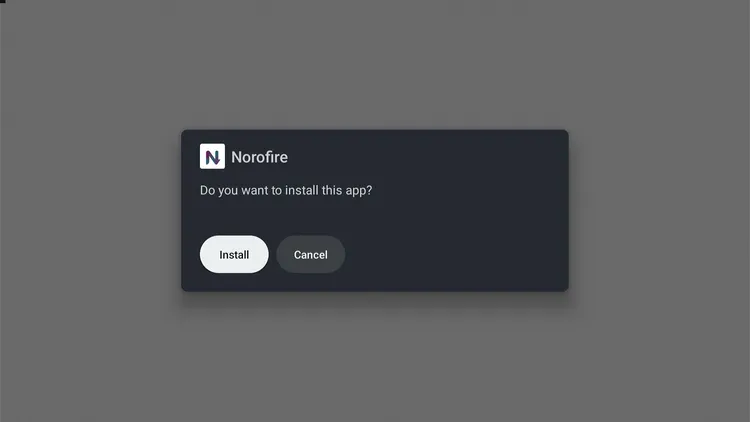
A status window will open — tap “Install”
Once installed, tap Done.
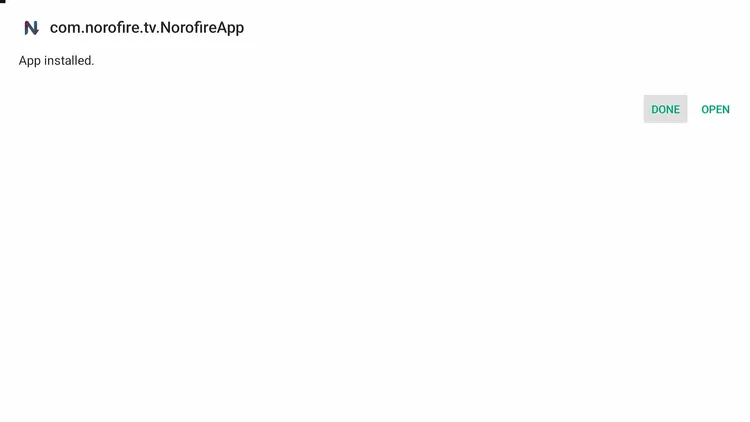
Tap “Done”
Tap Delete to remove the APK and free up storage space.
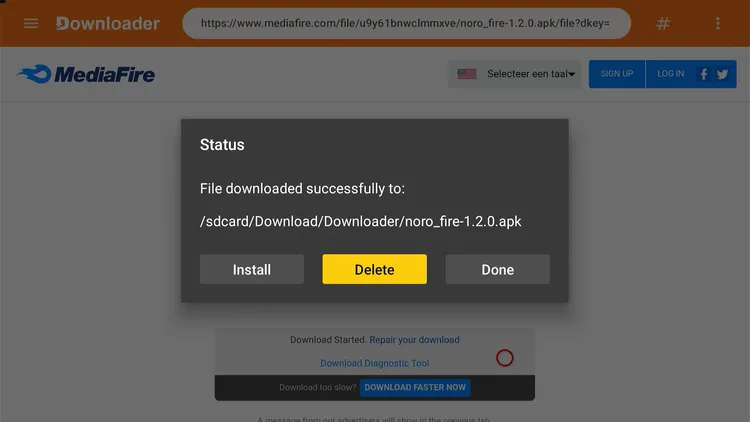
Tap “Delete”
Confirm by tapping Delete again.
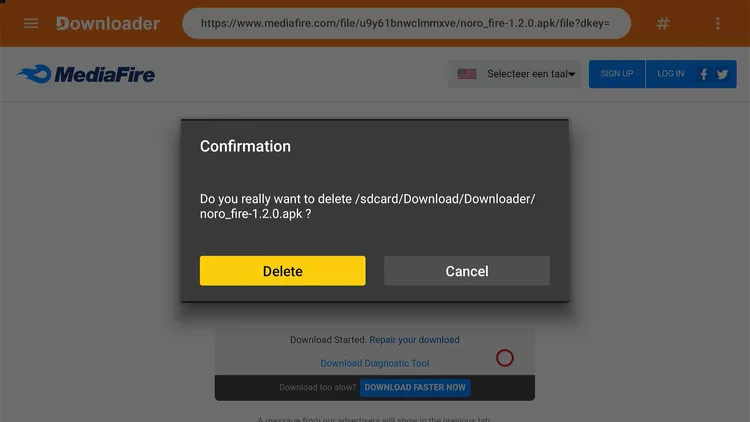
Confirm by tapping “Delete” again
Part 2: Install SportsFire
Open Norofire from your Onn TV’s apps menu.
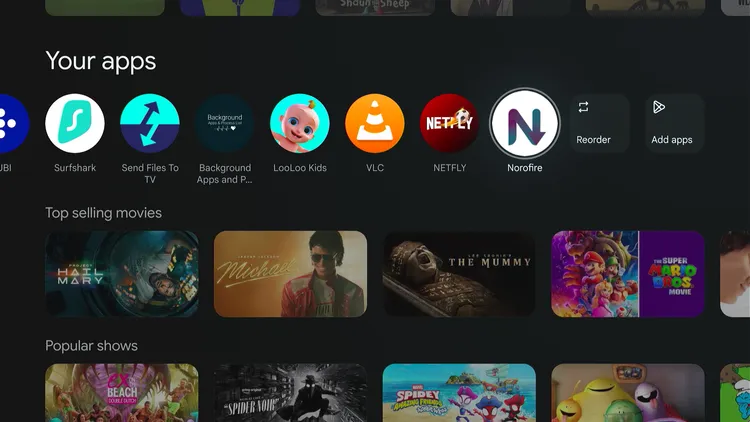
Home > Norofire
Tap Permissions, then Grant Permissions.
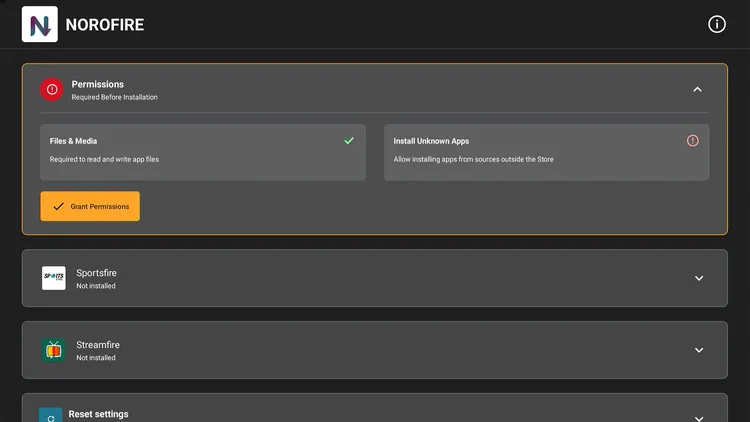
Tap “Grant Permissions”
Select Install Unknown Apps and switch ON sources under Norofire, then back out to the Norofire home screen.
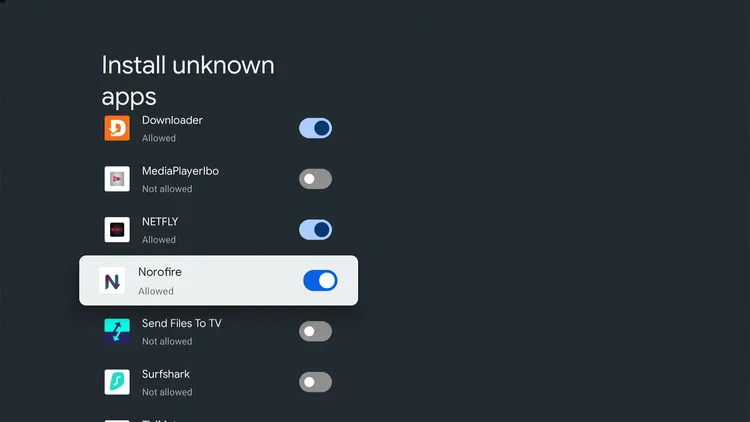
Install Unknown Apps > ON
From the Norofire home screen, select SportsFire and tap Install.
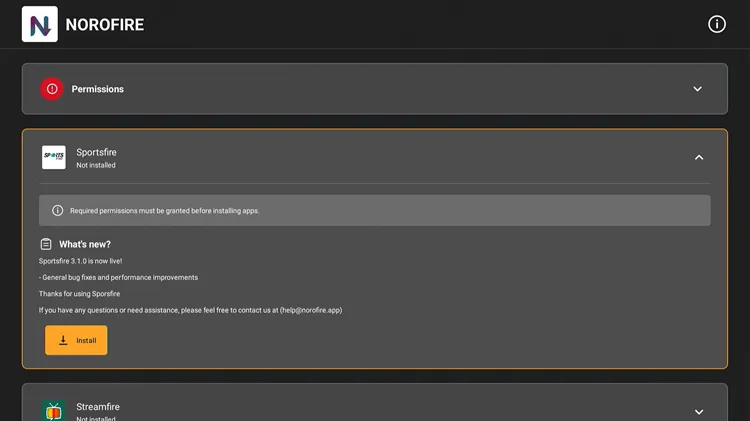
Select “SportsFire,” then “Install”
Wait for SportsFire to finish downloading.
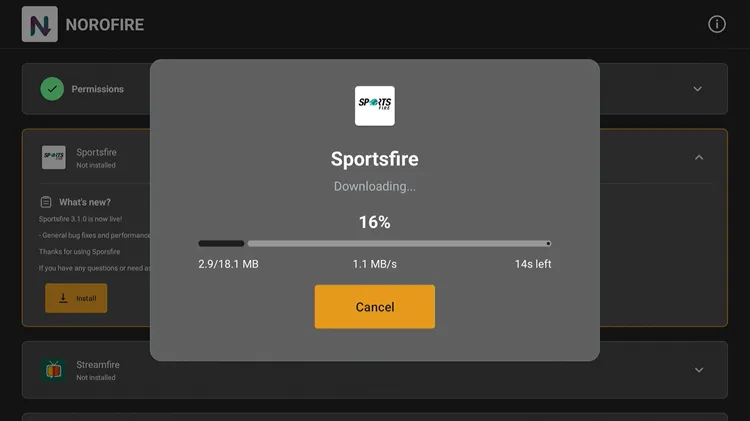
SportsFire is downloading
Tap Install.
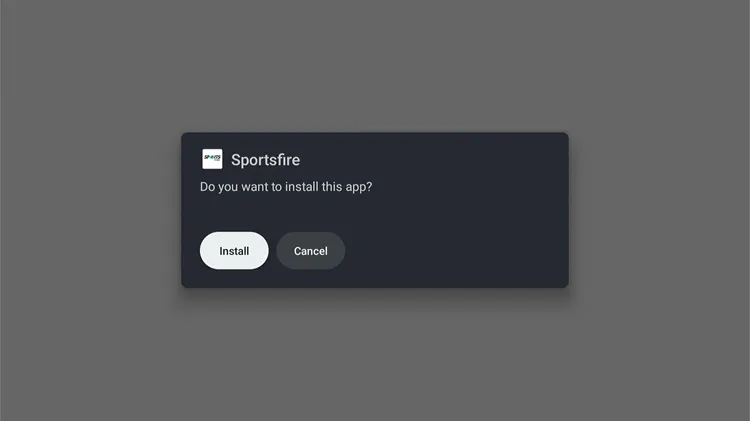
Tap “Install”
Once it’s done, launch SportsFire directly from Norofire.
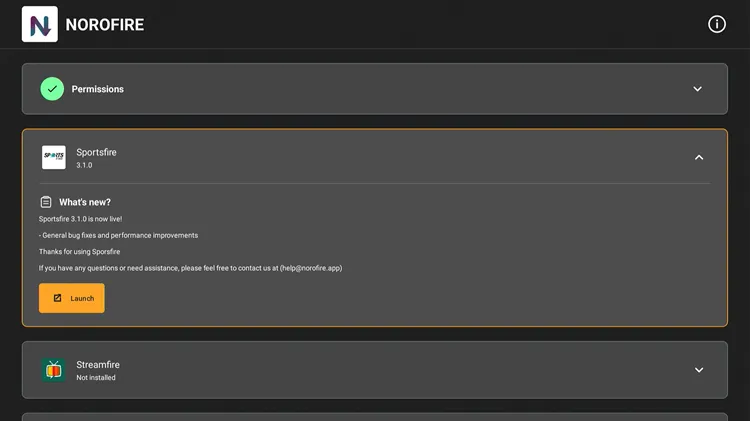
How to Use SportsFire on Onn TV
SportsFire pulls channels from unverified sources, so connect to Surfshark VPN before opening it.
Open Surfshark and connect to any server.
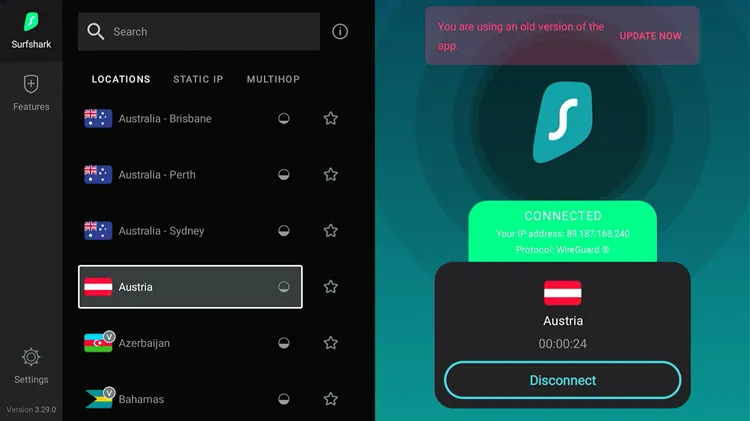
Connect to Surfshark VPN
After launching SportsFire, browse the home screen and pick any channel you’d like to stream.

SportsFire home screen — choose a channel
Enjoy streaming!

Get Surfshark — 86% Off Today →
Fixing SportsFire Buffering & Connection Issues on Onn TV
If SportsFire shows a “Trying to Reconnect” message or a channel keeps buffering, work through these fixes in order:
- Tap Refresh on the stream first — this resolves most temporary connection drops.
- Check Settings > About and update SportsFire if a newer version is available.
- Clear the app’s cache and close other apps running in the background.
- Restart your router, or connect your Onn TV via Ethernet if buffering continues.
- Confirm you’re getting at least 15 Mbps, and stay connected to Surfshark to help rule out ISP throttling.
SportsFire Features
Beyond just installing and streaming, SportsFire packs in a few genuinely useful extras. Here’s a quick rundown of what stands out.
Completely Free
No subscription or sign-up fee
Global Sports Channels
Coverage from the US, UK, India, Spain & Italy
No Ads
Watch matches without interruptions
SD, HD & Full HD
Multiple quality options per channel
Watchlist
Save favorite channels for quick access
Match Schedule
View upcoming fixtures in settings
Lightweight (15 MB)
Minimal impact on Onn TV storage
No Sign-Up
Open and start streaming right away
Is SportsFire Safe & Legal to Use?
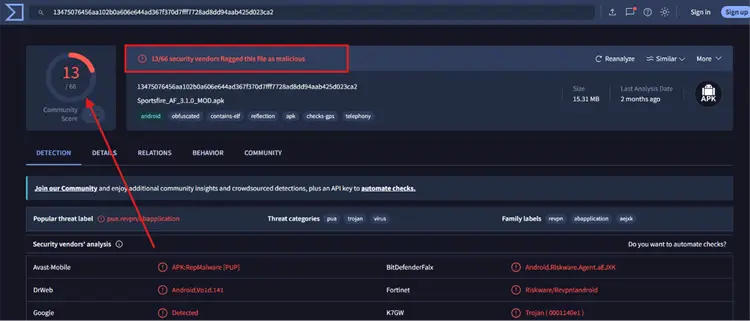
The VirusTotal scan of SportsFire APK shows that 13 vendors flagged the file. This is fairly common for modified or free third-party APKs due to ad trackers or signature mismatches.
As long as you use a reliable Onn TV VPN like Surfshark while streaming and delete the downloaded .apk file after installation, your device remains protected.
Get Surfshark — 86% Off Today →
SportsFire App Details
Here’s a quick look at what the app offers:
| Detail | Info |
|---|---|
| 🏆 Content Type | Live Sports Channels |
| 💰 Price | Free |
| 📦 File Size | ~15 MB |
| 🛡️ Safe to Use? | Yes, with a VPN |
| 👤 Registration Needed | No |
| 🧩 Required Installer | Norofire |
SportsFire Alternatives for Onn TV
If SportsFire ever gets blocked or acts up, these apps are solid backups on Onn TV:
- RBTV33
- AK47 Sports
- SportzX
- 1Pix Media
Frequently Asked Questions
Do I need Norofire to install SportsFire on Onn TV?
Yes. SportsFire’s official install source keeps getting taken down, so its developers built Norofire as a standing installer that always fetches the current, working APK. Installing Norofire first is the most reliable route on Onn TV.
Does SportsFire work on every Onn TV model?
Yes. SportsFire, installed via Norofire, works across current Onn TV models, including the Onn 4K and Onn Full HD versions. As long as your device supports sideloading through Downloader, the setup steps are the same.
Do I need to create an account to use SportsFire?
No. SportsFire doesn’t require login or registration — install it through Norofire and start streaming right away.
Does SportsFire show ads?
No — SportsFire runs ad-free, so live matches play without interruptions.
Which sports can I watch on SportsFire?
SportsFire covers most major leagues and events worldwide, including the NBA, NFL, NHL, FA Cup, and Formula 1, pulled from sports channels across several countries.
Conclusion
Getting SportsFire onto your Onn TV is a two-step process: install Norofire through Downloader first, then use Norofire to fetch SportsFire. The whole thing wraps up in under 10 minutes.
Just remember to run a VPN before you start streaming anything on SportsFire. Surfshark VPN is our recommended choice
📌 Found this guide useful? Share it with a fellow sports fan and drop a comment below. Check out our Best Apps for Onn TV guide for more top picks to install alongside SportsFire.