 Onn TV Hacks Master Your Onn TV with Expert Guides, Hacks, & Apps

Quick answer: Create a free Stremio account, open the Downloader app, enter code 8533602, select IPTV Player, and install Stremio on your Onn TV.
Stremio is a free streaming hub that pulls movies, shows, and live channels into one app through add-ons. It runs well on Onn TV Box/Stick since they use Android TV.
You can download Stremio by sideloading it with the Downloader app, since it isn’t available on Google Play Store.
Use a verified VPN before streaming — Surfshark VPN is our recommended choice
📋 Table of Contents
Our Top Pick for Onn TV
Surfshark VPN
One tap to protect your Onn TV. Unlimited devices. Built-in ad blocker. Under $2/month.
Get Surfshark — 87% Off Today →
How to Sign Up on Stremio
Before installing Stremio on your Onn Box/Stick, first create a free account. Follow the steps below.
Open the official website at stremio.com in your browser and tap Login.
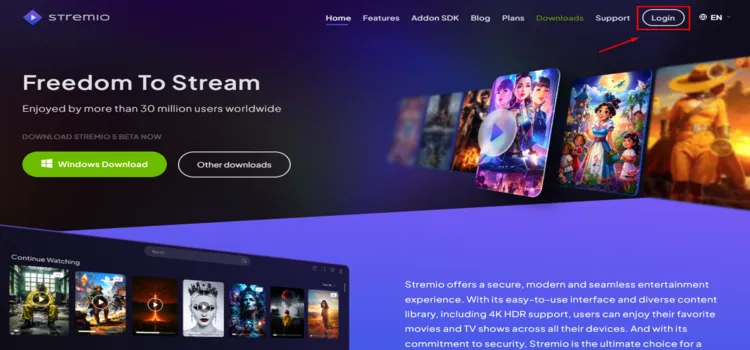
Tap “Login”
Enter your email and password, then tap Sign Up.
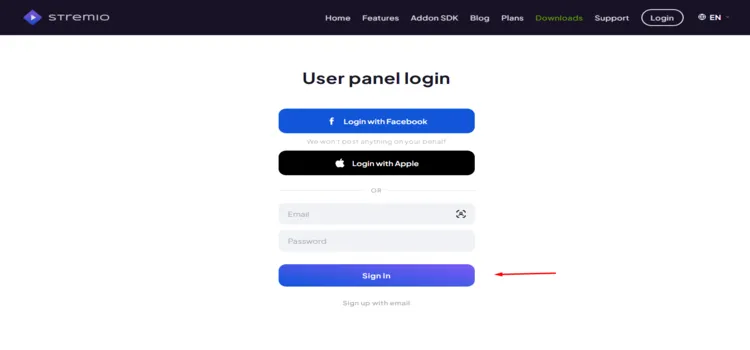
Enter your email and password, then tap “Sign Up”
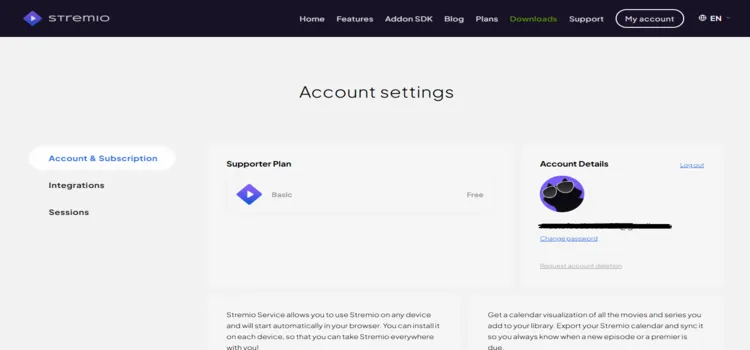
Your account has been successfully set up.
Disclaimer: OnnTVHacks does not host, operate, or verify the licensing status of any third-party apps, websites, or streaming services mentioned on this site. We do not own or resell any media content.
How to Install Stremio
Use the Downloader method if Stremio isn’t showing in the Play Store on your Onn device, or if you want the latest APK directly from Stremio. If you haven’t jailbroken your Onn Stick/Box yet, follow that guide first.
Before streaming anything on Stremio, make sure to install Surfshark VPN on your Onn device.
Go to Onn TV Home and then click on the Settings icon
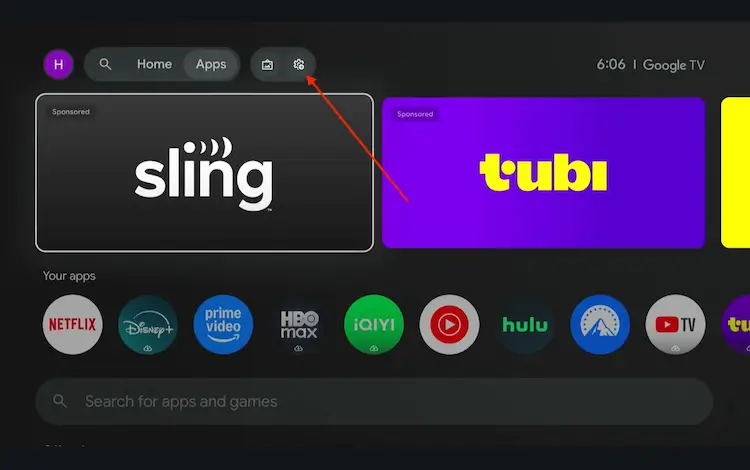
Settings icon on the Onn TV home screen
Select All Settings
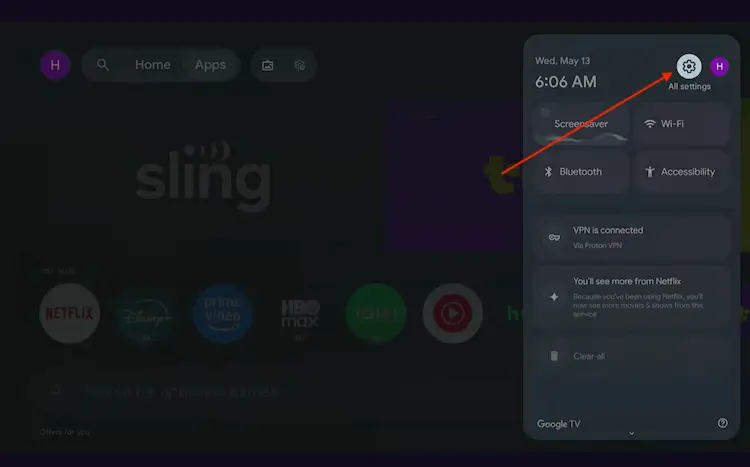
All Settings icon
Scroll down and select System, then choose About from the list.
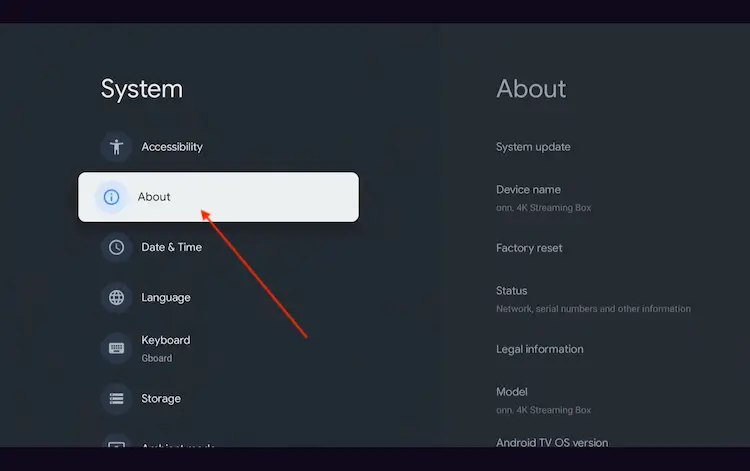
Navigate to System > About
Scroll to the bottom and click Android TV OS Build 7 times continuously until a pop-up says "You are now a developer."
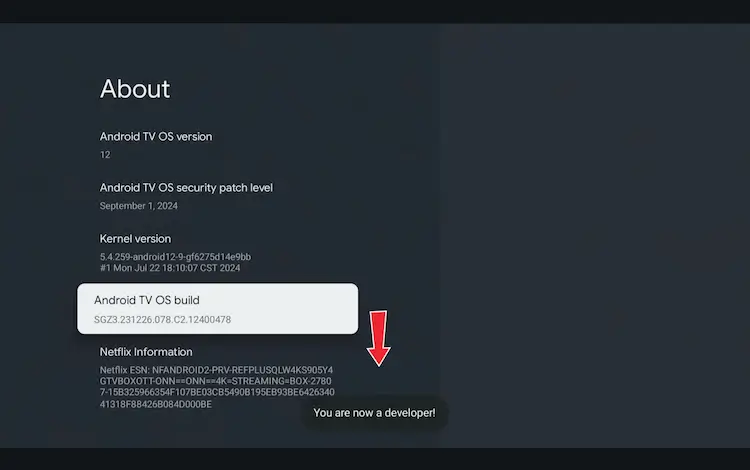
Click Android TV OS Build 7 times to unlock Developer Mode
Press the Home button on your remote, go to the top menu, and select Apps.
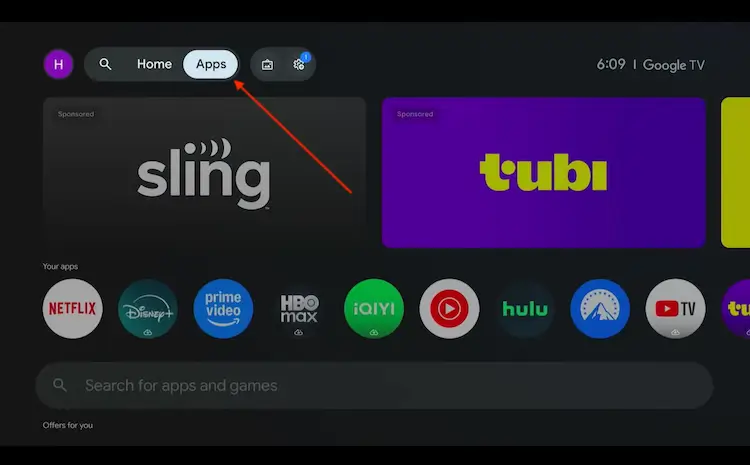
Back to the Onn TV home screen > Apps
Use the search bar and type Downloader and select the one at the top of the list
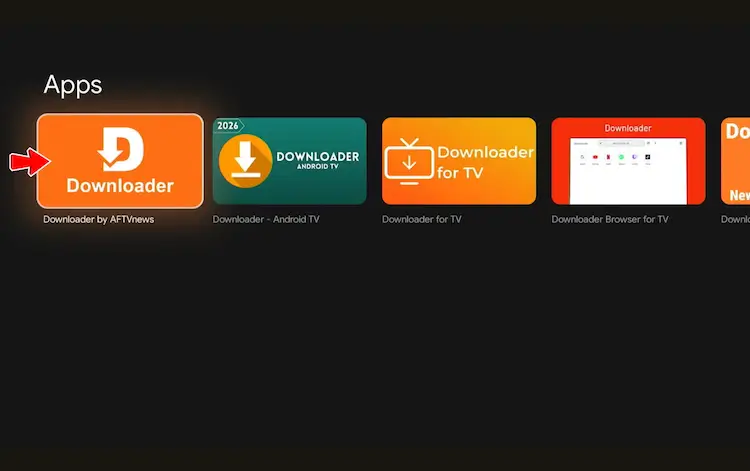
Select the Downloader app at the top of the search results
Click Install
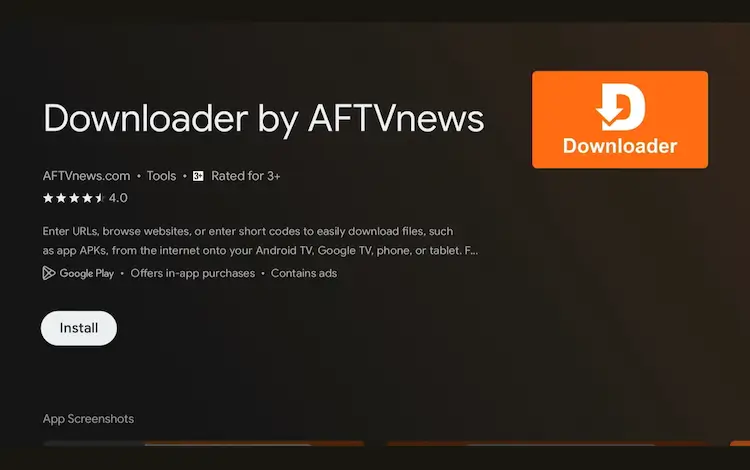
Press Install
Once installed, open the Downloader app and click on the URL/search bar.
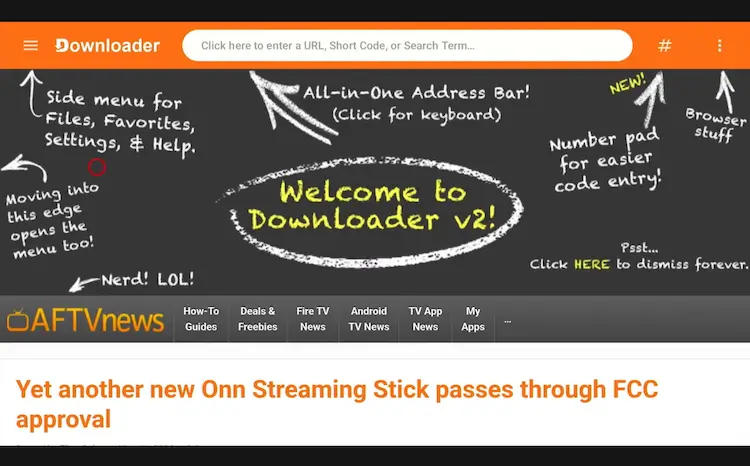
Open Downloader app > URL Search bar
Enter the exclusive Onn TV Hacks downloader code 8533602 below and press Go.
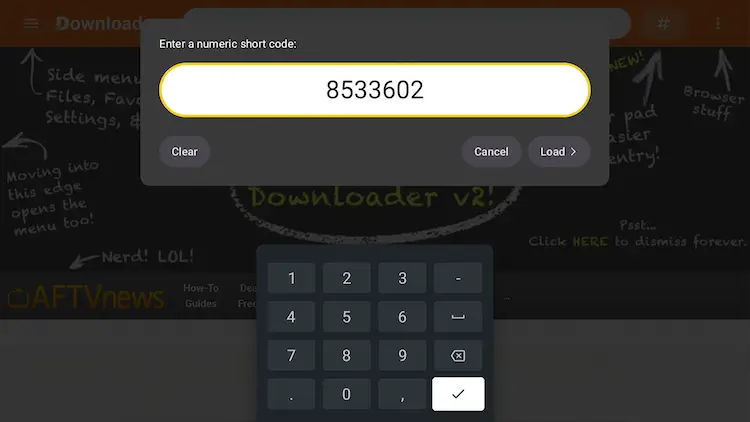
Add the popular 8533602 code
Scroll down inside the Downloader app and tap the “Live TV” button.
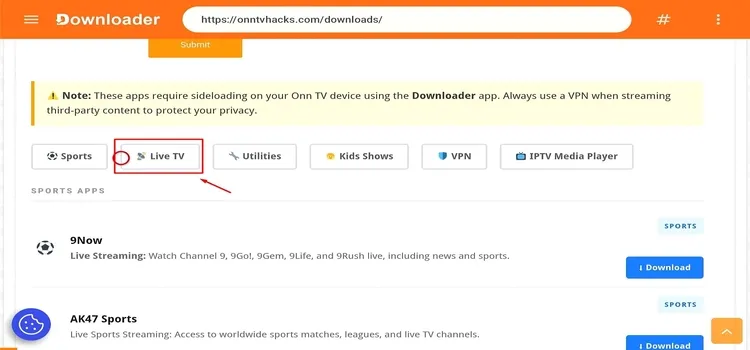
Tap “Live TV”
Scroll down, find Stremio, and tap Download.
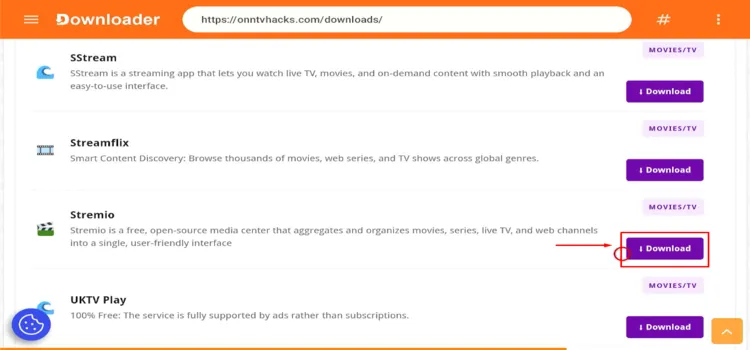
Tap “Download”
Stremio will start downloading.
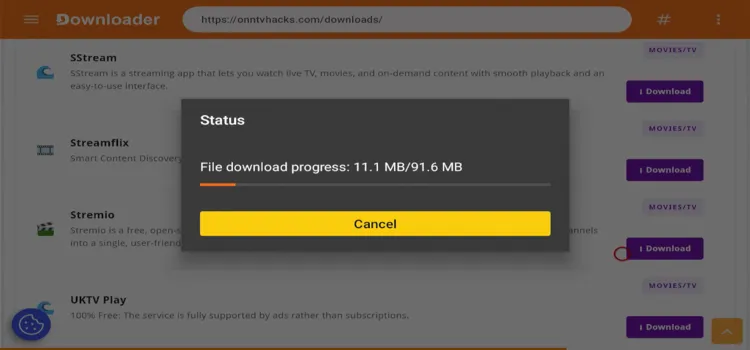
Stremio is downloading
Tap Install.
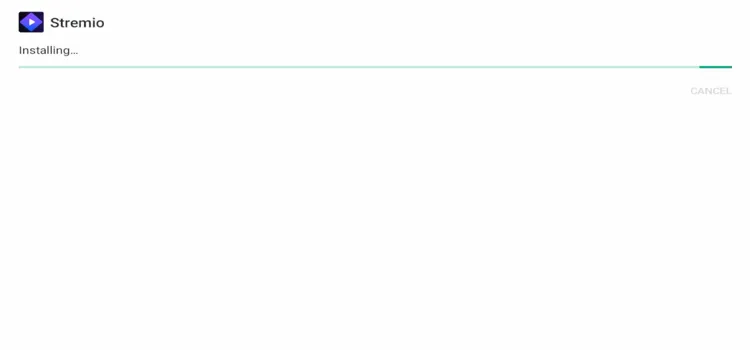
Tap “Install”
Tap Done.
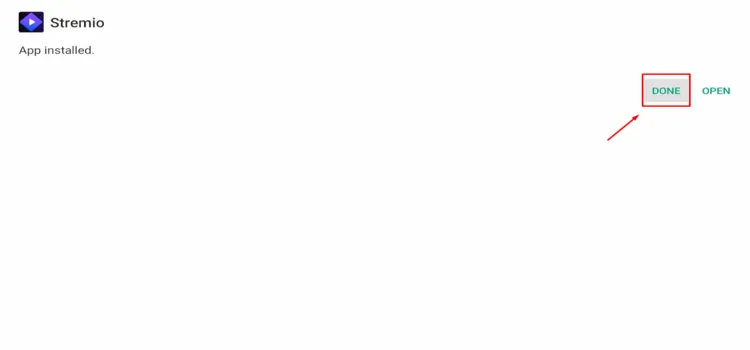
Tap “Done”
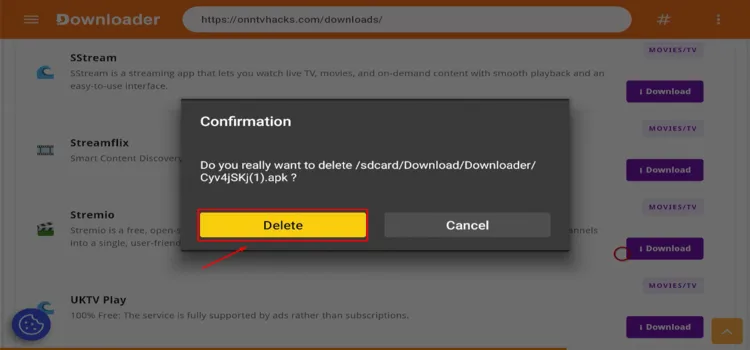
A status window will open — tap Delete to remove the leftover APK.

Tap “Delete”
A confirmation window will open — tap Delete again.
How to Set Up Stremio
After signing up and installing Stremio on your Onn Box/Stick, here’s how to set it up. For these steps, a smartphone is required.
Open Surfshark and connect to any server location.
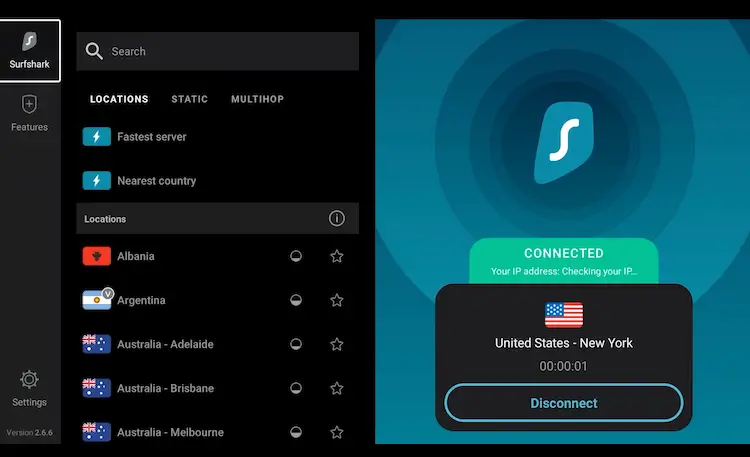
Open Surfshark
Press the Home button. Under Your Apps and channels, find Stremio and tap it to launch it.
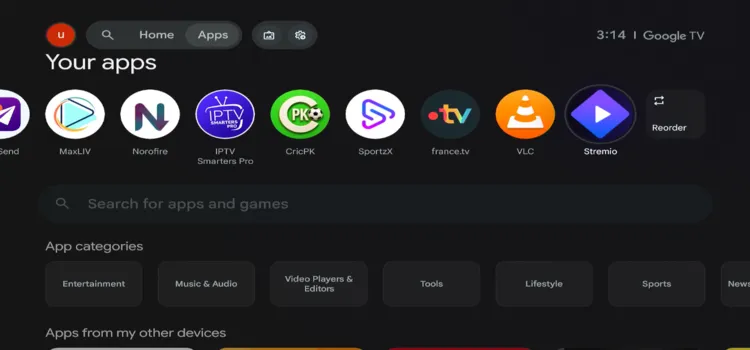
Launch Stremio
Scan the QR code using your smartphone.
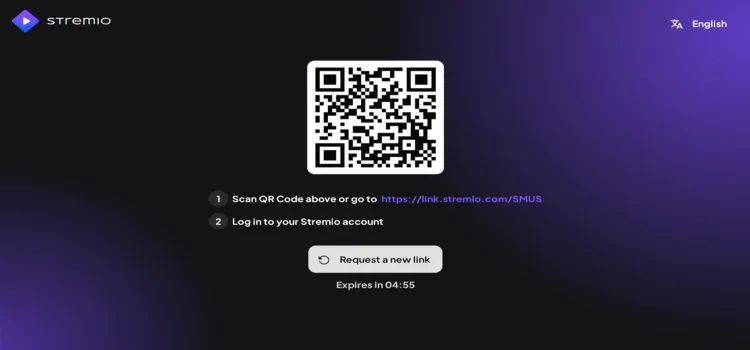
Scan the QR code using your smartphone
On your smartphone, enter the email and password you used to sign up, then tap Sign In.
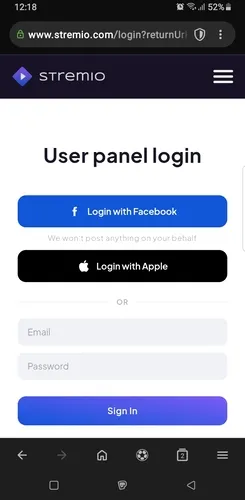
Tap “Sign In”
Stremio is successfully set up on your Onn TV.

Stremio successfully set up
Get Surfshark — 87% Off Today →
Stremio Features
For Stremio on Onn TV, these are the most important features:
- Add-On Support
- Multi-Device Sync
- Real-Debrid and AllDebrid Support
- Multi-Language Subtitles
- Auto-Play Next Episode
- Frame-Rate Matching
- Watch History and Progress Tracking
Best Stremio Add-ons
Add-ons are where Stremio’s real power comes from. Here are a few reliable picks to start with on Onn TV:
| Add-on | Stream Type | Main Benefit | Source |
|---|---|---|---|
| Cinemeta | Shows Metadata | Powers posters, ratings, and descriptions across Stremio | Official Stremio Add-on |
| Torrentio | Shows Streams | Aggregates torrent sources; pairs with a debrid service for reliable playback | Torrentio Repo |
| OpenSubtitles | Subtitles | Auto-fetches subtitles in multiple languages for any title | Official Stremio Add-on |
| USA TV | Live TV | Free-to-air live channel guide with no account needed | USA TV Repo |
| Stremio Catalog Providers | Discovery / Catalogs | Pulls curated catalogs into Stremio from services like Trakt and TMDB | Official Stremio Add-on |
📌 Note: Your Stremio account syncs your add-ons and history across all your devices automatically.
Troubleshooting Stremio Installation Failures
Most install issues on Onn TV come down to storage, permissions, or a stalled download. Try these fixes in order:
| Issue | Fix |
|---|---|
| 💥 Stremio Won’t Install | Clear cached data from unused apps or move files off the device to free up storage, then retry the install.
Go to Quick Settings → All Settings → Apps → Stremio → Clear data/cache |
| ⚠️ “App Not Installed” Error | Uninstall any previous version of Stremio before sideloading the new APK. |
| 🌐 Downloader Can’t Reach the APK | Double-check the APK URL for typos and confirm your connection is active. Use a VPN if your ISP or router is blocking the link. |
| 🔧 Still Stuck | Restart the Onn device and check for a pending system update before retrying. |
Is Stremio Safe and Legal to Use?
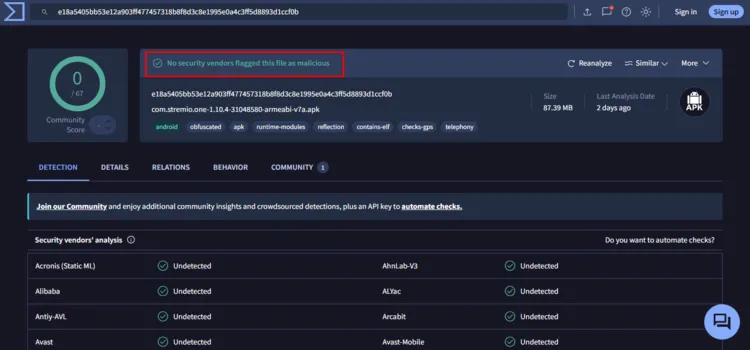
Stremio APK v1.10.4 returned a clean result during VirusTotal testing, with no malware or security threats detected. Based on this scan, the tested APK appears technically safe to install.
However, some third-party Stremio add-ons may provide live sports or other content from unverified sources, and legality can vary by country.
Using a VPN can encrypt your connection and hide streaming activity from your ISP, but it doesn’t make unauthorized content legal.
Get Surfshark — 87% Off Today →
FAQs
Q Is Stremio free on Onn TV?
Yes. Stremio’s core app and existing features are free. It also offers an optional Supporters plan with experimental features, but it’s not required for regular streaming.
Q Does Stremio work on all Onn TV models?
Stremio works on current Onn streaming boxes and sticks running supported Android TV or Google TV versions. Compatibility may vary on older devices or models using outdated firmware.
Q Can I use Stremio without creating an account?
A free Stremio account is recommended and may be required on the Android TV app. Signing in syncs your library, installed add-ons, and watch progress across supported devices.
Q Why is Stremio buffering on my Onn TV?
Try selecting another stream or source first, as buffering often occurs when an add-on provides a poorly available source. You can also restart your device, test your connection, switch players, or change your DNS.
Q Should I use a VPN with Stremio?
A VPN like Surfshark is recommended for privacy, especially when using unverified community add-ons.
Final Thoughts
Stremio works smoothly on Onn TV Box/Stick, giving you one place to watch live TV, movies, and TV shows, with content synced through supported add-ons.
Since Stremio requires sideloading, follow the Downloader steps carefully and use a VPN for extra privacy when streaming through third-party community add-ons. Surfshark VPN is our top choice
📌 Found this guide useful? Share it with a fellow streamer and drop a comment below. Check out our Best Apps for Onn TV guide for more apps to install alongside Stremio.
