 Onn TV Hacks Master Your Onn TV with Expert Guides, Hacks, & Apps
Unlinked is a free app-library tool that lets you access custom app libraries on your Onn TV, unlocked using their own Unlinked code.
You can find the best apps for live TV and sports here.
Since the apps you install through Unlinked come from third-party libraries, using reliable VPNs before you start browsing is important.
Surfshark VPN is our top choice keeps your connection private and protects you while sideloading unverified apps.
📋 Table of Contents
Our Top Pick for Onn TV
Surfshark VPN
One tap to protect your Onn TV. Unlimited devices. Built-in ad blocker. Under $2/month.
Get Surfshark — 86% Off Today →
Disclaimer: OnnTVHacks does not host, operate, or verify the licensing status of any third-party apps, websites, or streaming services mentioned on this site. We do not own or resell any media content.
How to Install Unlinked App on Onn TV
With the Downloader app, you can sideload the Unlinked APK on your Onn TV Box/Stick. If you haven’t jailbroken your Onn Stick/Box yet or don’t have the Downloader app installed, follow the steps below first (otherwise, skip to step 10).
Before installing anything through Unlinked, make sure to install Surfshark VPN on your Onn device.
Go to Onn TV Home and then click on the Settings icon
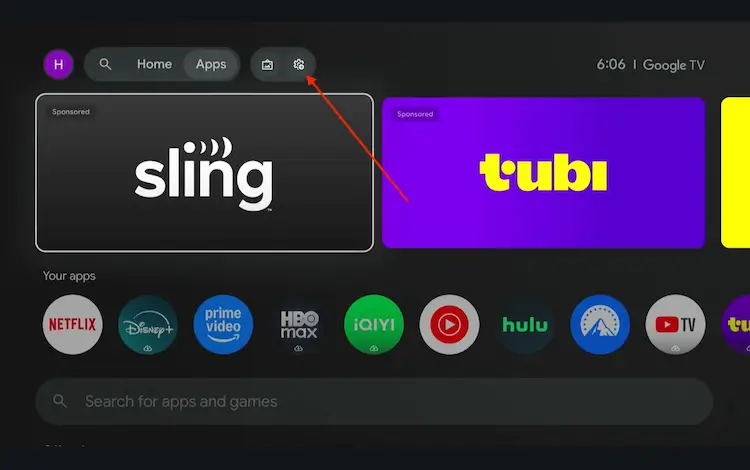
Settings icon on the Onn TV home screen
Select All Settings
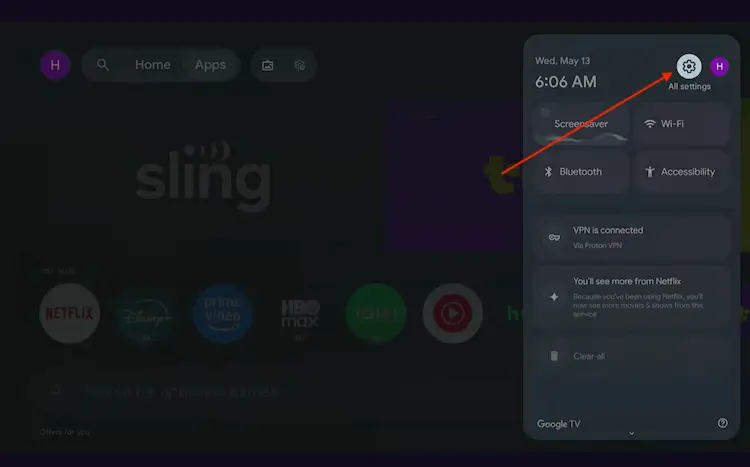
All Settings icon
Scroll down and select System, then choose About from the list.
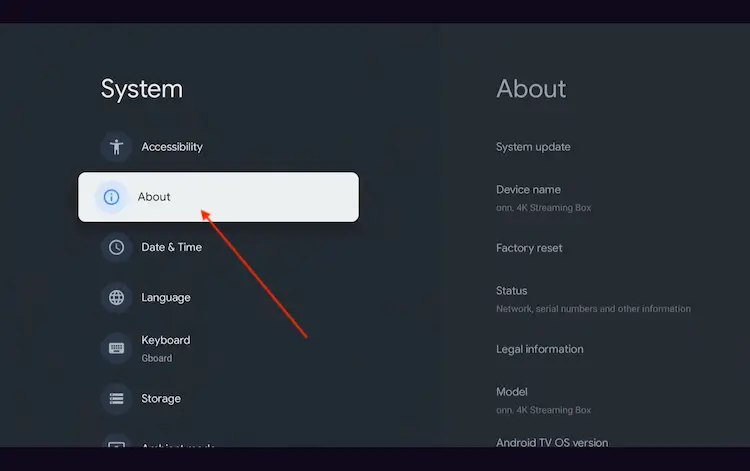
Navigate to System > About
Scroll to the bottom and click Android TV OS Build 7 times continuously until a pop-up says "You are now a developer."
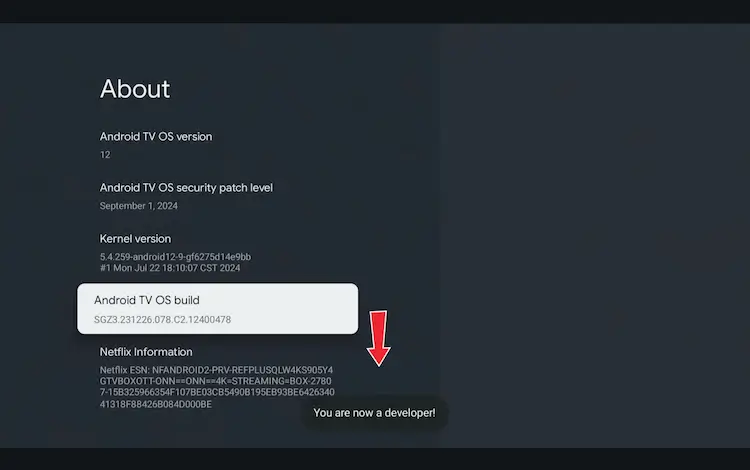
Click Android TV OS Build 7 times to unlock Developer Mode
Press the Home button on your remote, go to the top menu, and select Apps.
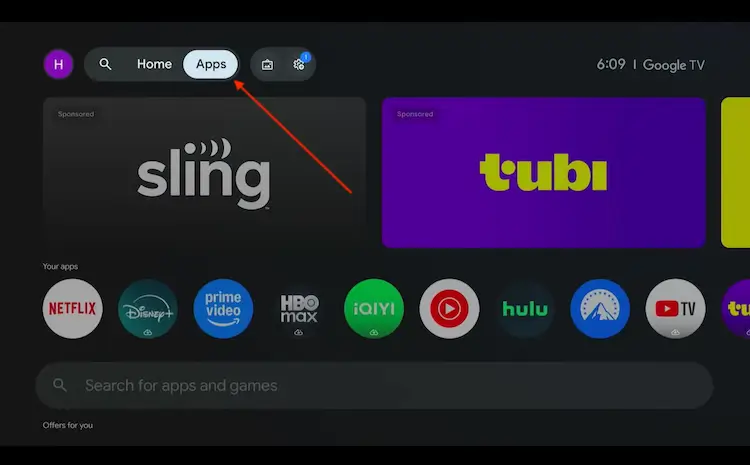
Back to the Onn TV home screen > Apps
Use the search bar and type Downloader and select the one at the top of the list
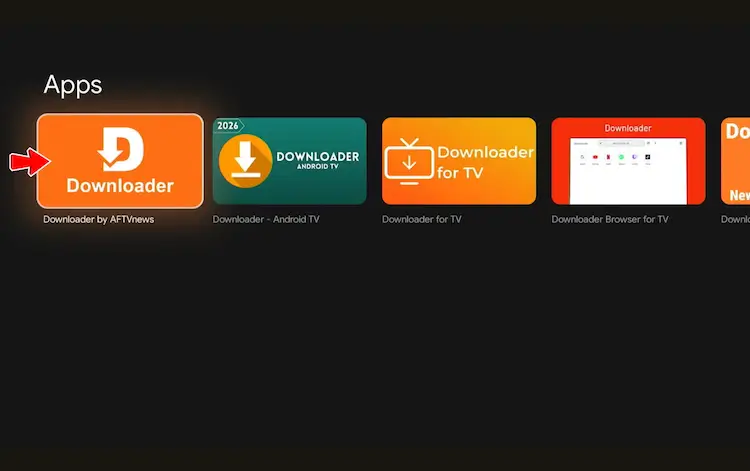
Select the Downloader app at the top of the search results
Click Install
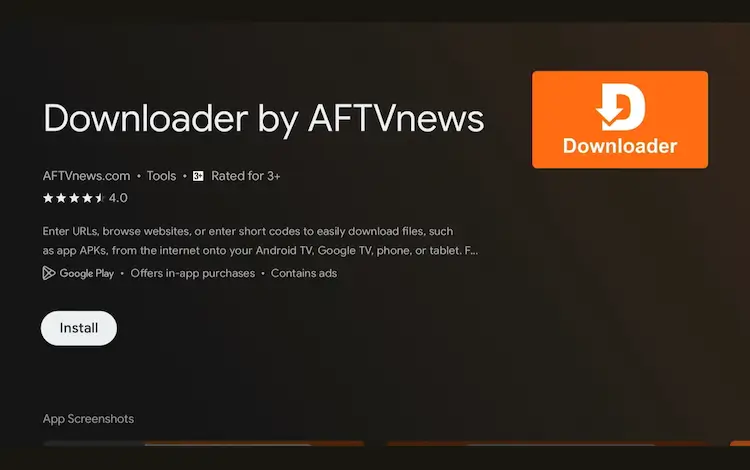
Press Install
Once installed, open the Downloader app and click on the URL/search bar.
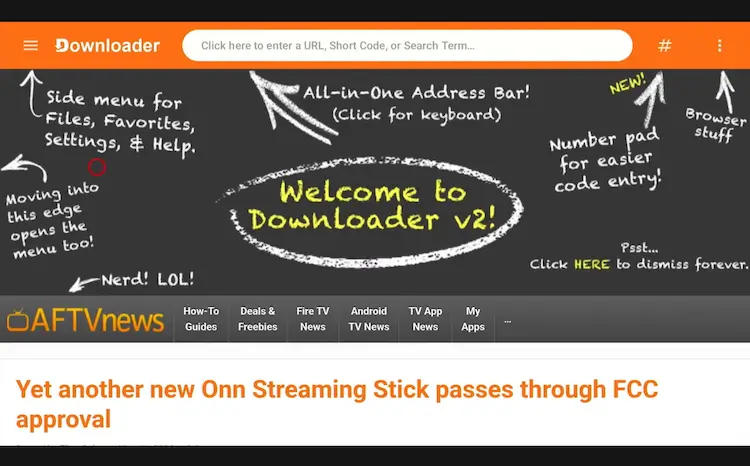
Open Downloader app > URL Search bar
Enter the exclusive Onn TV Hacks downloader code 8533602 below and press Go.
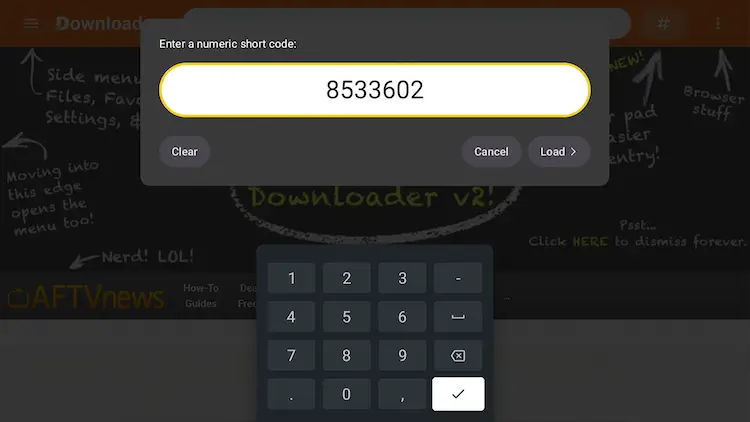
Add the popular 8533602 code
Scroll down inside the Downloader app and tap Utilities.
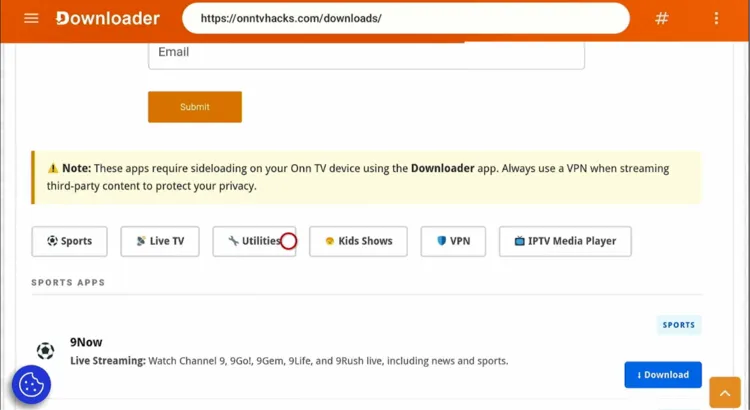
Tap “Utilities”
Search for Unlinked and tap Download.

Search “Unlinked” and tap “Download”
Unlinked will start downloading.
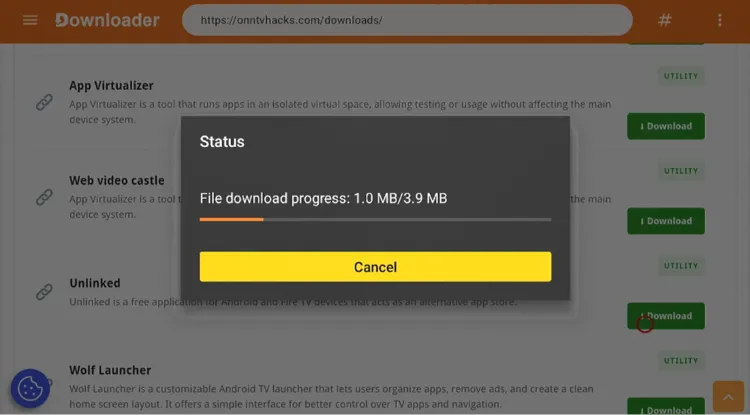
Unlinked is downloading
Tap Install.
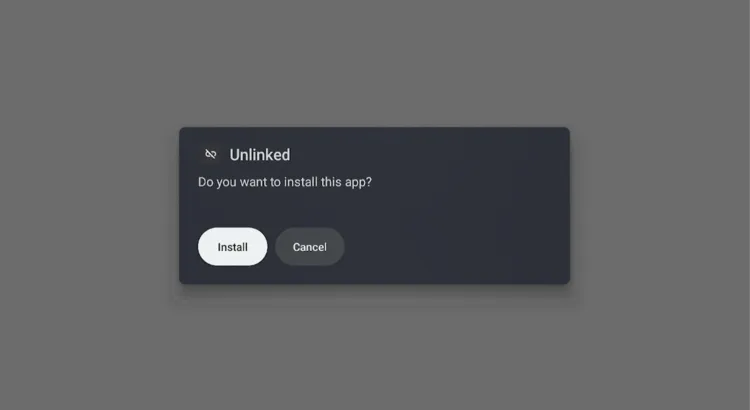
Tap “Install”
Tap Done.

Tap “Done”
Tap Delete to remove the leftover APK file and free up storage space.
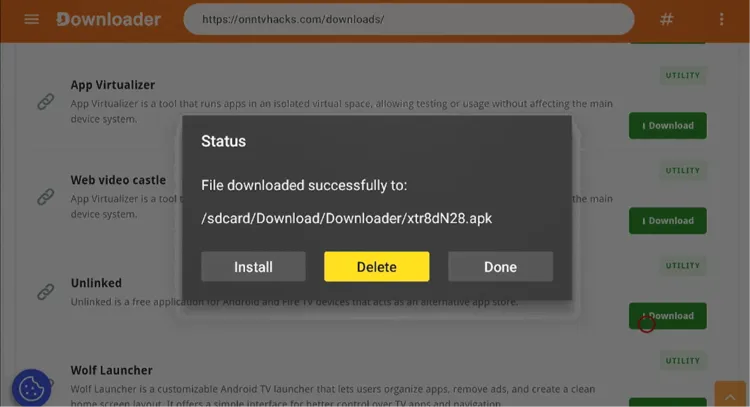
Tap “Delete”
Tap Delete again to confirm.
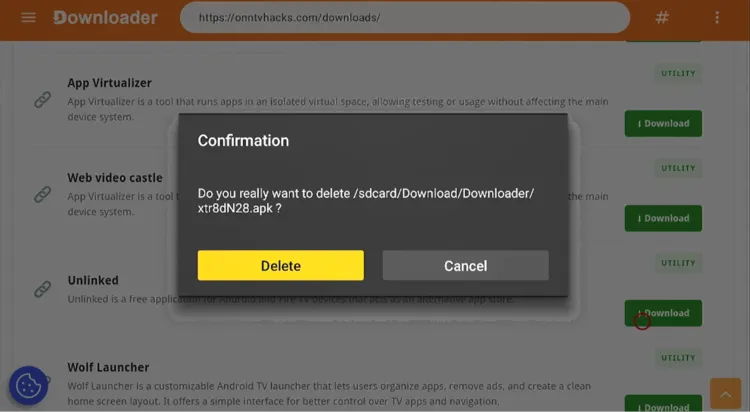
Confirm by tapping “Delete” again
How to Use Unlinked Codes on Onn TV
Using Unlinked is simple: you enter a code to unlock an app library, then bulk-install whatever apps are inside it.
Since the apps in these libraries aren’t verified, you need to install Surfshark VPN on ONN TV Stick connected the whole time.
Get Surfshark and connect to any server to protect your privacy while browsing app libraries.
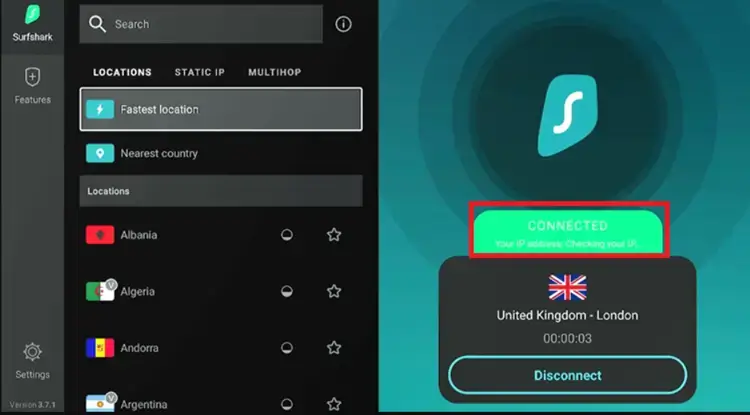
Connect to Surfshark VPN
Go to the Home Page on your Onn TV, find Unlinked, and tap it.
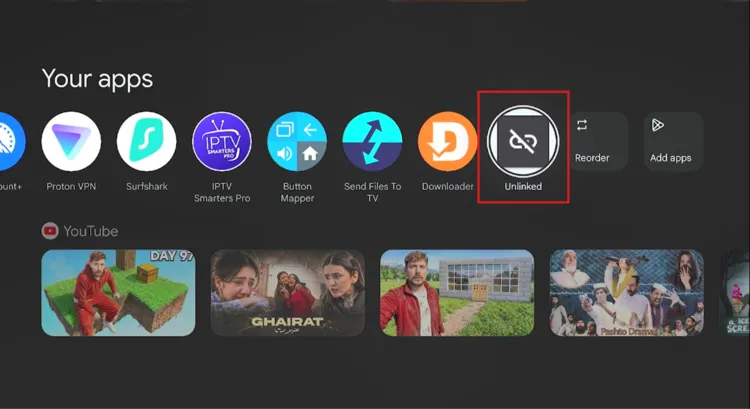
Home Page > Unlinked
Tap Add new library.

Tap “Add new library”
Enter the Unlinked code and tap Enter.
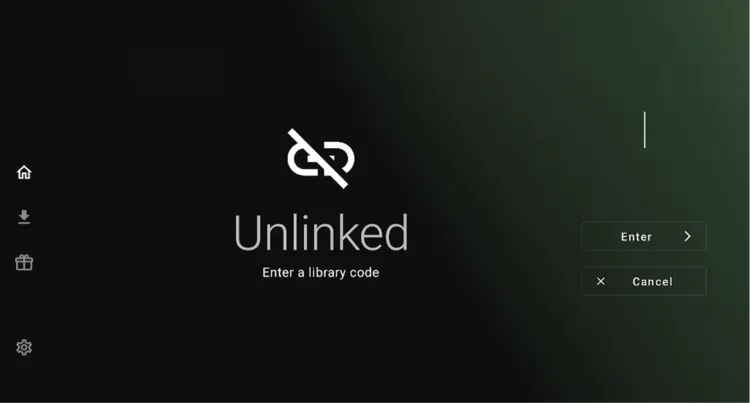
Enter the code and tap “Enter”
The app library will open. Choose the app you want to install.

Choose the app you want
Select Download.
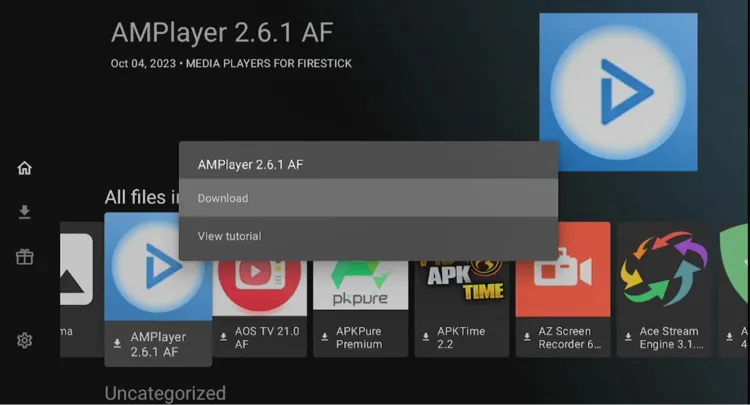
Select “Download”
Select Install app.

Select “Install app”
Tap OK. (Onn TV will ask for permission to download apps if this is your first time installing through Unlinked.)

Tap “OK”
This takes you to Settings. Allow Unlinked to install unknown apps.

Allow Unlinked to install unknown apps
Tap Install.
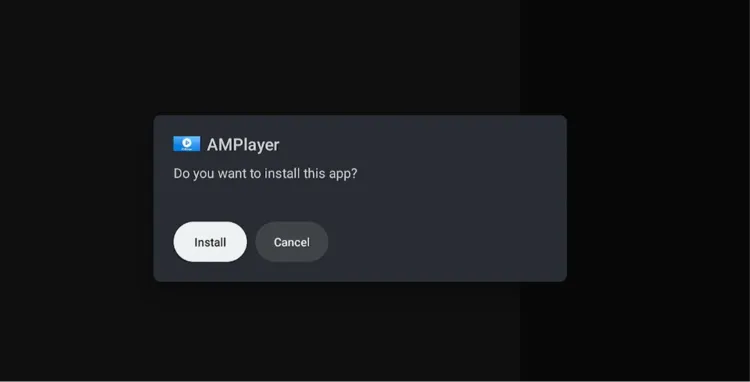
Tap “Install”
Select any app you want to install — this example uses AM Player.
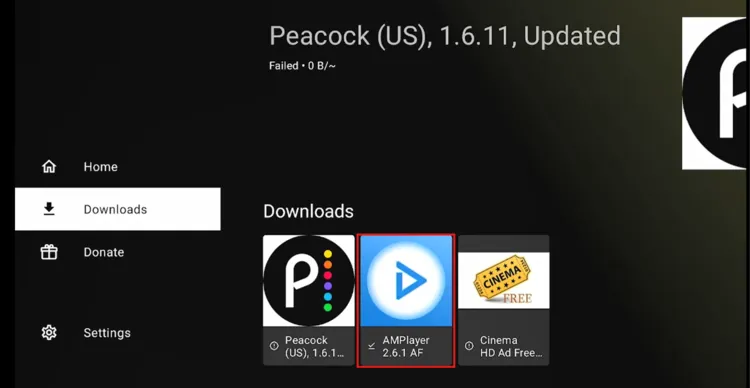
Select an app
Tap Open File.
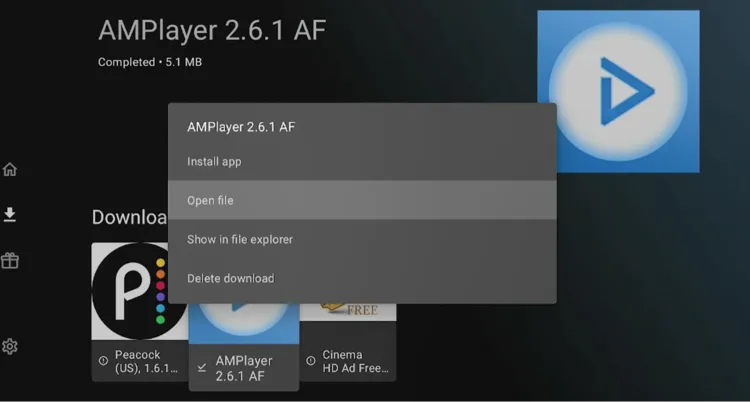
Tap “Open File”
Select Update.
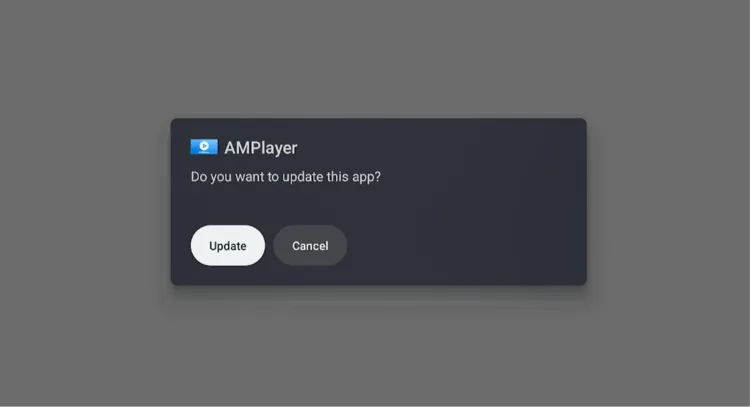
Select “Update”
Tap Done.
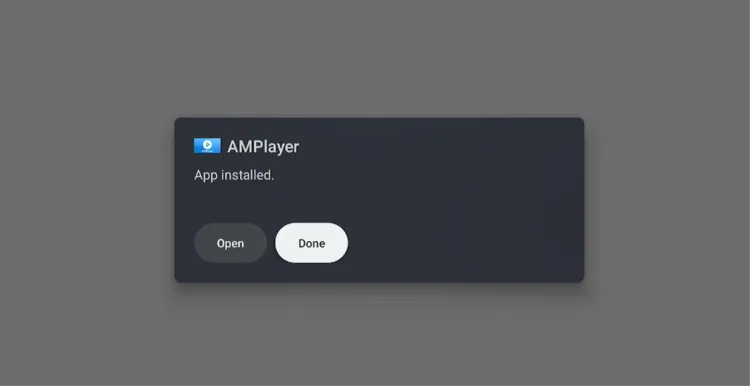
Tap “Done”
Go back to the Onn TV home screen and launch the AM Player app.
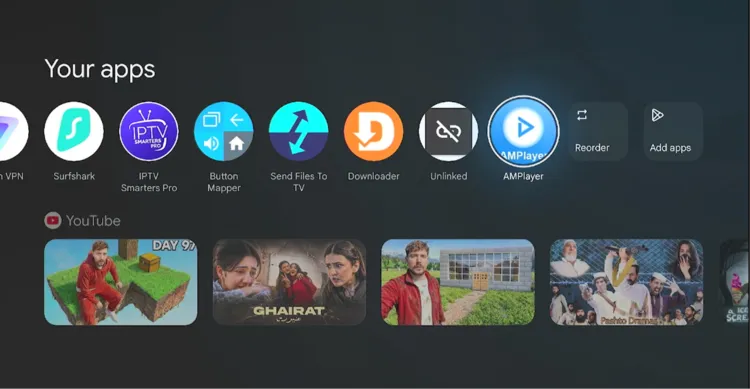
Launch AM Player from the home screen
Tap Open.
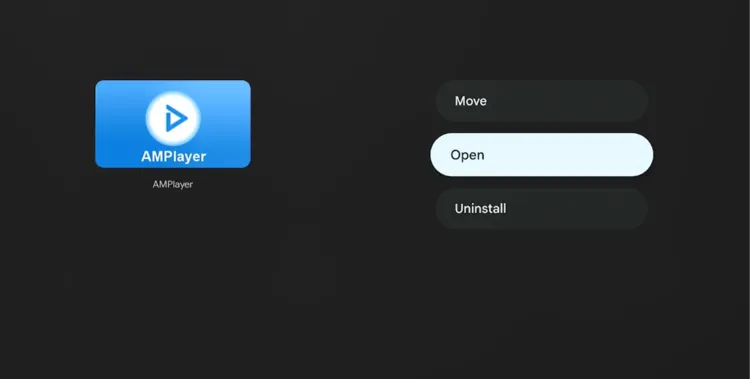
Tap “Open”
AM Player has been installed!
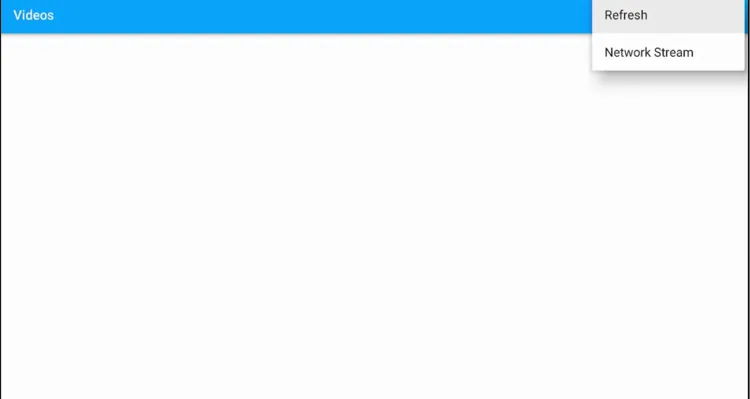
Enjoy your apps!
Get Surfshark — 86% Off Today →
Best Unlinked Features
Have a look at some of the features offered by the Unlinked app.
Single Code Access
Unlock an entire library with one code
Free to Use
No subscription or payment needed
Bulk App Installs
Install several apps from one library at once
Movies, Live TV & Sports
Libraries cover a wide range of app types
Updated Libraries
Codes are refreshed as apps get updated
User-Friendly Interface
Simple to navigate on a TV remote
No Registration Needed
Just enter a code and start installing
Simple Onn TV Setup
Sideloads in minutes with Downloader
Is Unlinked Safe & Legal to Use?
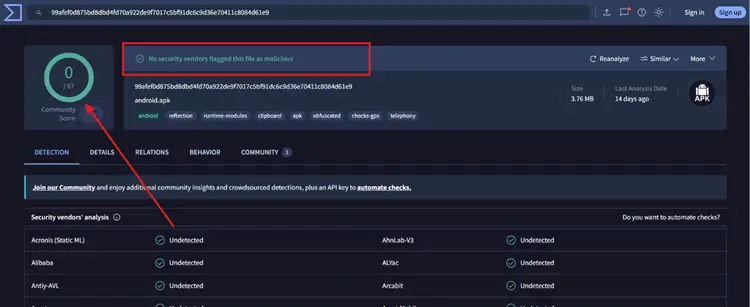
The Unlinked APK is safe to install from a technical standpoint — it doesn’t carry malware or viruses. Running it through a VirusTotal scan (screenshot above) turns up no security threats.
However, its legal status is less clear. The app libraries you access through Unlinked codes are put together by third-party users, so the apps inside them aren’t verified.
The safest approach is to always run a VPN before opening Unlinked. It keeps your activity private from your ISP and protects you from potential exposure while sideloading.
Get Surfshark — 86% Off Today →
📌 Related Onn TV Guides
- How to Close Background Apps on Onn TV — stop buffering caused by apps running in the background.
- How to Remove Pre-Installed Apps on Onn TV — free up storage by deleting apps you never use.
- How to Jailbreak Onn TV — unlock even more from your Onn device.
About Unlinked App
Here’s a quick look at what the app offers:
| Detail | Info |
|---|---|
| 📦 Content Type | App Library / Sideloading Tool |
| 💰 Price | Free |
| 🔢 Version | Latest |
| 🛡️ Safe to Use? | Yes, but use a VPN |
| 👤 Developer | Unlinked |
Frequently Asked Questions
Can I download Unlinked from the Google Play Store?
No. Unlinked isn’t listed on the Google Play Store, so you’ll need to sideload it on your Onn TV using the Downloader app and Downloader code 8533602.
Is Unlinked free to use on Onn TV?
Yes, Unlinked is completely free to download and use on all Onn TV Box and Onn TV Stick models.
Do I need to register to use Unlinked?
No, you don’t need an account to install apps through Unlinked — just enter a valid Unlinked code and start browsing the library.
What kind of apps can I get through Unlinked?
Depending on the code you use, Unlinked libraries can include apps for movies, live TV, sports, and more. Always connect to Surfshark before installing anything from a library.
Conclusion
Installing Unlinked on your Onn TV Box takes under 5 minutes using the Downloader app.
Once it’s set up, a single code gives you access to an entire library of apps instead of sideloading them one by one.
Just remember to always connect to a VPN before you browse or install anything through the app. Surfshark VPN is our recommended choice
📌 Found this guide useful? Share it with a fellow Onn TV user and drop a comment below. Check out our Best Apps for Onn TV guide for more top picks to install alongside Unlinked.
