 Onn TV Hacks Master Your Onn TV with Expert Guides, Hacks, & Apps
Quick Answer: SmartTube is not available on the Google Play Store. You will have to sideload it with the Downloader app using the SmartTube Downloader code 8533602.
You can watch all your favorite YouTube videos on Onn TV without putting up with annoying ads, using the SmartTube app (formerly SmartTubeNext).
It also lets you customize the video player, manage subscriptions, and cast ad-free YouTube videos from your phone to your Onn TV. The best part is that it’s free to install and use.
However, this is a third-party app, so run a VPN any time you’re installing or streaming on it for better online security. Surfshark VPN is our top choice
📋 Table of Contents
🛡️ OUR TOP PICK FOR ONN TV
Your ISP sees every stream. Unverified apps expose your IP. Fix both in under 2 minutes.
🚫 Built-in ad blocker
💰At $2.49/month
Save 87% Get 3 Extra Months FREE with Surfshark VPN
🔒 30-day money-back guarantee • Special limited-time deal

How to Install SmartTube on Onn TV Box/Stick
SmartTube isn’t available on the Google Play Store, so you’ll need to sideload it using the Downloader app.
If your Onn TV isn’t jailbroken yet or you don’t have Downloader installed, work through the steps below. Otherwise, skip ahead to step 9.
Go to Onn TV Home and then click on the Settings icon
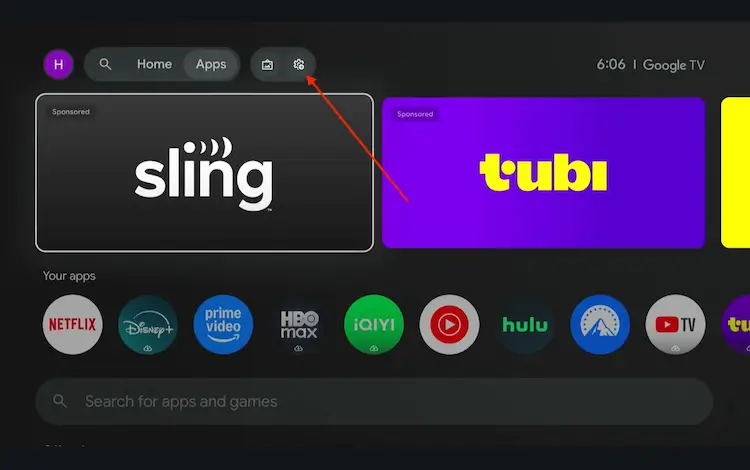
Settings icon on the Onn TV home screen
Select All Settings
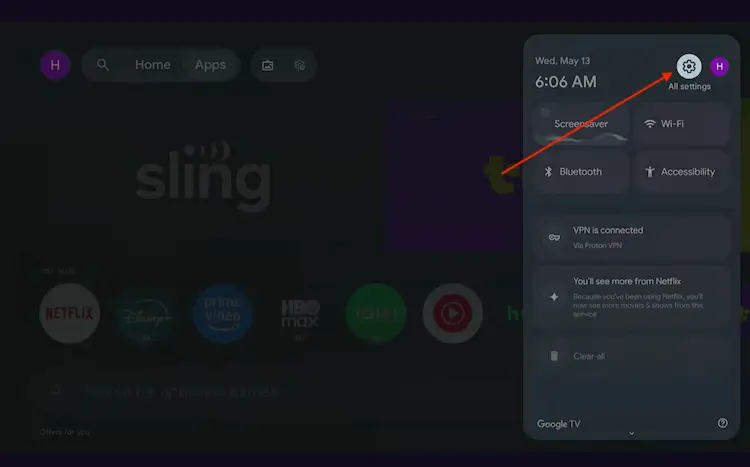
All Settings icon
Scroll down and select System, then choose About from the list.
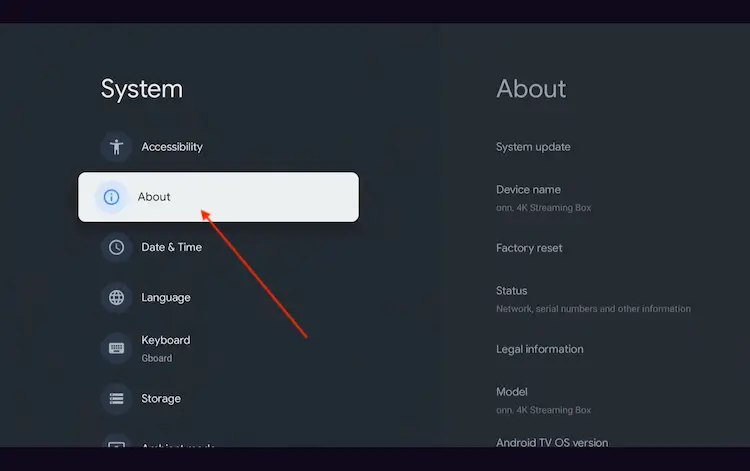
Navigate to System > About
Scroll to the bottom and click Android TV OS Build 7 times continuously until a pop-up says "You are now a developer."
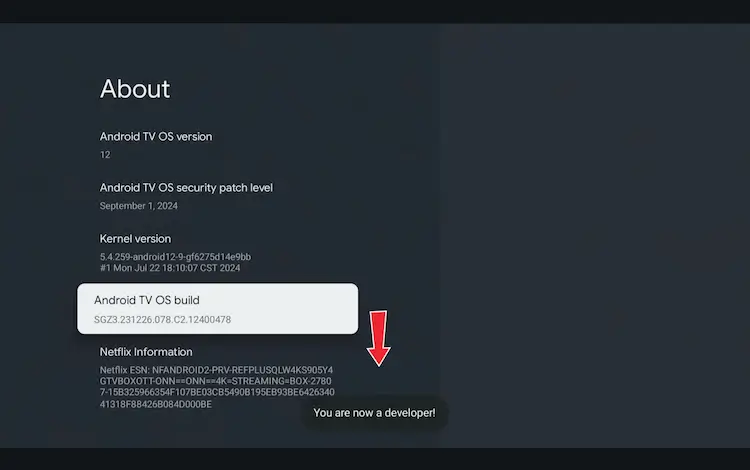
Click Android TV OS Build 7 times to unlock Developer Mode
Press the Home button on your remote, go to the top menu, and select Apps.
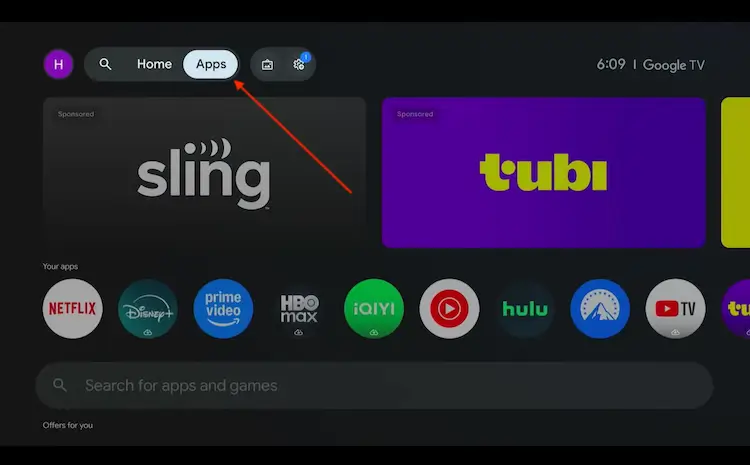
Back to the Onn TV home screen > Apps
Use the search bar and type Downloader and select the one at the top of the list
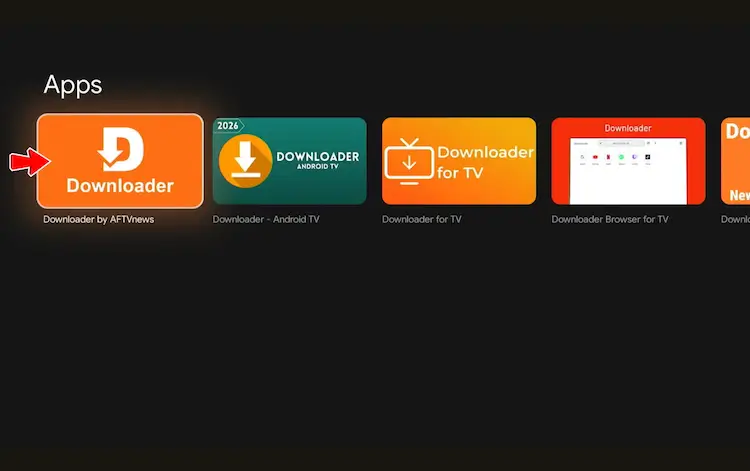
Select the Downloader app at the top of the search results
Click Install
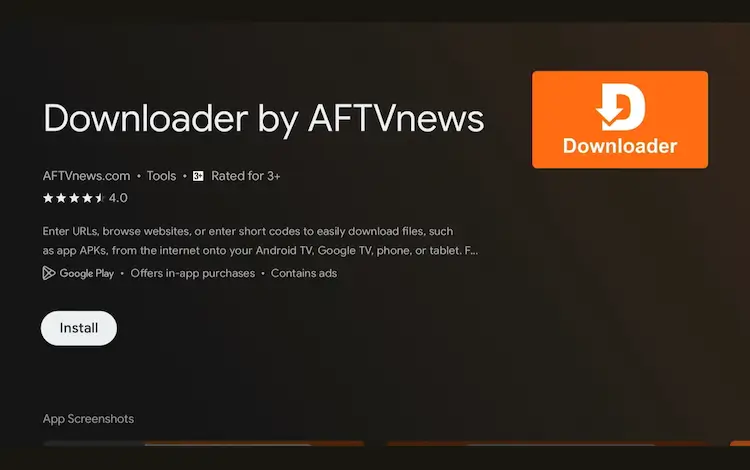
Press Install
Once installed, open the Downloader app and click on the URL/search bar.
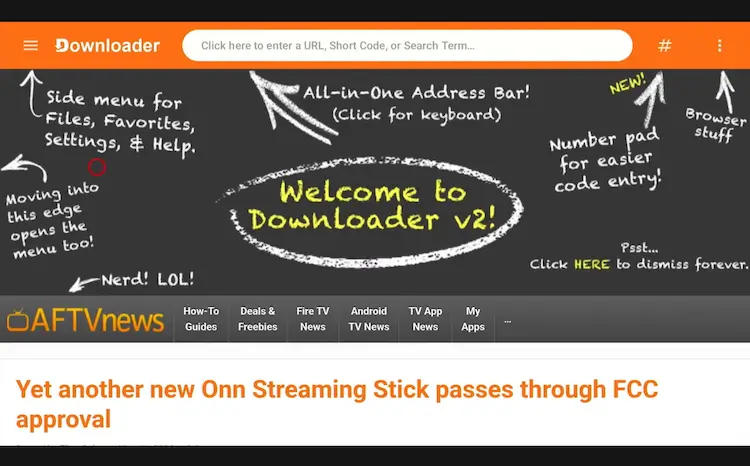
Open Downloader app > URL Search bar
Enter the exclusive Onn TV Hacks downloader code 8533602 below and press Go.
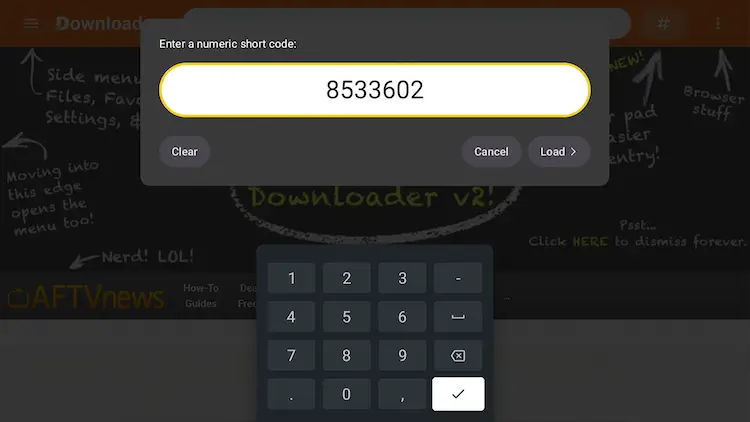
Add the popular 8533602 code
Scroll down and select the “IPTV Media Players” category.
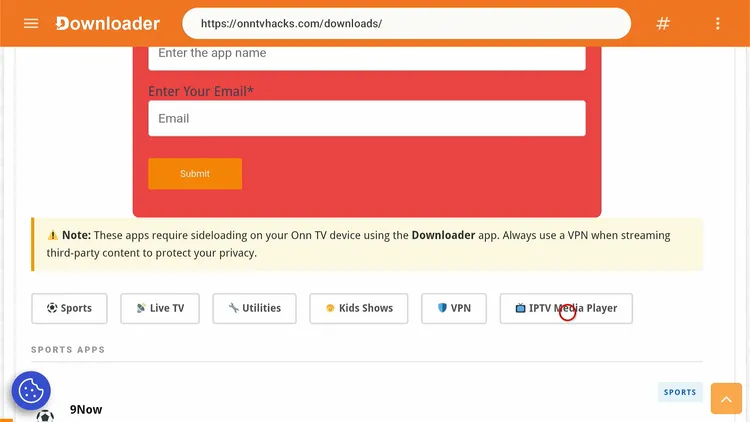
Select “IPTV Media Players”
Search and select SmartTube and click on Download.
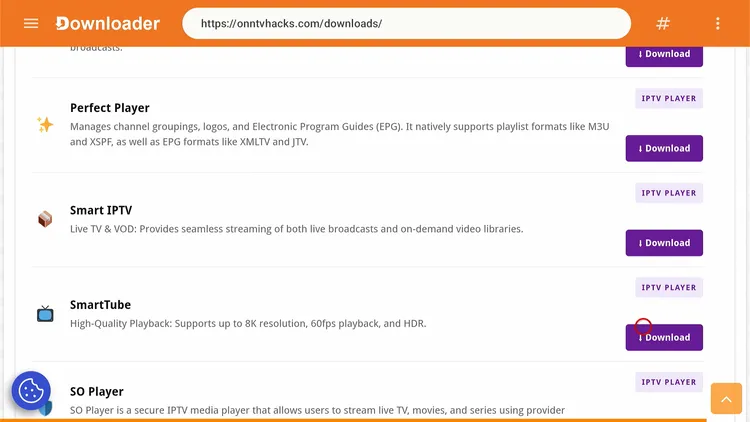
Select “SmartTube”
Click the Download icon.
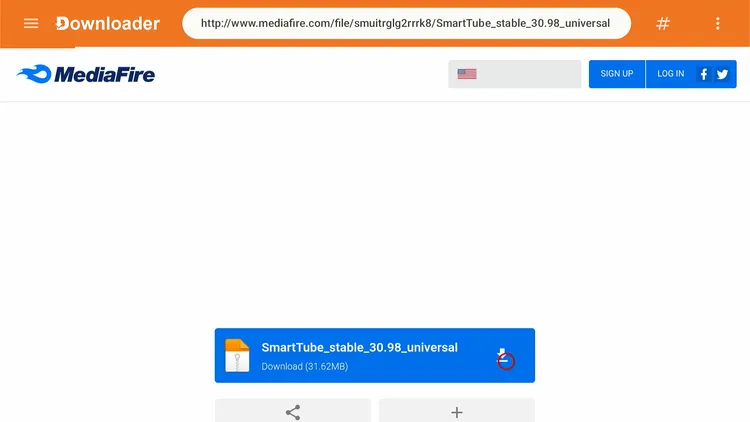
Click the Download icon
Wait for the APK to finish downloading.
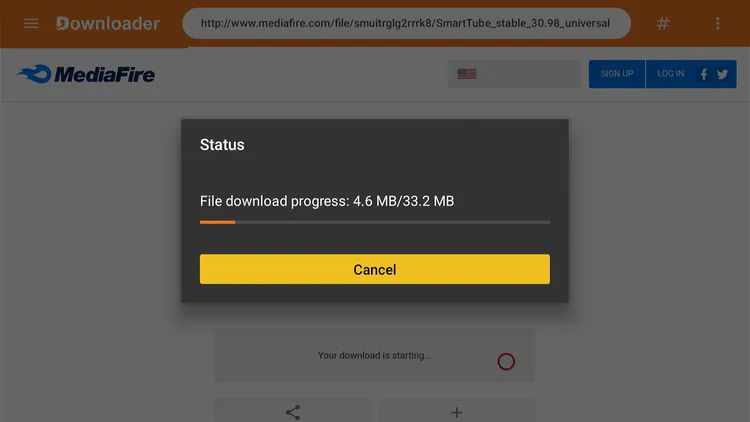
SmartTube is downloading
Once the download finishes, tap Install.
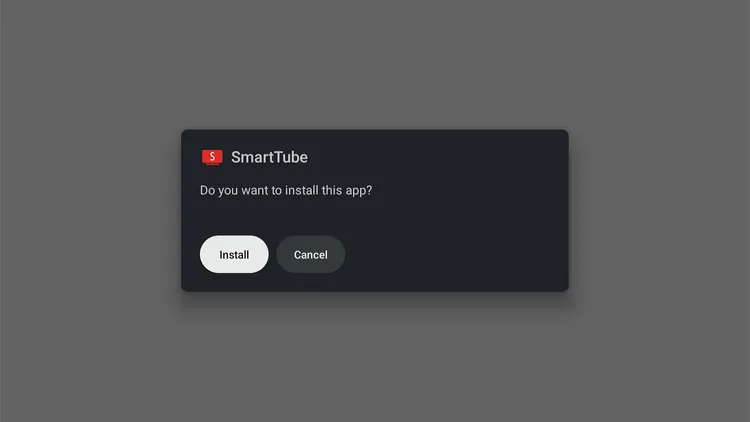
Tap “Install”
Tap Install Anyway, and keep your VPN connected for privacy.
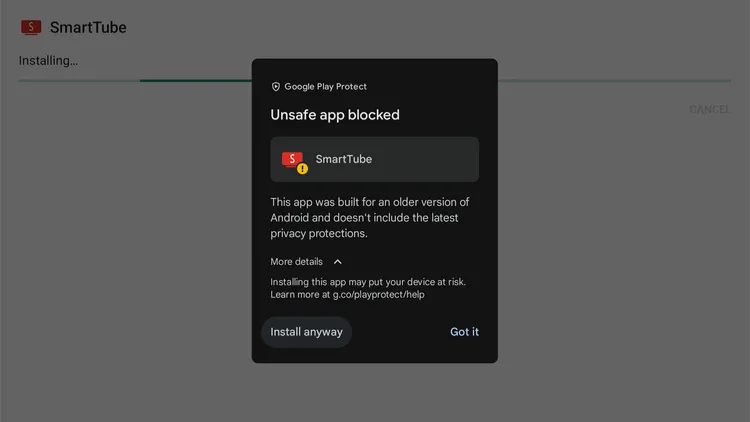
Tap “Install Anyway”
Tap Done.
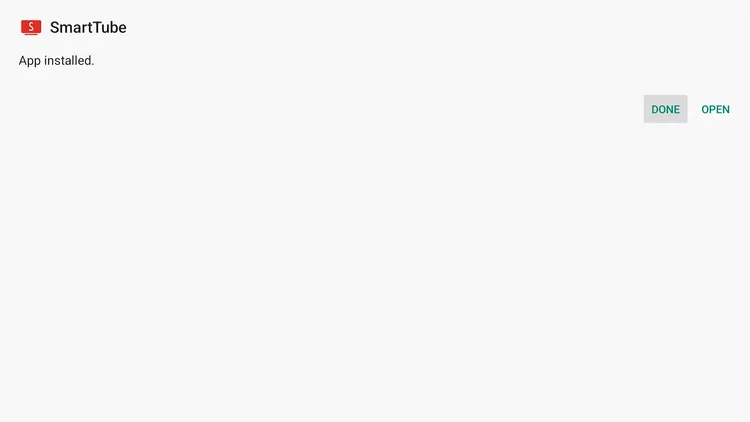
Tap “Done”
Tap Delete to remove the SmartTube APK file and free up storage space.
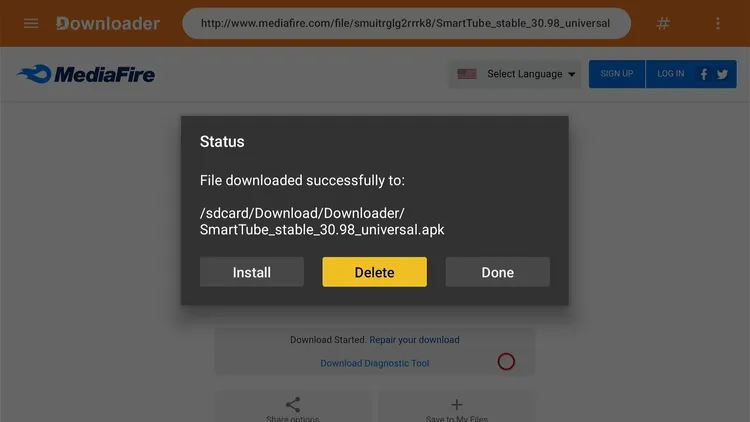
Tap “Delete”
Select Delete again to confirm.
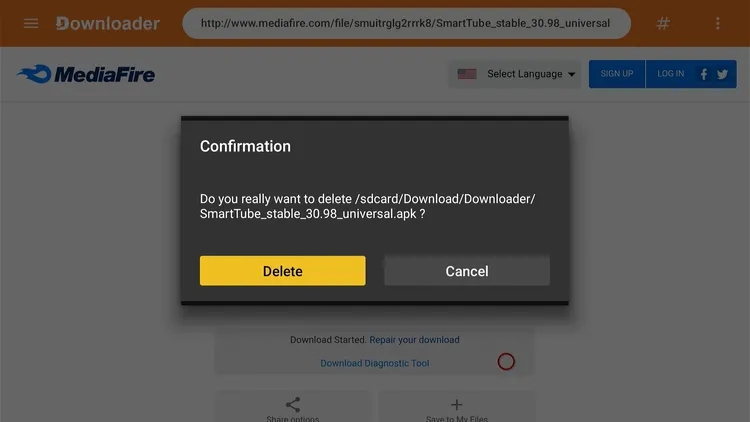
Get Surfshark — 86% Off Today →
How to Use SmartTube on Onn TV
Once you’re done installing SmartTube, you’re ready to stream ad-free videos. Since it’s a third-party app, install and connect to Surfshark on Onn TV before opening it.
Open Surfshark and connect to any server.
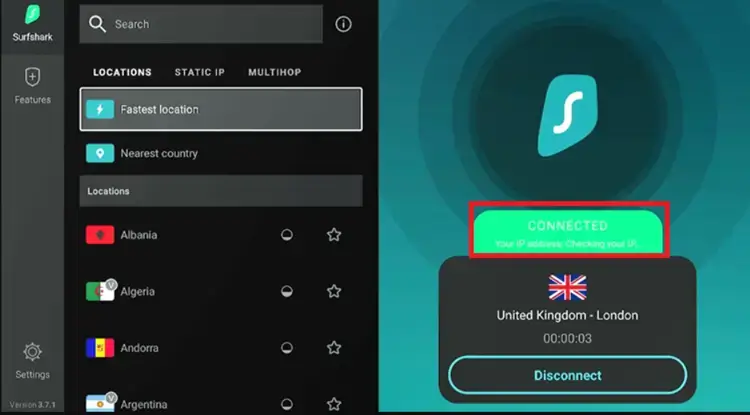
Connect to Surfshark server
From your Onn TV home screen, select SmartTube.
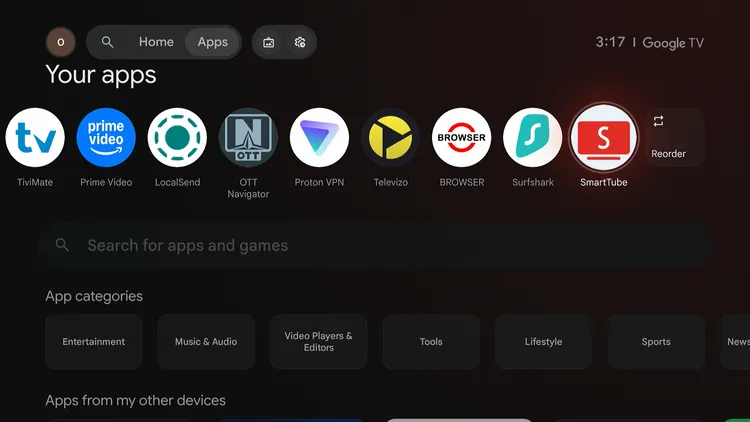
Home > SmartTube
Select your desired video.
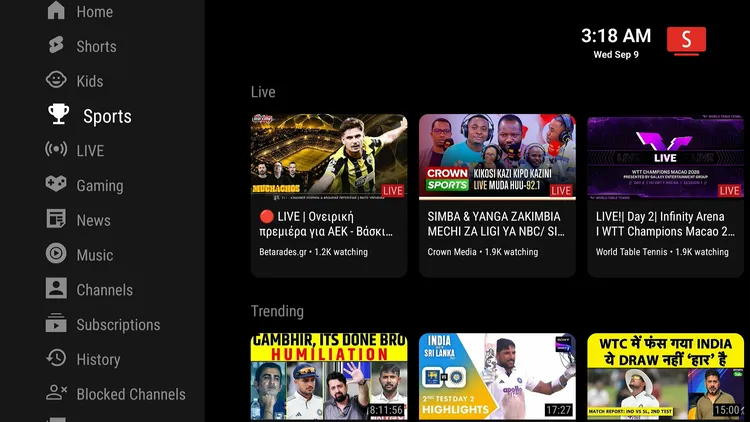
Select a video
Enjoy streaming!

Get Surfshark — 86% Off Today →
How to Sign In to SmartTube on Onn TV
Signing in isn’t mandatory to use SmartTube, but it unlocks a few additional features such as creating playlists, accessing your history, and getting personalized recommendations.
Open SmartTube and click the icon next to the search button in the top left corner.
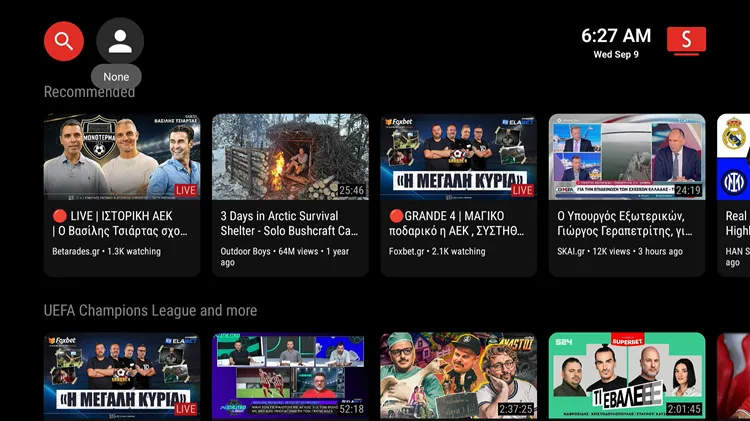
Click the icon next to the search button
Tap the Sign In icon.
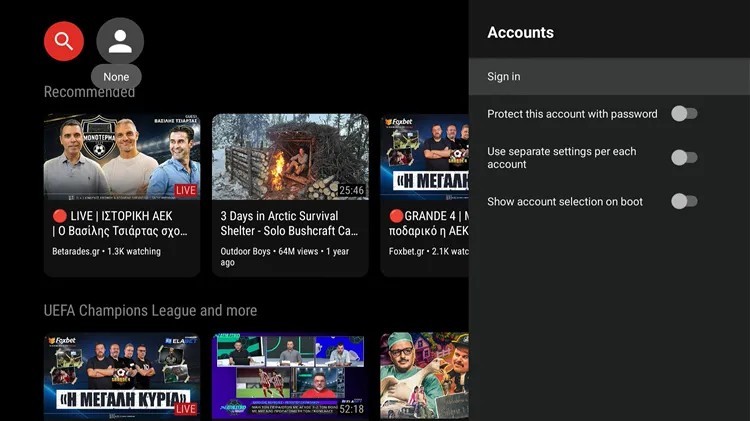
Tap the “Sign In” icon
A code will appear on your Onn TV screen.
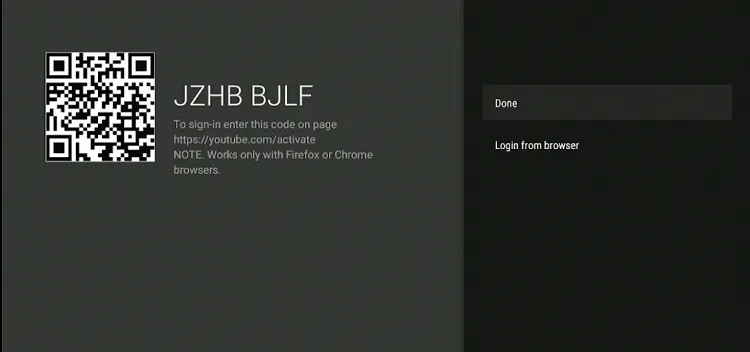
Note the code shown
On your phone, PC, or laptop, open a browser and go to youtube.com/activate. Enter the code shown and press Continue.
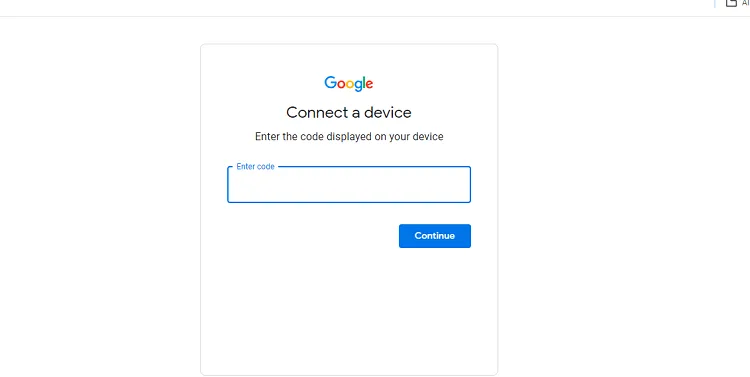
Enter the code at youtube.com/activate
Choose your Gmail account.
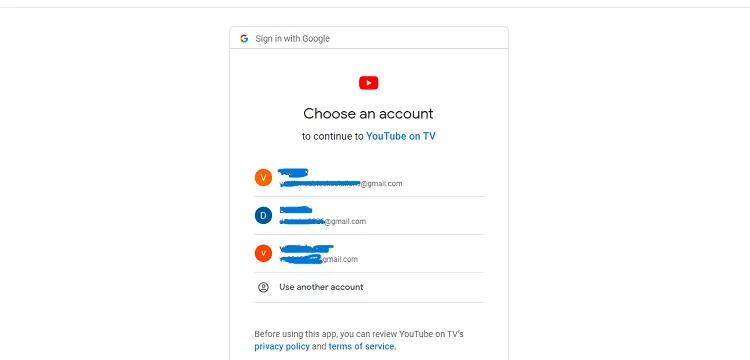
Choose your Gmail account
Click Allow.
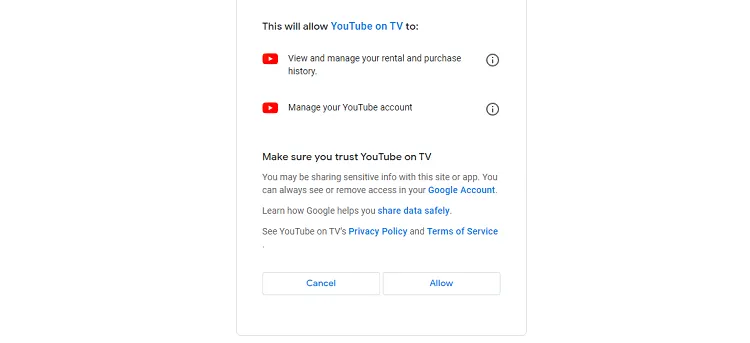
Click “Allow”
You’ve successfully logged into SmartTube on Onn TV!
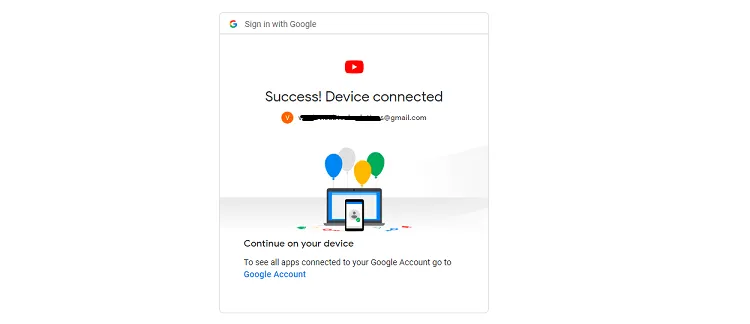
How to Cast Ad-Free YouTube Videos From Mobile Using SmartTube
SmartTube lets you cast ad-free videos from your YouTube mobile app directly to your Onn TV. Here’s how to do it.
Open SmartTube and click Settings from the menu.
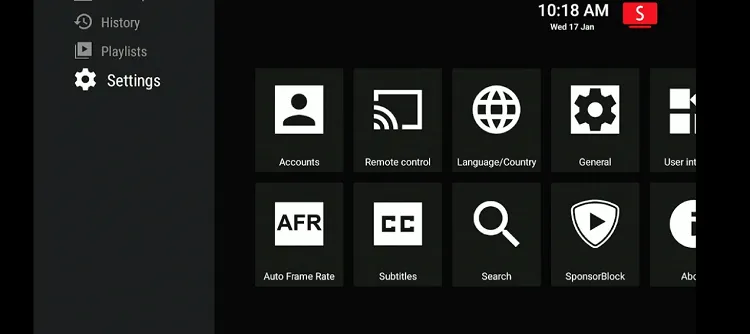
Open “Settings”
Navigate to the Remote Control icon.
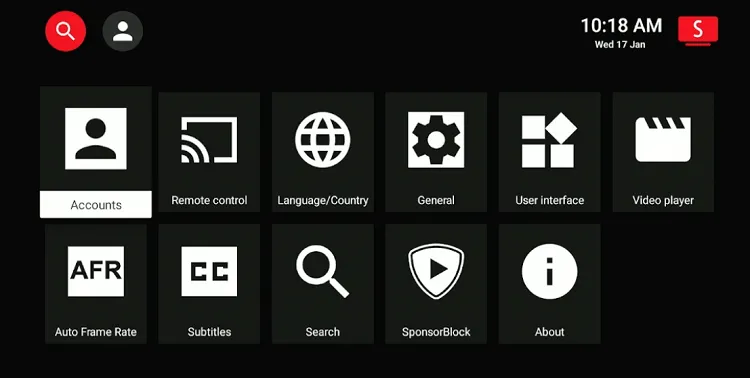
Select “Remote Control”
A code will appear on your Onn TV screen.
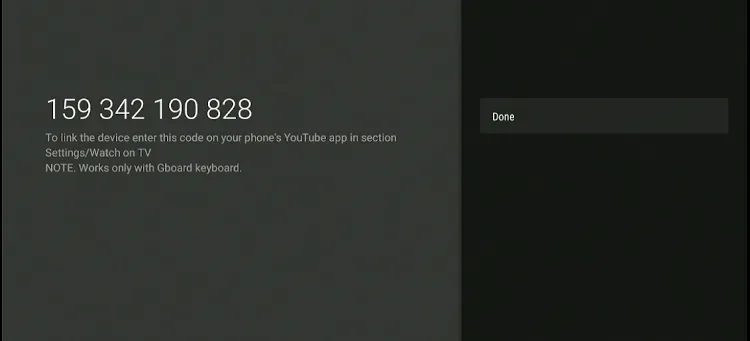
Note the code shown
Open the YouTube app on your mobile, go to Settings, and choose Watch on TV.

YouTube app > Settings > “Watch on TV”
Click Enter TV Code.

Click “Enter TV Code”
Add the code and press Link.
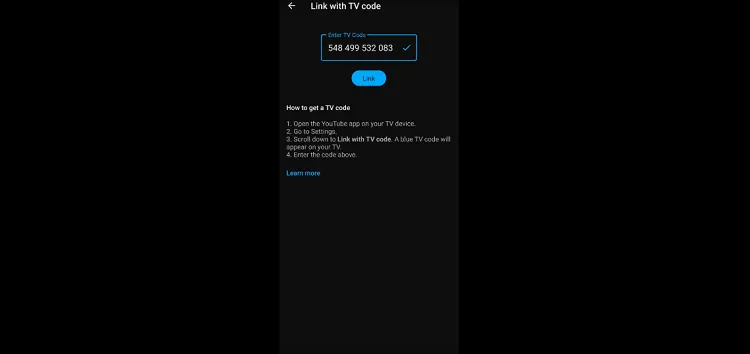
Enter the code, press “Link”
Select any video on your mobile YouTube app and click Play.
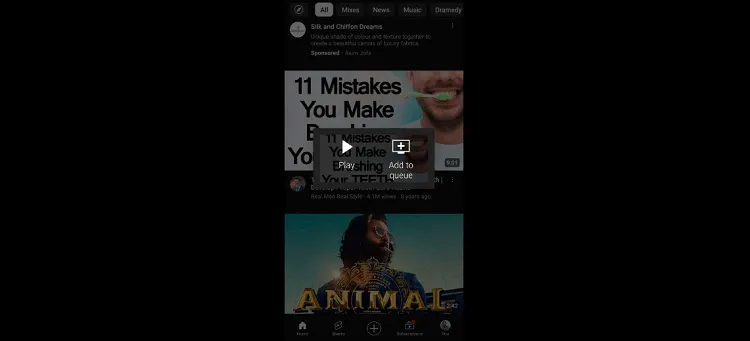
Select a video, tap “Play”
SmartTube Features
Despite being a free app, SmartTube offers some of the best features to optimize your streaming experience on Onn TV.
Ad-Free Streaming
Free, uninterrupted YouTube viewing
Adjustable Quality
Change video quality on the fly
Custom Playback Speed
Speed up or slow down any video
Search History Access
Easily revisit what you’ve searched
Mobile Casting
Cast ad-free YouTube from your phone
Subscription Management
Manage subscriptions right in the app
Is SmartTube Safe & Legal to Use?
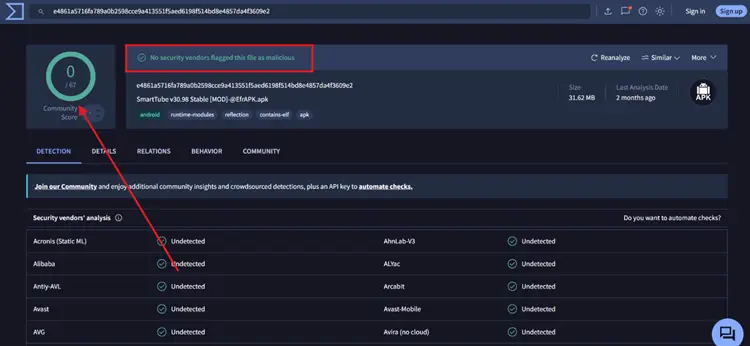
A VirusTotal analysis of the official SmartTube APK shows that 0/68 security engines detected any malware, viruses, or suspicious code.
SmartTube is an unofficial, open-source YouTube client, and it isn’t affiliated with YouTube or Google.
However, since SmartTube is a third-party app not hosted on official app stores, your ISP can still monitor your streaming activity.
To keep your online privacy fully protected while using the app, you are strongly advised to use a reliable Onn TV VPN like Surfshark.
Get Surfshark — 86% Off Today →
📌 Related Onn TV Guides
SmartTube App Details
Here’s a quick look at what the app offers:
| Detail | Info |
|---|---|
| 📺 Content Type | Ad-Free YouTube Client |
| 💰 Price | Free |
| 📦 File Size | ~27 MB |
| 🔢 Version | 30.98 |
| 🛡️ Safe to Use? | Yes, but with a VPN |
| 👤 Sign-In Required | No — optional, unlocks extra features |
SmartTube Alternatives for Onn TV
If you’re looking for SmartTube alternatives, these are some of the best options worth trying on Onn TV:
- YouTube (official app)
- TizenTube
- Dailymotion
- LibreTube
Frequently Asked Questions
Is SmartTube compatible with Onn TV?
Yes, SmartTube is compatible with Onn TV and installs through the Downloader app.
Is SmartTube available on the Google Play Store?
No. SmartTube isn’t listed on the Google Play Store, so you need to sideload it on Onn TV using the Downloader app with code 8533602.
Is SmartTube safe to use on Onn TV?
A VirusTotal scan of the SmartTube APK found no threats, with 0 of 68 security engines flagging it. Since it’s a third-party app, install it only through the Downloader steps above and keep a VPN connected for your privacy.
Do I need to sign in to use SmartTube?
No. Signing in is optional, but it unlocks features like playlists, your watch history, and personalized recommendations.
Can I customize the SmartTube interface on Onn TV?
Absolutely, SmartTube offers several customization options for a personalized viewing experience.
Can I watch subtitles on SmartTube on Onn TV?
Though there’s a subtitles feature in the app, it isn’t functional anymore.
Is SmartTube free for Onn TV users?
Yes, SmartTube is an app that all Onn TV users can access for free.
Conclusion
SmartTube can help you say goodbye to YouTube ads on your Onn TV.
On top of ad-free streaming, the app also lets you customize the video player, cast videos from the mobile YouTube app, create playlists, manage subscriptions, and much more.
Remember, SmartTube is a third-party app, so connect to Surfshark VPN is our recommended choice to keep your privacy intact while using it.
📌 Found this guide useful? Share it with a fellow streamer and drop a comment below. Check out our Best Apps for Onn TV guide for more top picks to install alongside SmartTube.