 Onn TV Hacks Master Your Onn TV with Expert Guides, Hacks, & Apps
Voltra TV is a new, free sports app built for covering every major sports event you actually want to watch, from the French Open to the NBA, MLB, and Premier League.
Every match comes with multiple streaming links, so you’ve got backup links ready. Besides sports, the app also has a solid VOD library, Live Channels, and an anime collection.
However, the streaming sources of Voltra TV aren’t verified, so keep a VPN connected the whole time you’re streaming. Surfshark VPN is our top choice
📋 Table of Contents
🛡️ OUR TOP PICK FOR ONN TV
Your ISP sees every stream. Unverified apps expose your IP. Fix both in under 2 minutes.
🚫 Built-in ad blocker
💰At $2.49/month
Save 87% Get 3 Extra Months FREE with Surfshark VPN
🔒 30-day money-back guarantee • Special limited-time deal

How to Install Voltra TV on Onn TV Box Using the Downloader App
Voltra TV isn’t listed on Onn TV’s official app store, so getting it running means sideloading the APK yourself using a downloader code.
If you haven’t jailbroken your Onn Stick/Box yet or don’t have the Downloader app installed, follow the steps below first. Otherwise, skip directly to step 10.
Go to Onn TV Home and then click on the Settings icon
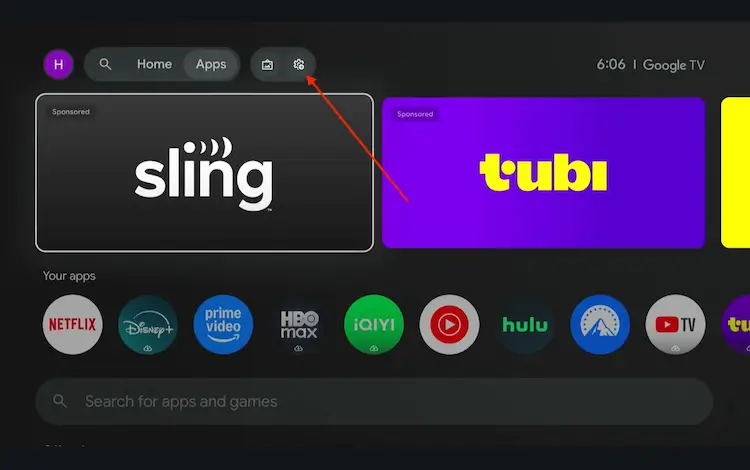
Settings icon on the Onn TV home screen
Select All Settings
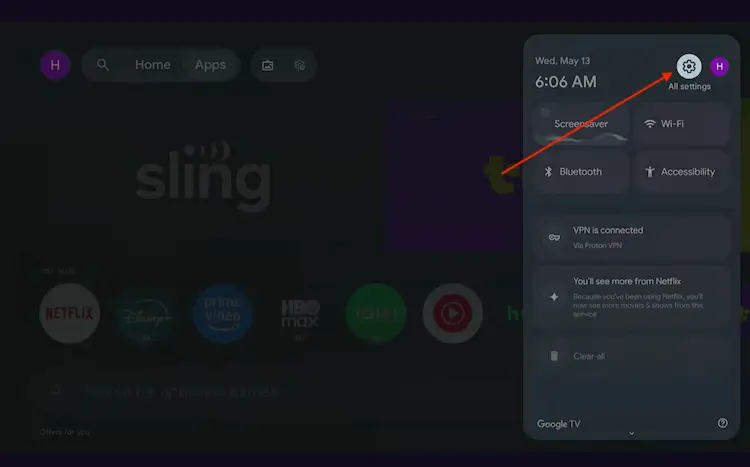
All Settings icon
Scroll down and select System, then choose About from the list.
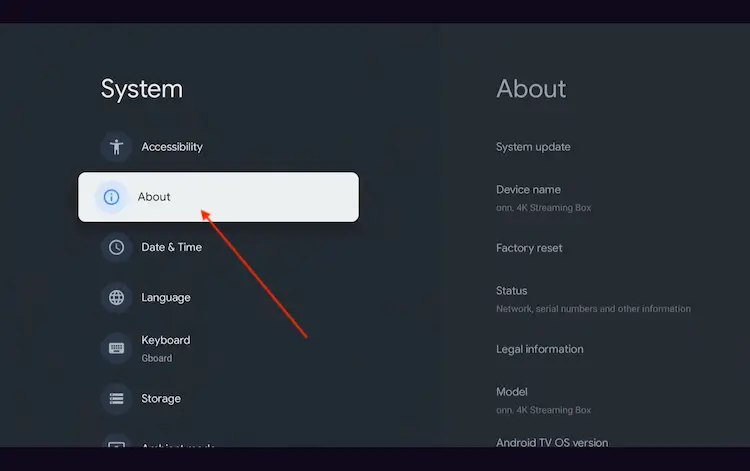
Navigate to System > About
Scroll to the bottom and click Android TV OS Build 7 times continuously until a pop-up says "You are now a developer."
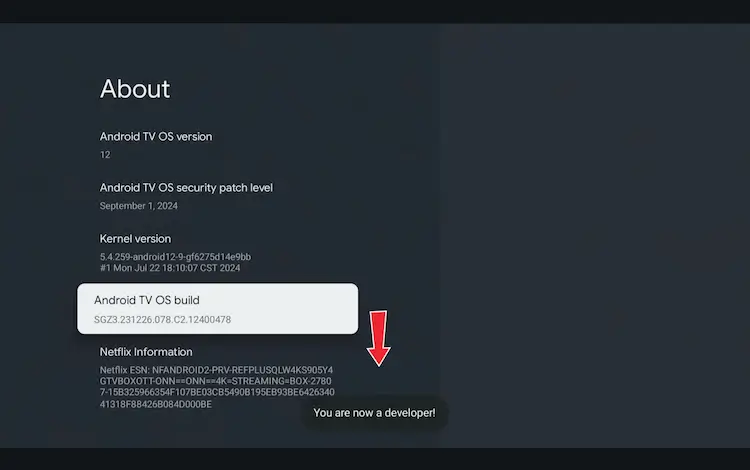
Click Android TV OS Build 7 times to unlock Developer Mode
Press the Home button on your remote, go to the top menu, and select Apps.
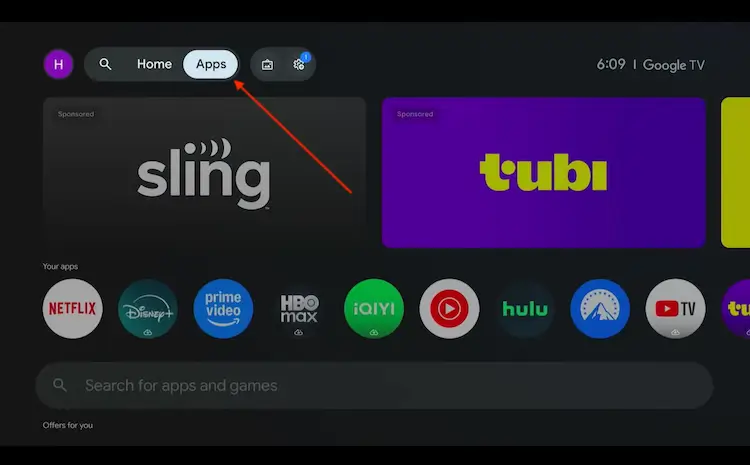
Back to the Onn TV home screen > Apps
Use the search bar and type Downloader and select the one at the top of the list
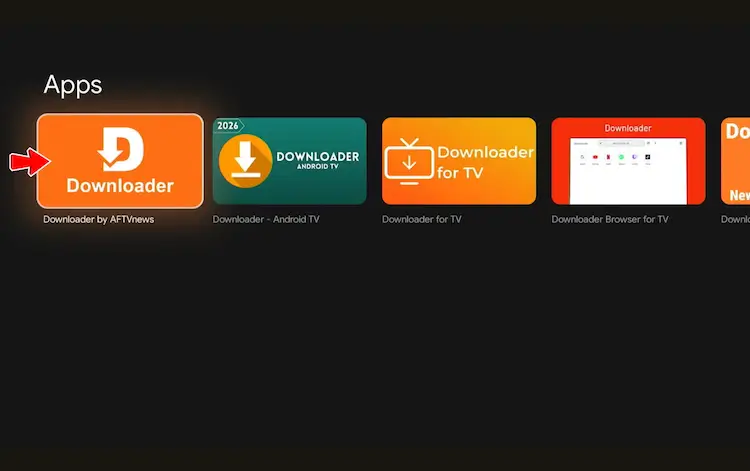
Select the Downloader app at the top of the search results
Click Install
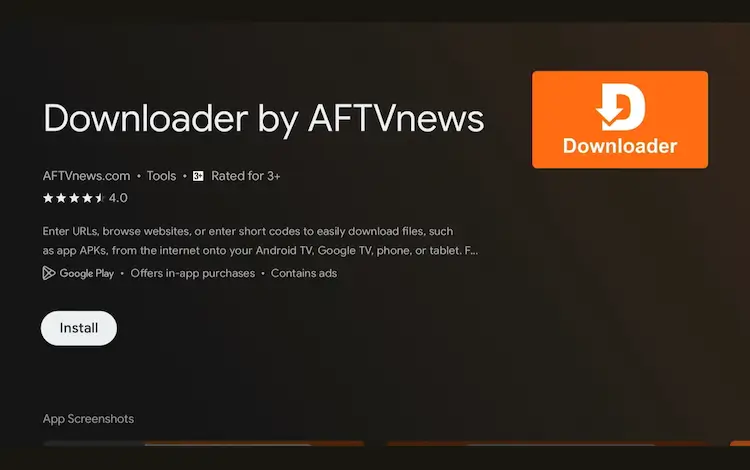
Press Install
Once installed, open the Downloader app and click on the URL/search bar.
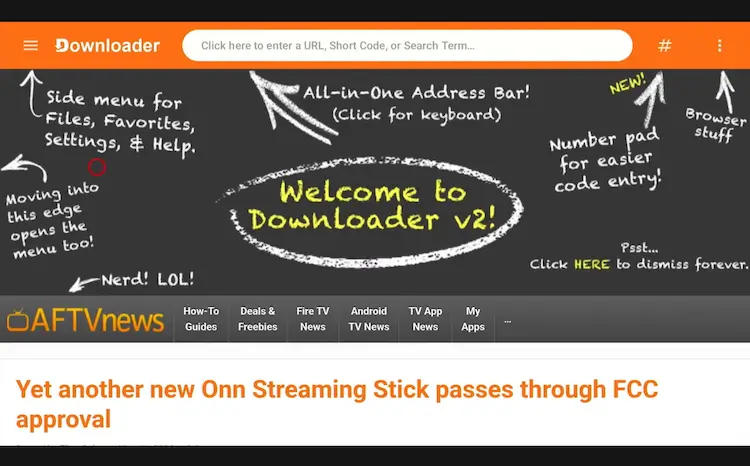
Open Downloader app > URL Search bar
Enter the exclusive Onn TV Hacks downloader code 8533602 below and press Go.
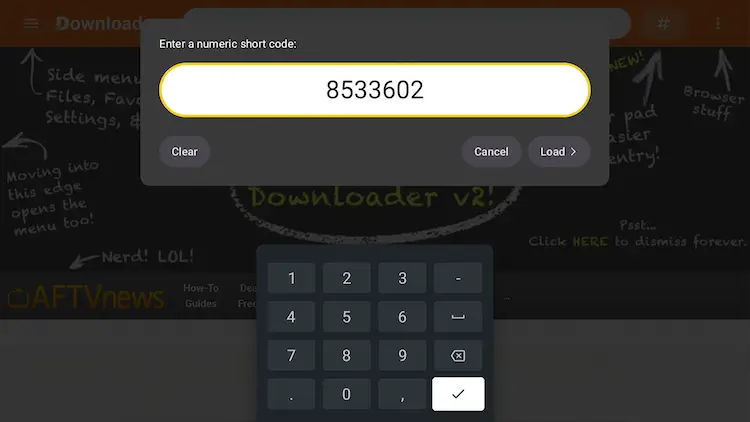
Add the popular 8533602 code
Scroll down and click on the “Sports Apps” category inside the downloads page.
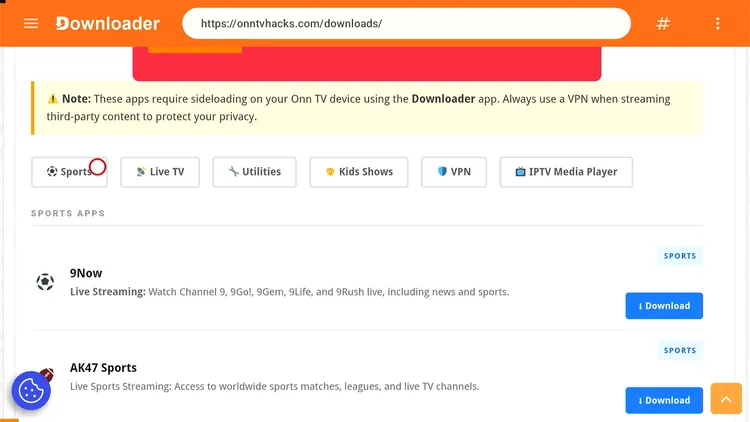
Tap “Sports Apps”
Search for Voltra TV and click Download.
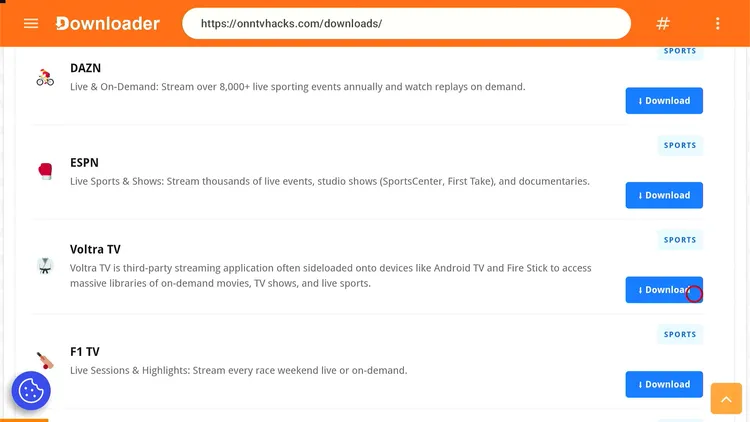
Search “Voltra TV” and tap “Download”
The app will start downloading.
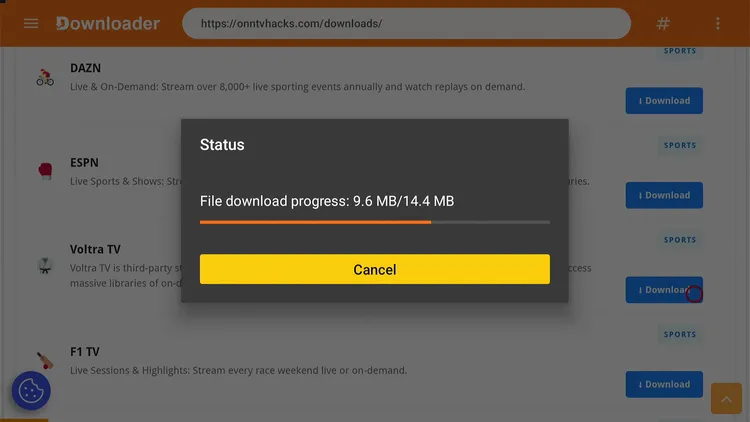
Voltra TV is downloading
Once the download finishes, click Install.
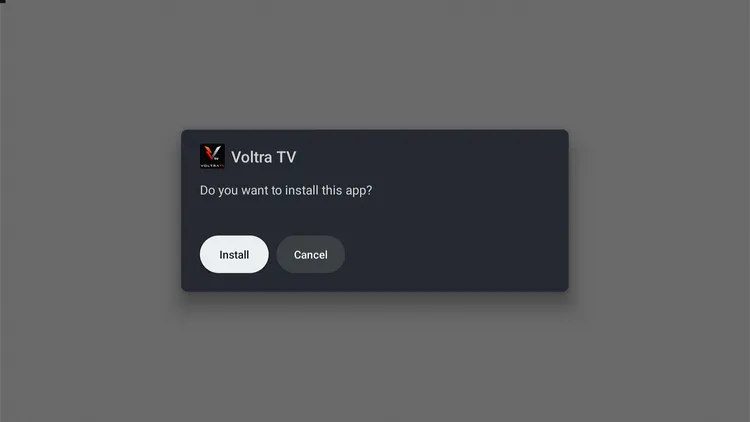
Tap “Install”
Once installed, click Done.
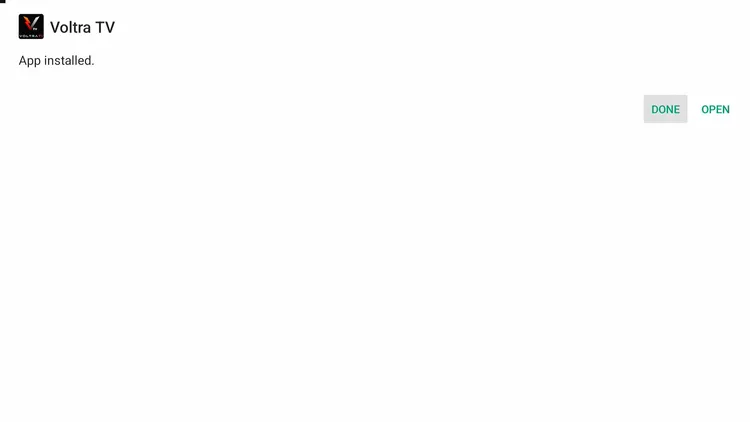
Tap “Done” to close the installer
Click Delete to remove the setup file and free up storage space.
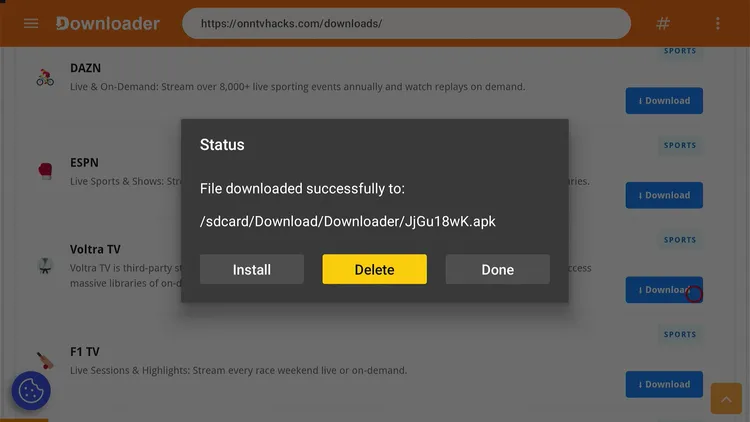
Tap “Delete” to free up space
Click Delete again to confirm.
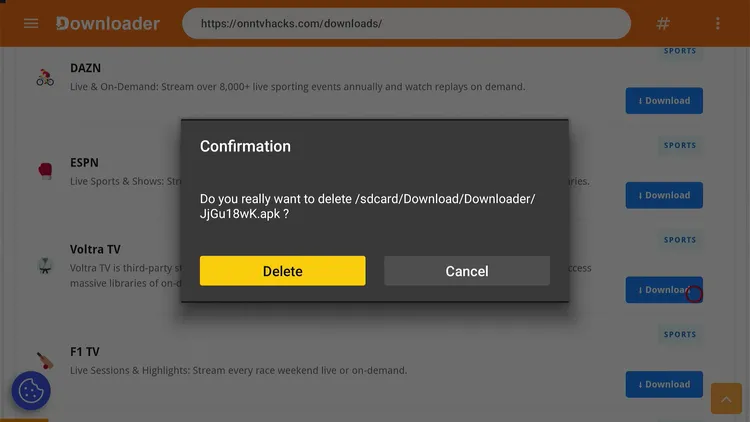
Confirm by tapping “Delete” again
🎉 Done! Voltra TV is now installed on your Onn TV device.
Special limited-time deal · 30-day money back · No risk
How to Watch Free Sports, Movies & Anime on Voltra TV
Before you open the app, get your Surfshark VPN connected. It keeps your ISP from seeing what you’re streaming and adds a layer of privacy on unverified sources like this one.
Open your VPN app (e.g., Surfshark) and connect to any stable server.
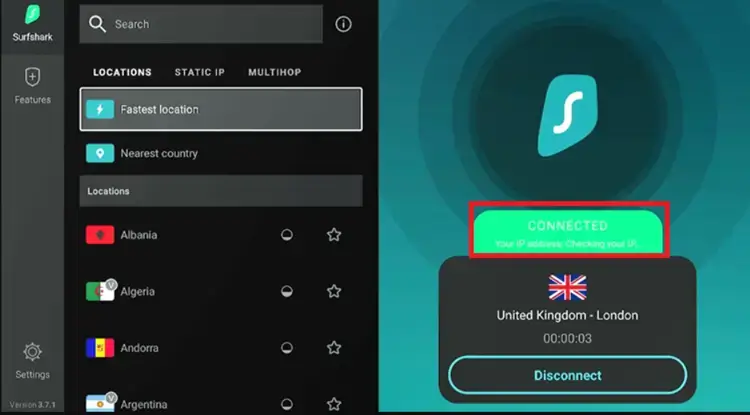
Connect to a Surfshark server before streaming
Go to your Onn Home page and open Voltra TV.
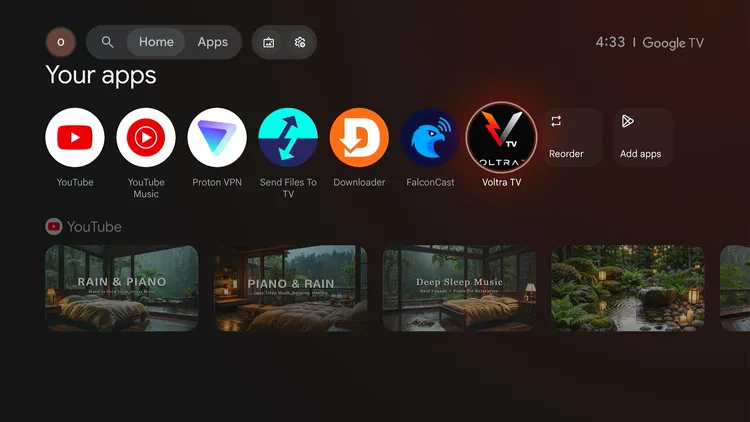
Home Page > Voltra TV
Skip through the intro screens, then choose your preferred language.
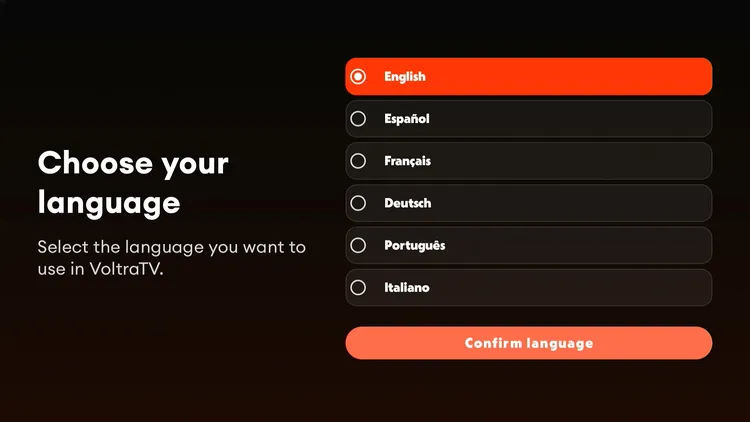
Skip Tutorial > Choose your language
You’ll land on Voltra TV’s home screen. Choose the category you’re after.
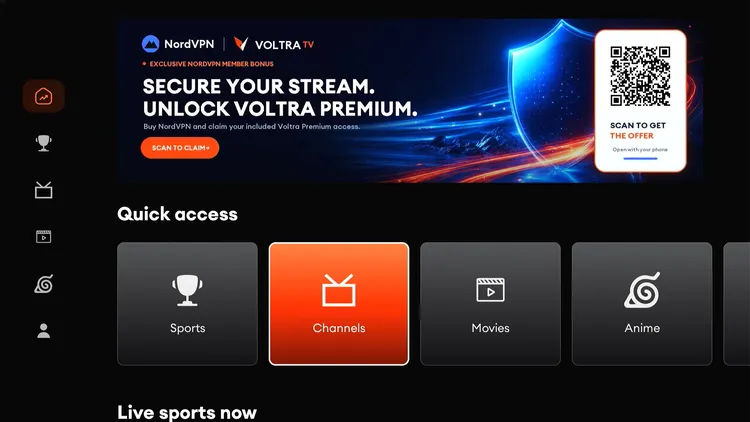
Pick a category from the home screen
In the Sports section, you’ll see multiple servers and streams across various sports categories. Choose whichever stream works best for you.
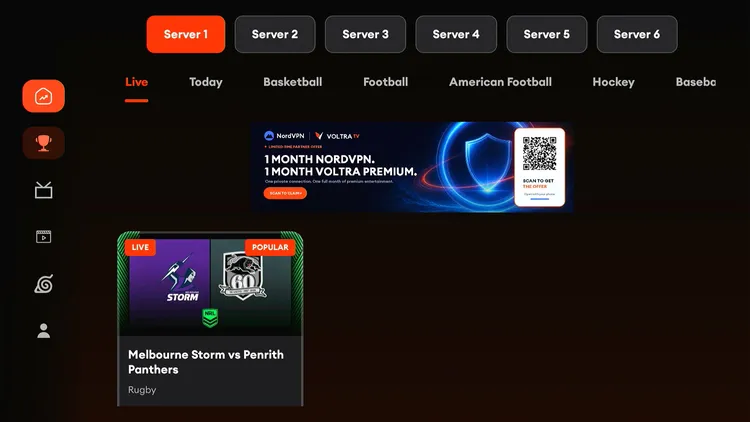
Select a server or stream
Start streaming the match.
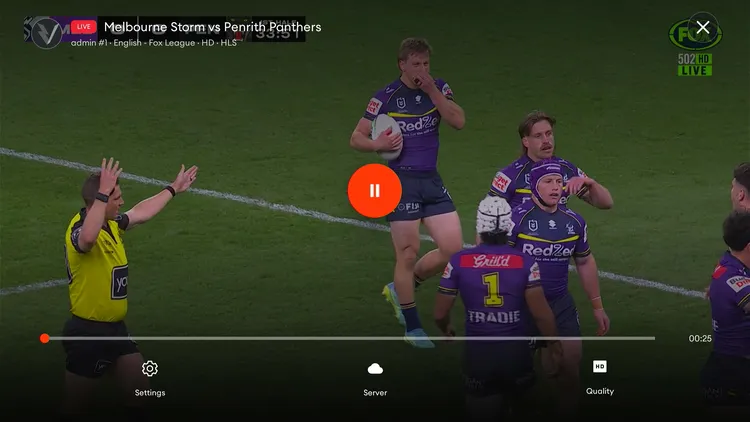
Enjoy your stream!
Head over to the VOD section, where you’ll find the latest movies and TV series from Netflix, Prime, and more. Pick a title.
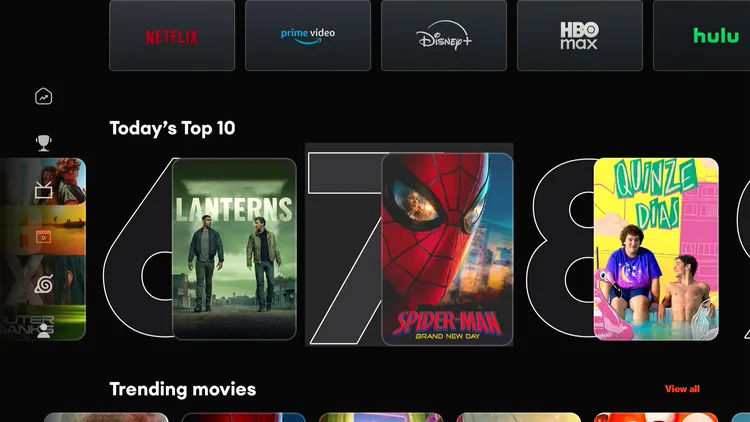
Browse the VOD library
Enjoy the movie.
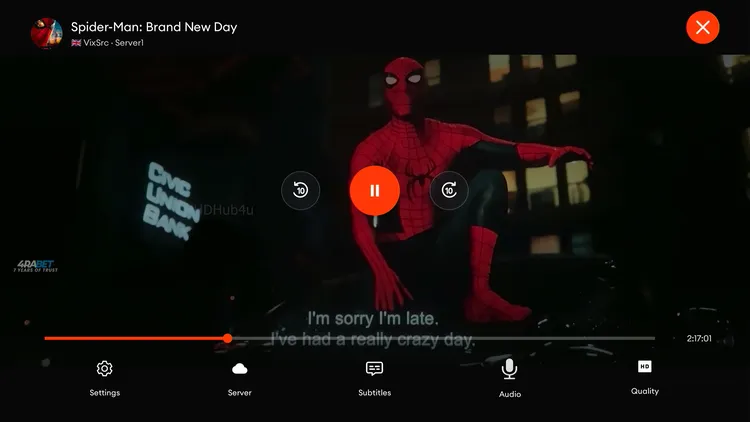
Enjoy the movie
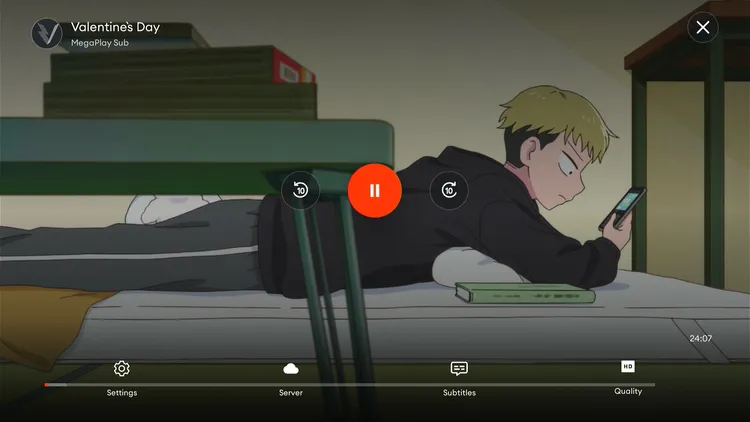
Voltra TV also packs a big anime collection. Browse it from the sidebar.
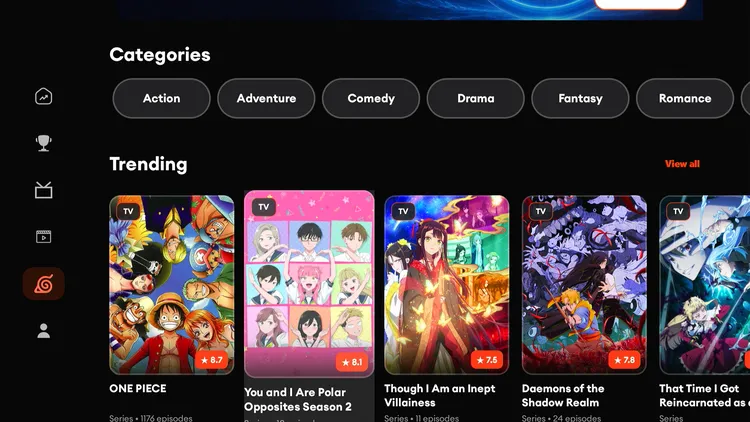
Voltra TV Anime Collection
Start watching!
Get Surfshark — 86% Off Today →
Voltra TV Content Review
Voltra TV’s lineup is sports-focused but also has live TV, movies, TV shows, and anime. You’ll find:
- Live coverage of the French Open, NBA, MLB, and Premier League, among other major events
- Multiple streaming links per match as backup
- Live TV channels including Comedy Central, HGTV, Food Network, DAZN, beIN, and Travel Channel
- A VOD section with the latest movies and TV series from Netflix, Prime, and more
- A big anime library for fans of the genre
Sports, VOD, and anime streaming on Voltra TV worked well — streams loaded quickly and played smoothly with multiple backup links.
However, the Live TV channels section buffered more than expected, and most links didn’t work — treat that section as a bonus rather than the main draw.
Voltra TV Features
Here’s what stands out about running Voltra TV on your Onn TV device:
🏆
Free Live Sports
French Open, NBA, MLB, Premier League & more without paying a cent
🚫
No Ads
Fully ad-free streaming experience
🎬
Movies & TV Shows
VOD library pulling from Netflix, Prime & more
🎌
Anime Library
A solid collection for anime fans
🔗
Multiple Streaming Links
Always have a backup if one link drops
📺
Live TV Channels
Comedy Central, HGTV, Food Network & more
🎞️
Up to 1080p
Sharp picture when your connection can handle it
📦
Lightweight
Just 7.7 MB, barely touches your storage
Is Voltra TV Safe & Legal to Use?
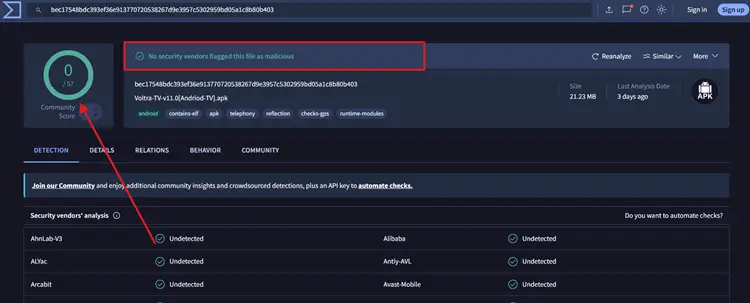
The latest APK of Voltra TV was run through VirusTotal and came back completely clean (screenshot above), with no malware flagged by any engine.
However, the streams might come from third-party sources with no guarantee those sources hold proper redistribution rights.
To keep your ISP from seeing what you stream, always connect Surfshark before opening Voltra TV.
Special limited-time deal · 30-day money-back guarantee.
📌 Other Onn TV Apps We’ve Covered
About Voltra TV
Here’s a quick snapshot of the Voltra TV app:
| Detail | Info |
|---|---|
| Content Type | Live Sports/Movies/Anime/Live TV |
| Price | Free |
| File Size | 7.7 MB |
| Ads | No |
| Safe to Use? | Yes, with a VPN |
| Developer | Voltra TV |
| External Player | No |
Frequently Asked Questions
Is Voltra TV free to use?
Yes, Voltra TV is a completely free IPTV app.
Can I watch live sports on Voltra TV?
Yes, Voltra TV streams a wide range of live sports, including football, basketball, and tennis, with multiple servers to choose from for each match.
Can I watch movies and TV shows on Voltra TV?
Yes, the VOD section carries the latest movies and TV series from platforms like Netflix and Prime.
Does Voltra TV have anime?
Yes, Voltra TV includes a large anime library alongside its sports and VOD content.
Is Voltra TV available on the Onn TV app store?
No, it isn’t listed officially. You need to sideload it using the Downloader app, as covered in the install steps above.
Why does the Live TV section keep buffering on Voltra TV?
During testing, the Live TV channels buffered frequently and most links didn’t play. This is likely down to server load on the developer’s end rather than your connection.
Conclusion
Voltra TV turned out to be a surprisingly solid all-rounder for Onn TV. No sign-ups, no complicated setup, and it covers live sports, movies, TV shows, and anime all in one place.
Just make sure to keep a VPN running any time you’re streaming from unverified sources. Surfshark VPN is our recommended choice
📌 Found this guide useful? Check out our full roundup of the Best Apps for Onn TV for more streaming options.