 Onn TV Hacks Master Your Onn TV with Expert Guides, Hacks, & Apps

Written and tested by Black Joseph
Updated November 3, 2026
When you buy through our links, we may earn a commission. See how we work with brands here.
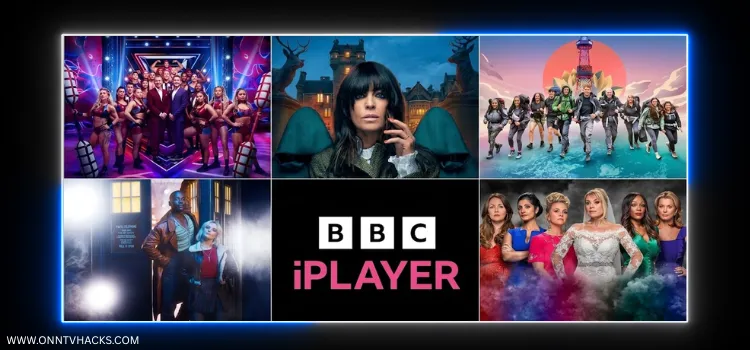
To install BBC iPlayer on Onn TV Box or Stick: enter BBC iPlayer downloader code 8533602, select BBC iPlayer from the Live TV Apps category, then install it. Connect to a UK server to watch outside the UK.
BBC iPlayer is the BBC’s free streaming service, with live TV channels, movies, TV shows, documentaries, and sports on demand.
It carries BBC One, BBC Two, BBC Three, CBBC, BBC News, and more, plus live sport such as Wimbledon.
However, BBC iPlayer is only available in the UK. Outside the UK, you’ll see the message “BBC iPlayer only works in the UK. Sorry, it’s due to rights issues.”
Connecting to a UK server fixes it. Surfshark VPN is our top choice
📋 Table of Contents
- How to Sign Up for BBC iPlayer
- How to Install BBC iPlayer on Onn TV Box/Stick
- How to Watch BBC iPlayer on Onn TV
- How to Install BBC iPlayer from the Google Play Store
- Is BBC iPlayer Safe & Legal to Use?
- How to Fix BBC iPlayer Detecting Your VPN
- BBC iPlayer Features
- What Can You Watch on BBC iPlayer?
- BBC iPlayer App Details
- BBC iPlayer Alternatives for Onn TV
- FAQs
- Conclusion
🔥 BLACK FRIDAY DEAL
Our Recommended VPN - Surfshark VPN
Now only $2.49/mo
🔒 30-day money-back📱 Unlimited devices🚫 Ad blocker$0.08/day

How to Sign Up for BBC iPlayer
You need a free BBC account to watch anything on BBC iPlayer. Here’s how to sign up from your phone or PC:
Go to the official website www.bbc.co.uk/iplayer and click Start Watching.
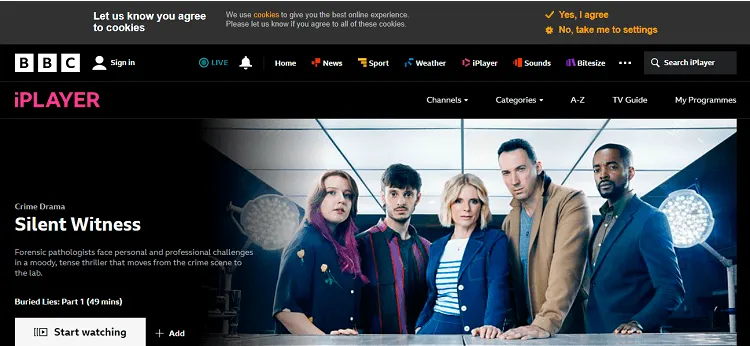
Open BBC iPlayer
Choose Register.
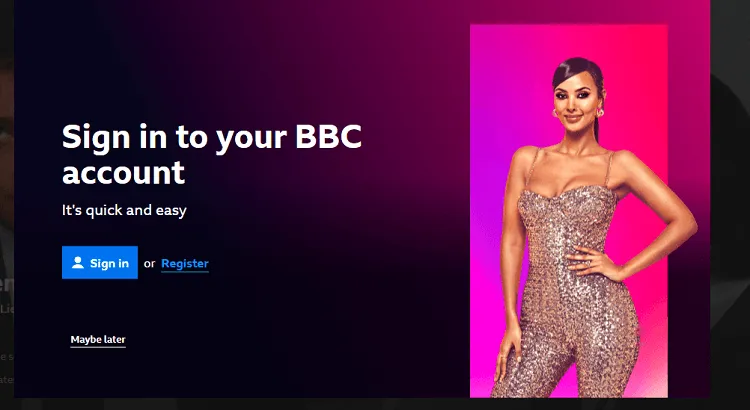
Click Register
Select the appropriate age option.
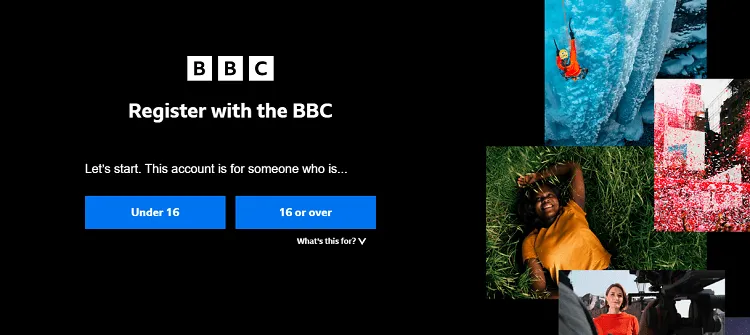
Select your age
Enter your date of birth and click Continue.
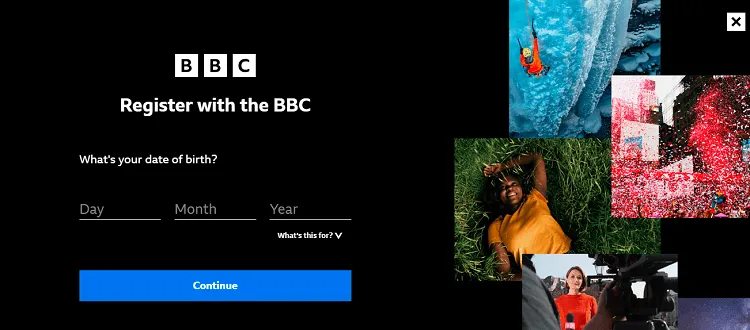
Enter date of birth
Enter the required details and click Register.
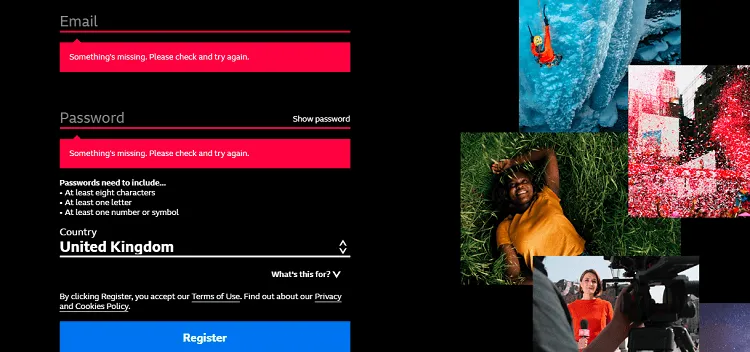
Enter your details
Enter the remaining details. Tip: if you can’t find a valid postcode, try M417EX. It worked.
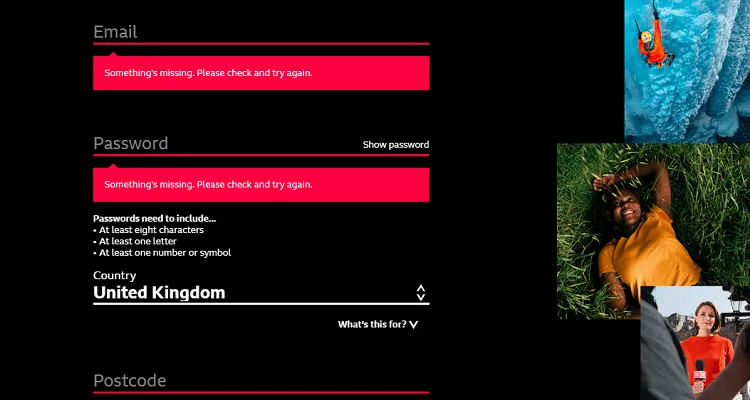
Enter a postcode
You have successfully signed up for BBC iPlayer.
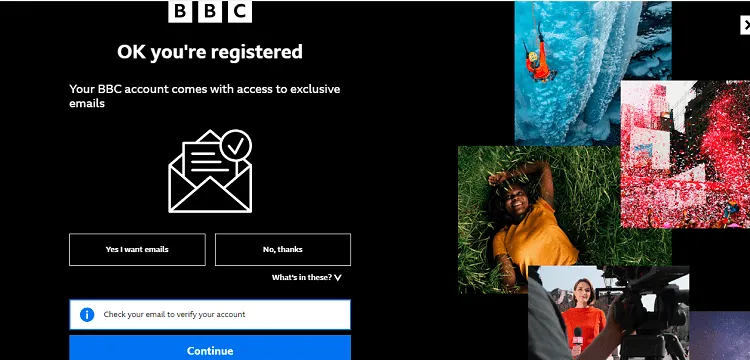
Sign-up complete
How to Install BBC iPlayer on Onn TV Box/Stick using Downloader
To get the BBC iPlayer app outside the UK, you’ll need to sideload it using the Downloader app.
If your Onn TV isn’t jailbroken yet or you don’t have Downloader installed, work through the steps below. Otherwise, skip ahead to step 10.
Before streaming anything from BBC iPlayer, make sure to install Surfshark VPN on your Onn device.
For the latest on sideloading restrictions, see our guide to the new Android sideloading rule for Onn TV.
Go to Onn TV Home and then click on the Settings icon
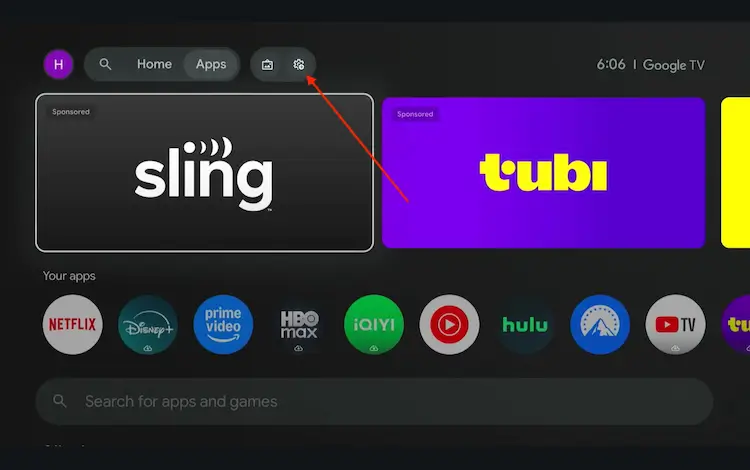
Settings icon on the Onn TV home screen
Select All Settings
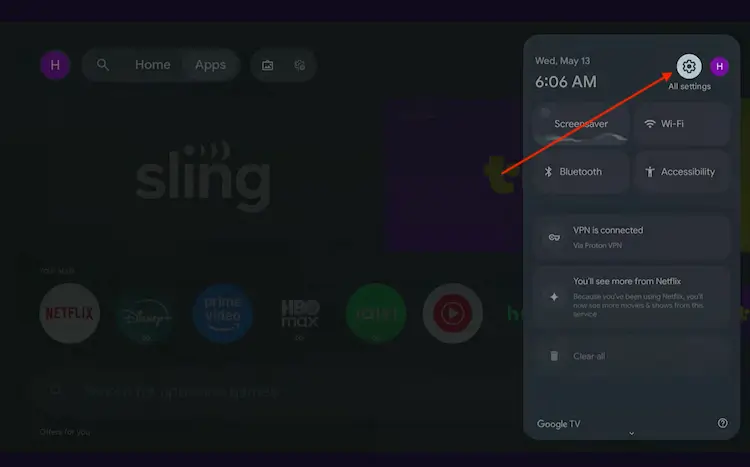
All Settings icon
Scroll down and select System, then choose About from the list.
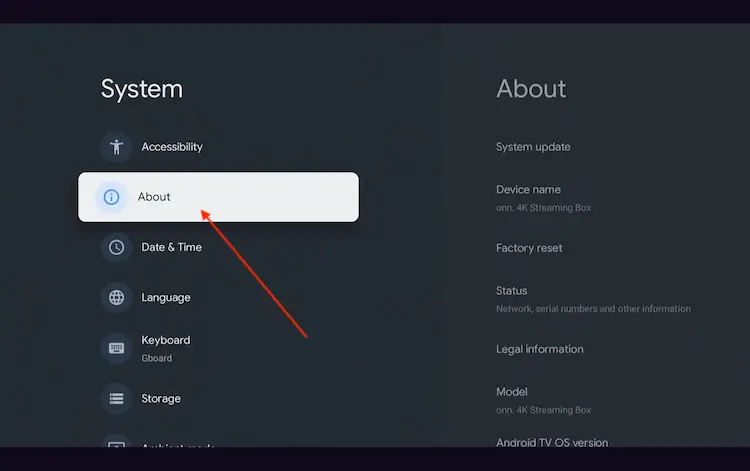
Navigate to System > About
Scroll to the bottom and click Android TV OS Build 7 times continuously until a pop-up says "You are now a developer."
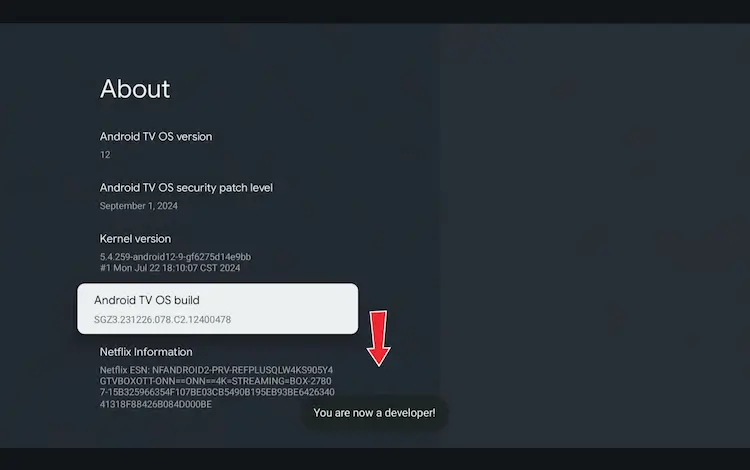
Click Android TV OS Build 7 times to unlock Developer Mode
Press the Home button on your remote, go to the top menu, and select Apps.
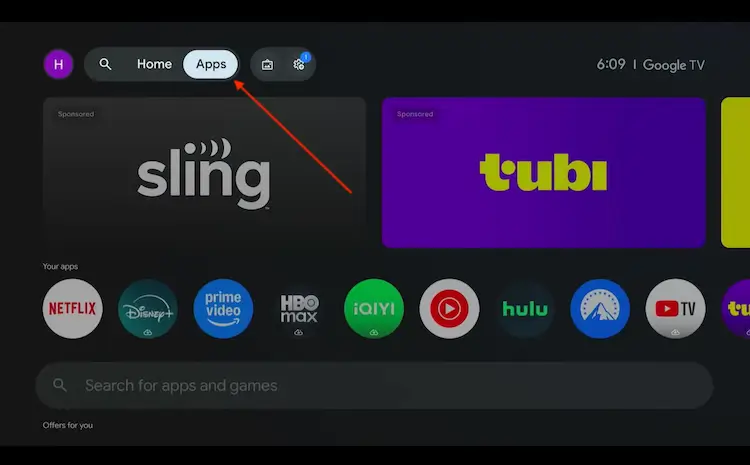
Back to the Onn TV home screen > Apps
Use the search bar and type Downloader and select the one at the top of the list
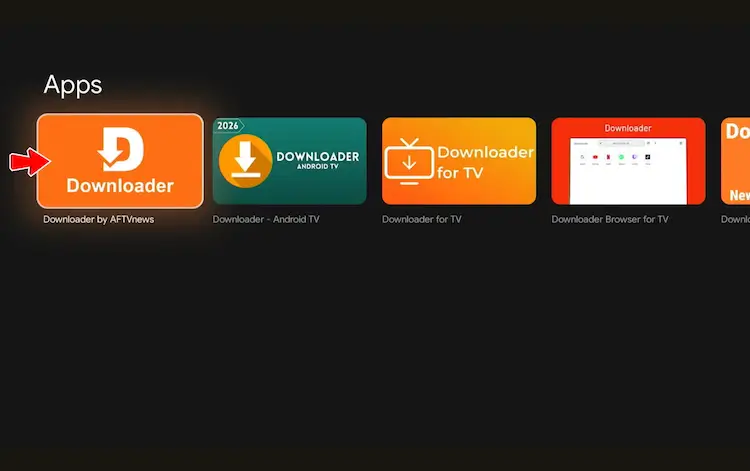
Select the Downloader app at the top of the search results
Click Install
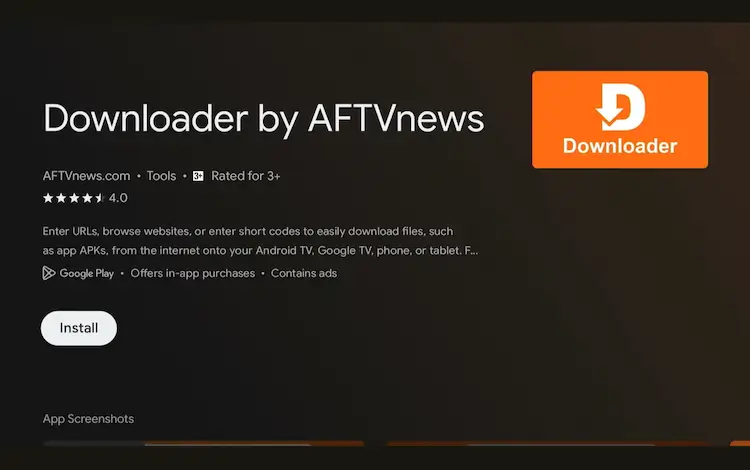
Press Install
Once installed, open the Downloader app and click on the URL/search bar.
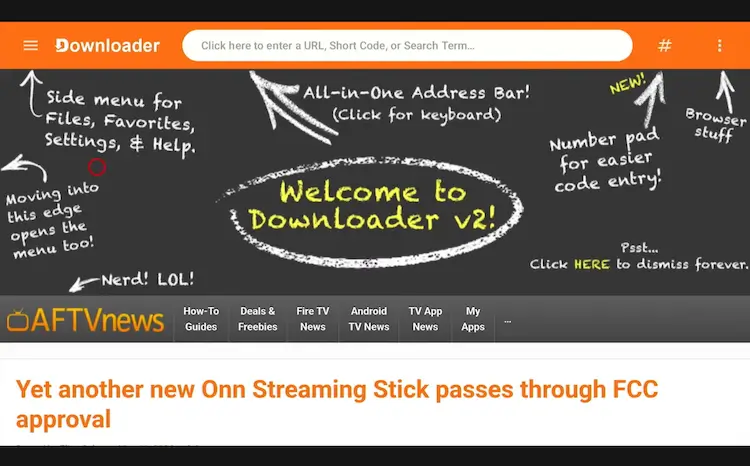
Open Downloader app > URL Search bar
Enter the exclusive Onn TV Hacks downloader code 8533602 below and press Go.
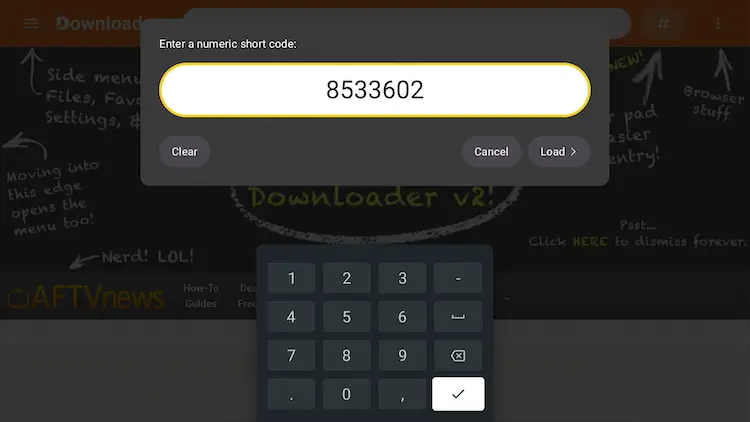
Add the popular 8533602 code
Scroll down and select the Live TV Apps category.
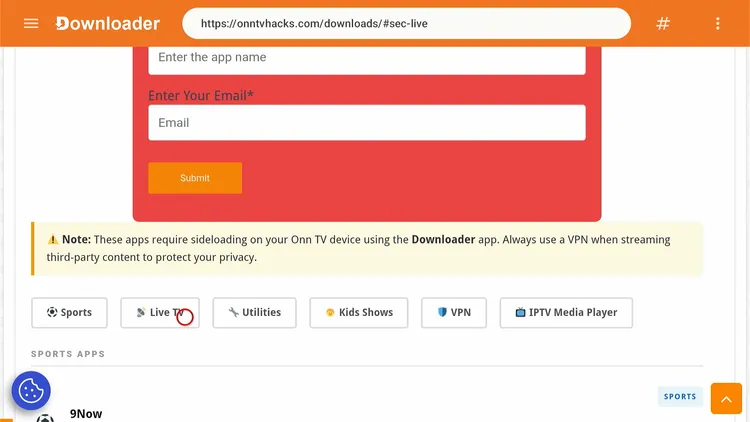
Select “Live TV”
Search BBC iPlayer and click Download.
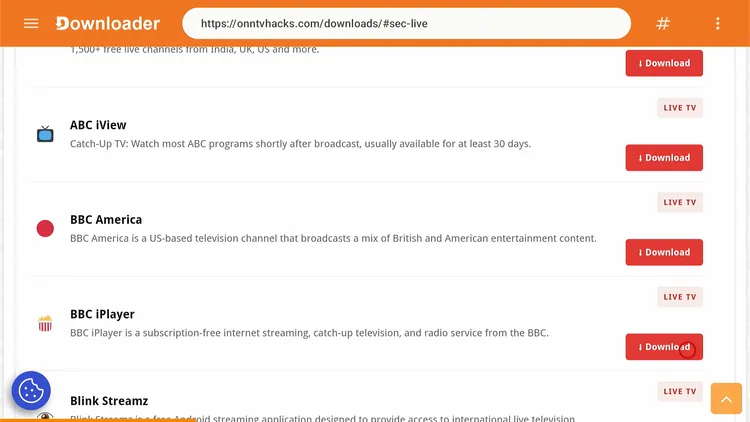
Select “BBC iPlayer”
Wait for the APK to finish downloading.
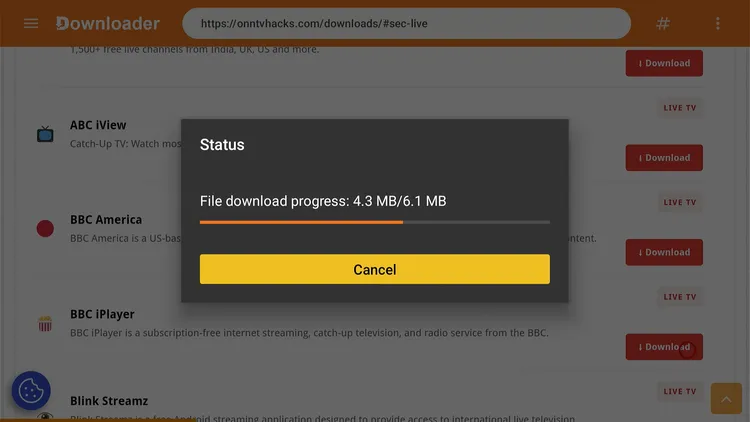
BBC iPlayer is downloading
Click Install.
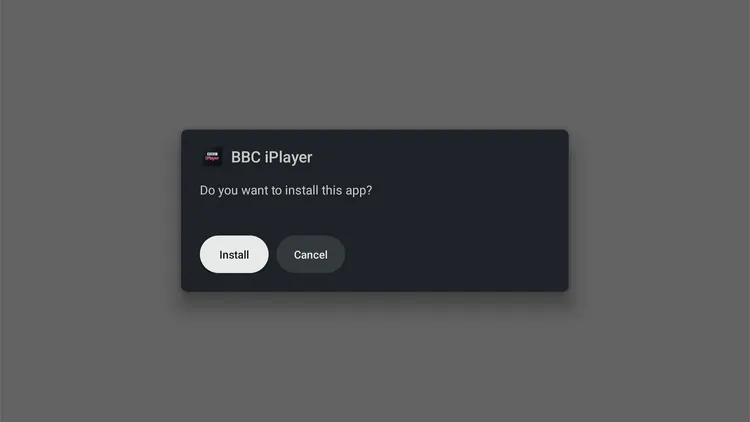
Click “Install”
Once installed, click Done.
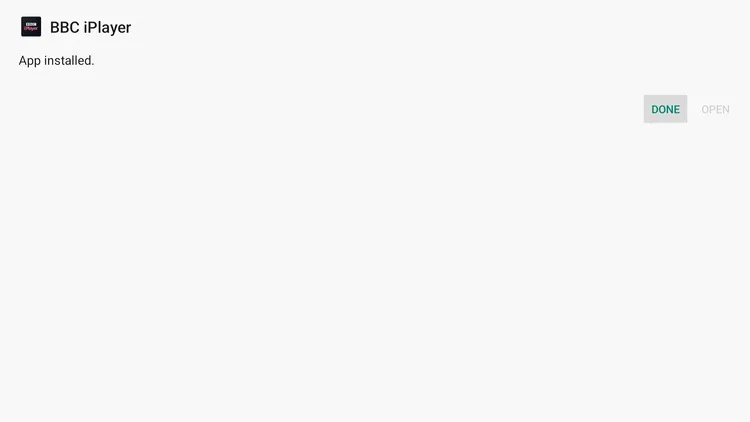
Click “Done”
Click Delete to remove the APK and free up storage space.
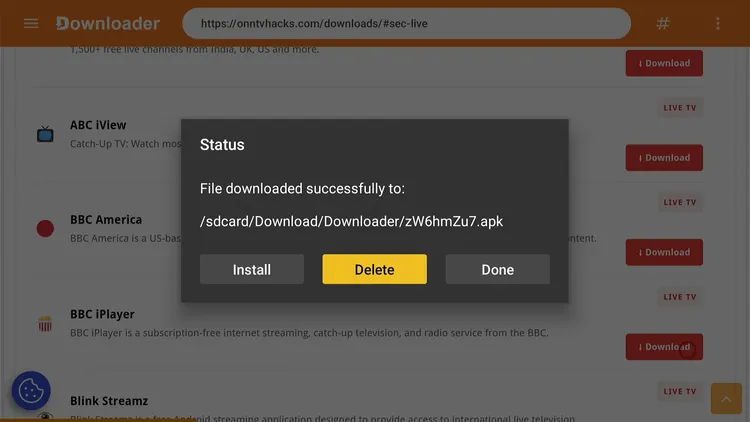
Click “Delete”
Click Delete again to confirm.
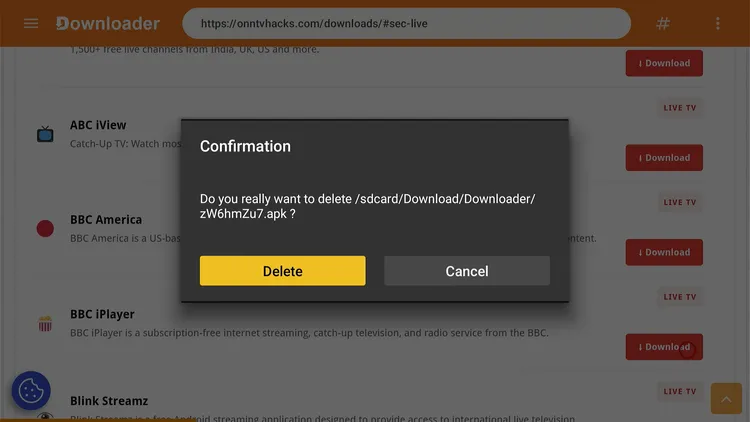
Confirm “Delete”
How to Watch BBC iPlayer on Onn TV
BBC iPlayer only works in the UK, so make sure you connect to a UK server on Surfshark before opening the app.
Open Surfshark and connect to the United Kingdom server.
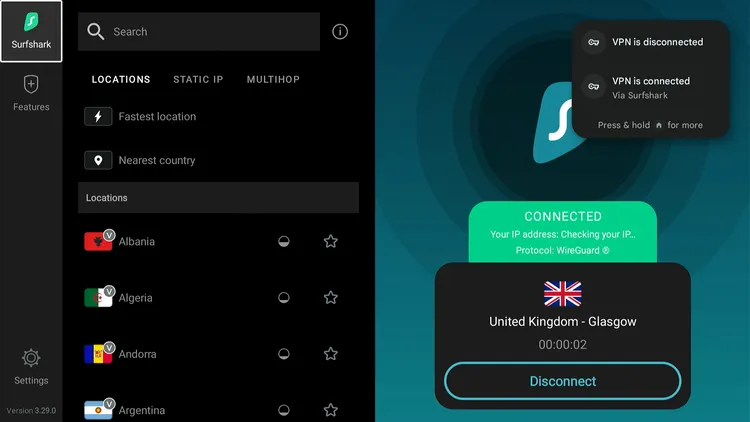
Connect to the UK server
From your Onn TV home screen, open the Apps library and select BBC iPlayer.
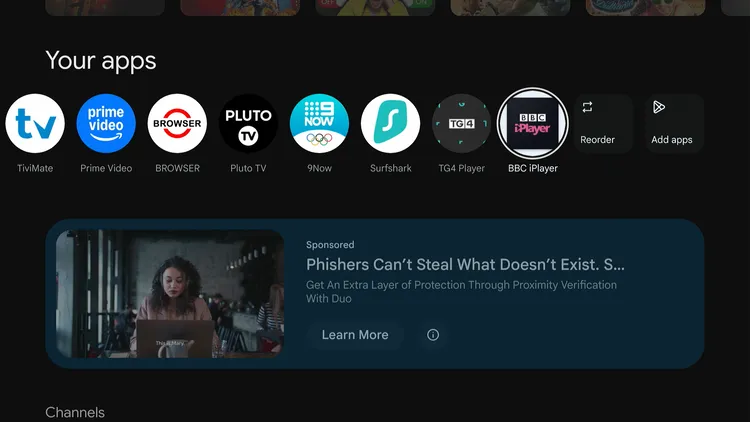
Apps > BBC iPlayer
You’re now on the BBC iPlayer home screen.
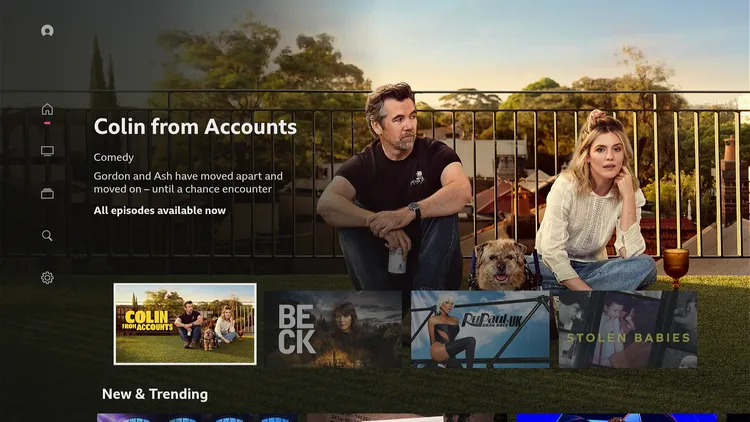
BBC iPlayer home screen
Choose the channel you want to watch.
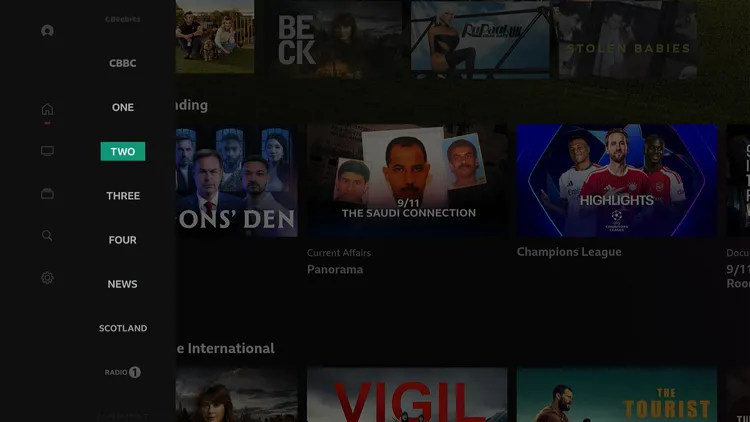
Choose the channel
Select Sign in to Watch Live.
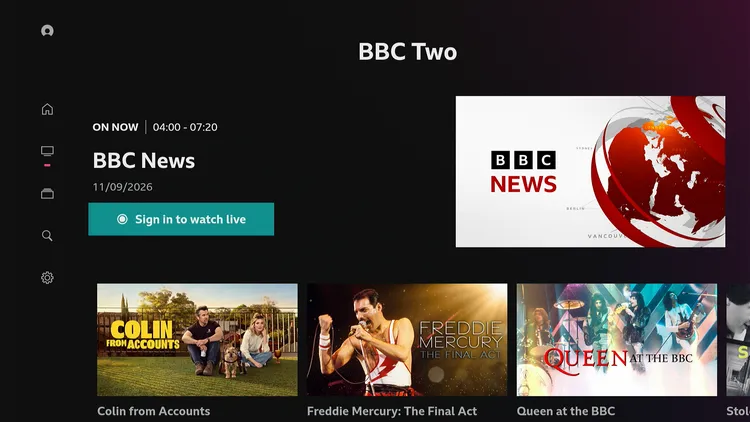
Sign In to Watch Live
You will see a code. Note it down.
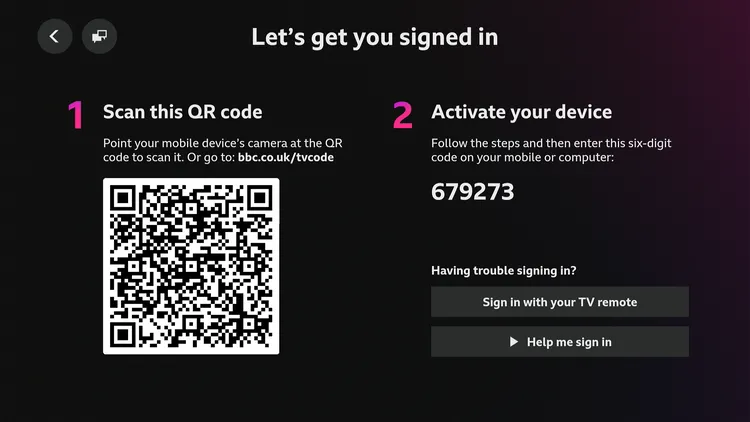
Note the code
On your mobile/PC browser, go to bbc.com/tvcode (or the web address shown on your TV screen) and enter the code from the previous step.
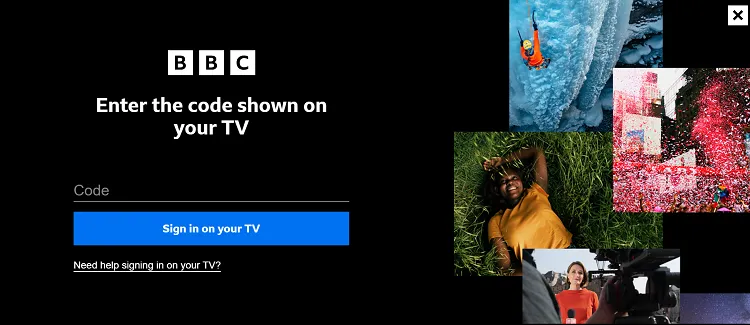
Enter the code
Your account is now connected to the BBC iPlayer app on Onn TV.
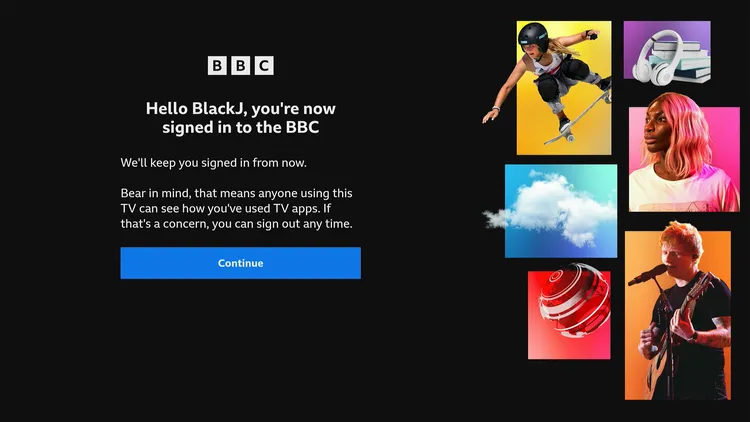
Account connected
Select OK, Got it.
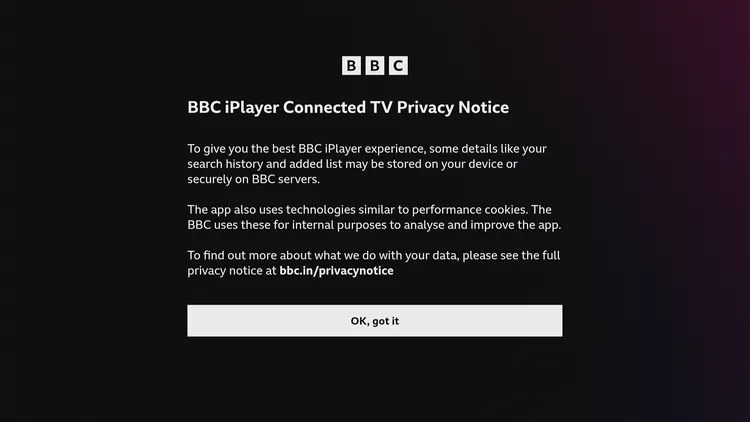
Click OK
Select your favorite show and choose Watch Live.
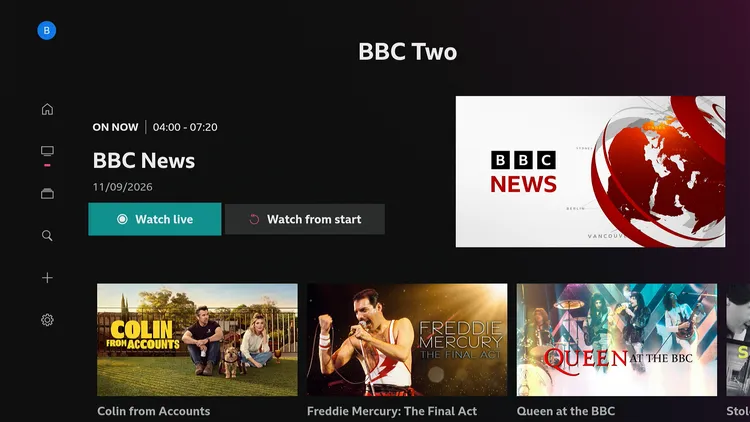
Select a show
Select I have a License. Watch Now.
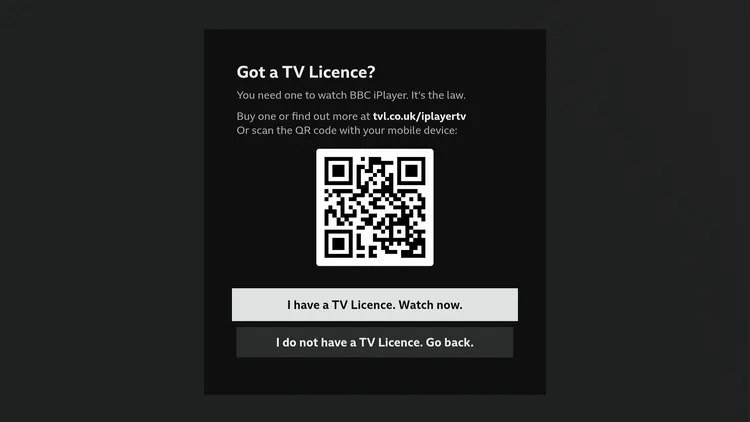
Confirm TV Licence
Start free streaming on BBC iPlayer!
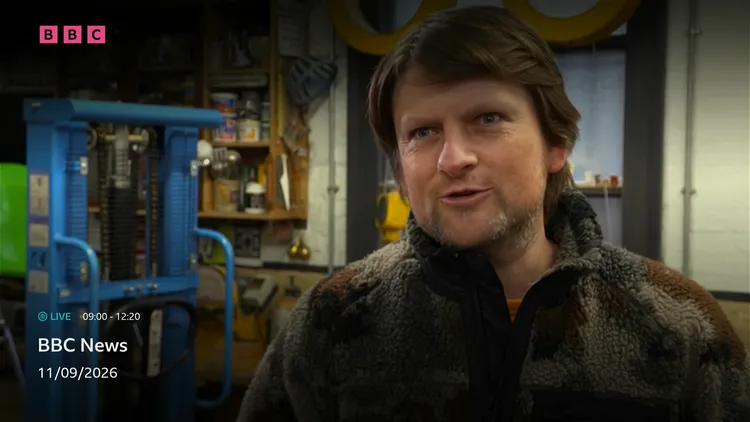
Start streaming
How to Install BBC iPlayer from the Google Play Store
Onn TV runs Google TV, so UK residents can install BBC iPlayer straight from the Google Play Store. Outside the UK the app may not appear.
The Downloader method above is simpler. Either way, you still need Surfshark connected to a UK server to stream.
Is BBC iPlayer Safe & Legal to Use?
BBC iPlayer is an official BBC service, so the app itself is legitimate.
The BBC iPlayer APK (v38.25.2.1) was scanned on VirusTotal and showed no malware or viruses.
It is geo-restricted outside the UK due to content rights. To watch from elsewhere, use a reliable Onn TV VPN like Surfshark and connect to a UK server.
Also delete the downloaded .apk file after installation. Note that UK law requires a TV Licence to watch live TV and BBC iPlayer content.
How to Fix BBC iPlayer Detecting Your VPN
This is more common with certain VPN services connecting via the London server. Try changing your VPN location to Manchester or Glasgow, which often work better.
If you’re dealing with buffering, app crashes, or other glitches, try these quick fixes:
- Restart your Internet router
- Clear the app cache
- Close background apps
- Restart your Onn TV
- Update your Onn TV software
- Connect Onn TV via Ethernet
- Set video resolution to 1080p/4K
BBC iPlayer Features
Here’s a quick rundown of what stands out about BBC iPlayer on Onn TV Box or Stick.
100% Free
No subscription needed
Ad-Free
Watch without interruptions
Account Required
Free BBC account to sign up
Subtitles
Available on most content
Live TV Channels
BBC One, Two, Three & more
VOD Content
Movies, shows & documentaries
4K Streaming
Select content in high quality
Parental Controls
Family-friendly settings
TV Guide
See what’s on now and next
Recommendations
Personalized suggestions
What Can You Watch on BBC iPlayer?
BBC iPlayer carries comedy, drama, news, documentaries and live sport. Its on-demand titles change often, so the examples below are a sample, not a fixed list.
Live TV channels (UK only, or with a UK server):
- BBC One, BBC Two, BBC Three, BBC Four
- CBBC and CBeebies — kids’ channels
- BBC News and BBC Parliament
- BBC Alba
- S4C (in Wales) and BBC Scotland (in Scotland)
Popular movies:
- Sound of Metal
- Paddington 2
- The Bishop’s Wife
- Victoria & Abdul
- I, Tonya
- Malcolm X
Popular shows:
- Doctor Who
- Happy Valley
- Call the Midwife
- Blue Lights
- The Gold
- Colin From Accounts
BBC iPlayer App Details
Here’s a quick look at what the app offers:
| Detail | Info |
|---|---|
| 📺 Content Type | Live TV & On-Demand Movies/TV Shows |
| 💰 Price | Free |
| 🏢 Developer | BBC |
| 🔢 Version | v38.25.2.1 |
| 📦 File Size | 67.4 MB |
| 🔑 Downloader Code | 8533602 |
| 🛡️ Safe to Use? | Yes, official BBC service |
| 🌍 Availability | UK only (use a UK server elsewhere) |
| 👤 Registration Needed | Yes, free BBC account |
BBC iPlayer Alternatives for Onn TV
If you’re looking for other free streaming services with live TV, movies, and shows on Onn TV, these are worth trying. You can also browse our best live TV apps for Onn TV.
- ITVX (ITV Hub)
- UKTV Play
- My5
- 9Now
- France TV
- TG4
📌 Related Onn TV Guides
- Enable Developer Options on Onn TV — turn on the setting sideloading needs.
- How to Set Up Your Onn TV Box — new to Onn TV? Start here.
- Use Your Phone as an Onn TV Remote — handy for typing sign-in details.
Frequently Asked Questions
What is the BBC iPlayer downloader code for Onn TV?
The BBC iPlayer downloader code for Onn TV is 8533602. Enter it, open the Live TV Apps category, select BBC iPlayer, then install it. More codes are in our best Downloader codes for Onn TV.
Why does BBC iPlayer say it only works in the UK?
BBC iPlayer is limited to the UK because of content rights, so outside the UK it shows the message “BBC iPlayer only works in the UK. Sorry, it’s due to rights issues.” Connecting a VPN to a UK server fixes it.
Can I install BBC iPlayer from the Google Play Store on Onn TV?
UK residents can install BBC iPlayer on Onn TV directly from the Google Play Store. Outside the UK, you’d need to change your Google account’s country to the UK, or sideload the APK with Downloader.
Do I need an account to use BBC iPlayer?
Yes, you need a free BBC account to watch anything on BBC iPlayer. Signing up takes a few minutes.
Is it legal to watch BBC iPlayer?
BBC iPlayer is an official BBC service, and the app is legitimate to install. A TV Licence is required in the UK to watch live TV and BBC iPlayer.
Can I watch BBC iPlayer on Onn TV outside the UK?
Yes, you can watch BBC iPlayer on Onn TV outside the UK by using a VPN like Surfshark connected to a UK server, since the service is only available in the UK.
Does BBC iPlayer work on both the Onn TV Box and the Stick?
The steps in this guide are the same on the Onn TV Box and the Onn TV Stick, since both run Google TV.
Is BBC iPlayer free to use?
Yes, BBC iPlayer is free to use, though UK viewers need a valid TV Licence.
Conclusion
BBC iPlayer is a free streaming service with live TV channels, movies, TV shows, and documentaries, all in one app.
You can install it on your Onn TV Box or Stick with the Downloader app. Since it’s geo-restricted to the UK, you’ll need to connect to a UK server to stream from anywhere else.
Just remember to use a reliable VPN like Surfshark VPN is our recommended choice before you start streaming.
📌 Found this guide useful? Share it with a fellow streamer and drop a comment below. Check out our Best Apps for Onn TV guide for more top picks to install alongside BBC iPlayer.